
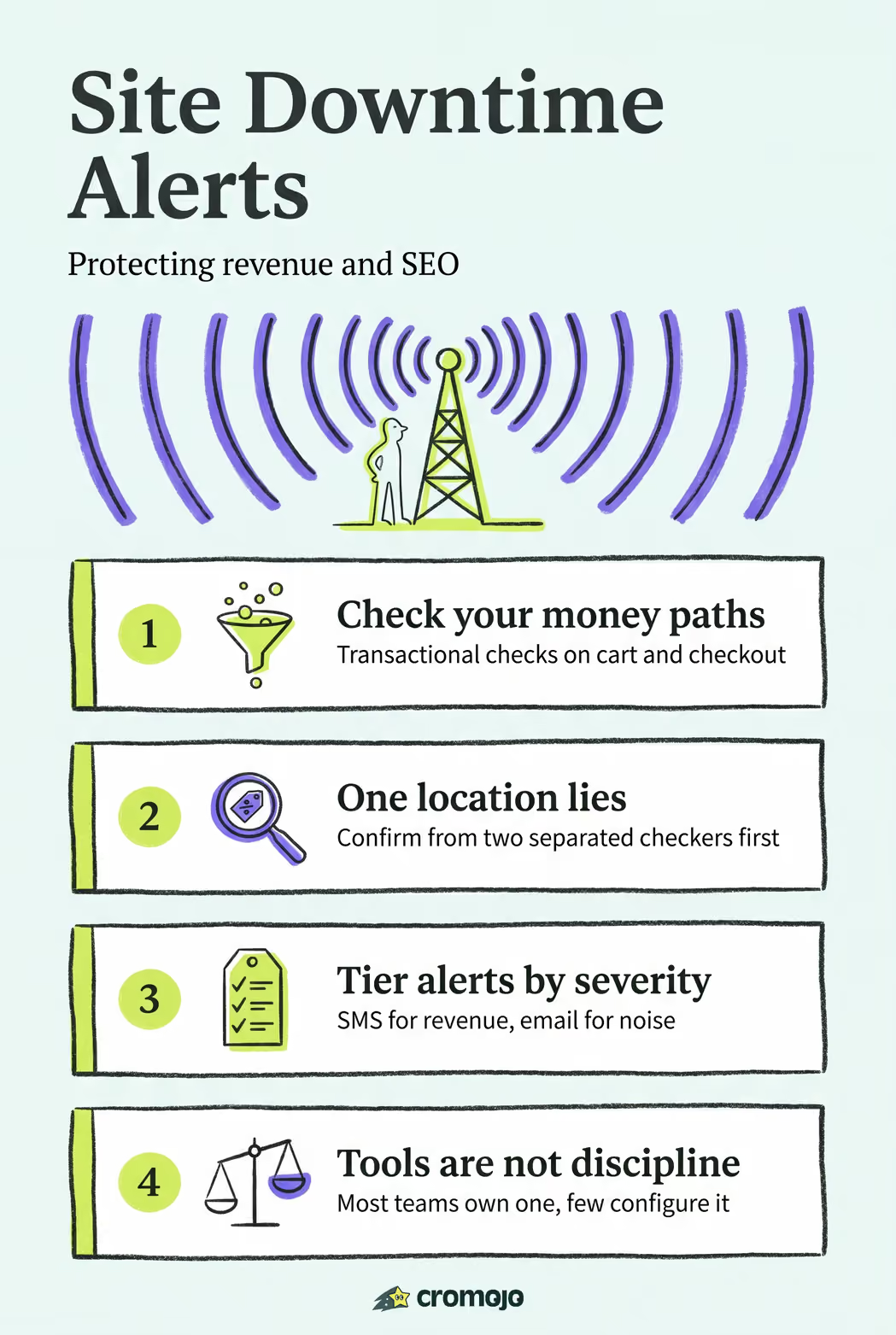
The fastest way to stop missing outages is running the right monitor types, confirming failures from more than one location, and routing critical alerts to an urgent channel like SMS or voice. Add a monitor with multi-location confirmation today, connect it to a phone-based alert, and set an escalation rule so unresolved incidents don't sit unnoticed. That combination, appropriate monitor type plus confirmation plus urgent delivery plus escalation, is what separates a five-minute outage from a five-hour one.
What Site Downtime Alerts Actually Check
A downtime alert is only as good as the monitor behind it. Different failure modes need different checks, and running just one type leaves blind spots.
- HTTP(S) checks confirm your server responds and returns the right status code, catching total outages.
- Keyword or content checks scan the returned page for specific text, catching "up but broken" situations like an error page that still returns a 200 status.
- Ping and port checks verify network and service reachability, useful for backend services that don't serve web pages directly.
- Transaction or cron checks simulate multi-step flows, essential for ecommerce checkout, login, or API sequences where any single step can fail silently.
- SSL and DNS checks catch the quiet failures, an expiring certificate or a misconfigured DNS record won't always trip an HTTP check but will still cost you sales.
A static marketing site can often get by with HTTP and SSL monitoring. An ecommerce store needs more: at minimum, run an HTTP check on the homepage, an SSL expiry check, and a transactional check that walks through add to cart and checkout. Skipping the transactional check is the most common gap; a checkout page can return a perfectly healthy status code while the payment step is broken behind it.
Getting the Alert Where Someone Will See It
An alert nobody sees in time is functionally the same as no alert. Channel choice should match urgency, not convenience.
- SMS, voice calls, and push notifications for anything that indicates real revenue or availability loss. These interrupt the way email never does.
- Slack, Microsoft Teams, or Telegram for team visibility and shared context, good for coordinating a response, not for waking someone up.
- Webhooks for automation: triggering a runbook, logging an incident, or feeding a dashboard.
- Email for lower-severity or informational notices, like a recovered check or a scheduled maintenance reminder.
Many monitoring tools now support 1-minute checks alongside multi-channel alerts spanning SMS, voice, Slack, Teams, Telegram, and webhooks, so the channel mix is rarely a technical limitation. It's a configuration decision. For teams running formal incident response, integrating with on-call platforms like PagerDuty or Opsgenie lets a downtime alert automatically create a ticket, page the on-call engineer, and start a timeline, all before a human touches a keyboard.
Pro Tip: Route the SAME incident to two channels at different speeds. Send an instant SMS to the on-call engineer, then post a fuller Slack message with response codes and error logs a few seconds later for context. The page tells someone to act; the Slack message tells them what they're dealing with.
How Often to Check, and Why One Location Isn't Enough
Check frequency is a trade-off between detection speed and noise. A 30-second interval catches an outage almost as it happens, but it also means more monitoring cost and a higher chance of catching a network blip instead of a real failure. A 60-second interval is the common middle ground; anything beyond a few minutes starts to risk real revenue loss going undetected on high-traffic ecommerce sites.
The bigger reliability lever isn't frequency, it's confirmation. A single checker in one data center can report a false outage simply because of a regional routing issue between that checker and your server. Best practice is to require confirmation from at least two geographically separated checkers before an incident opens.
- Set a short retry window, typically one to three retries within a minute or two, rather than alerting on the first failed check.
- Define a "confirmed outage" as: failed from checker A, retried, still failed, and independently failed from checker B.
- Log the raw check history even for unconfirmed blips. Patterns across near-misses often reveal a flaky upstream dependency before it causes a real outage.
Skipping multi-location confirmation is the single most common reason teams stop trusting their own alerts and start ignoring them.
Keeping Alerts Meaningful Instead of Exhausting
Alert fatigue happens when every check, regardless of severity, hits the same channel. The fix is tiering.
- Define severity tiers. Informational (a check recovered on its own) goes to email. Warning (a non-critical service degraded) goes to Slack or Teams. Critical (checkout down, homepage unreachable) goes to SMS or voice.
- Build an escalation chain. If the first on-call person doesn't acknowledge a critical alert within a set window, say five minutes, it escalates to a second person, then a manager.
- Scope your muting. Silence alerts by tag, host, or service group so a staging server outage never fires the same SMS as a production checkout failure.
Mapping channels to severity and building escalation policies is what keeps 3 a.m. wakeups reserved for events that actually deserve one, instead of training your team to swipe away every notification unread.
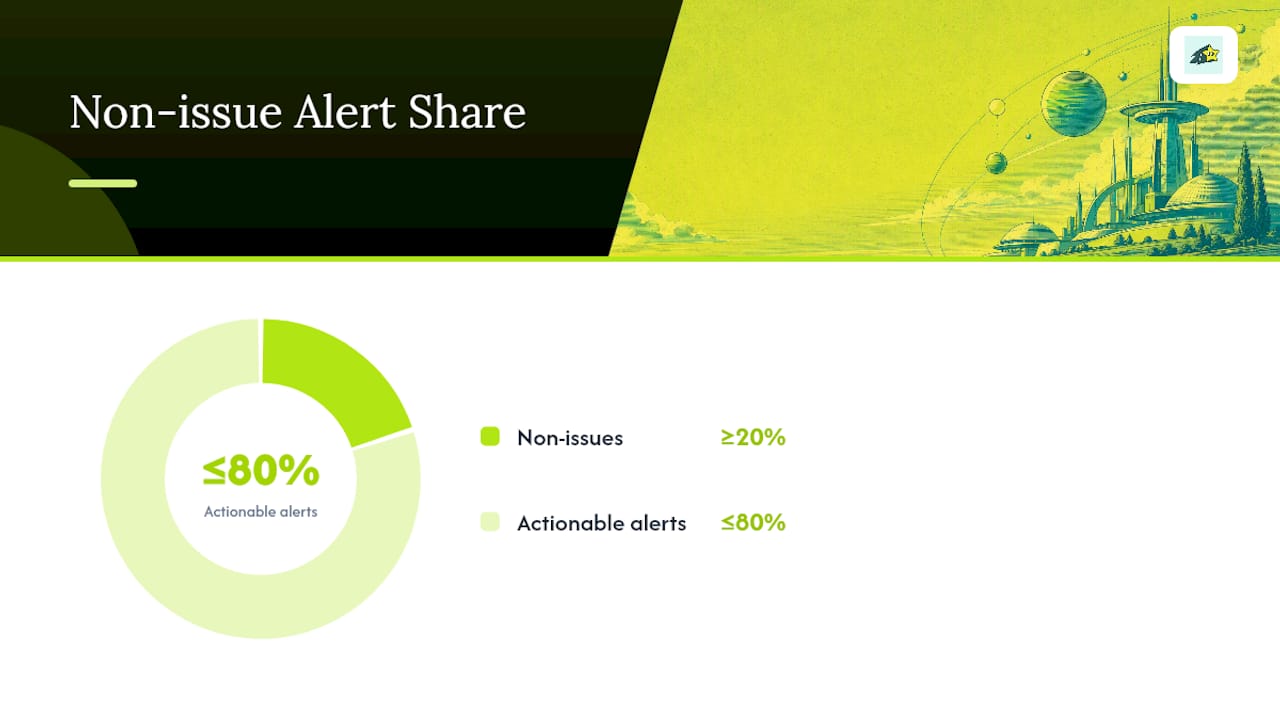
Pro Tip: If more than one in five of your alerts turns out to be a non-issue, your severity tiers need adjusting, not your team's tolerance for interruptions.
Scheduling Maintenance Without Losing Your Signal
Planned work shouldn't generate panic alerts or corrupt your uptime history. The fix is scoped, scheduled downtime rather than manually disabling monitors and hoping you remember to turn them back on.
- Scope the downtime by tag, host, or service name so only the intended monitors go quiet, not your entire monitoring setup.
- Set recurring downtimes for regular maintenance windows, like a weekly database backup, instead of recreating the schedule every time.
- Keep a message and audit trail attached to each scheduled downtime so anyone reviewing incident history later knows it was planned, not missed.
Scoping downtime windows by tags or groups keeps unrelated services from getting muted by accident, a mistake that's easy to make when downtime is set at the account level instead of the monitor level. When the window ends, recovery notifications should fire normally so your incident reports stay accurate.
Telling People What's Actually Happening
A status page does something an internal dashboard can't: it gives your users somewhere to look instead of your support inbox.
- Publish a plain-language incident summary, a timeline of updates, which systems are affected, and what happens next.
- Update it as the incident progresses, not just once at the start and once at resolution.
- Link the status page from your support channels and automated email responses so it becomes the default answer to "is the site down."
A public status page functions as a single source of truth during an outage, and that alone measurably cuts down duplicate support tickets asking the same question fifty different ways. It also does something less obvious: it shows customers you knew about the problem before they did, which matters more for trust than most teams assume when downtime starts eroding customer confidence.
Why Uptime Monitoring Is Also a Revenue and SEO Safeguard
Downtime isn't just a technical inconvenience. Outages measurably reduce conversions and can hurt search visibility, because every minute checkout is broken is a minute of lost sales, and repeated crawl failures signal instability to search engines. The fix isn't more dashboards, it's faster detection and faster recovery, which is exactly what uptime monitoring done well contributes to search performance.
For ecommerce sites specifically, the checklist is short:
- Run HTTP, SSL, and transactional checks on every revenue path, not just the homepage.
- Route checkout and payment failures to SMS or voice, no exceptions.
- Keep a public status page linked from your support widget.
- Review alert history monthly to catch recurring near misses before they become outages.
The Gap Between Monitoring Software and Monitoring Discipline
Most teams already own a monitoring tool. Very few use it well. The technology to catch an outage in under a minute has existed for years; what's usually missing is the discipline around it, someone actually decided which alerts go to SMS versus Slack, someone actually tested the escalation chain, someone actually scoped the maintenance windows so a routine deploy doesn't trigger a 2 a.m. page.
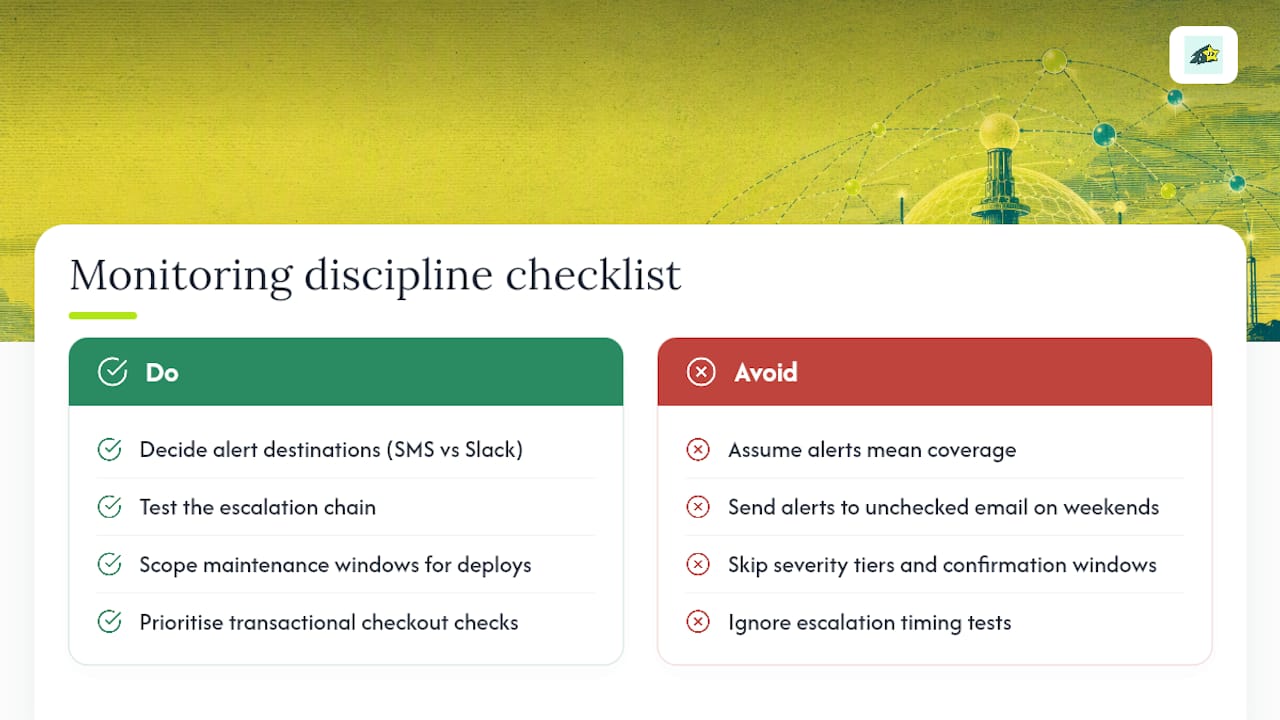
The conventional advice on this topic tends to stop at "set up alerts and you're covered." That's incomplete. An alert that goes to an email inbox nobody checks on weekends isn't protection, it's a false sense of security. The real work is in the boring configuration: severity tiers, confirmation windows, escalation timing. None of that is exciting to write about, which is probably why so few guides go into it.
If there's one place to start, it's the transactional check on checkout. Homepages rarely break silently. Checkout flows do, constantly, and that's where the revenue actually lives. Fix the monitor coverage on your money paths before you spend another hour tuning notification sounds.
- Philippe
Turn Monitoring Into a Revenue Safeguard With Cromojo
There are platforms that combine uptime monitoring and analytics dashboards into a single solution to show alerts alongside revenue impact during outages.
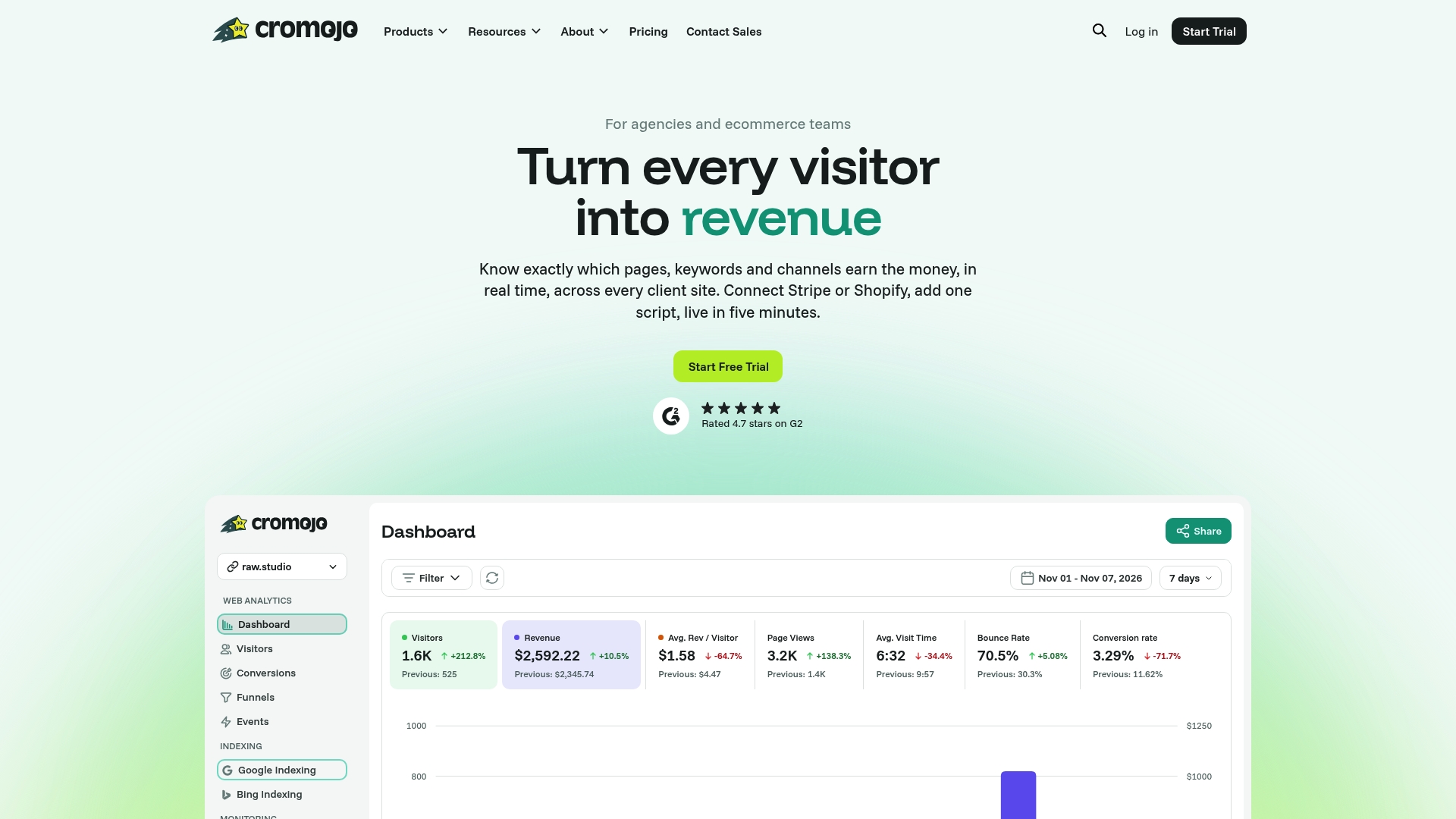
Cromojo's website monitoring feature runs real-time checks across your site, flags SEO health issues alongside downtime, and connects directly to the revenue data already flowing in from Stripe or Shopify. Instead of guessing how much an outage cost you, revenue attribution shows the dollar figure next to the incident timeline. Start a trial and add your first monitor today, checkout page first.