FOR FOUNDERS & SMALL TEAMS

Know where your website needs your attention.

You do not need another reason to spend the day in dashboards. Cromojo brings website results, visitor behaviour and surfaced findings together to help you choose a clearer next step.

Rated 4.7 stars on G2
Star IconStar IconStar IconStar IconStar Icon
Switched from a competitor to Cromojo and couldn't be happier, it's just so simple and you can get started in as little as 5 minutes! No fluff + auto-pilot = the dream!
Review Avatar Image
Maxime Servais
Software Developer @Ethereum Ecosystem
At a glance

A practical starting point for the next website decision.

Review meaningful outcomes, investigate the journey and keep technical health in view.

  • See what is happening: Review traffic, goals and recorded revenue.
  • Find what needs checking: Start with Smart Insights findings.
  • Keep the basics covered: Monitor availability and page performance.
The problem

Your website is one of many things you need to run.

When time is limited, it is difficult to know which numbers deserve attention and which issue to investigate first.

1
Problem

There is more data than time to review it.

Moving between tools can leave little time to understand the result or act on it.
2
Problem

A change in performance raises more questions.

Fewer enquiries could reflect traffic, website friction or a technical issue.
3
Problem

Every improvement competes with other work.

A clearer view of the evidence helps you decide what fits your priorities.
Smart Insights

Start with a finding worth reviewing.

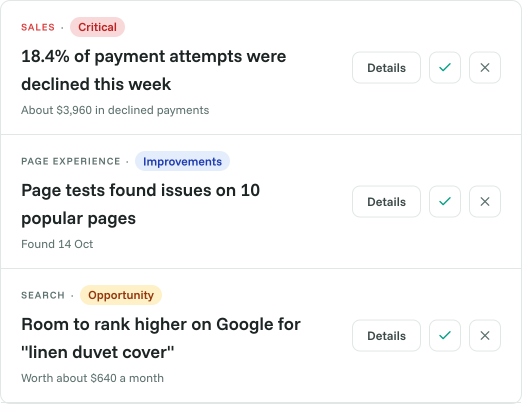
Cromojo surfaces changes and potential issues across conversions, search, page experience, site health and tracking. Read the evidence and recommendation before deciding whether to dig deeper.

  • Review findings across key website areas.
  • Understand the supporting evidence.
  • Choose the next action yourself.
Cromojo feature preview
Analytics + Conversion Goals

Keep your website's purpose in view.

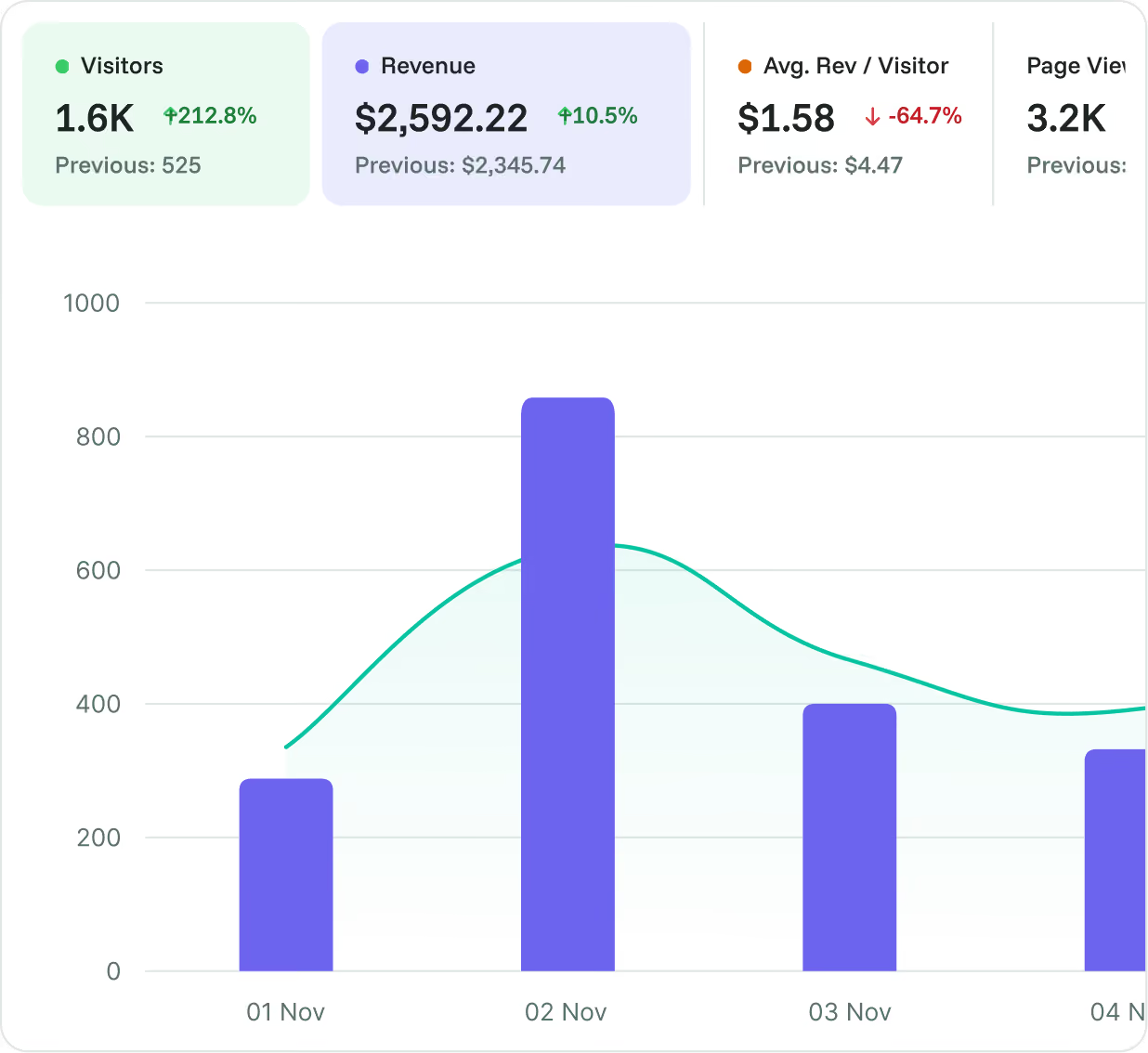
Review how people arrive and whether they complete the actions that matter. Add recorded revenue when connected, or focus on enquiries and signups when those are your main outcomes.

  • Review acquisition sources.
  • Track meaningful conversion goals.
  • Include revenue where it is relevant.
Cromojo feature preview
Website Monitoring + Page Performance

Keep website health in the same review.

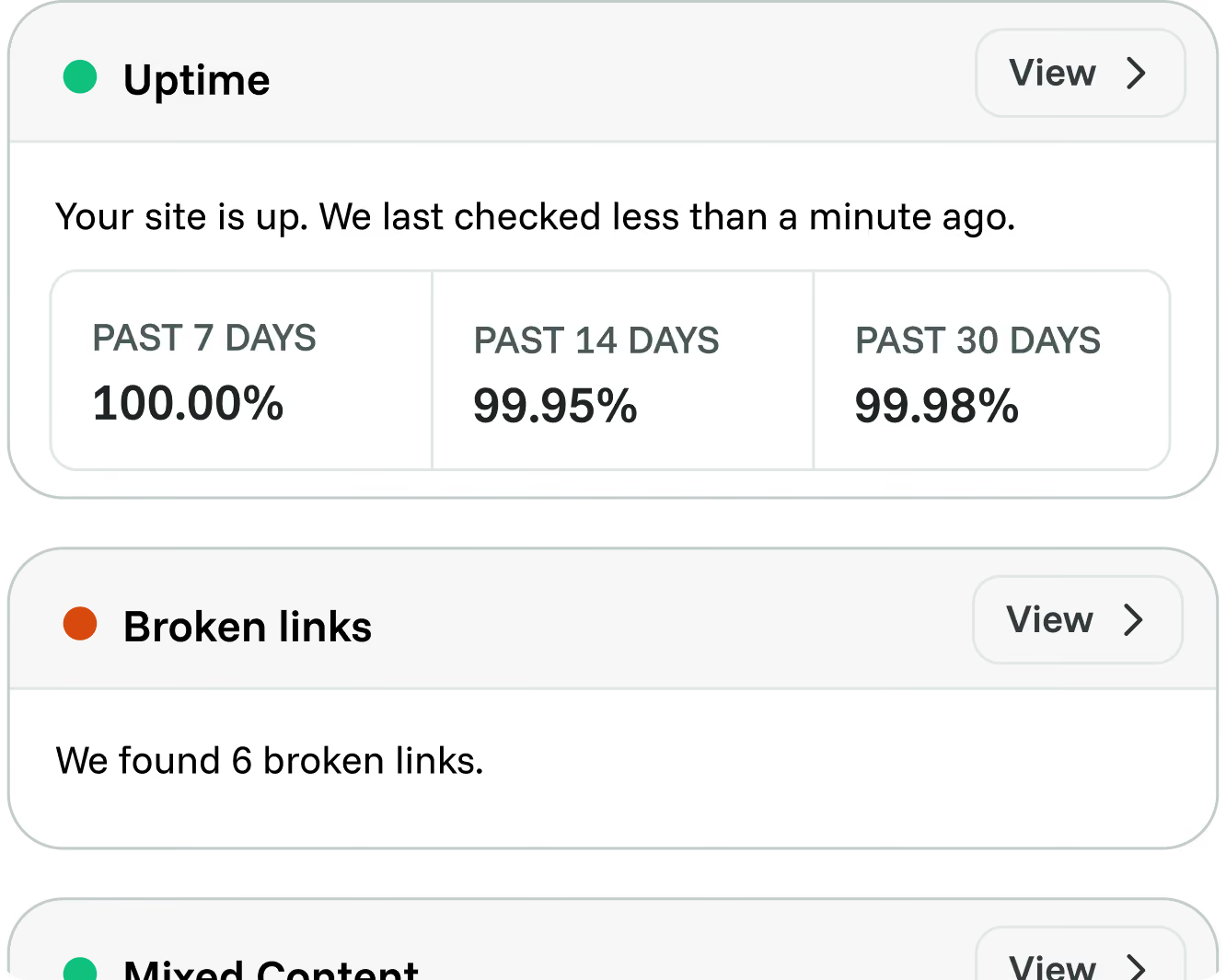
Check availability and loading experience alongside your website results. Use that context when investigating an unusual change or deciding what to ask your developer to review.

  • Review monitored availability.
  • Investigate performance findings.
  • Bring evidence into technical conversations.
Cromojo feature preview
Benefits

Make the next step easier to choose.

Keep goals clear.
Measure actions that matter to your business.
Reduce scattered checking.
Review connected website signals.
Start with evidence.
Use findings to focus an investigation.
Include technical health.
Keep uptime and performance visible.
Share relevant data.
Bring collaborators into the discussion.
Stay in control.
Decide which recommendations fit your priorities.

Frequently asked questions

Quick answers about Cromojo for founders and small teams. For setup guidance, visit our Help Center.
Do I need an analyst to use Cromojo?

You can start with core traffic and conversion views. A clear goal and a correct tracking setup make the data more useful, with deeper investigation available as needed.

Do I need to sell products online?

No. You can track goals such as enquiries, bookings or signups. Revenue tracking is useful when purchases are part of the website's purpose.

Will Smart Insights tell me exactly what to do?

It provides findings and recommended actions to review. Your business context still matters, and you decide what to investigate or change.

Can I share the data with a freelancer or agency?

Cromojo supports dashboard sharing. Use the available sharing options to give collaborators access to the relevant website data.

Are all features available on every plan?

Availability depends on your plan and current feature rollout. Check the pricing page and your workspace before choosing a workflow.