FOR AGENCIES

Show clients what's working. Know what to improve next.

Connect traffic, visitor behaviour and conversions across your client websites. Cromojo helps you explain results, uncover friction and turn your next recommendation into a clear plan.

Rated 4.7 stars on G2
Star IconStar IconStar IconStar IconStar Icon
Switched from a competitor to Cromojo and couldn't be happier, it's just so simple and you can get started in as little as 5 minutes! No fluff + auto-pilot = the dream!
Review Avatar Image
Maxime Servais
Software Developer @Ethereum Ecosystem
At a glance

Clearer results. Stronger client recommendations.

Cromojo brings website analytics, visitor behaviour and conversion data together so your agency can explain performance and prioritise improvements.

  • Show what drives results: Connect traffic to enquiries, signups and recorded revenue.
  • Find what needs fixing: Explore funnel drop-offs, session replays and website health.
  • Make the next step clear: Use Smart Insights and shared dashboards to support your recommendations.
The problem

Your clients want answers. Your data is spread across tools.

Reporting takes time. Finding the reason behind a change takes even longer. When analytics, recordings and website health live separately, it is hard to tell the whole story.

1
Problem

Traffic doesn't tell the whole story

More visitors look good in a report. Clients want to know whether those visits become enquiries, signups or sales.
2
Problem

The numbers show a drop. The reason stays hidden.

A lower conversion rate could mean confusing content, a broken form or a slow page. You need evidence before recommending a fix.
3
Problem

Finding useful insights takes too much time

Digging through dashboards and piecing together reports eats into the time your team could spend improving client websites.
Smart Insights

Less time finding insights. More time acting on them.

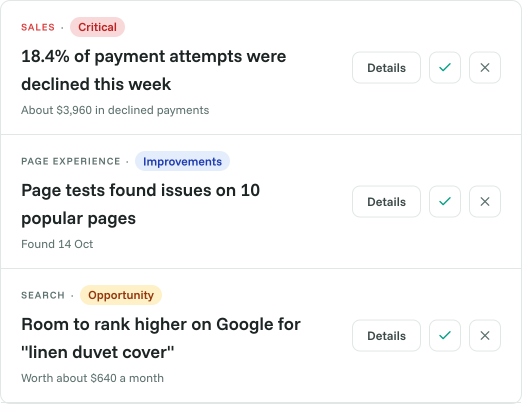
Finding useful insights across client websites takes time. Cromojo surfaces changes and potential issues, giving your team a clearer starting point for investigation and recommendations.

  • Spot changes that deserve a closer look.
  • Prioritise what to investigate next.
  • Turn findings into recommendations backed by data.
37 issues
Critical
Warning
Deprecated
Error Timeline
Session Replay + Heatmaps

Show clients where visitors get stuck.

Numbers show where people drop off. Session replays and heatmaps help your team understand why. Explore how visitors interact with key pages and bring clearer evidence to your next design or CRO recommendation.

  • Watch real journeys through important pages.
  • See what visitors click and how far they scroll.
  • Investigate friction before proposing changes.
Name
Status
Detected BY
AuthService.ts
ISSUE FOUND
Nerdstack Debug
CheckoutFlow.tsx
Pass
Nerdstack Optimize
UserResolver.js
Cleanup
Nerdstack Review
NotificationQueue.go
Pass
Nerdstack Debug
Revenue Attribution

Connect your work to the results clients care about.

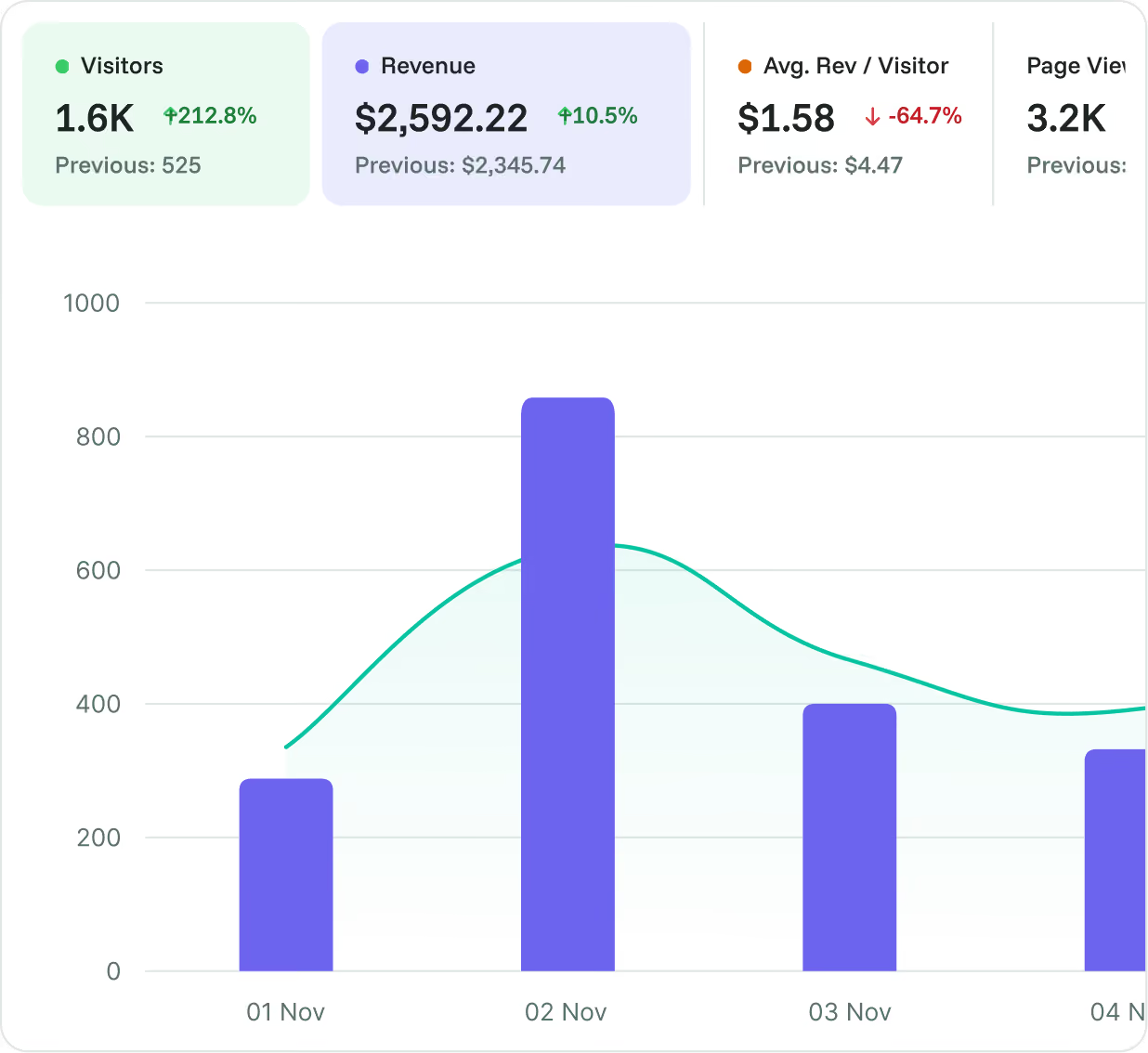
Move the conversation beyond traffic. Connect website activity with conversion and revenue data to understand which channels and pages contribute to results, and where to focus next.

  • See which acquisition channels contribute to conversions.
  • Understand how landing pages contribute to revenue.
  • Give client conversations a stronger basis for deciding what comes next.
Async pitfalls
Common mistake: un-awaited promises inside conditionals.
Dead code hints
3 unreachable branches detected in UserResolver.js.
Render cost spikes
CheckoutFlow.tsx re-renders 11× more than necessary.
Suggested insights
Benefits

Turn website data into your next client recommendation.

Connect your work to the outcomes clients care about
Track meaningful goals and recorded revenue alongside acquisition data. See which channels and landing pages contribute to enquiries, signups and purchases.
Find friction you can show, not just describe
Use funnels to identify drop-offs, then explore session replays and heatmaps to understand visitor behaviour. Bring concrete examples into your next CRO discussion.
Start with what needs attention
Smart Insights surfaces findings across conversions, search visibility, page experience and site health. Review the evidence and recommended actions to decide what your team should tackle next.
Give SEO reporting a business context
See Google Search Console performance alongside measured organic landing-page revenue. Help clients understand which pages deserve attention beyond rankings and clicks.
Keep website health in the picture
Monitor availability and page performance alongside conversion activity. Investigate technical issues that could be getting in the way of results.
Make results easier to share
Use dashboard sharing to give clients a clearer view of website performance. Keep reporting conversations grounded in the data behind your recommendations.

Frequently asked questions

Quick answers about using Cromojo for client websites. For setup guidance, visit our Help Center.
Can I use Cromojo for websites focused on leads?

Yes. Set up goals for actions such as enquiries, demo requests or completed forms. Revenue tracking is useful when purchases matter, but you can also measure non-purchase conversions.

Can I share dashboards with clients?

Yes. Cromojo supports dashboard sharing, so clients can review the website data you share with them.

Does Cromojo automatically make changes to client websites?

No. Smart Insights surfaces findings and recommends actions. Your team reviews the evidence and decides which changes to make.

How can agencies connect website traffic to leads and revenue?

Set up goals for actions such as enquiries, demo requests and signups, then compare conversions across traffic sources and landing pages. When revenue tracking is connected, Cromojo also shows recorded, attributed revenue to help you understand which traffic contributes to sales.

How does Cromojo help agencies find insights faster?

Smart Insights surfaces findings across conversions, search visibility, page experience and site health. Your team can start with the evidence and recommended actions, then explore the underlying data instead of checking every dashboard from scratch.

How can agencies identify why a client's conversion rate dropped?

Start by identifying which channels, pages or funnel steps changed. Use session replays and heatmaps to investigate visitor behaviour, then check website availability and page performance for technical issues. Together, these signals help narrow down possible causes before you recommend a fix.

Can Cromojo help measure the business impact of SEO?

Yes. Cromojo brings Google Search Console performance together with measured organic landing-page revenue. Agencies can compare search visibility with business outcomes and identify pages worth investigating. Keyword-level revenue is an estimate allocated by click share, rather than a record of the exact search behind a purchase.

How do session replays help agencies improve client websites?

Session replays show recorded navigation, clicks and scrolling. Agencies can review confusing journeys, repeated clicks and interrupted interactions to find friction worth investigating. These examples give design and CRO recommendations a clearer foundation.

Can Cromojo replace parts of an agency's analytics toolkit?

Cromojo brings website analytics, conversion goals, funnels, session replays, heatmaps, SEO insights and website monitoring into one platform. It can consolidate parts of your toolkit, depending on your reporting needs, integrations and plan. Specialist tools may still be useful for work outside that scope.