
Submit URLs to Yandex through three methods: Reindex pages in Yandex Webmaster, the IndexNow API (GET or POST), or by publishing and adding an XML sitemap. Each method queues a crawl but does not guarantee indexing or ranking. Queued URLs are usually visited within three days, while search database updates can take up to two weeks.
Add and verify your site in Yandex Webmaster
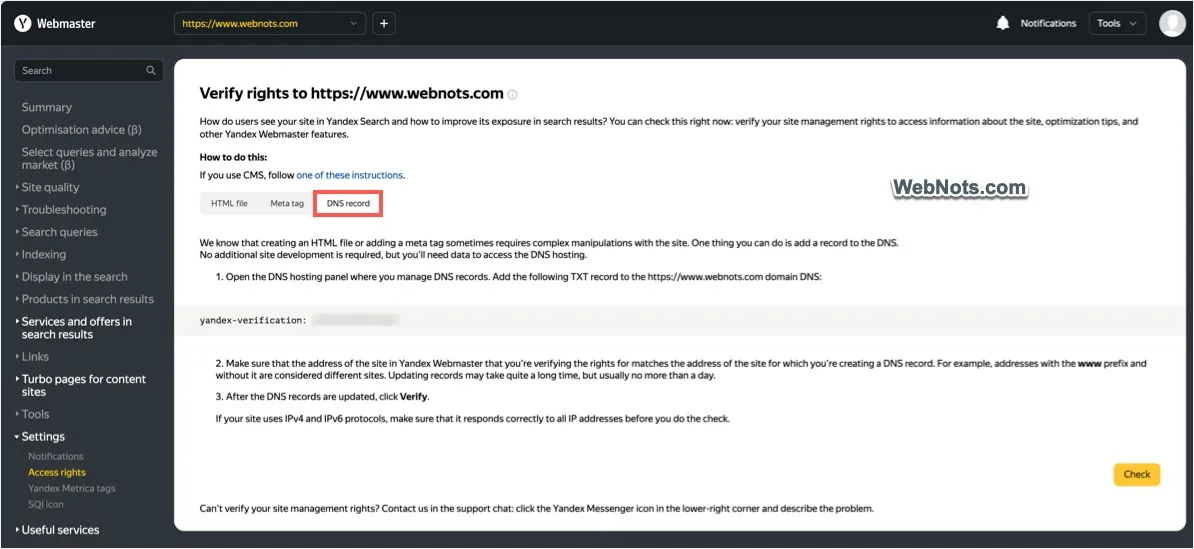
Before you submit a single URL, Yandex needs to know the site is yours. Head to Yandex Webmaster, click Add site, and enter the exact address, protocol and www included. Yandex treats http, https, www, and non-www as separate site variants, so submitting to the wrong one means your reindex requests and sitemap data never reach the version Yandex actually crawls.
Once added, verify ownership using one of these methods:
- Upload an HTML verification file to your site's root directory.
- Add a meta tag to your homepage's head section.
- Add a DNS record through your domain registrar.
- Confirm ownership automatically through a linked Yandex Metrica tag.
If your domain uses Cyrillic characters, Yandex expects the Punycode form in Webmaster, not the readable version. And your server needs to answer Yandex's crawler with a plain HTTP 200: a redirect chain, a firewall block, or a slow response at this stage will quietly stall everything downstream.
Manual single-URL submission with Reindex pages
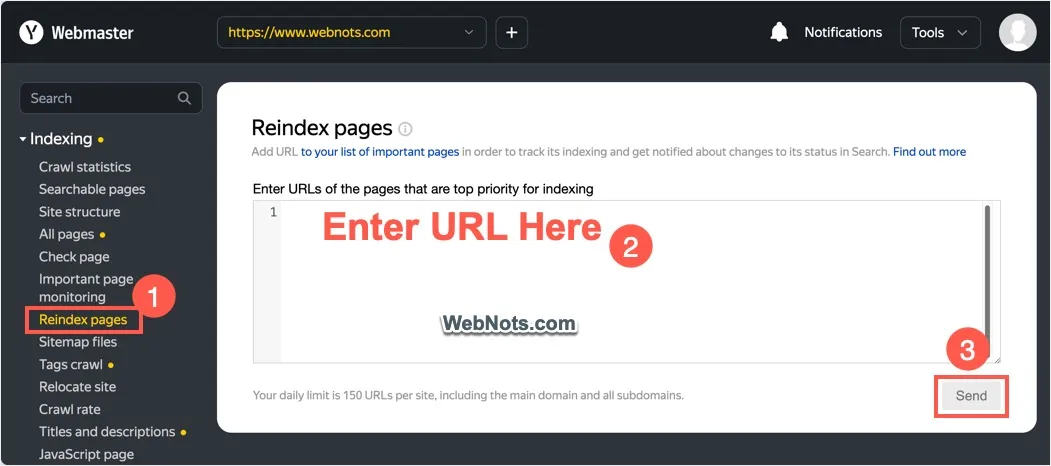
When a page needs attention now, whether it's a fixed product listing or a newly published article, Reindex pages is the direct route. In Yandex Webmaster, go to Indexing, open Reindex pages, paste the URL, and click Send.
- Confirm the page returns a 200 OK status and loads without errors.
- Check that no noindex tag or X-Robots-Tag header is present.
- Verify robots.txt does not disallow the path.
- Confirm the canonical tag points to the URL you're submitting.
- Submit, then watch the status column.
Three statuses appear. In queue means the bot will visit on its next pass, usually inside three days. Request processed means the bot already visited, though the search database itself can take up to two weeks to reflect that visit. Error means the bot could not fetch the page or found indexing blocked.
The tool carries a daily submission limit per domain that resets once a day, so save it for pages that matter and use Tags crawl when you need to refresh many URLs at once.
Pro Tip:Run through the preflight checklist before every submission, not after an error appears. It saves a wasted slot in your daily limit.
IndexNow API: automated single and bulk submissions
For teams publishing or updating pages daily, checking a dashboard by hand does not scale. IndexNow lets you notify Yandex the moment a page changes, through a simple HTTP call.
For a single URL, send a GET request to Yandex's IndexNow endpoint with three pieces of information:
- url: the exact page address, encoded per RFC3986.
- key: your verification key, matched to a key file hosted on your domain.
- keyLocation: optional, used if the key file sits somewhere other than the domain root.
For bulk changes, POST a JSON body instead, containing host, key, an optional keyLocation, and a urlList array.
Yandex accepts up to 10,000 URLs in a single POST request. That covers most site-wide updates in one call rather than thousands of individual pings.

There's no fixed universal quota, but Yandex's systems may throttle requests submitted too rapidly. Spacing resubmissions roughly 10 minutes apart in practice avoids that. IndexNow also handles deletions and redirects: report a 404, a 410, or a new redirect target the same way you'd report a fresh page, so Yandex's index stays current on both ends.
Submitting and maintaining a sitemap in Yandex Webmaster
A sitemap is your baseline discovery layer, the list Yandex checks against everything else it finds through links and crawling. Build it in UTF-8, keep every URL on the same verified domain, and stay under 50,000 URLs and 50 megabytes uncompressed per file. Larger sites need a sitemap index file that references multiple smaller sitemaps.
- Add the sitemap's full URL under the Sitemap files page in Yandex Webmaster.
- Alternatively, reference it with a Sitemap directive in robots.txt.
- Expect initial processing to complete within about two weeks, with periodic rechecks after that.
- If processing stalls, check for non-200 responses, a robots.txt block, or a mismatch between the sitemap's domain and your verified site variant.
Sitemaps, Reindex, and IndexNow serve different roles in the same pipeline: full-inventory discovery, urgent single-page priority, and near-real-time change signals, respectively.
Diagnosing failed submissions: robots.txt, server response, and indexing blocks
An Error status is Yandex's way of saying the bot tried and could not proceed. Work through the cause methodically before resubmitting.
- Open Tools, then Robots.txt analysis, and test the exact URL against your rules.
- Run a server response check to confirm the page returns 200 rather than a 4xx or 5xx code.
- Use the page-checking tool to see how Yandex's bot renders the page right now.
- Remove any accidental noindex tag or X-Robots-Tag header blocking indexing.
- Fix redirect chains or canonical mismatches sending mixed signals about which URL is authoritative.
Pro Tip:Check server response codes first. A surprising number of Error statuses trace back to a 500 error that had nothing to do with indexing settings at all.
Monitoring indexing and follow-up after submission
Submitting a URL is the start, not the finish. Confirm the outcome in a few places:
- Indexing, then Searchable pages, to see which submitted URLs made it into the index.
- Crawl statistics, to track how often Yandex's bot visits your site overall.
- Indexing, then Check page, for a one-off status lookup on a specific URL.
- Important page monitoring, which tracks up to 100 URLs per site and shows both the last crawl date and the last search database update.
Dashboard data can lag the real event by several days, so a page missing from Searchable pages right after submission is not automatically a failure.
Practical workflow and best practices for ongoing publishing
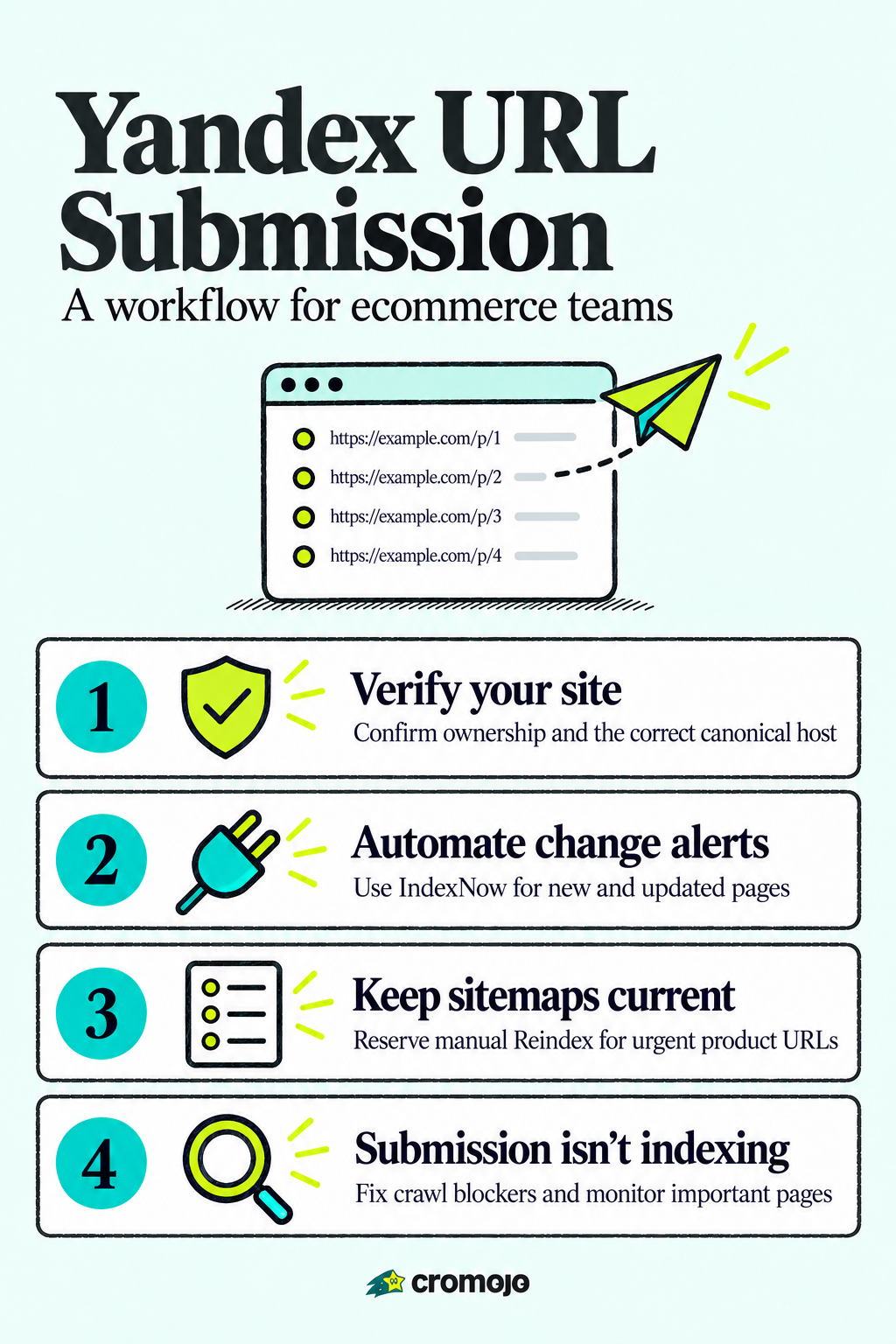
The most efficient setup layers all three methods instead of picking one. Maintain a current sitemap for full-site discovery, wire IndexNow into your publishing pipeline for automatic change signals, and reserve Reindex pages for the handful of pages that need priority attention right now.
- Confirm canonical host, 200 OK status, and a clear robots.txt and noindex before any submission.
- Send IndexNow calls as part of your publish or update step, not as a separate manual task.
- Reserve Reindex pages for urgent, revenue-critical launches like new product pages.
- Add commercial URLs to Important page monitoring so you catch drops early.
Pro Tip:Batch IndexNow calls into your CMS's publish hook once, and you never think about manual Yandex submission again.
How automated indexing supports revenue-first SEO
Faster discovery matters most on pages tied directly to revenue: a new product page sitting unindexed is a page that can't yet earn organic traffic or paid-campaign context. Automated indexing paired with monitoring shortens that gap and keeps attribution data honest, since a page that isn't indexed can't be fairly measured against one that is. Cromojo builds indexing automation and site monitoring around exactly that connection between visibility and revenue.
A more hands-off way to handle Yandex and beyond
Running Reindex pages, IndexNow calls, and sitemap checks by hand works, until you're managing dozens of product pages a week across multiple search engines. Cromojo's automated indexing handles that submission and resubmission work for Google, Bing, Yandex, Baidu, and AI search engines from one dashboard, so changes go out without someone remembering to trigger them.
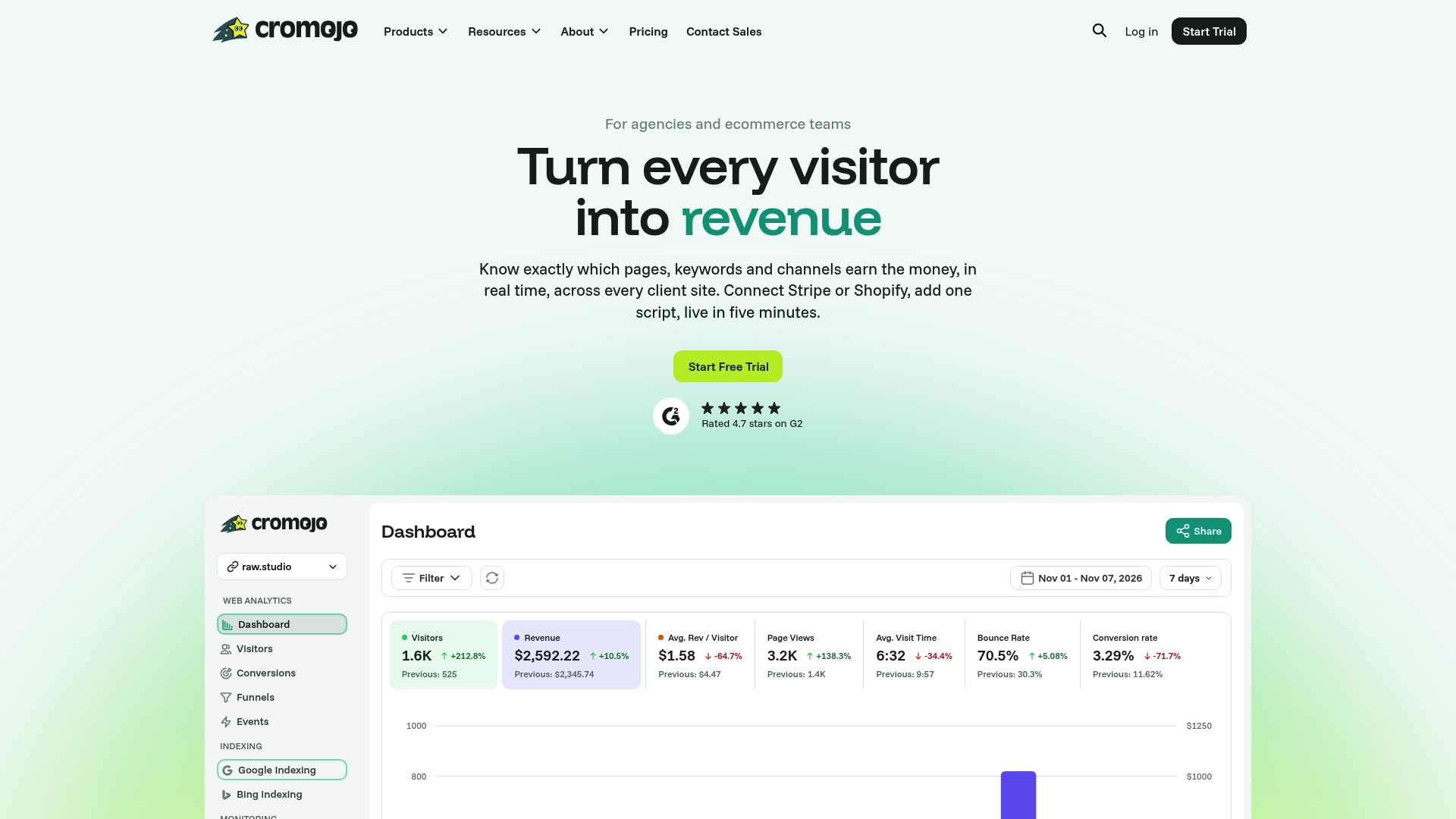
It pairs with monitoring for your commercial URLs and with analytics, so you can see not just whether a page got indexed but whether it led to conversions. Plans and pricing details are available on the pricing page.