

.avif)

If you are building websites with Webflow, visibility in search engines is everything. You can design a beautiful site, publish high-quality content, and optimize metadata, but none of that matters if your pages are not indexed by search engines. Indexing is the step where Google, Bing, and other search engines discover and store your web pages so they can appear in search results.
This is why indexing tools for Webflow 2026 are becoming an essential part of modern SEO workflows. As Webflow continues to grow in popularity among designers, startups, and SaaS companies, the need for automated indexing, monitoring, and crawl optimization tools has also increased.
Webflow already provides a strong technical SEO foundation with features like clean code structure, automatic SSL, and optimized hosting infrastructure. However, achieving strong search visibility still requires a strategic approach that combines technical SEO, content optimization, and indexing automation.
In this comprehensive pillar guide, we will explore the top 5 indexing tools for Webflow 2026, explain how they work, and help you choose the right tool to accelerate your website's visibility in search engines.
What Makes a Good Webflow Indexing Tool
When choosing indexing tools for Webflow 2026, there are several features you should prioritize.
1. Automated Index Submission
The best tools automatically submit new URLs to search engines so you do not need to manually request indexing.
2. Index Status Monitoring
You should be able to track which pages are indexed, pending, or removed.
3. Bulk Indexing
Large Webflow sites with CMS collections require bulk URL submission.
4. Crawl Diagnostics
Indexing problems often come from crawl errors, redirect loops, or broken links.
5. Integration with SEO Data
Tools that combine indexing with analytics and monitoring provide a much clearer picture of website performance.
Now let’s explore the top 5 indexing tools for Webflow 2026 that deliver these capabilities.
1. Cromojo - The Best Automated Indexing Tool for Webflow
The first and most powerful option among indexing tools for Webflow 2026 is Cromojo.
Cromojo has quickly become a favorite among marketers, SaaS founders, and Webflow users because it combines automated indexing, monitoring, analytics, and website health tracking in one platform.
Unlike traditional SEO tools that only provide data, Cromojo actively helps your website get indexed faster.
Key Features
Automated indexing engine
Cromojo automatically submits new pages to search engines and tracks their indexing status, helping websites appear in search results sooner.
Bulk URL indexing
You can submit hundreds or thousands of URLs at once, which is ideal for Webflow CMS collections and blog posts.
Index monitoring dashboard
The platform tracks which pages are indexed, pending, or removed from search engines.
Smart drip indexing
This feature controls how URLs are submitted to mimic natural crawling behavior and improve indexing success rates.
Website health monitoring
The tool also detects broken links, page errors, and indexing problems so you can fix them quickly.
Why It Is Perfect for Webflow
Webflow users often publish content through CMS collections. When dozens of pages are published at once, search engines may not discover them immediately.
Cromojo solves this problem by automatically detecting new URLs and submitting them for indexing.
This "set it and forget it" automation makes it one of the most powerful indexing tools for Webflow in 2026.
Best For
- Webflow SaaS websites
- Content-heavy blogs
- Agencies managing multiple sites
- Startup founders scaling SEO quickly
2. Google Search Console
Another essential tool in the list of indexing tools for Webflow 2026 is Google Search Console.
While it is not fully automated like other tools, it remains one of the most important platforms for monitoring indexing and search performance.
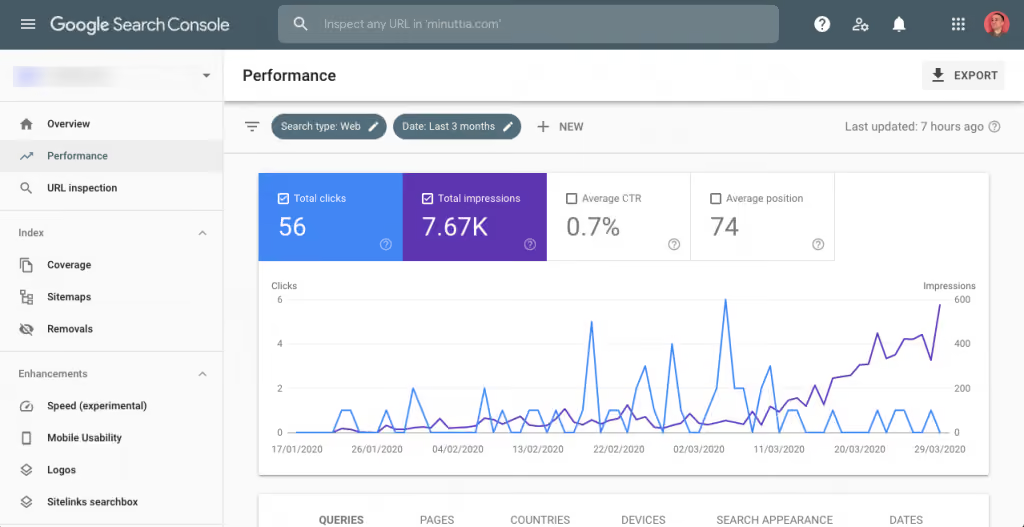
Search Console provides direct insights from Google about how your site appears in search results.
Key Features
URL inspection tool
You can manually request indexing for individual pages.
Index coverage report
This report shows which pages are indexed and which ones have issues preventing indexing.
Sitemap submission
Submitting your XML sitemap helps Google discover pages more efficiently.
Search performance analytics
Search Console shows impressions, clicks, rankings, and search queries.
Why Webflow Users Need It
Webflow sites integrate easily with Google Search Console through sitemap submission.
Once connected, the platform helps you identify problems like:
- Crawling errors
- Pages blocked from indexing
- Duplicate content issues
- Mobile usability errors
Community SEO discussions often emphasize the importance of Search Console because it reveals exactly how Google sees your website.
Limitations
The main limitation is that it is not automated. You must manually submit pages for indexing, which becomes inefficient for large sites.
This is why many Webflow users combine Search Console with automated indexing tools.
3. Screaming Frog SEO Spider
Next on the list of indexing tools for Webflow 2026 is Screaming Frog SEO Spider.
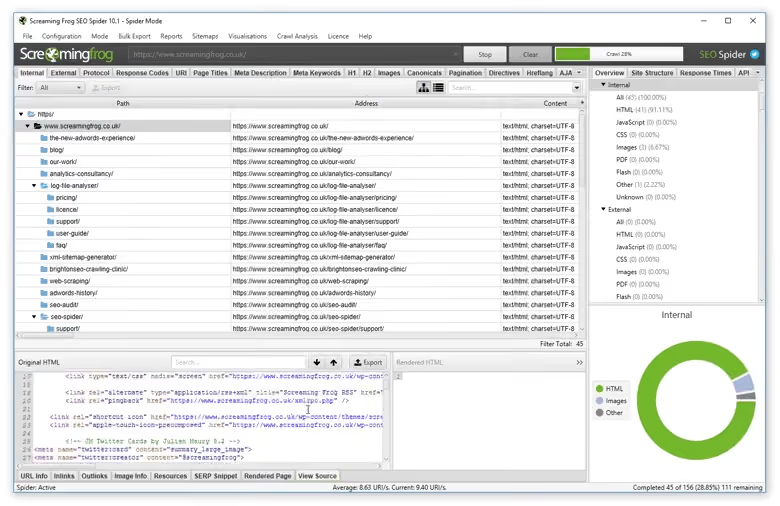
Screaming Frog is widely used by SEO professionals to analyze how search engines crawl websites.
While it is primarily a crawling tool, it plays a crucial role in diagnosing indexing problems.
Key Features
Website crawling simulation
The tool simulates how search engines crawl your site to identify SEO issues.
Broken link detection
Broken links can prevent search engines from properly indexing content.
Redirect analysis
Redirect loops and chains can block indexing.
Metadata auditing
The tool identifies duplicate or missing meta tags that affect search visibility.
AI-powered analysis
Recent versions include AI integrations for advanced content and semantic analysis.
Why It Helps Webflow SEO
Screaming Frog helps uncover technical problems that may stop pages from being indexed.
These include:
- Broken internal links
- Incorrect canonical tags
- Blocked resources
- Duplicate pages
Fixing these issues significantly improves the chances of search engines indexing your Webflow pages.
Best For
- SEO professionals
- Technical audits
- Large websites
4. SEOmatic
Another useful entry among indexing tools for Webflow 2026 is SEOmatic.
SEOmatic is designed specifically for Webflow users who want advanced control over SEO optimization and indexing signals.
Instead of focusing purely on indexing submissions, SEOmatic improves the technical signals that help search engines understand your pages.
Key Features
Automated metadata generation
SEOmatic automatically creates optimized meta titles and descriptions.
Schema markup implementation
Structured data helps search engines better understand your content.
Image optimization
Improved images help enhance crawlability and page performance.
Advanced SEO settings
Users can customize tags and metadata across Webflow pages.
Why It Matters for Indexing
Search engines are more likely to index pages when they clearly understand their structure and content.
SEOmatic improves:
- Page clarity
- structured data signals
- search engine understanding
This indirectly boosts indexing rates.
5. Omega Indexer - Fast URL Indexing for New Pages
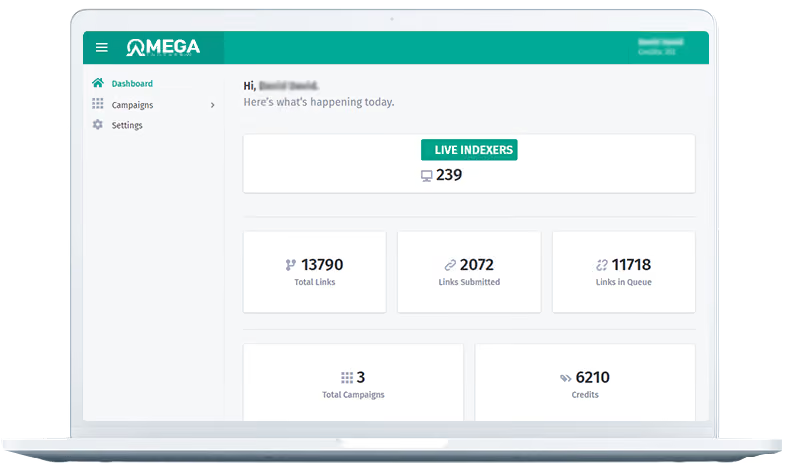
Omega Indexer is another platform that has become increasingly popular among users looking for reliable indexing tools for Webflow 2026. The tool focuses specifically on helping web pages get discovered and indexed by search engines more quickly.
For Webflow websites that frequently publish new landing pages, blog posts, or CMS entries, Omega Indexer provides a streamlined system for submitting URLs in bulk and monitoring their indexing progress.
Key Features
Bulk URL Index Submission
Omega Indexer allows users to submit large batches of URLs at once. This is particularly useful for Webflow sites with CMS collections where many pages are published simultaneously.
Indexing Queue System
Submitted URLs are processed through a queue that gradually pushes pages for discovery. This helps ensure that multiple pages can be submitted without overwhelming search engines.
Indexing Status Monitoring
Users can track whether their submitted URLs have been indexed, are still processing, or need to be resubmitted.
Automated Processing
Once URLs are submitted, the platform handles the indexing workflow automatically without requiring additional manual requests.
Why It Works Well With Webflow
Webflow users often launch multiple pages at once, especially when publishing blog content or programmatic landing pages. Without indexing tools, it can take time for search engines to discover each page individually.
Omega Indexer simplifies this process by allowing Webflow users to submit all their new URLs in one place and monitor their indexing progress.
Best For
- Webflow blogs publishing frequent content
- Websites with large CMS collections
- Agencies managing multiple Webflow projects
- Users who want faster discovery for new pages
How to Choose the Right Indexing Tool for Webflow
Choosing the best indexing tools for Webflow 2026 depends on your website type and SEO strategy.
For Startups and SaaS Websites
Automated platforms like Cromojo are ideal because they handle indexing and monitoring in one system.
For Technical SEO Experts
Tools like Screaming Frog provide deeper insights into crawling and site structure.
For Beginners
Google Search Console is the best starting point since it is free and directly connected to Google data.
For Large Content Sites
Combining multiple tools often delivers the best results.
Example workflow:
- Cromojo for automated indexing
- Search Console for performance monitoring
- Screaming Frog for technical audits
Best Practices to Improve Webflow Indexing
Even with the best indexing tools for Webflow 2026, you still need strong SEO fundamentals.
Here are a few important practices.
1. Maintain a Clean Site Structure
Search engines crawl websites more efficiently when the site architecture is clear.
2. Publish High Quality Content
Google prioritizes helpful content that demonstrates expertise and authority.
3. Use Internal Linking
Internal links help search engines discover new pages faster.
4. Submit XML Sitemaps
Sitemaps guide search engines to all important pages on your website.
5. Monitor Index Coverage
Regularly check which pages are indexed and fix errors quickly.
The Future of Webflow Indexing in 2026 and Beyond
SEO is evolving rapidly. Search engines are becoming more sophisticated, and indexing systems are becoming increasingly automated.
Three major trends are shaping the future of indexing tools for Webflow 2026.
AI-driven indexing automation
Tools are beginning to automatically monitor and optimize indexing without manual input.
Integration with analytics platforms
Indexing tools are merging with analytics and CRO systems to provide deeper insights.
Real-time indexing alerts
Instead of checking manually, users receive notifications when pages are indexed or removed.
Platforms like Cromojo are already moving in this direction by combining indexing automation, monitoring, and performance analytics in a single system.
Final Thoughts
Indexing is one of the most overlooked parts of SEO, yet it is essential for generating organic traffic.
Without proper indexing, even the best Webflow website will struggle to appear in search results.
Using the right indexing tools for Webflow 2026 ensures that your pages are discovered quickly, monitored continuously, and optimized for search visibility.
To recap, the top tools are:
- Cromojo - Best all-in-one automated indexing platform
- Google Search Console - Essential search performance and indexing data
- Screaming Frog SEO Spider - Advanced crawling and technical SEO audits
- SEOmatic - Webflow-specific SEO optimization tool
- Google Indexing API Tools - Fast indexing automation solutions
By combining these tools with strong SEO practices, Webflow users can dramatically improve indexing speed, search visibility, and organic traffic growth.

.png)