Microsoft confirmed in May 2025 that Shopify Online Store 2.0 themes ship with native IndexNow support, which means many stores already notify Bing and its partners the moment a product page changes, with no app required. That partner network matters more than it sounds: IndexNow pings reach surfaces that power AI search features, including ChatGPT, Copilot, and DuckDuckGo, so a working IndexNow setup buys you visibility well beyond Bing's own search results.
Here's the catch most Shopify merchants miss:
- IndexNow is a Bing-led protocol. Google has never adopted it.
- Google indexing runs through a separate system: Search Console, sitemaps, and the Indexing API (with real restrictions, covered below).
- Trying to bridge the two by uploading a key file to Shopify Files or attempting root-level verification does not work, because the key has to live on the exact same host as the URLs you're submitting, and Shopify won't let you publish a file at the storefront root.
That last point trips up a lot of store owners who follow generic IndexNow tutorials written for WordPress or custom-built sites.
Pro Tip: If an app claims to "verify" IndexNow on Shopify by placing a key file, ask how. The honest answer is usually that it's using the Bing Webmaster Tools API behind the scenes, not a file upload.
How Do I Verify My Shopify Store Is Auto-Submitting Pages?
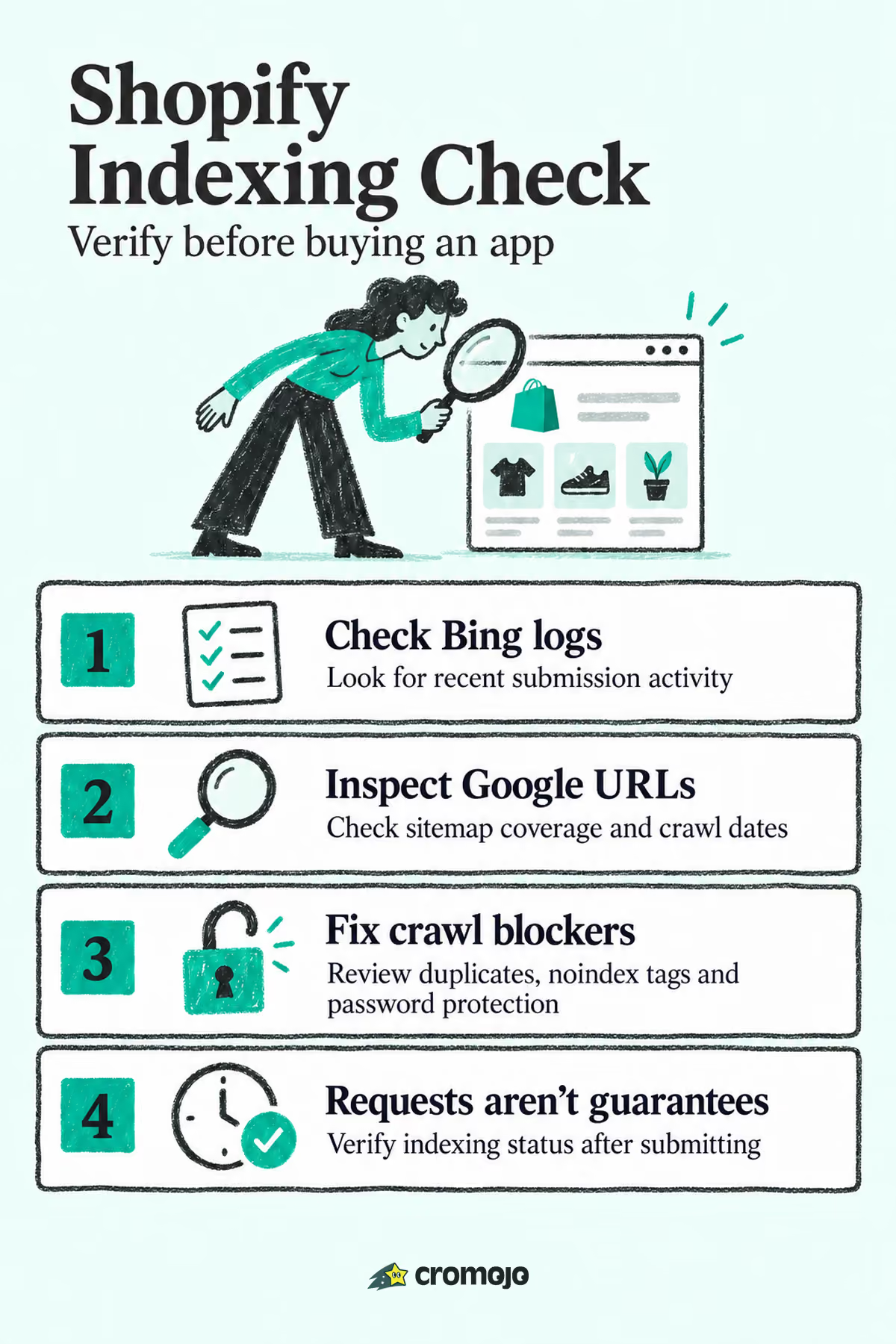
Run this checklist before you spend a dollar on any indexing tool. Most of it takes under 20 minutes.
- Verify ownership in Bing Webmaster Tools. Use the meta tag or DNS method, then open the IndexNow section and look for recent submission activity tied to your domain.
- Confirm your sitemap is submitted in Google Search Console. If sitemap.xml isn't listed under Sitemaps, add it now.
- Run URL Inspection on a page you updated in the last week. Check whether Google's crawl date lines up with your edit.
- Publish a trivial, low-risk change (a meta description tweak works well), then watch both dashboards for movement.
- Export logs where possible. Bing Webmaster Tools lets you review submission history, which is the closest thing to proof that IndexNow is firing.
What you're looking for:
- Fresh timestamps in the IndexNow log that match your recent edits.
- A "URL is on Google" result in Search Console, or a queued crawl request after you hit "Request Indexing."
- No gap of more than a few days between publishing and Google's last crawl.
If IndexNow logs are empty and it's been more than a week since launch, something in your theme or app stack may be blocking the native integration, and that's worth a support ticket before anything else.
How to Get Google to Index Shopify Pages Faster
Google indexing speed depends on crawl signals, not notifications, and that changes the whole approach. Start with the basics Shopify itself recommends: submit sitemap.xml in Search Console, verify your property, and check the Index Coverage report weekly. Shopify auto-generates that sitemap and includes your primary product images in it, which gives Google a baseline signal without any manual work on your part. The catch is lag. Shopify's sitemap updates on its own schedule, so a brand-new product might not appear in the file for a bit, which is exactly why URL Inspection exists as a manual override.
On the Indexing API: it's built for job postings and livestream pages, not general product catalogs, and community threads document merchants running into that wall repeatedly when they try to force it onto Shopify stores. Skip it for standard product pages. Use URL Inspection's "Request Indexing" instead, one URL at a time, for pages that matter most.
Beyond notifications, crawlability does the heavy lifting:
- Keep one canonical URL per product; don't let collection-scoped duplicates compete for the same content.
- Link internally to the canonical version, not the collection-nested variant.
- Add structured data (Product schema) so Google can parse price and availability quickly.
- Check the Index Coverage report monthly and triage "Discovered, not indexed" URLs by revenue potential, not alphabetical order.
Pro Tip:Sort your Search Console export by URL Inspection status, then cross-reference against your top revenue pages before deciding what to manually submit. Indexing 40 low-value URLs one by one wastes time you could spend fixing five that actually sell.
Why Are My Shopify Pages Not Indexed? Common Causes and Fixes
Most "not indexed" cases trace back to a handful of Shopify-specific habits, and each one has a direct fix.
- Duplicate collection-scoped URLs. Liquid themes that build links with
within: current_collectiongenerate multiple URLs for one product (/collections/x/products/y). Google sees near-duplicate content. Fix: link to the canonical/products/ypath instead, and let audits confirm your declared canonical matches Google's selected one. - Accidental noindex tags. Some themes or SEO apps add a noindex meta tag during testing and never remove it. Check page source or use URL Inspection, which flags this immediately under "Indexing allowed?"
- Password protection left on. If your storefront launched behind a password page and someone forgot to disable it, Google can't crawl anything. Turn it off in Online Store settings, then request indexing again.
- Faceted and parameter URLs. Filter combinations (
?color=red&size=m) multiply indexable-looking URLs and burn crawl budget. Block these patterns in yourrobots.txt.liquidfile and keep your sitemap limited to canonical URLs only. - Thin or duplicated collection pages. Supplier-provided descriptions copied across multiple stores read as duplicate content. Write unique collection copy or consolidate near-identical collections into one.
Pro Tip:After fixing a noindex tag or password issue, don't just wait. Run URL Inspection and click "Request Indexing" to push the corrected page into Google's crawl queue immediately.
Is an Indexing App Worth It, or Is Native Shopify Enough?
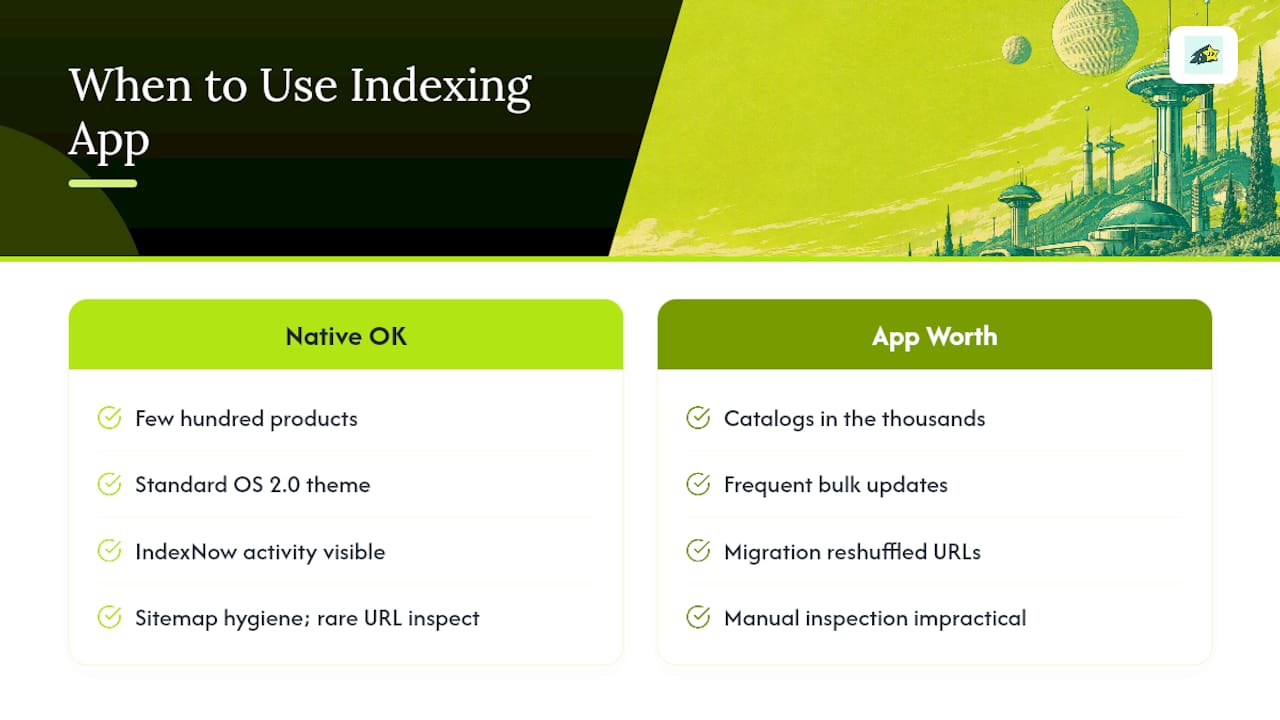
Here's my honest read after walking through how Shopify's indexing behavior actually works: most small stores don't need an app at all. If you run a catalog under a few hundred products, use a standard Online Store 2.0 theme, and can see recent activity in your IndexNow logs, you already have the automation that matters most for Bing and its partner surfaces. Google indexing, in that scenario, comes down to sitemap hygiene and the occasional manual URL Inspection request. That's it.
Automation earns its cost once complexity shows up: catalogs in the thousands, frequent bulk price or inventory updates, or a migration that just reshuffled every URL on the site. In those cases, manually inspecting URLs one by one stops being realistic.
If you do shop for a tool, vet it the same way you'd vet any vendor touching your storefront. Does it use legitimate webmaster APIs rather than a fake key-file trick? Can it show you actual submission logs? Does it monitor for regressions, like a noindex tag creeping back in after a theme update? A tool that can't answer those three questions plainly isn't worth the subscription.
Cromojo: Automated Indexing Built for Fast-Moving Shopify Catalogs
Cromojo is the alternative to piecing together Bing Webmaster Tools, Search Console, and a spreadsheet of URLs by hand. For stores running frequent inventory changes, price updates, or a post-migration cleanup, Cromojo's Automated Indexing feature handles bulk URL submissions and re-indexing notifications across Google, Bing, Yandex, Baidu, and AI search, paired with website monitoring that flags SEO issues like a stray noindex tag before it costs you traffic.
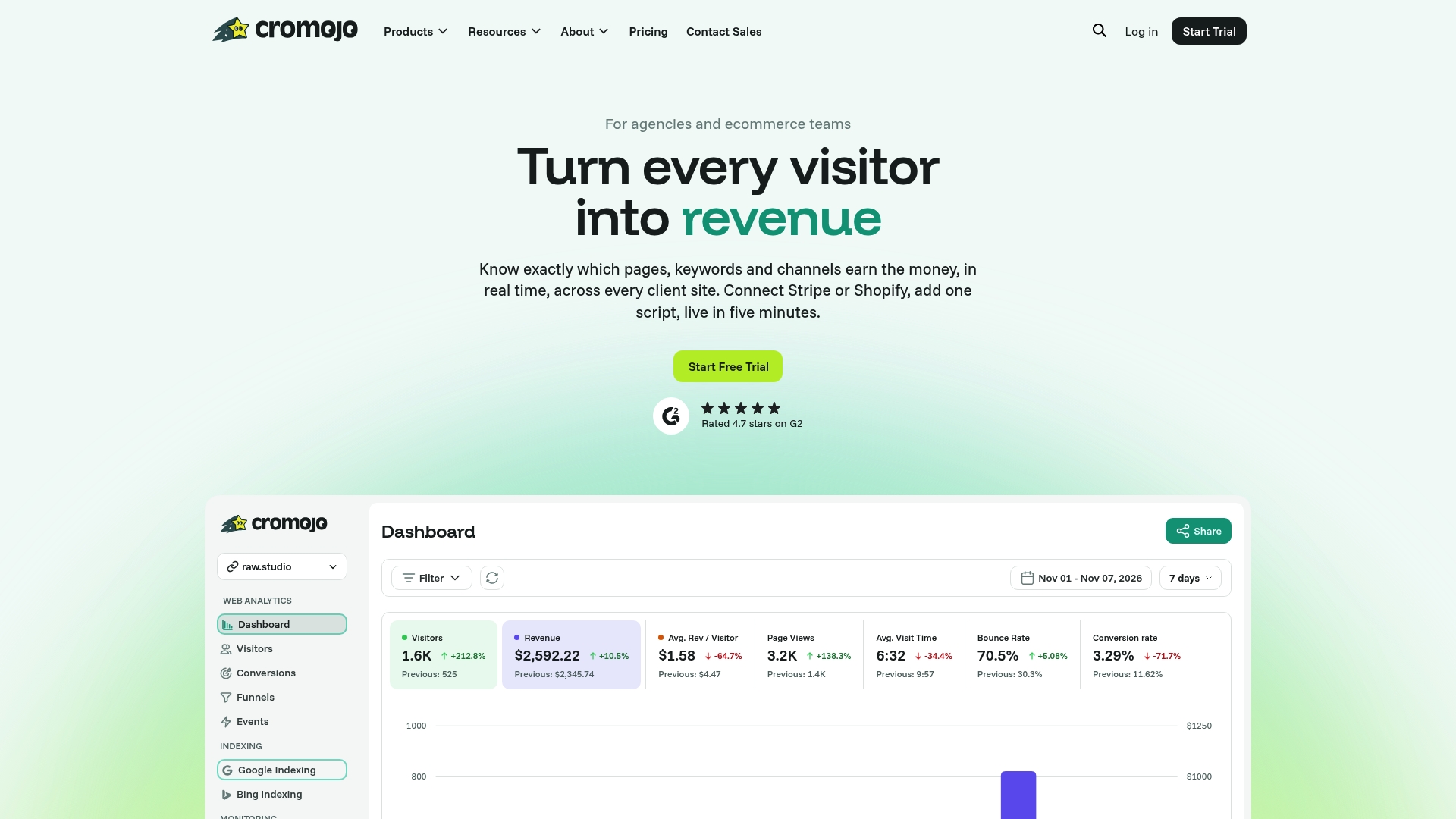
What sets it apart for revenue-focused teams is the connection between indexing and actual sales: Cromojo integrates directly with Shopify, Stripe, and Google Search Console, so you can see which newly indexed pages are converting, not just which ones got crawled. If you're managing dozens of new products a week or recovering from a URL structure change, that prioritization matters more than blanket submission. Plans start with Starter at $19 per month, scaling up to Business and Agency tiers for larger catalogs and multi-client setups. Check current pricing and start a trial to see whether your indexing logs improve within the first week.