

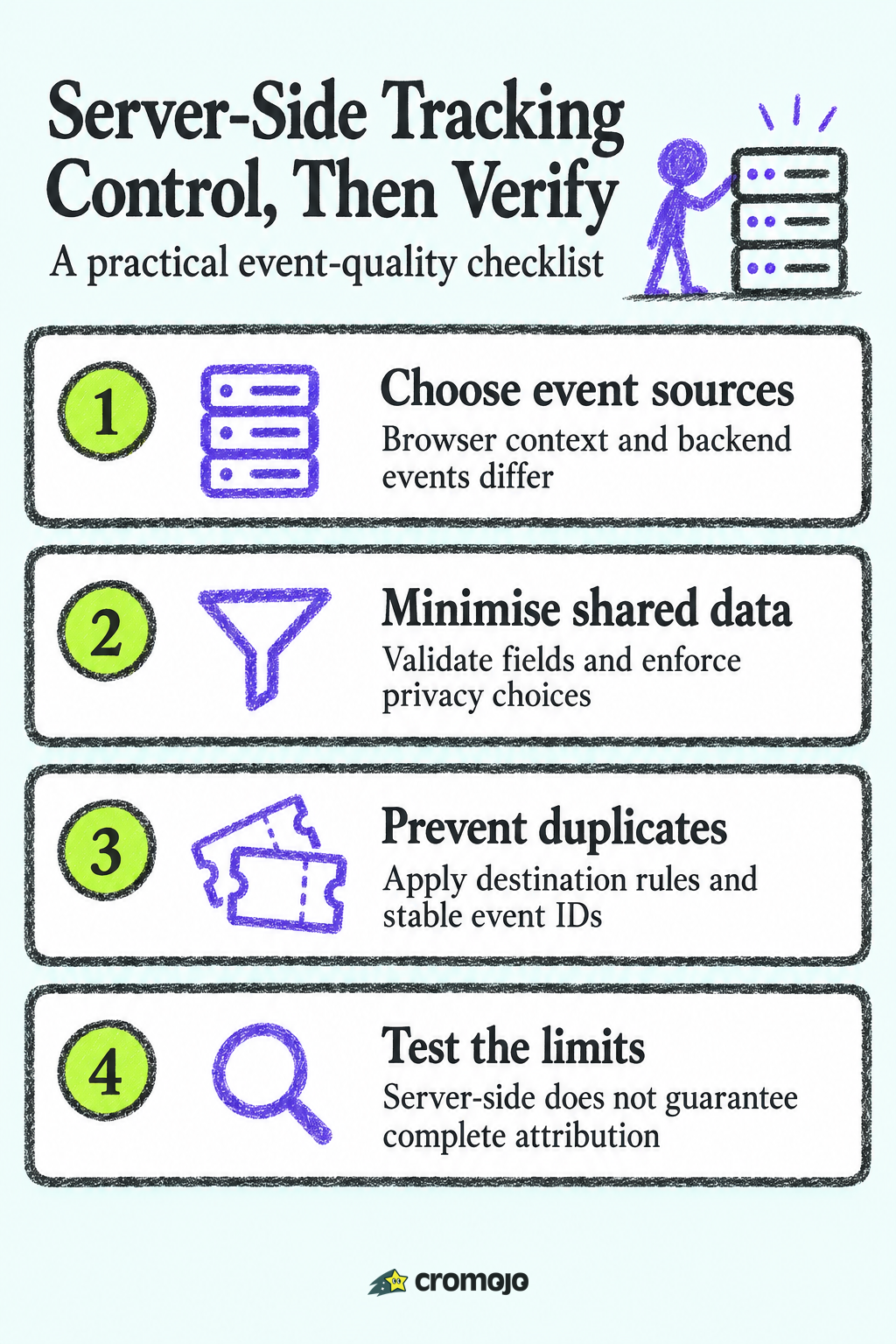
Server-side tracking processes or forwards measurement events through a backend or server endpoint rather than sending every event directly from the browser to each vendor. Events can originate in the browser, an app or a backend system. It can improve control and resilience for selected events, but does not guarantee complete collection, attribution or consent-free measurement. This guide explains the architecture, trade-offs and Shopify considerations.
What server-side tracking actually is
Traditional web analytics works in the browser. You add a JavaScript snippet or several, one for analytics, one for each ad platform, one for your email tool. Each script loads on the visitor's device, watches what they do, and sends the data to its own vendor.
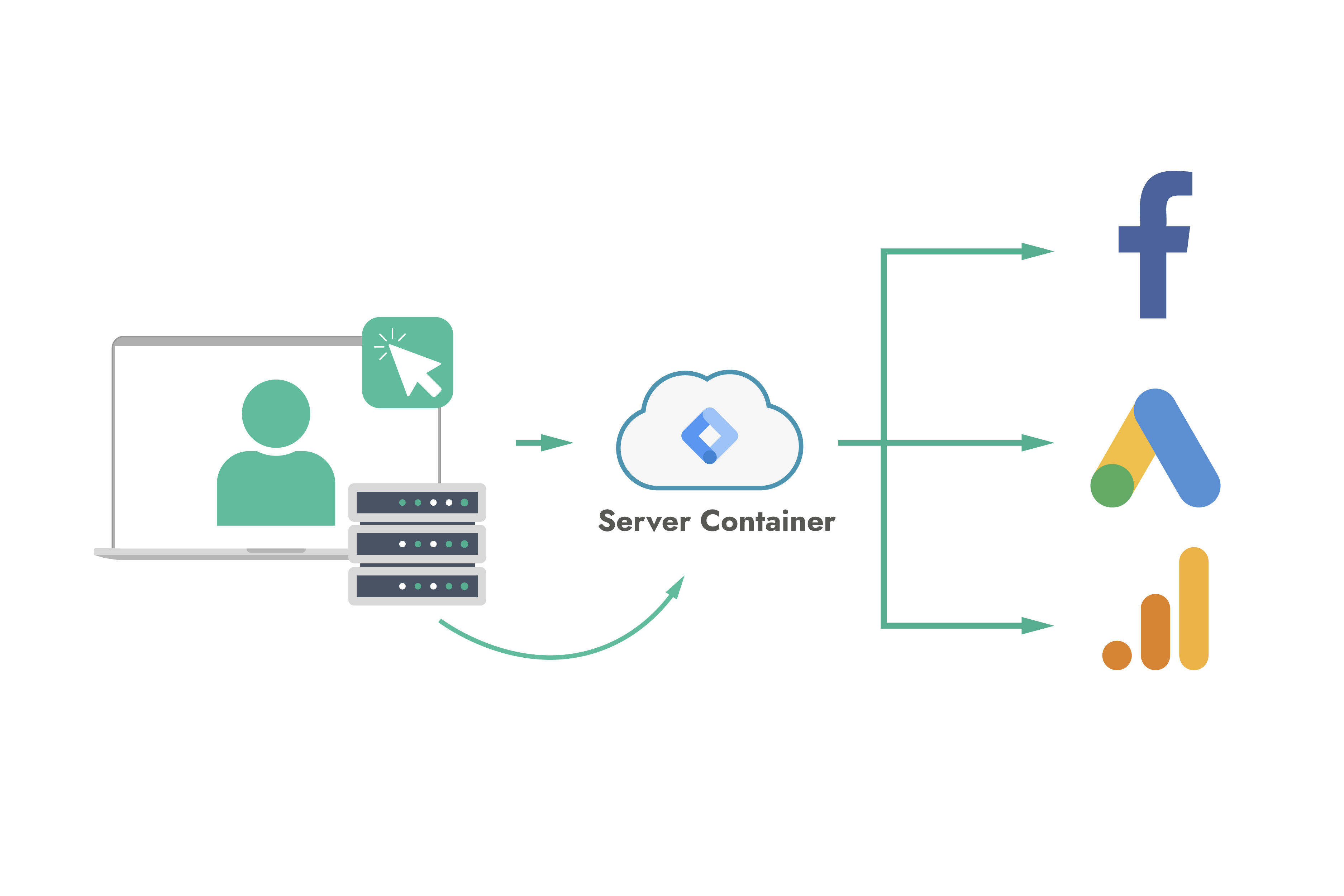
One pattern is server-side tagging: a browser sends events to a server endpoint, which validates and routes them to destinations. Another is backend event collection, such as a payment confirmation sent directly by an application. These are related but different. Google's server-side tagging guide explains the server-container model.
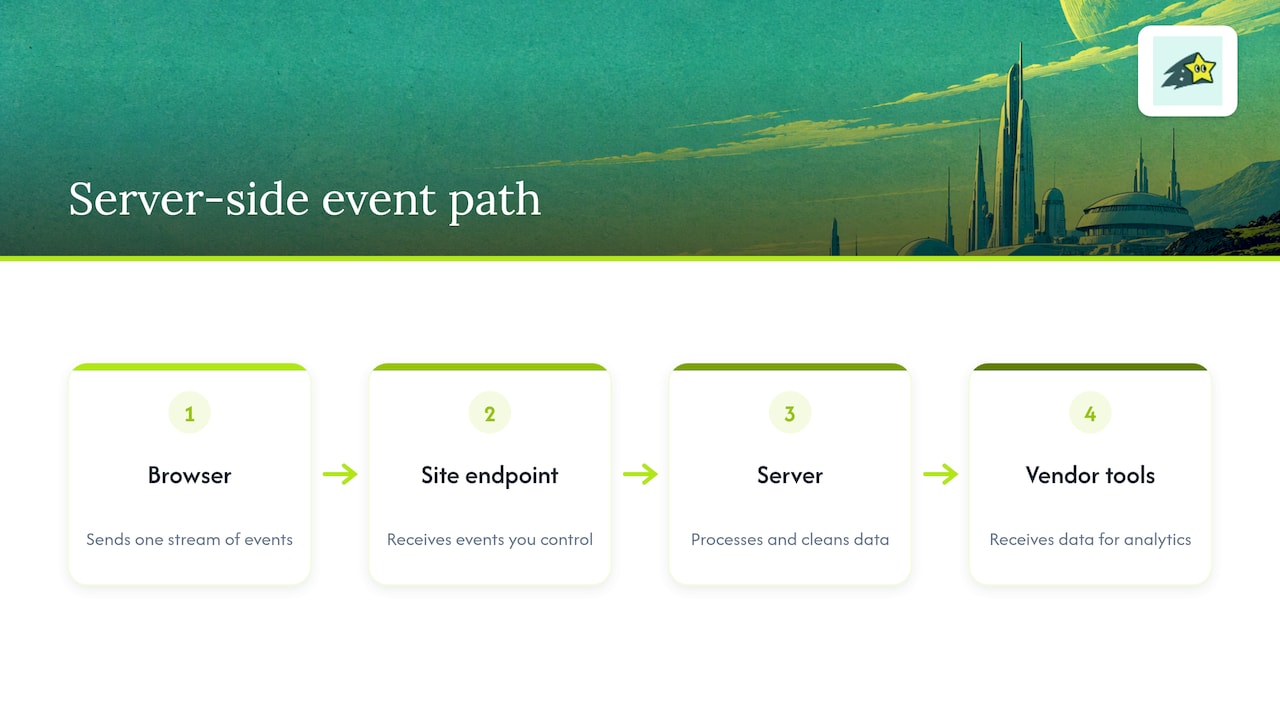
That middle step is the whole idea. Once a server sits between your site and your vendors, you can clean up a payload, remove fields you do not want to share, or add information the browser never had, such as a confirmed order value from your payment system.
The server-side tracking process, step by step
The exact tools differ, but the flow is usually the same:
- A visitor does something. They view a product, start checkout, or buy.
- An event is created. This can come from a lightweight script on the page, or directly from your backend, for example when an order is confirmed.
- The event reaches your server endpoint. This is often on a subdomain of your own site.
- The server validates and enriches it. It can check required fields, drop sensitive values, and attach data such as order totals.
- The server forwards it to destinations. Analytics, ad platforms and other tools each receive the version of the event they need.
- You monitor and deduplicate. If the same event also fires in the browser, you need a shared event ID so each platform counts it once.
Step 6 is where many first attempts go wrong, and we come back to it below.
Client-side vs. server-side tracking
The two methods are not rivals so much as two layers. Here is how they compare on the points that matter to site owners.
The guidance from Twilio's resource center is that most businesses need both: client-side tracking supplies browser context, while server-side tracking is the recommended choice for revenue and mission-critical events. That matches how we think about it. Scroll depth and clicks belong in the browser. A completed payment does not need to depend on a browser surviving long enough to report it.
Benefits of server-side tracking
More reliable data delivery
Backend-originated events can avoid depending on a page staying open to report a purchase. A server endpoint receiving browser events still depends on those events reaching it, and can be affected by browser controls, network failures or consent choices. Measure your own coverage rather than assuming a universal 10-30% recovery rate or treating server-side as blocker-proof.
Better control over privacy and data sharing
When everything passes through your server, you can apply data minimization and anonymization before anything goes to a third party. Usercentrics describes this as one of the advantages for merchants, who can apply minimization and anonymization before sharing data downstream. You decide whether an IP address, an email or a full URL with parameters leaves your infrastructure.
Faster pages
Every tracking script in the browser costs loading and processing time. Moving some of that work to a server means fewer heavy scripts on the page. Usercentrics notes that removing heavy tracking scripts from the browser can help reduce page load times. If page speed is a concern in general, a guide on PageSpeed Insights optimization covers the other levers worth pulling alongside it.
More trustworthy revenue numbers
A paid-order record is a stronger source for purchase status than a thank-you-page view. However, backend delivery can still fail or be retried, and an order record does not by itself identify the acquisition journey. Validate payment status, currency, refunds and matching rules, and keep unmatched orders visible.
The limitations you should plan for
Server-side tracking is not a switch you flip. Knowing the work involved is part of using it well.
- Setup complexity. You need a server environment, a domain configuration, and someone comfortable with APIs or tag management. Twilio lists increased implementation complexity as a core limitation.
- Deduplication. Follow each destination's supported identifiers, event names and deduplication window. A shared event ID can be part of the solution but is not a universal guarantee. Also make backend processing idempotent so retries do not create another conversion.
- Ongoing maintenance. Servers need monitoring. If your tracking endpoint goes down, you lose data, so alerts matter.
- Less browser context. The server only knows what it is told. If you want device, referrer or page details, the browser must send them along.
- It is not a consent bypass. Moving collection to a server changes where data flows, not whether you need a lawful basis to collect it.
Is server-side tracking legal?
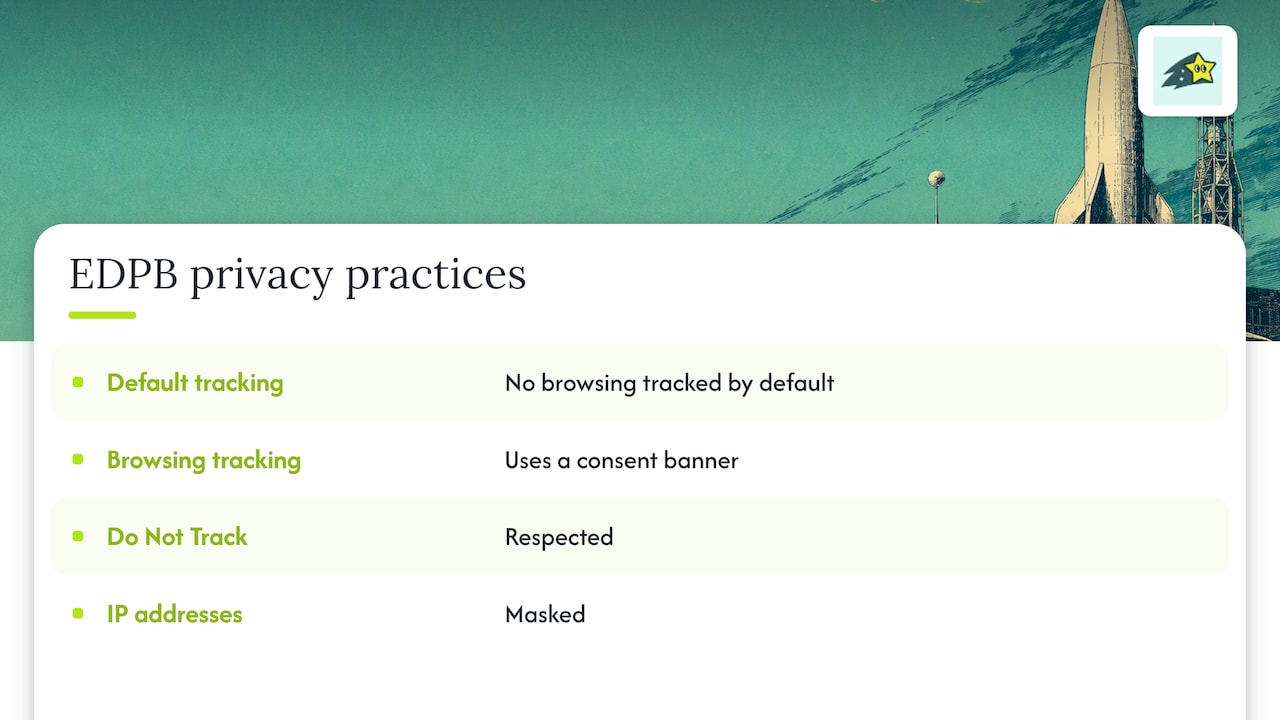
It can be, but the method does not decide that. Legality depends on what data you collect, why, where your visitors are, and whether you have the consent or other legal basis those places require. Server-side tracking gives you better tools for compliance, such as minimizing fields and honoring consent choices in one central place, but it does not replace a consent process.
Assess requirements for the data, purposes, identifiers, destinations and markets involved. The EDPB's own cookie policy describes its website implementation; it is not a universal legal rule or a compliance template for every business. Document choices and enforce applicable restrictions across the whole pipeline.
Changing the delivery route does not automatically change the permissions needed for collection or use. Review the actual implementation and applicable requirements rather than assuming server delivery or hashing makes personal data anonymous.
Server-side tracking on Shopify
For Shopify, distinguish backend webhooks from browser-side customer-event pixels. Webhooks report subscribed shop events; pixels provide supported browser events in Shopify's sandboxed environment. Choose a current supported integration and privacy configuration rather than assuming arbitrary checkout scripts can run everywhere.
In practice, a Shopify setup involves these decisions:
- Which events matter most. Start with purchases, add to cart and checkout start. Do not try to move every event on day one.
- What triggers them. Choose the appropriate order or payment status, not merely order creation. For webhooks, verify deliveries and handle duplicates; browser interactions still need a supported signal.
- Where the server runs. You need a hosted environment and, ideally, a custom subdomain.
- How events are mapped. Each destination expects its own field names. A mismatch here is the most common reason numbers disagree between tools.
- How you test. Test purchase, duplicate delivery, cancellation, refund and consent cases. Reconcile unique orders, dates, currency and values. Tools can legitimately differ because of eligibility and attribution rules.
If you want a view of how ecommerce platforms hand event data to a server for measurement, a short explainer on delivery platform data shows the same idea from the order-platform side.
Does it improve data accuracy and search visibility?
It can improve selected measurements when the implementation addresses a specific failure mode. It does not automatically restore missing consent, browser context or cross-device identity. Compare event completeness with a defined source of truth before claiming an accuracy improvement.
Search visibility is a different story. Server-side tracking does not directly make Google rank you higher. What it can do is support the work that does: faster pages, cleaner conversion data that tells you which landing pages and keywords earn money, and fewer blind spots when you decide what to improve. Ranking itself depends on content, links, crawlability and indexing, which are separate jobs.
Do you need it? A quick decision guide
Ask yourself these questions:
- Do you spend meaningfully on paid ads? If ad platforms optimize on your conversion data, missing purchases hurt performance directly.
- Is your audience privacy-conscious or technical? More ad blockers means more browser data loss.
- Do you have technical help? If not, budget for it or choose tools that reduce the work.
- Are your numbers disagreeing? If Shopify shows more orders than your analytics, you have a measurement gap worth investigating.
- Is there a measurable business case? Compare the value of better event delivery with implementation, hosting and maintenance costs. There is no universal monthly-revenue threshold for adopting it.
Use these questions to identify a gap worth investigating, not as an automatic purchase rule. Diagnose discrepancies first; time zones, refunds, consent, attribution windows and event definitions can explain differences without a delivery failure.
Where to start if you are small
A sensible order:
- Connect your payment and store data so revenue is tied to visits.
- Define a short list of goals: purchase, checkout start, signup.
- Compare totals between your store and your analytics for a few weeks.
- Move only the events with the biggest gaps to a server-side flow.
- Add deduplication IDs from the start.
Our perspective
We built Cromojo around a simple observation: most small business owners do not want to become tracking engineers. They want to know which keyword, page or channel produced the sale.
Cromojo connects eligible Stripe or Shopify purchases with recorded website activity through a supported checkout reference. Matching depends on tracking and checkout setup; organic keyword revenue is estimated from Search Console click share. Cookie-free analytics is the default, while optional returning-visitor tracking uses cookies and browser storage.
Server-side tracking is a useful idea, and the principle behind it is one we share: important numbers should come from systems you can trust, such as your payment processor, and not depend only on what a browser chooses to report. Our approach is to make that kind of trustworthy revenue data the default, so you spend your time on decisions and not on plumbing.
Start with the decisions and event definitions you need, test the purchase integration, then investigate coverage gaps. Attributed revenue can help prioritise work but does not prove incremental sales or exactly where server-side collection will pay for itself.
See your revenue by keyword with Cromojo
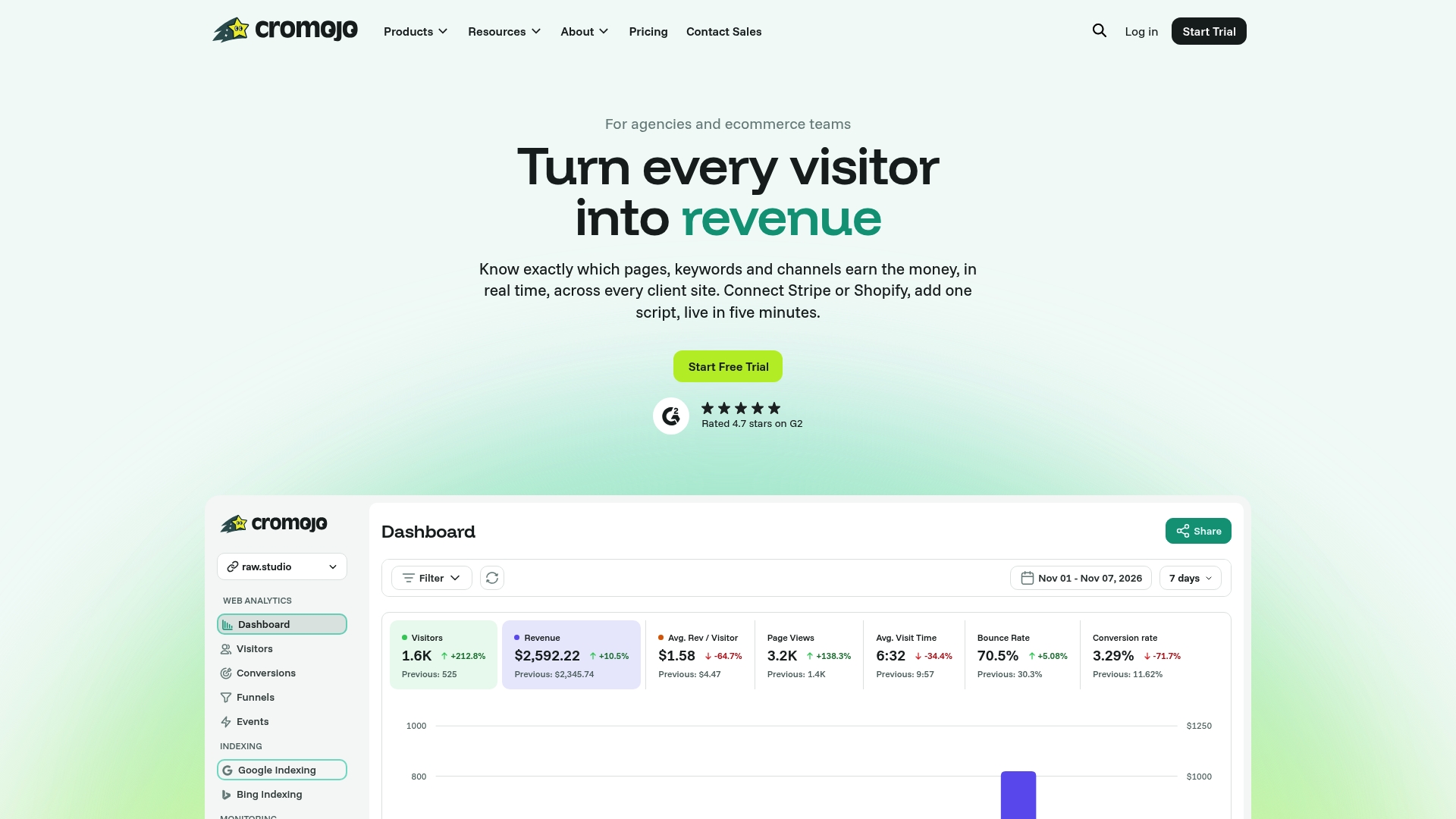
Cromojo Revenue Analytics reports eligible purchases alongside recorded page, source and campaign data. Configure the supported Stripe or Shopify checkout reference and test matching before relying on the report. It is not a general-purpose server-side tag router or an automatic reconstruction of every buyer journey.
Check current feature access, usage limits and billing terms on the pricing page. Website monitoring provides enabled domain checks and scanned-page audits; coverage and alerts depend on your setup and plan.
A short checklist before you go live
Whether you build a server-side setup yourself or use a managed tool, run through this list:
- Write down which events you are moving and why.
- Use stable event or order identifiers and the destination's supported deduplication rules. Test browser/server overlap and backend retries.
- Use a first-party subdomain for your endpoint where your setup supports it.
- Remove unnecessary personal fields. Hash only when required and permitted by a destination; hashing does not automatically anonymise personal data.
- Respect consent choices on the server in the same way as in the browser.
- Place test orders and compare totals across store, analytics and ad platforms.
- Set an alert for endpoint downtime so you do not lose data silently.
- Revisit the setup every few months, because vendors change their requirements.