
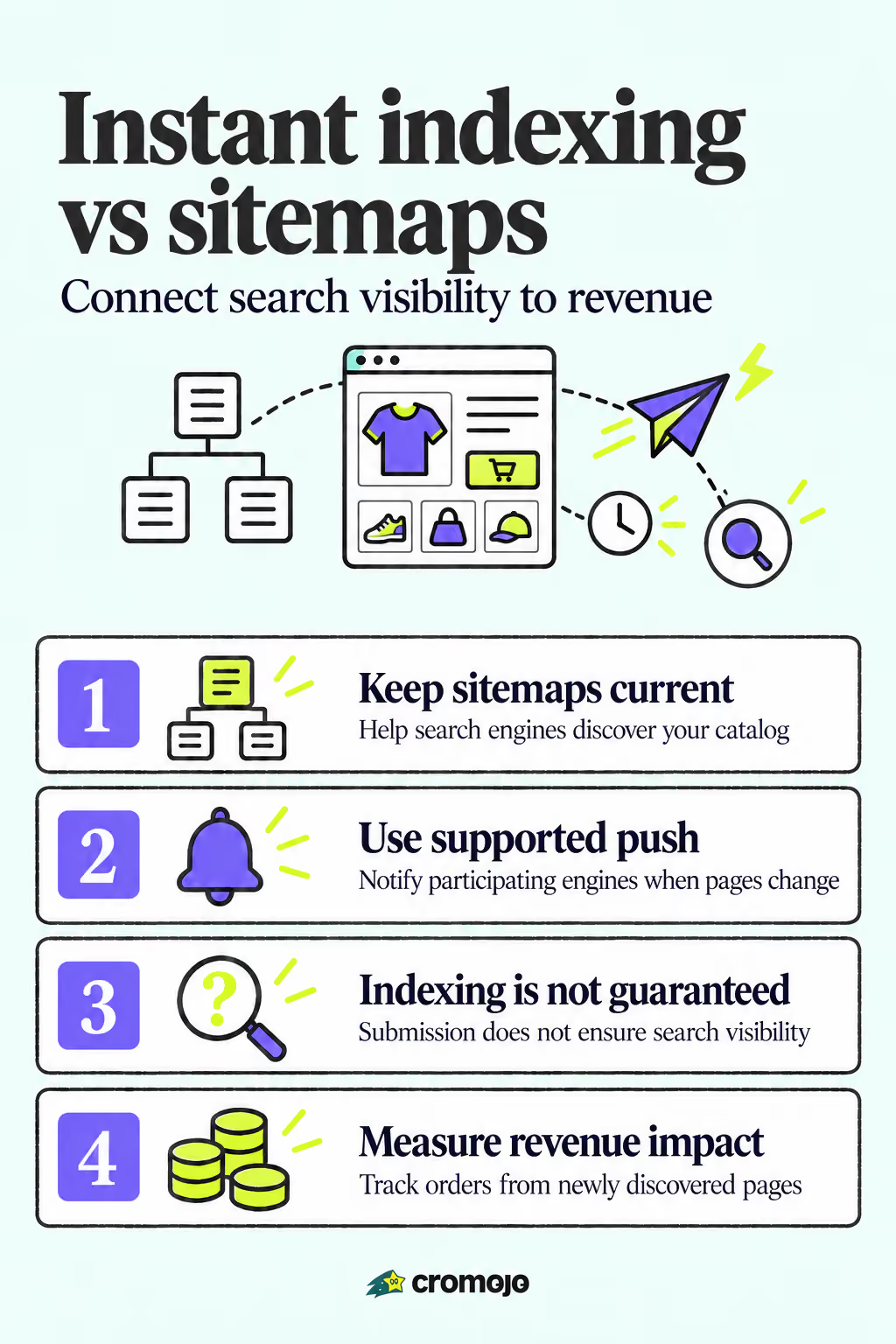
XML sitemaps stay the required baseline for getting a site discovered; instant indexing through push protocols like the Google Indexing API is a targeted add-on, not a replacement. Skip the sitemap and you're gambling with discovery. Reserve push requests for time-sensitive pages, like flash sales, event listings, or breaking news, where a faster crawl genuinely changes the outcome. Google's own documentation limits the Indexing API's supported use to job postings and livestream content, so treat any broader use as unofficial.
Instant Indexing vs Sitemap: Speed, Coverage, and Control Compared
The core trade-off comes down to this: sitemaps scale, push requests don't. A sitemap tells Google and other engines about every URL on your site in one file, no per-page action required. The Indexing API notifies Google about one URL at a time, and Google has publicly scoped that tool to JobPosting and BroadcastEvent structured data, even though many site owners use it more broadly with mixed results.
Here's how the two methods stack up across the factors that actually matter to a revenue-focused site:
- Speed (time-to-index): Push requests can trigger a crawl within hours; sitemap-only URLs often wait days to weeks depending on crawl budget and site authority.
- Coverage: Sitemaps cover your entire eligible URL set in bulk; push protocols work one URL (or small batch) at a time, so coverage depends entirely on how much manual or automated effort you put in.
- Supported content types: Google's Indexing API officially supports job postings and livestream pages; sitemaps accept any canonical, indexable URL, plus images, video, and news content through specialized sitemap types.
- Setup complexity: Sitemaps require one file (or an index of files) submitted once through Search Console; the Indexing API requires a Google Cloud project, a service account, OAuth credentials, and ongoing API calls.
- Reliability: A submitted sitemap is a discovery signal, not a guarantee; a push request is a notification, not a promise, and Google can still decide not to crawl or index the URL.
- Cross-engine visibility: Sitemaps work across virtually every major search engine. Push protocols split by engine: Bing and Yandex support IndexNow, while Google runs its own separate Indexing API with its own rules.
That last point trips up a lot of teams. A single IndexNow ping reaches Bing and Yandex, but it does nothing for Google, which means most sites need two separate push strategies if they want push-level speed everywhere.
What an XML Sitemap Actually Does for Your Site
A sitemap is a structured file, usually XML, that lists the URLs on your site along with a few optional signals: <loc> (the URL itself), <lastmod> (when it last changed), and less reliable hints like priority and changefreq, which Google has said it mostly ignores now. Search engines treat the sitemap as a map of what you consider worth crawling, not a command.
Sitemaps matter most where discovery is hard on its own. Large ecommerce catalogs with tens of thousands of SKUs, media-heavy sites, and pages with few or no internal links pointing to them all lean on sitemaps to get noticed in the first place. Without one, a product page buried four clicks deep might sit unseen for months.
A few practices separate a sitemap that works from one that quietly fails:
- Split large sites into multiple sitemaps under a sitemap index file once you approach the 50,000 URL or 50MB uncompressed limit.
- Include accurate
lastmoddates. Google uses this signal to prioritize recrawls of pages that have genuinely changed. - List only canonical, indexable URLs. Duplicate or parameterized versions dilute crawl focus.
- Submit the sitemap through Search Console and reference it in
robots.txtso every crawler can find it.
The most common sitemap mistakes all delay indexing rather than blocking it outright: including URLs marked noindex, listing non-canonical duplicates, or simply forgetting to resubmit after a major site migration.
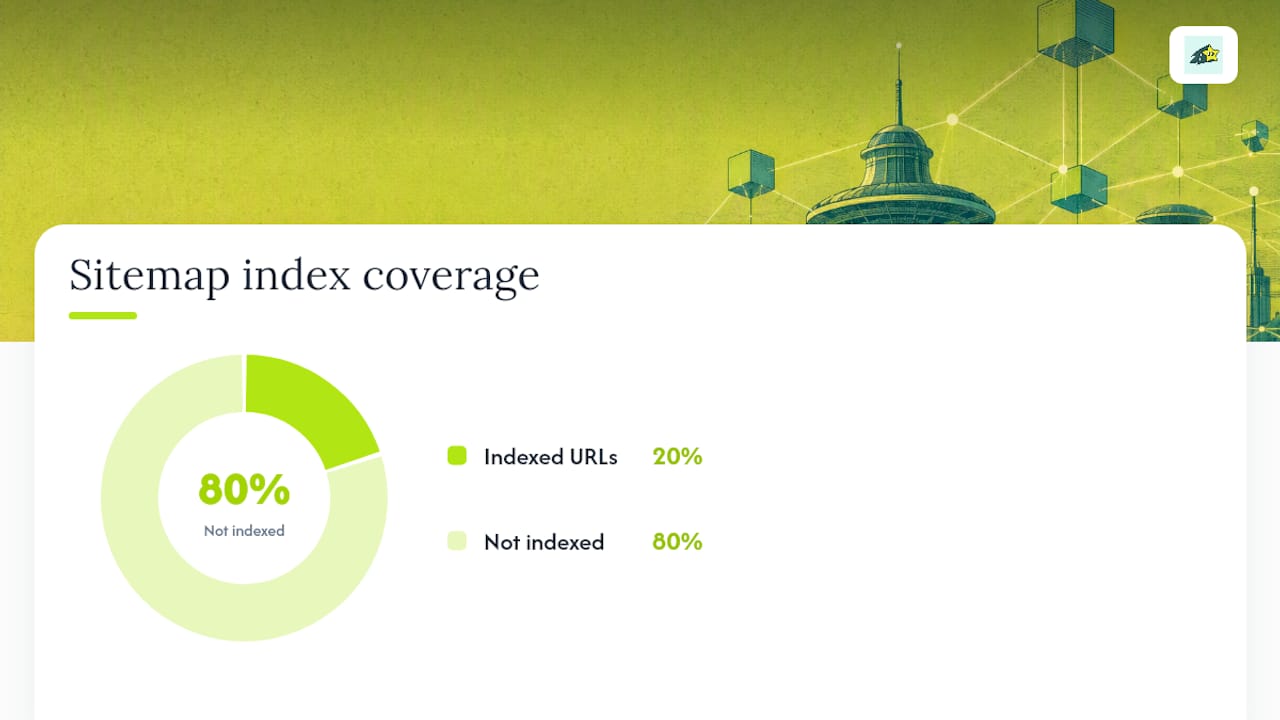
Pro Tip:Audit your sitemap against your actual crawl stats in Search Console every quarter. A sitemap that lists 20,000 URLs but shows 4,000 indexed is telling you something is wrong with the pages, not the file.
How Instant Indexing Works: Google's Indexing API and Push Protocols
Push indexing flips the model. Instead of waiting for a crawler to check your sitemap on its own schedule, you send a direct notification the moment a URL changes. The workflow behind the Google Indexing API follows a specific sequence: authenticate with a service account tied to a Google Cloud project, verify ownership in Search Console, then send a POST request with the URL and whether it was updated or removed.
Google's own quickstart documentation is explicit that this API is designed and supported for pages with JobPosting or BroadcastEvent structured data. Site owners routinely use it for product pages, blog posts, and news articles anyway, and many report faster crawls, but that use falls outside Google's documented support, so results vary and Google can change enforcement at any time.
IndexNow works differently and more broadly. Bing and Yandex both accept IndexNow pings, and a single API key lets you notify both engines with one integration. Google has not adopted IndexNow, which means a push strategy built only on IndexNow leaves your Google visibility exactly where it started.
Running push indexing at scale surfaces a few operational realities most teams underestimate:
- Google enforces daily quota limits on Indexing API calls per project, so bulk republishing an entire catalog in one day isn't realistic.
- Failed or throttled requests return specific error codes that need logging and retry logic, not just a fire-and-forget script.
- Community-maintained code samples, including integration patterns shared on GitHub, show recurring authentication and retry patterns developers rely on when automating this at any real volume.
None of this makes push indexing useless. It makes it a precision tool that needs monitoring, not a switch you flip once and forget.
Sitemaps vs Push: Where the Real Trade-Offs Show Up
Time-to-index is where the gap is most visible, and also where expectations go wrong most often. A well-structured sitemap on an established, high-authority site can see new URLs indexed within a day or two. On a newer or lower-authority site, that same sitemap URL might sit uncrawled for weeks because crawl budget gets allocated elsewhere first. A push request, when it works, compresses that wait to hours, but "when it works" is doing real work in that sentence.
Coverage by URL type is the second variable worth mapping out before you decide where to spend engineering time:
- Product and category pages. Sitemaps handle these reliably at scale; push requests help only for a handful of high-priority launches or price-sensitive pages.
- Job listings and live events. This is the Indexing API's documented home turf, and it performs well here specifically because Google built the tool for this content type.
- Paginated listings and filtered views. Sitemaps struggle here too, since most of these URLs shouldn't be indexed at all, and push requests make little sense for pages you don't want ranking independently.
- Login-protected or gated content. Neither method helps. Crawlers can't index what they can't access, regardless of how the URL gets submitted.
Risk sits on the push side more than the sitemap side. Overusing the Indexing API outside its documented scope hasn't shown to cause penalties, but it can waste your daily quota on pages Google was never going to prioritize anyway, starving the requests that would have mattered. Agencies and vendors who work with this daily tend to converge on the same hybrid recommendation: sitemap as the permanent foundation, push reserved for the pages where a delay costs you money.
That hybrid model looks like this in practice: every indexable URL goes into the sitemap, no exceptions. On top of that, a short list of high-value URLs, new product drops, time-limited promotions, updated pricing pages, gets a push notification the moment they publish or change. The sitemap guarantees eventual discovery. The push request buys speed only where speed pays for itself.

Which Pages Deserve Instant Indexing, and Which Should Wait on the Sitemap
Not every page needs the same urgency, and treating them all the same wastes both engineering time and API quota. The right approach depends heavily on site type.
- News and content publishers: Push new articles immediately after publish; let evergreen archive content ride the sitemap.
- Ecommerce sites: Push new product launches, restocks, and limited-time offers; leave the long tail of catalog pages, filters, and older listings to the sitemap.
- Job boards and event sites: Lean on the Indexing API heavily here since it's the officially supported use case, and pair it with accurate structured data.
- Blogs and content marketing sites: Sitemap-first almost always works fine; reserve push for a cornerstone piece tied to a launch or campaign.
Before wiring up any automation, run through a short checklist: does this page type generate measurable revenue or engagement fast enough that a few days' delay actually costs something? How often does the content change? Do you have the developer time to maintain authentication tokens and monitor error logs? If the answer to any of those is no, the sitemap alone is doing its job already.
Once requests go out, verify they're working. Check indexing status in Search Console, review your API response logs for repeated failures, and, if you're tracking revenue by page, watch whether newly indexed high-value pages actually start converting. A page that shows "indexed" but generates zero attributed revenue is a signal to check the page itself, not the indexing pipeline.
Pro Tip:Don't trust a 200 response from the Indexing API as proof of indexing. It confirms Google received the notification, not that the page got crawled or indexed. Confirm in Search Console before you consider the job done.
Setting Up Both Systems Without Breaking Anything
Getting sitemaps and push indexing working together takes a specific order of operations, and skipping steps is where most setups go sideways.
- Build and validate your XML sitemap, split into an index file if you're over 50,000 URLs, then submit it through Search Console.
- Set up a Google Cloud project, create a service account, and grant it owner access in Search Console, following the official Indexing API quickstart exactly.
- Build or install a script that sends push requests only for your defined high-priority URL list, with logging on every response code.
- Monitor both channels weekly: sitemap coverage in Search Console's Pages report, and API success/failure rates in your own logs.
A few pitfalls show up repeatedly: sitemaps that still list noindex pages, canonical mismatches that confuse crawlers, and push scripts with no retry logic that silently fail for weeks. If your Indexing API setup breaks or your quota gets exhausted, fall back to sitemap-only coverage immediately rather than leaving pages unsubmitted while you debug. For deeper troubleshooting on pages stuck in "crawled, currently not indexed," a dedicated diagnostic walkthrough covers the most common causes.
Why Revenue, Not Traffic, Should Decide What Gets Pushed
Most indexing advice treats every page as equally worth the engineering effort, and that's backwards for anyone running an ecommerce or growth team. A product page that converts at 4% deserves push priority over a blog post that ranks well but never sells anything, even if the blog post gets more raw traffic.
The smarter move is instrumenting indexing events against actual revenue data, not just crawl stats. If you can see that a newly indexed collection page started generating orders within 48 hours of a push request, that data justifies the API maintenance overhead. If a pushed page sits indexed for a month with zero attributed revenue, that's a page that should have stayed on the sitemap.
Automate the pages where speed measurably matters. Leave everything else to the sitemap, and spend the saved engineering time somewhere it pays off.
Automating the Hybrid Approach Without the Manual Overhead
Building and maintaining a service account, retry logic, and error monitoring for the Indexing API is real engineering work, and most small to medium ecommerce teams don't have a developer to spare for it. Cromojo's automated indexing feature handles the push and retry logic in the background across Google, Bing, and AI search engines, so your priority pages get submitted the moment they change without anyone babysitting an API log.
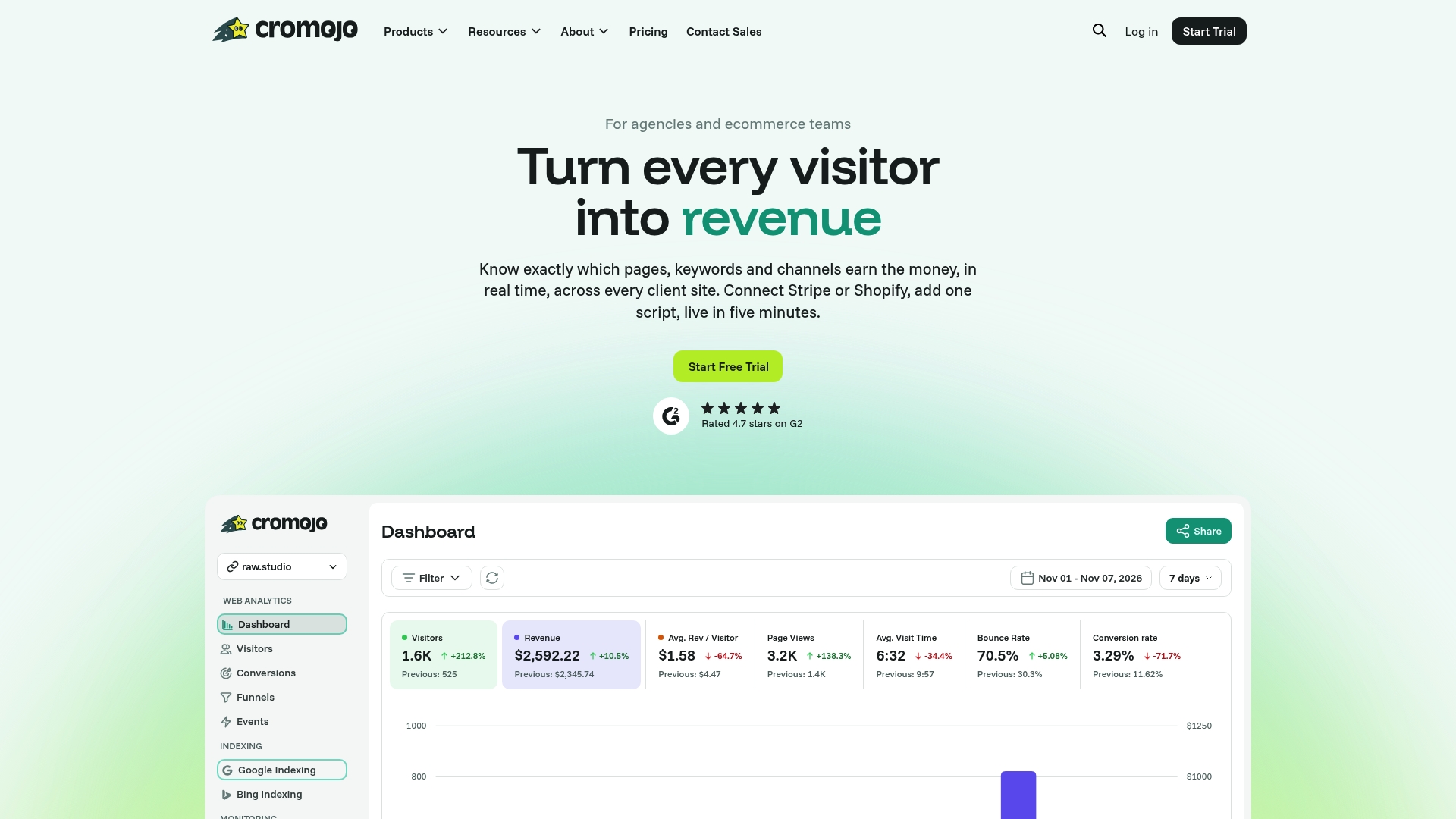
The platform also tracks real-time revenue by page, keyword, and channel through integration with payment and ecommerce systems, enabling you to see whether a pushed product page actually converted, not just whether it got indexed. Pair that with website monitoring for crawl errors and downtime, and you get the full loop: indexing, discovery, and revenue attribution in one dashboard. Plans start at $19 a month on the Starter tier, with higher tiers built for agencies managing multiple client sites. If you're ready to stop guessing which pages need push priority, check current plans and start a trial today.
Official Docs and Practical Guides Worth Bookmarking
For implementation specifics straight from the source, the Indexing API quickstart covers authentication and request formatting in full. Developers building custom integrations often reference community code samples, including examples on GitHub, for real-world authentication patterns. For a broader look at crawl mechanics before you tackle indexing, this explainer on how search engines crawl fills in the fundamentals, and Cromojo's own complete guide to Google indexing walks through verification steps in more depth.