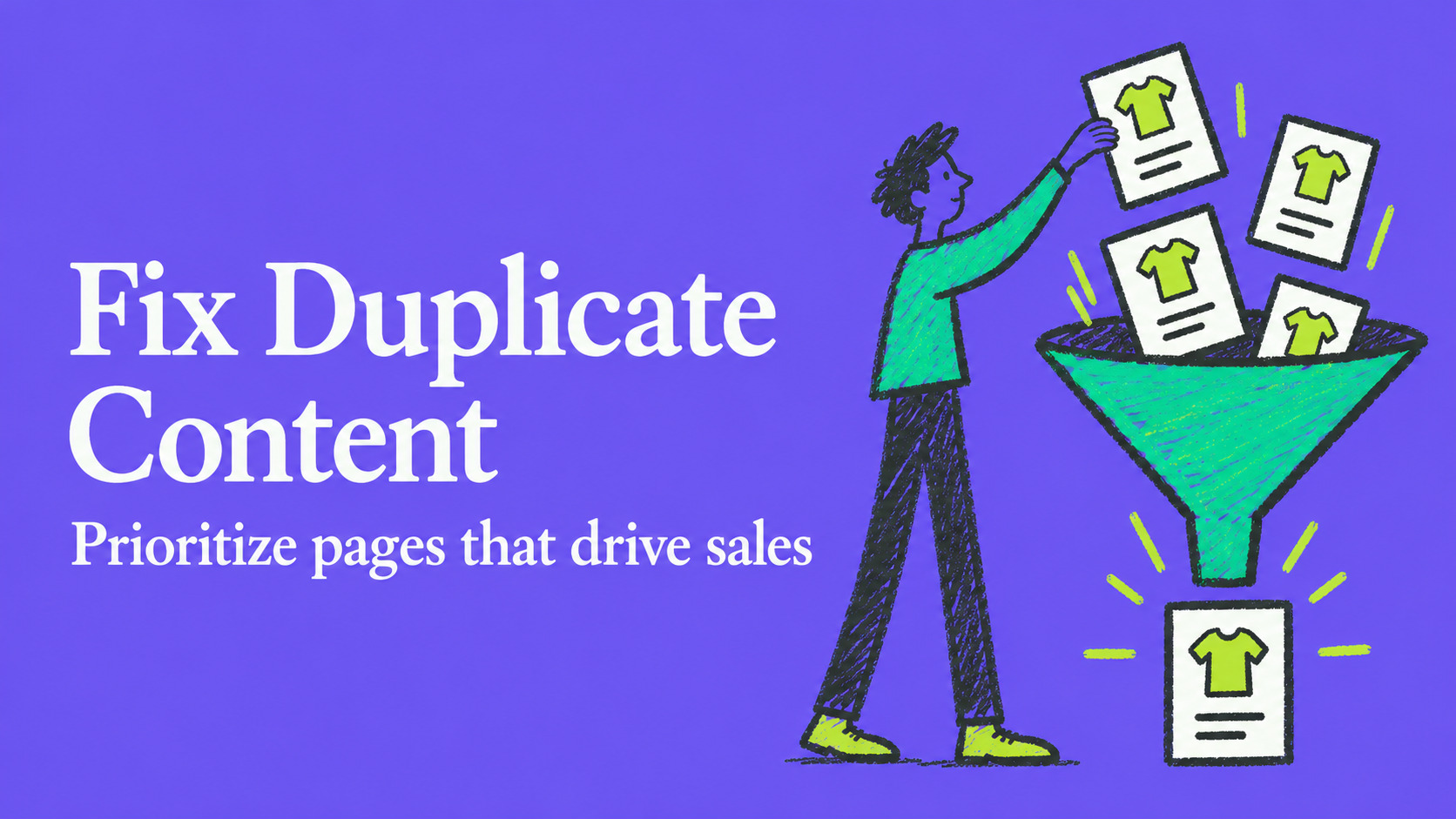

Duplicate content rarely triggers a formal penalty, but on ecommerce stores it quietly drains revenue by splitting indexation signals and burning through crawl budget. Google clusters duplicate pages and picks one canonical version to index, which means your best product page can lose visibility to a filtered or parameter-laden copy. Start by checking Search Console for your top revenue pages, then consolidate signals through canonical tags, redirects, and parameter handling.
What duplicate content means for ecommerce stores
Duplicate content is any set of URLs that show the same or substantially similar content to visitors and search engines. On ecommerce sites this rarely looks like copy-paste plagiarism. It looks like a product page that exists at five URLs because of filters, sort order, or session tracking.
There are two patterns worth separating. Intra-site duplication happens within your own domain: a red sneaker in size 9 and the same sneaker in size 10 often live on near-identical pages with only a variant attribute changed. Cross-site duplication happens when manufacturer-supplied product descriptions appear verbatim across dozens of competing stores, something almost every catalog-based retailer deals with.
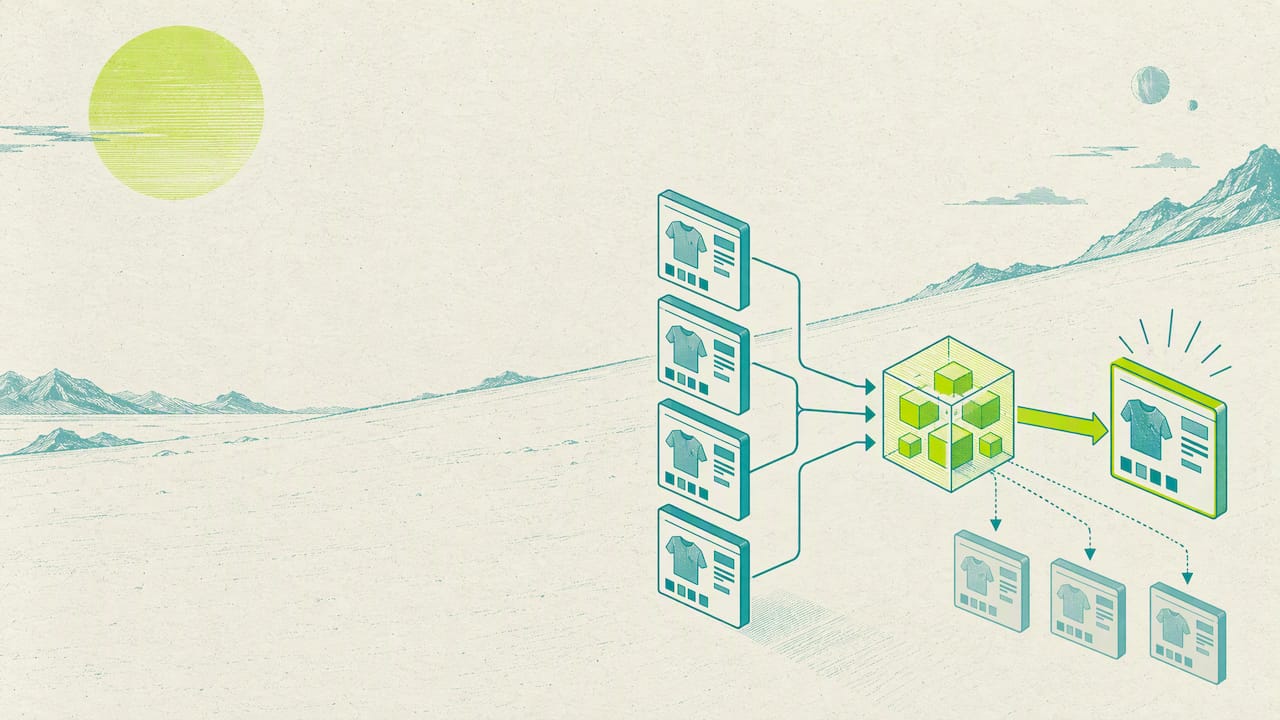
Google does not keep every near-identical page separately. It groups them into a cluster and selects the version it considers most useful to searchers as the canonical, then crawls that version more often than the others. Everything else in the cluster typically gets dropped from the index or shown only in rare, specific searches.
A few patterns show up on nearly every ecommerce site we have looked at:
- Product variant pages that differ only by size, color, or SKU.
- Category pages duplicated across multiple filter and sort combinations.
- The same item appearing under two or more URL paths or category structures.
- Printer-friendly or legacy template versions still live and crawlable.
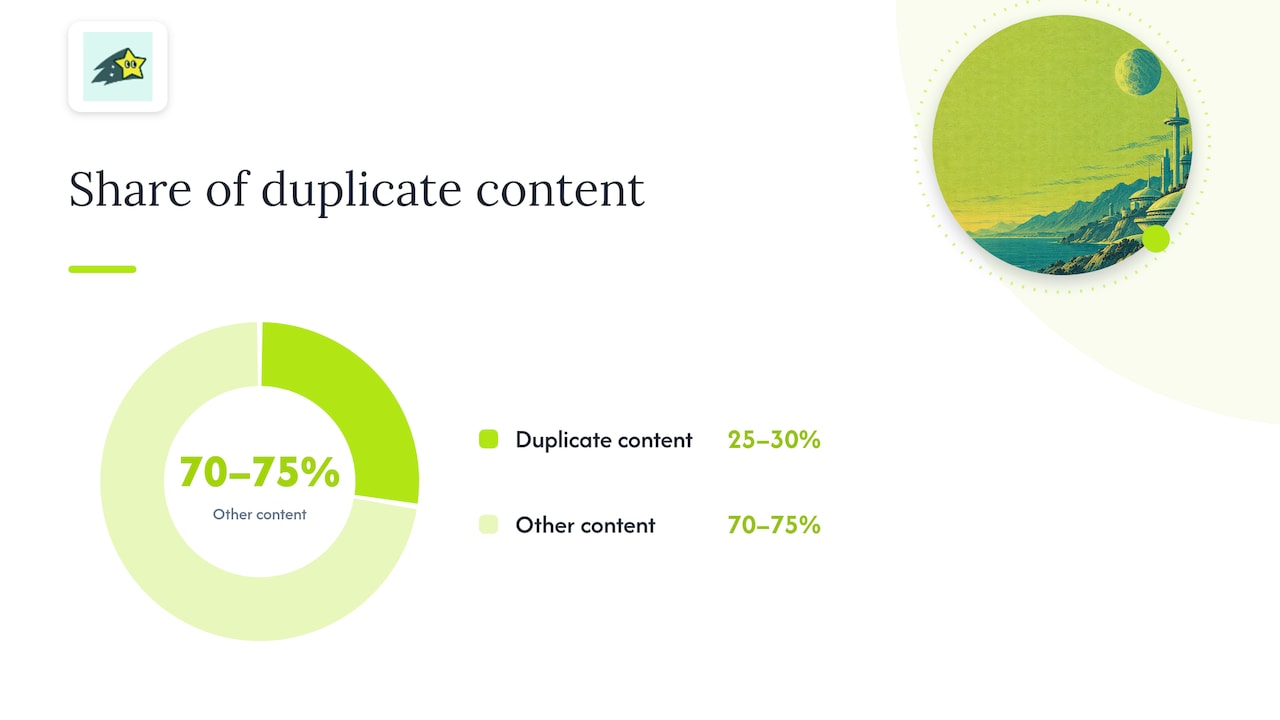
Yoast's guide to duplicate content notes that Ahrefs estimates roughly 25 to 30% of the web consists of duplicate content, which gives a sense of how common this problem is across all site types, not just ecommerce.
Why duplicate content specifically hurts ecommerce
For a content site, duplicate pages are mostly an annoyance. For an ecommerce catalog with thousands of SKUs, the consequences compound quickly and show up directly on the revenue line.
Crawl budget is the first casualty. Search engines allocate a finite amount of crawling attention to each site, and every faceted URL or parameter variant competes for that attention with your actual product and category pages. On a 50,000-SKU catalog, filter combinations alone can multiply that number several times over, leaving crawlers less time to revisit the pages that convert. Our guide to index bloat walks through how this accumulates over time, and our crawl budget breakdown covers who actually needs to worry about it.
The second cost is link equity dilution. When internal and external links point to several versions of the same product instead of one canonical URL, the ranking signal those links carry gets split rather than concentrated. That often means a filtered or parameter-heavy URL outranks the clean page you actually want customers to land on.
Duplicate content is estimated to make up a significant share of the web, according to Ahrefs data cited by Yoast, which means the baseline risk for any catalog site is already high before you add ecommerce-specific causes like filters and variants. The practical signal to watch is simple: pages that should be converting instead show flat or declining organic sessions while a near-duplicate climbs in Search Console impressions.
Common ecommerce causes of duplicate content
Most ecommerce duplication traces back to a handful of recurring platform behaviors. Recognizing the pattern on your own site is the fastest way to know which fix applies.
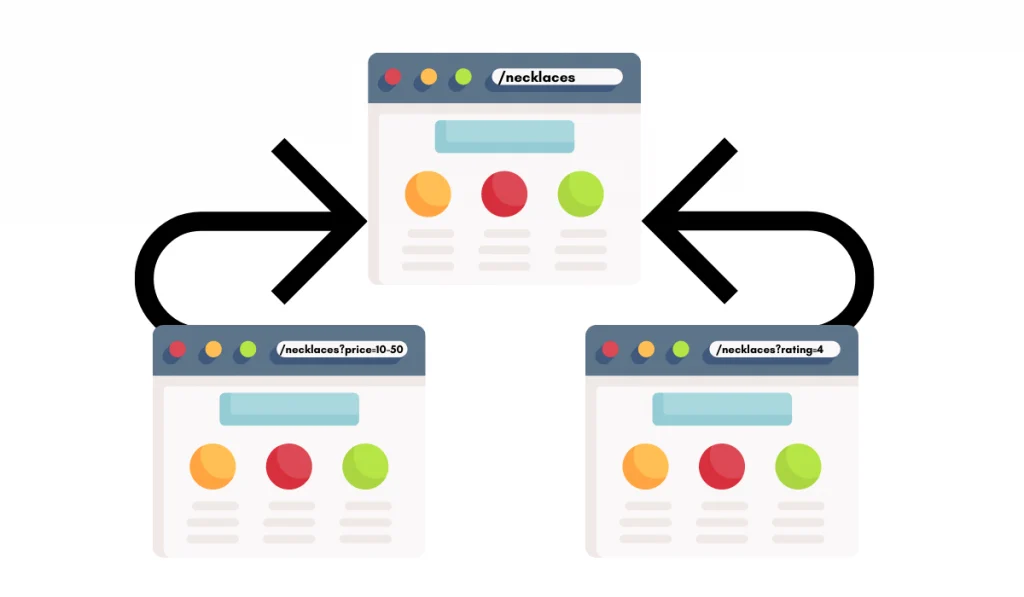
Faceted navigation is the biggest offender. Every combination of filters, color, size, price range, brand, and in-stock status can generate a unique, crawlable URL that shows mostly the same products as the parent category. Google's own guidance on faceted navigation warns that these combinations can expand into thousands of near-duplicate URLs if left unmanaged, and that rel=canonical alone is not a complete fix once duplicates diverge structurally.
Other frequent causes include:
- URL parameters for sorting, session IDs, or marketing tracking that don't change the page content.
- Product variants (size, color) hosted on separate URLs instead of one parameterized page.
- Pagination setups where a "view all" page competes with individual page-2, page-3 URLs.
- Printer-friendly templates, staging environments left crawlable, and www versus non-www or HTTP versus HTTPS inconsistencies.
- Third-party scrapers republishing product descriptions without permission, which you can address through a DMCA takedown request when the copying is substantial.
Large catalogs compound these issues because the multiplication effect is structural. One filter dimension on a 1,000-product category can produce tens of thousands of indexable permutations, and most of them add nothing a searcher actually wants.
Pro Tip:Before touching code, export a full URL list from your crawler and sort by parameter pattern. Grouping duplicates by cause makes the fix list far shorter than it looks at first glance.
How Google handles duplicate pages and canonicalization
Rel=canonical is a hint, not a command. Google's documentation is explicit that it clusters similar pages and then chooses the one it judges most useful to searchers, and that choice does not always match the URL you marked as canonical. If Google finds a page it considers a better representative, meaning it has more links, more traffic, or clearer signals, it can override your declared canonical.
This is where a lot of ecommerce sites run into trouble. Google's list of common rel=canonical mistakes flags several configurations that cause the hint to be ignored outright: canonical tags pointing to a noindexed page, multiple canonical declarations on a single page (often inserted by conflicting plugins), and canonical targets that return a soft 404. Any of these effectively tells Google your signal cannot be trusted, and it falls back to its own judgment.
A few practical rules keep canonical signals clean:
- Never point a canonical tag at a page that also carries a noindex directive. The two signals contradict each other.
- Check for duplicate or conflicting canonical tags injected by themes, plugins, or tag managers.
- Confirm the canonical target is live, returns a 200 status, and is not a redirect chain.
- For regional or multi-language stores, pair canonical tags with hreflang correctly: each regional page should self-canonicalize while hreflang handles the cross-language relationship, rather than canonicalizing every variant to one language.
Getting this wrong quietly undoes otherwise solid SEO work, since the canonical choice determines which page shows up in search at all.
How to find duplicate content on your ecommerce site
Detection should start broad and narrow down to the pages that actually matter for revenue, not just the ones that are easiest to spot.
- Open Google Search Console and review the Coverage report for "Duplicate, Google chose different canonical than user" and "Duplicate without user-selected canonical." These labels point directly at clusters Google has already identified.
- Use the URL Inspection tool on your highest-converting product and category pages to confirm which URL Google is actually indexing as canonical.
- Run a full crawl with Screaming Frog or Sitebulb and filter by near-identical title tags, meta descriptions, and H1s, which usually surface both exact and near-duplicates faster than manual review.
- For a quick sanity check on individual pages, a tool like Siteliner can flag internal duplication percentage without a full crawler setup.
- Cross-reference the duplicate list against your analytics to tag which URLs drive actual conversions, then triage fixes by revenue impact rather than URL count.
- Document every parameter pattern and faceted combination you find in a shared sheet for developer handoff, since engineering will need the exact rules, not just a list of symptoms.
The goal of this workflow is a prioritized backlog, not a complete inventory. A store with 10,000 duplicate URLs might only need to fix the 200 that touch pages generating actual sales.
Prioritized fixes checklist for ecommerce stores
Once you have a backlog, work it in order of commercial impact, not in the order the crawler happened to list it.
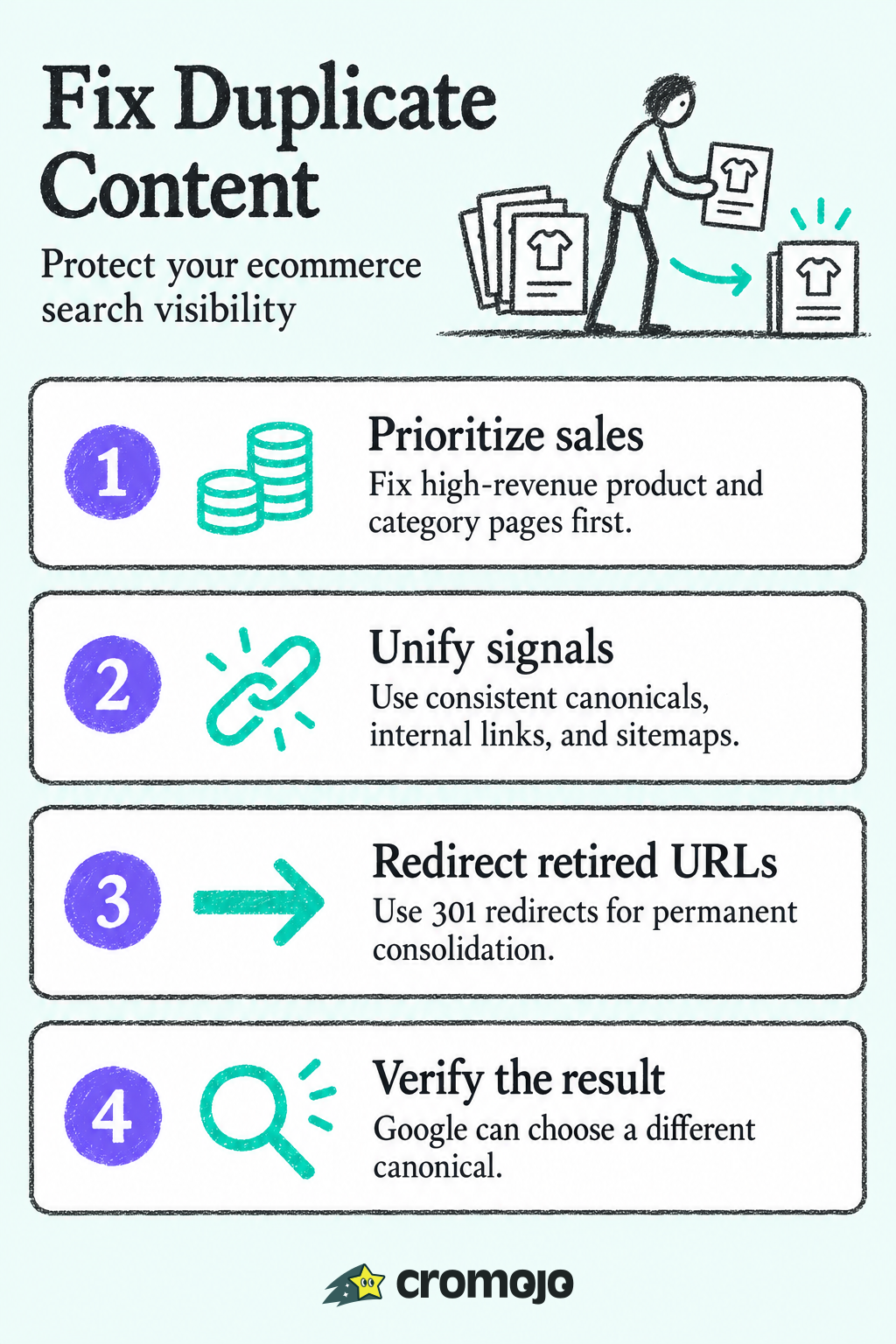
- Fix top revenue pages first. Cross-reference your duplicate list with conversion data and resolve canonical conflicts on pages that actually drive sales before touching long-tail filter URLs.
- Map and handle parameters. Identify every tracking, sort, and session parameter in use, then either configure parameter handling in Search Console or strip and unify them server-side so one clean URL represents each page.
- Set rel=canonical correctly. Point duplicate variants at the existing live canonical page, and verify that target returns a 200 status with no noindex tag.
- Use 301 redirects for permanent consolidation. When a duplicate URL has no reason to exist anymore, such as a discontinued filter path, a redirect is more durable than a canonical tag alone.
- Apply noindex carefully for temporary low-value pages. Reserve this for pages you want crawled but not indexed, and never combine noindex with a canonical pointing elsewhere on the same URL.
- Address faceted navigation at the source. Disallow genuinely worthless filter combinations in robots.txt, canonicalize useful-but-duplicate facets to a superset category page, or move filtering to client-side rendering that never generates a new indexable URL.
- Decide on a pagination approach. Weigh a "view all" page against paginated series with self-referencing canonicals; avoid canonicalizing every paginated page back to page one, which tells Google to ignore the content on pages 2 and beyond entirely.
- Update internal links and your sitemap. Point internal navigation at the canonical URLs you want indexed, and remove non-canonical variants from the sitemap so you aren't sending mixed signals.
Pro Tip:Before deploying redirects at scale, check every target URL for a soft 404 or redirect chain. A canonical pointing at a dead or looping page undoes the entire fix.
If your store is migrating platforms while doing this cleanup, a guide to preserving canonical targets during a Shopify migration is worth reviewing alongside this checklist, since platform moves are a common source of new duplication if redirects aren't mapped carefully. For catalogs where crawl waste is the dominant problem rather than canonical conflicts, a structured crawl-budget audit can help isolate which URL patterns are consuming the most crawler attention.
Testing, verification, and ongoing monitoring
A fix isn't done until you've confirmed Google actually changed its behavior. The URL Inspection tool is the right starting point: inspect the canonical page after your changes go live, confirm it shows as indexed with the canonical you intended, then request indexing to speed up the recrawl.
Give the fix time to show results. Expect to watch three signals over a window of 2 to 12 weeks:
- Coverage status for the affected URLs moving from "Duplicate" labels to "Indexed."
- Organic sessions and conversions on the canonical page recovering toward or above their pre-fix baseline.
- A reduction in "Crawled, currently not indexed" entries for the cluster, which signals Google has resolved the ambiguity.
Crawl activity itself is worth watching too. A drop in crawl requests to the old duplicate URLs, paired with steadier crawling of the canonical page, is a good early sign the fix took hold even before rankings fully recover.
Set up scheduled checks rather than a one-time review. Plugins get updated, themes change, and a new canonical conflict can reappear months later without anyone noticing until traffic drops again.
How automated indexing and revenue-first analytics speed duplicate-content remediation
Once a canonical fix or redirect is live, the slowest part is often waiting for search engines to notice. Automated bulk URL submission and instant indexing shrink that gap, which matters directly for revenue recovery timelines. Pairing that with revenue attribution by page and keyword lets you prioritize the duplicates actually costing you sales, instead of guessing from traffic alone. Lightweight monitoring scripts and scheduled reports then catch regressions, like a canonical tag silently reverting, before they erode another quarter of rankings.
Getting engineering and SEO aligned on the fix
The fastest rollouts happen when SEO frames the request in revenue terms, not crawl theory. Tell engineering which ten pages are losing sales, not how many duplicate URLs exist.
Watch for canonical loops where two pages point at each other, and double-check staging environments aren't still crawlable after launch. A short rollout checklist, covering canonical targets, redirect destinations, and a reindex request, prevents most repeat work.
, Philippe
Cromojo: automated indexing, monitoring, and revenue-first prioritization
Fixing duplicate content is only half the job. Getting search engines to notice the fix is the other half, and that's where most teams lose weeks waiting on a natural recrawl. We built automated indexing to close that gap: bulk URL submission pushes your corrected canonical pages and redirects to Google, Bing, Yandex, and Baidu directly, so reindexing happens in days rather than whenever a crawler gets around to it.
We pair that with revenue attribution that ties traffic to actual sales by page and keyword, so you can rank your duplicate-content backlog by what it costs you, not just by URL count. Our website monitoring layer then watches for regressions, like a canonical tag reverting or a filter page getting recrawled, and flags them before they undo your work.
- Automated indexing for faster recrawl after canonical and redirect fixes.
- Revenue-first prioritization that ranks fixes by actual sales impact.
- Scheduled monitoring and alerts to catch regressions early.
If you want to see how this fits your catalog, our pricing page lists the Starter, Pro, Business, and Agency plans, starting at $19 per month for Starter.
Authoritative docs and tools
For readers who want to go straight to primary sources, Google Search Central's canonicalization documentation explains exactly how clustering and canonical selection work, and remains the definitive reference when a canonical tag isn't behaving as expected. The faceted navigation guidance is essential reading for any store with filterable categories, since it covers robots.txt, canonical, and parameter strategies side by side.
Yoast's explainer on duplicate content is a solid plain-language companion to the official docs, and its citation of Ahrefs' web-wide duplication estimate is useful context when explaining the scale of the problem to a team. For verifying fixes, the URL Inspection tool documentation walks through what each indexing status means and how to request a recrawl. When a canonical tag seems to be ignored, Google's list of common rel=canonical mistakes is the fastest way to rule out the usual configuration errors before escalating to a developer.
Screaming Frog and Sitebulb remain the standard crawlers for surfacing exact and near-duplicate pages at scale, and Siteliner works well for a quick, no-setup check on a smaller catalog. For scraped content specifically, the Copyright Alliance's DMCA guidance covers the formal takedown process when a third party republishes your product descriptions without permission.