
For ecommerce and agency teams, Cromojo is the best pick when revenue attribution and site monitoring need to live in one dashboard. If deep backlink research is the priority, Ahrefs still leads. Need a technical crawl for a JavaScript-heavy site? Screaming Frog handles that better than any all-in-one suite. Want a full marketing command center? Semrush covers the widest ground.
Here's the shortlist, in plain terms:
- Cromojo: real-time revenue attribution tied to uptime and indexing alerts, built for ecommerce and agencies.
- Semrush: the broadest all-in-one platform for keyword research, audits, and market data.
- Ahrefs: the deepest backlink index for competitive link analysis.
- Screaming Frog: the sharpest desktop crawler for technical audits and rendered JavaScript.
- AccuRanker: the fastest, most precise daily rank tracking with SERP feature detection.
- SE Ranking: solid multi-site monitoring at agency-friendly prices.
- Surfer (SurferSEO): content scoring tied directly to ranking movement.
- Similarweb: traffic and competitive benchmarking beyond your own site.
Agencies juggling a dozen client accounts tend to gravitate toward Cromojo or SE Ranking for their multi-site views. Solo consultants usually do fine with Mangools or Ubersuggest. Enterprise teams with compliance requirements lean toward Semrush or BrightEdge for consolidated reporting.
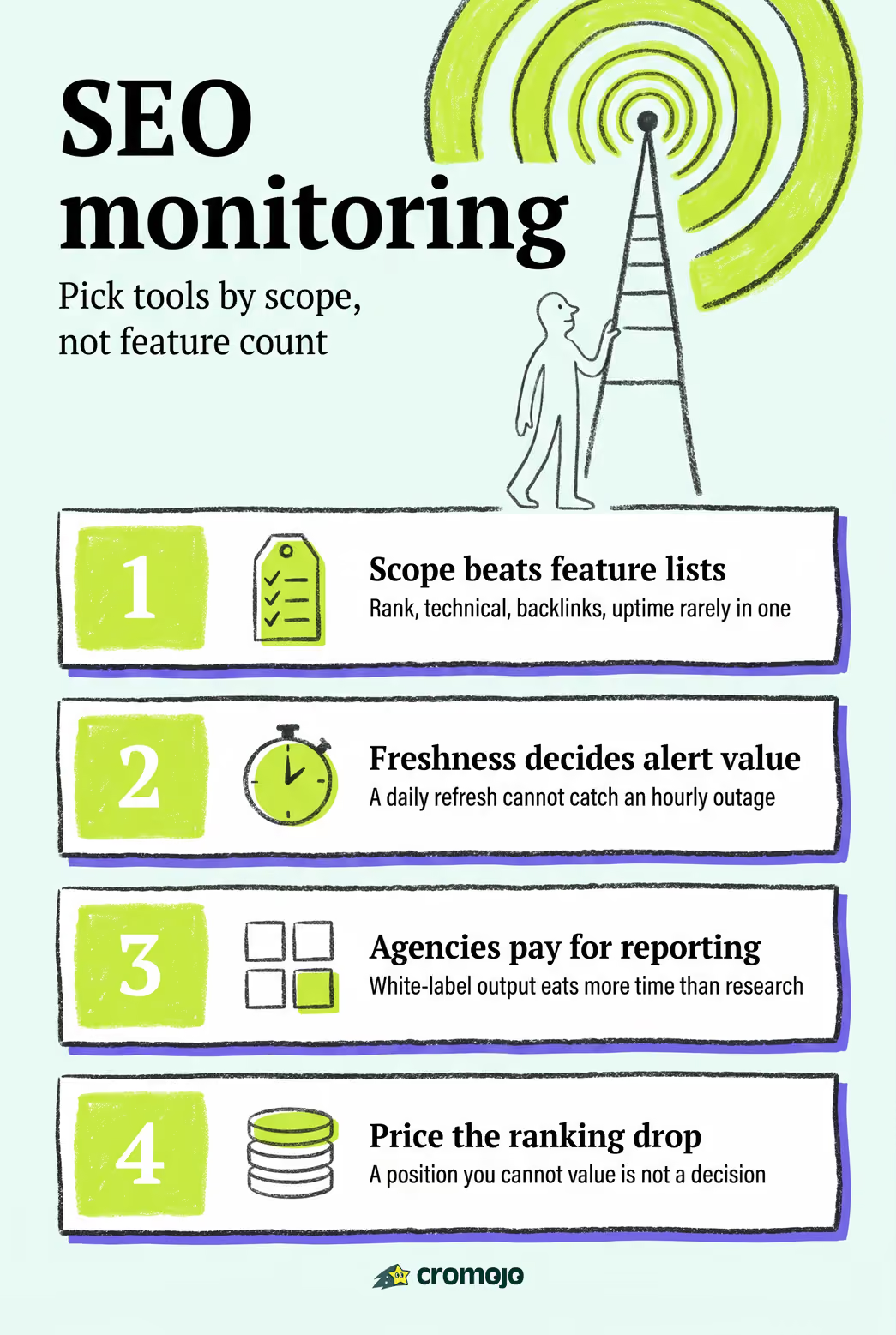
Pro Tip: Don't pick a tool based on feature count alone. Pick based on which alert actually reaches someone before a ranking drop turns into a revenue drop.
Key Takeaways
Cromojo pairs revenue attribution with real-time site monitoring, giving ecommerce teams and agencies a single dashboard where ranking changes translate directly into sales impact.
Best SEO Monitoring Tools Compared at a Glance
Before you sign up for a trial, it helps to see how these platforms stack up on the dimensions that actually affect day-to-day work: how fresh the data is, what it plugs into, and what happens when something breaks.
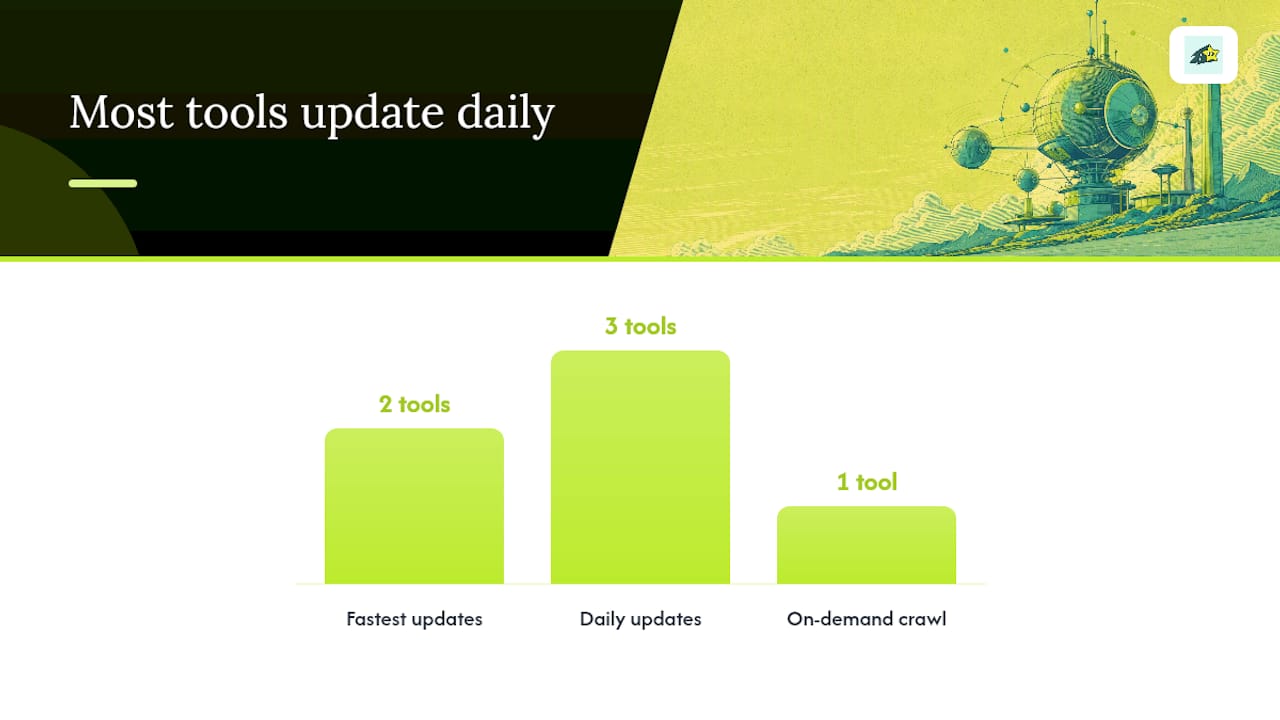
Pricing shapes vary more than headline numbers suggest. Cromojo and SE Ranking scale cost with the number of sites and pageviews, which suits agencies managing many small client sites. Ahrefs and Semrush price around seat count and crawl credits, which favors fewer, larger properties. Screaming Frog remains the outlier: a flat annual license with a genuinely usable free tier under 500 URLs.
Three things stand out from this comparison:
- Performance: AccuRanker and Cromojo update fastest on the metrics that matter for catching problems early, rank position and site uptime, respectively.
- Cost: Screaming Frog and Cromojo offer the lowest barrier to entry, one through a free crawl tier, the other through a free trial with pageview-based pricing.
- Integration: Tools that connect directly to Shopify and Stripe, not just Google Search Console, give ecommerce teams a shorter path from ranking change to revenue impact.
What Each SEO Monitoring Tool Actually Does Best
Every tool on this list claims to "monitor SEO." What that means in practice varies enormously, and the differences matter more than the marketing copy suggests.
Cromojo: revenue-first monitoring for ecommerce and agencies
Cromojo tracks site health alongside revenue, not instead of it. It monitors uptime, indexing status, and SEO errors while attributing actual sales back to the keyword, page, or channel that produced them. The website monitoring feature runs continuous checks for downtime and crawl errors, and the automated indexing workflow submits URLs to Google, Bing, Yandex, and Baidu without manual resubmission. Because it integrates with Stripe and Shopify directly, a ranking drop on a product page shows up as a revenue signal, not just a position change.
- Pros: Combines revenue attribution with technical monitoring; cookieless tracking avoids consent-banner friction; setup takes a lightweight script rather than a tag-management overhaul.
- Cons: Less suited to teams that need deep backlink research or large-scale keyword database exploration as a primary function.
- Best for: Ecommerce businesses and agencies that need to know which SEO issues are actually costing money.
Semrush: the broadest all-in-one suite
Semrush bundles rank tracking, technical audits, backlink monitoring, and content tools into a single subscription, and it has extended that toolset to cover visibility in AI-generated search answers alongside traditional Google rankings. That breadth is the appeal and the tradeoff: teams get one login for nearly everything, but the interface can feel dense for a specialist who only needs one function.
- Pros: Enormous keyword database, competitive research depth, expanding AI-search visibility features.
- Cons: Pricing climbs quickly for agencies managing multiple client projects; the sheer number of modules creates a learning curve.
- Best for: Mid-market to enterprise teams that want one platform to replace several point tools.
Ahrefs: the backlink specialist
Ahrefs built its reputation on one of the largest backlink indexes available, and that remains its core draw. Rank tracking and site audits exist as supporting features, but link intelligence is where the tool wins comparisons.
- Pros: Fast link exploration, strong competitor gap analysis, reliable crawl-based audits.
- Cons: No permanent free tier; overkill for teams that don't do heavy competitive link research.
- Best for: SEOs running link-building campaigns or competitive backlink audits.
Screaming Frog: the technical crawler
Screaming Frog runs locally on a desktop rather than in the cloud, which gives technical SEOs granular control over how a crawl behaves, including JavaScript rendering settings that cloud-based crawlers often abstract away.
- Pros: Deep customization, handles JS-heavy sites well, genuinely useful free tier for small sites.
- Cons: No built-in rank tracking or ongoing alerting; requires manual scheduling for repeat crawls.
- Best for: Technical audits on complex sites, especially before a migration or replatform.
SE Ranking and Mangools: budget-conscious multi-site management
SE Ranking targets agencies juggling several client accounts with white-label reporting and straightforward rank tracking at a lower price point than the enterprise suites. Mangools takes a similar approach but trims the feature set further, aiming at consultants and small teams who want clarity over depth.
- Pros (SE Ranking): Multi-site dashboards, competitive pricing, solid client reporting.
- Cons (SE Ranking): Keyword database is smaller than Semrush or Ahrefs.
- Pros (Mangools): Genuinely easy to learn, transparent pricing tiers.
- Cons (Mangools): Limited depth for large-scale enterprise reporting.
AccuRanker: precision rank tracking
AccuRanker's entire pitch rests on data freshness. Where many platforms update rankings daily or every few days, AccuRanker checks positions frequently and flags SERP feature changes, like a competitor grabbing a featured snippet, with minimal delay.
- Pros: Fast, accurate rank updates; strong SERP feature detection.
- Cons: Narrower feature set outside of rank tracking; pairs best alongside a separate audit tool.
- Best for: Agencies that need to catch ranking volatility before a client notices it first.
Surfer (SurferSEO) and Clearscope: content-level optimization
Surfer scores content against top-ranking pages for a target keyword and ties those scores to editing recommendations. Clearscope does something similar but leans toward editorial teams that want brief generation alongside relevance scoring. Neither replaces a full monitoring stack, but both fill the content-optimization gap that pure rank trackers leave open.
Ubersuggest, KeySearch, and Seobility: entry-level monitoring
These three serve a similar audience: small businesses and solo consultants who need keyword research and basic site audits without enterprise pricing. Ubersuggest keeps its interface simple. KeySearch focuses on affordable keyword difficulty scoring. Seobility adds ongoing site audit monitoring at a lower cost than the bigger suites. None offers the alert sophistication or integration depth that agencies managing dozens of sites eventually need.
Specialized and adjacent tools worth knowing
A few tools round out the category by covering angles the core monitoring platforms don't. AnswerThePublic and BuzzSumo map search intent and content trends rather than tracking rankings directly. SEOptimer and AIOSEO (All In One SEO) serve WordPress-centric audits, with AIOSEO built as a plugin rather than a standalone dashboard. Similarweb benchmarks traffic against competitors, which is useful context but not a replacement for first-party analytics. Gumloop automates SEO workflows through no-code pipelines, appealing to teams that want to chain tasks like content briefs and reporting together.
For agencies handling enterprise accounts, BrightEdge, Conductor Platform, and seoClarity Platform offer consolidated reporting and workflow management built for large organizations, echoing what Gartner's enterprise SEO platform reviews identify as a core requirement: fewer disconnected tools, more unified dashboards. Agency Analytics, Raven Tools, and CoSchedule target agency reporting specifically, automating the client-facing dashboards that used to require manual spreadsheet work. Nightwatch, SEOBoost, Serpstat, and SEO PowerSuite round out the rank-tracking and audit category with varying degrees of automation and pricing flexibility.
Pro Tip: If you're evaluating more than three tools, list the two or three alerts you actually act on weekly, like a site going down or a page dropping out of the index, and eliminate any tool that can't deliver that specific alert reliably.
How We Evaluated These SEO Monitoring Tools
Every tool on this list was assessed against eight criteria, weighted toward what actually changes outcomes for a team rather than feature-list length.
- Monitoring scope: does it cover rank tracking, technical audits, backlink monitoring, and uptime/indexing in one place, or does it require stitching together multiple tools?
- Data freshness: how often does the platform actually refresh rankings, crawl data, and alerts?
- Integrations: native connections to Google Search Console, GA4, Shopify, and Stripe, since these determine how fast a signal reaches the person who needs it.
- Alerting: whether alerts route to email, Slack, or webhook, and how much lag exists between an event and a notification.
- Reporting: white-label options, dashboard clarity, and how much manual assembly a weekly client report still requires.
- Ease of setup: time from signup to a working integration.
- Pricing transparency: whether starting prices and overage costs are published or hidden behind a sales call.
- Security and privacy: cookieless or consent-friendly tracking options, and how each vendor handles data retention.
Testing tasks included connecting Google Search Console and GA4 where supported, configuring an uptime or indexability alert, running a full-site crawl, and generating a client-ready report. G2's SEO tools category supplied a useful cross-check here: user reviews consistently flag data lag, hidden pricing tiers, and integration ceilings as the most common complaints, which matched several findings from hands-on setup.
A few limitations are worth naming honestly. Public pricing shifts often, integration availability frequently depends on which plan tier you're on, and trial accounts sometimes expose features that disappear once you're on a paid plan. Anyone shortlisting a tool should verify current pricing and plan-specific integration limits directly with the vendor before committing budget.
How to Choose the Right SEO Monitoring Tool
Start with a simple split: what's a must-have versus a nice-to-have for your specific team. An in-house team managing one domain has different needs than an agency running white-label reports across forty client accounts.
Must-haves for most teams:
- Real-time or near-real-time alerts for downtime and indexing errors
- Native Google Search Console integration
- Rank tracking with at least daily updates
- Exportable or white-label reporting
Nice-to-haves that matter more as you scale:
- Revenue or conversion attribution tied to organic traffic
- AI/LLM visibility tracking as search behavior shifts
- API access for custom dashboards
- Multi-site bulk management
When you're in a vendor demo, ask direct questions rather than accepting a feature-list pitch:
- How fresh is the ranking and crawl data, and does that freshness change on lower-tier plans?
- What's the actual time lag between an alert-triggering event and the notification reaching Slack or email?
- Does white-label reporting come standard, or is it a paid add-on?
- Can one account manage multiple client sites, and how does pricing scale per site?
- What are the API rate limits, and are they documented publicly?
- What onboarding or training support comes with the plan, versus what requires a support ticket?
Watch for a few red flags that tend to surface only after signing a contract: overage fees that aren't disclosed until the first invoice, no API access at any tier, integrations that only cover Google properties and ignore Shopify or Stripe, and support channels that route every question through a generic ticket queue instead of a real escalation path.
Pricing shapes tend to fall into rough bands. Solo consultants and small teams often land in low-cost tiers, sometimes with genuinely useful free options like Screaming Frog's crawl limit. Growing agencies typically pay for tiered plans priced by number of sites or pageviews, a structure Cromojo and SE Ranking both use. Enterprise buyers frequently negotiate custom contracts once seat counts and site volumes hit a certain threshold, which is where Gartner's enterprise SEO platform reviews note that consolidated reporting becomes a deciding factor over raw feature count. For a closer look at what these pricing structures actually cost in practice, including the overage traps some vendors don't disclose upfront, see this breakdown of monitoring tool pricing.
How Teams Actually Put SEO Monitoring to Work
A monitoring tool is only as useful as the workflow built around it. Buying the platform is the easy part; the harder part is deciding who gets notified, how fast, and what they do next.
Most agencies follow a version of this pattern when onboarding a new client site:
- Connect Google Search Console, GA4, and any ecommerce platform (Shopify, for instance) to establish a baseline.
- Set an SLA for alert response, commonly same-day for uptime issues and within 24 to 48 hours for ranking volatility.
- Route alerts by severity: downtime and deindexing go to a Slack channel with immediate ping, while minor ranking shifts go to a daily digest email.
- Auto-create a ticket in the team's task manager when an alert crosses a defined threshold, so nothing sits unacknowledged in an inbox.
- Run a weekly reporting cadence that pulls automatically rather than requiring someone to screenshot dashboards.
The teams that get the most value tend to tune alert thresholds aggressively in the first month. A tool that fires an email every time a keyword moves two positions trains people to ignore alerts entirely, a real risk that research on production-based alerting points to directly: real-time detection only helps if the signal-to-noise ratio stays high enough that someone actually reads it.
One workflow pattern that rarely gets mentioned: correlating alerts with deploy history. When a development team pushes a site update and rankings dip two days later, most teams treat that as a coincidence and investigate rankings in isolation. Annotating monitoring dashboards with deploy timestamps, even a simple note in a shared doc, cuts investigation time substantially because you can immediately rule out (or confirm) the deploy as the cause before chasing a phantom algorithm update.

Pro Tip: Correlate every code deploy with your GSC and rank-tracking timeline using dashboard annotations. Half the "mystery ranking drops" agencies investigate turn out to be a broken canonical tag or accidental noindex tag pushed in the last release, not an algorithm change.
Agencies managing dozens of sites at once tend to build a tiered response system: Tier 1 issues (full outage, site deindexed) trigger immediate phone or SMS escalation, Tier 2 (ranking drop over 10 positions on a priority keyword) goes to Slack within the hour, and Tier 3 (minor fluctuations) rolls into the weekly report. For a deeper look at how larger agencies structure this without losing track of individual client sites, this agency monitoring workflow guide walks through the reporting cadence in more detail.
Full Platform or Best-in-Class Point Tools: Which Fits Your Team?
The honest answer depends less on budget and more on how many hands touch your SEO data. A consolidated platform trades some depth for a single pane of reporting; a stack of specialist tools trades setup time and integration overhead for best-in-class performance on each individual task.
An agency running client accounts across a dozen industries usually benefits from consolidation, because the alternative is training every account manager on five different logins and reconciling five different definitions of "traffic." A large enterprise with a dedicated technical SEO team, on the other hand, often has the headcount to justify Screaming Frog for crawls, Ahrefs for links, and a separate rank tracker, because each specialist tool outperforms the equivalent module inside an all-in-one suite.
Growth-stage ecommerce businesses sit in the middle, and that's exactly where the calculus shifts toward a platform that ties monitoring to revenue rather than vanity metrics. A ranking report means little without knowing whether that keyword actually drives sales.
Quick recommendation checklist:
- Managing 5+ client sites with limited staff? Favor a consolidated platform with white-label reporting.
- Running a large in-house technical team? Point tools likely outperform a bundled suite on depth.
- Prioritizing revenue over raw traffic metrics? Choose a platform that attributes sales, not just rankings.
Get Revenue-Focused Monitoring Built for Ecommerce Teams
Most SEO monitoring tools stop at rankings and crawl errors. Cromojo goes further by tying every alert back to what it actually costs or earns you: which page dropped, which keyword slipped, and what that meant for revenue that week.
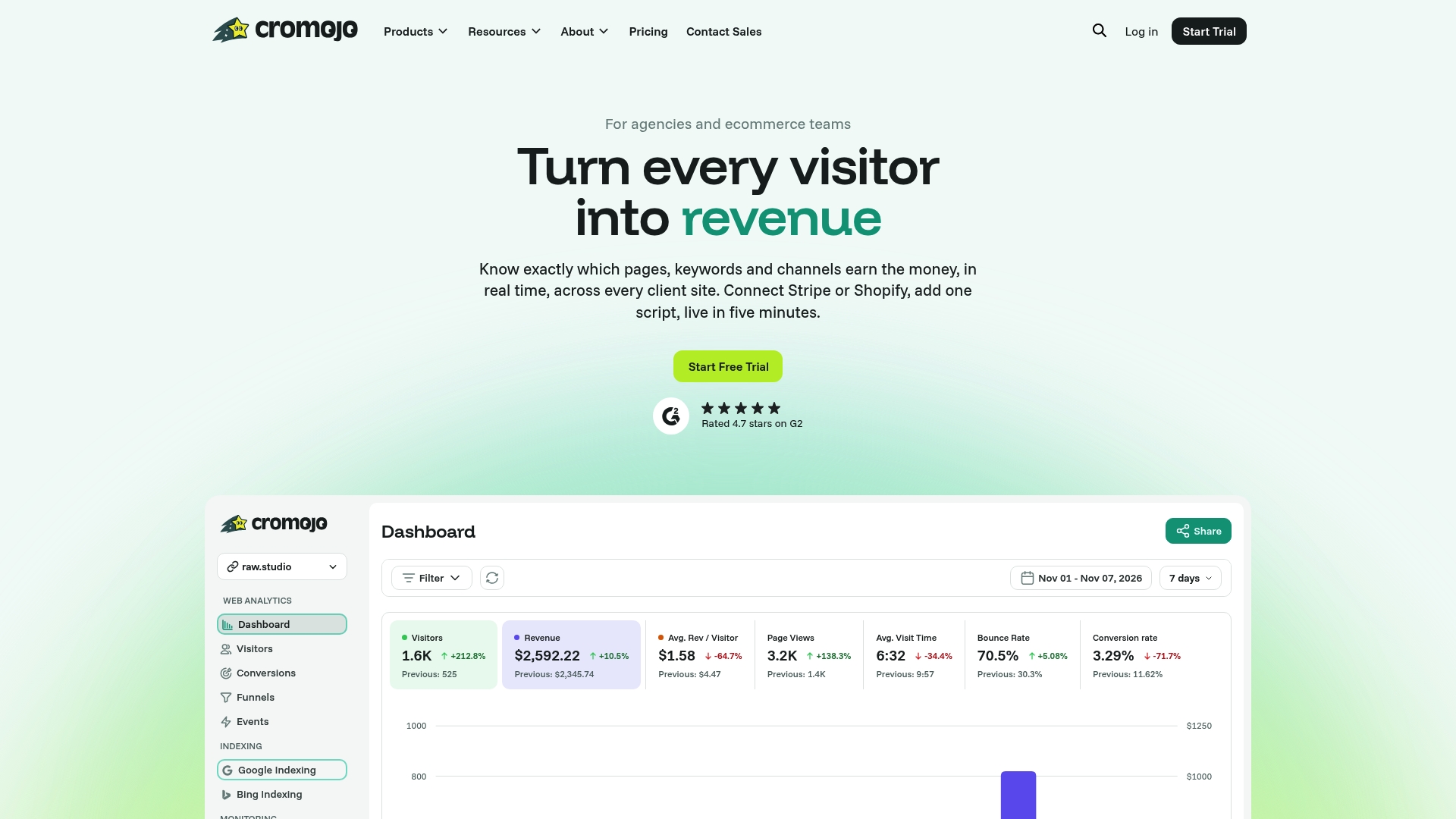
For agencies, that means client reports that show impact instead of just position changes. For ecommerce teams, it means an indexing issue on a product page gets flagged before it quietly drains a week of sales. Cromojo connects directly to Shopify and Stripe, so a ranking drop shows up next to the revenue number it affected, not as an isolated metric in a separate tab. The automated indexing and site monitoring feature covers uptime, crawl errors, and re-indexing across Google, Bing, Yandex, and Baidu, while cookieless tracking keeps the setup simple and consent-banner free.
A few scenarios where this pays off quickly: an agency onboarding a new ecommerce client wants revenue-tied reporting from week one instead of building it manually in a spreadsheet. A growth-stage store wants to know if a recent site migration hurt indexing before organic sales drop. A marketing team wants one alert channel for downtime, indexing, and revenue dips instead of three disconnected dashboards.
Start a trial and connect your Shopify or Stripe account to see revenue attribution mapped to your actual keyword and page performance within a day.