
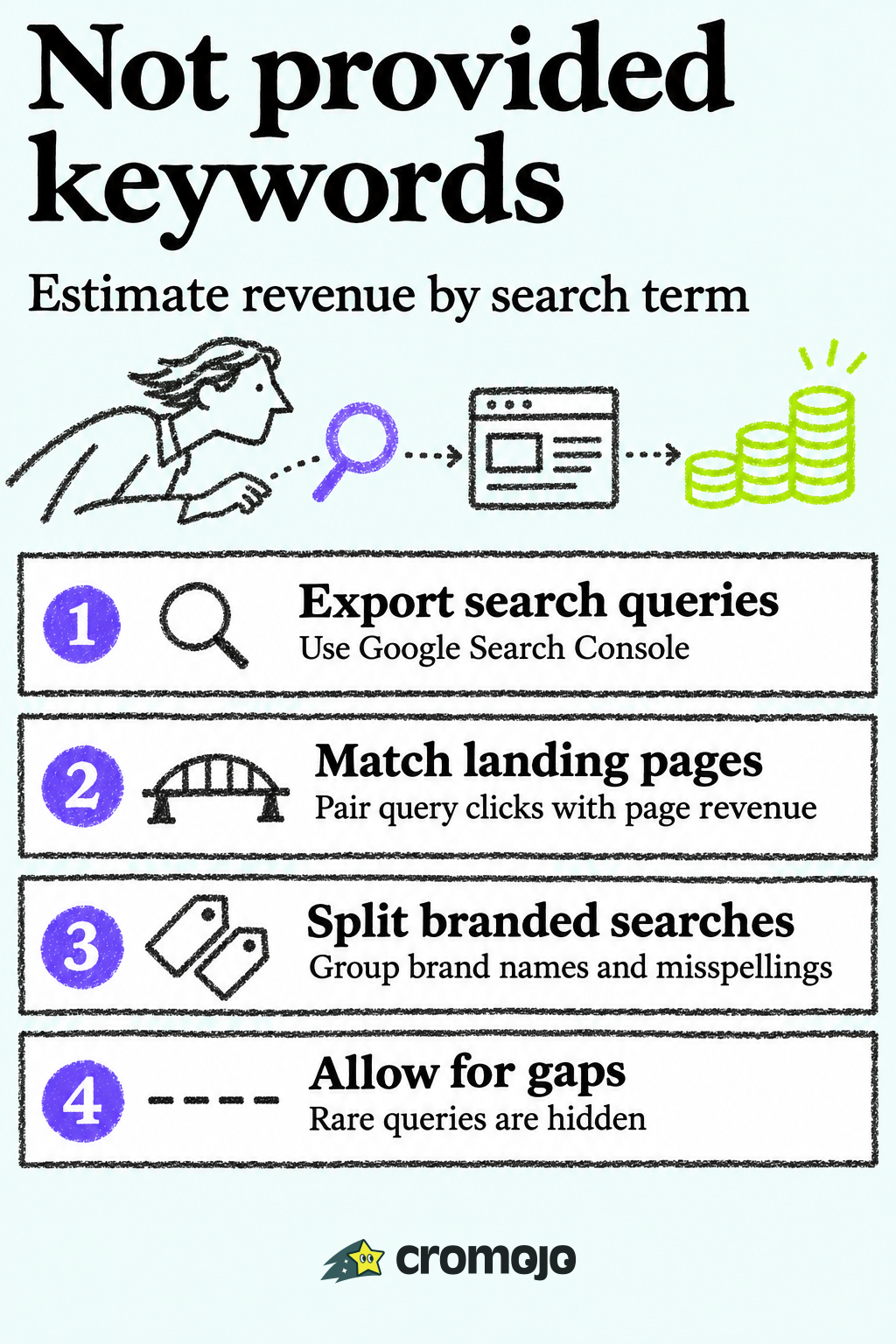
If your analytics shows "(not provided)" as a top organic keyword, you are not looking at a bug. Google stopped passing search terms to analytics tools years ago. The query data still exists in Google Search Console, and the practical job is to connect it to your own visits, orders and revenue, then split it into branded and non-branded searches. This guide shows what you can recover, what you cannot, and how to get from clicks to money. We build Cromojo for exactly that last step: revenue attribution by keyword, page and channel, with Stripe, Shopify and Search Console connected.
What "(not provided)" actually means
In October 2011 Google introduced the "(not provided)" token for visits from signed-in users who arrive through organic Google search. Search was moving to encrypted connections, so analytics services still recognize the visit as Google organic but no longer receive the query terms. Referral data and paid search (cpc) data kept reporting as before, which is why paid keywords are visible while organic ones are not.
Over time the share of hidden queries grew until, for practical purposes, organic Google keyword data in analytics disappeared. Google Analytics 4 did not change that. It does not show organic keywords in its standard acquisition reports, so you see sessions and conversions by channel and landing page, but not by search term.
For a small store or an agency client, this creates a real reporting problem. You can see that organic search drives revenue. You cannot see which searches produced it, so you cannot tell whether a new content push, a ranking change or a branded campaign is the reason.
What you can still get from Search Console
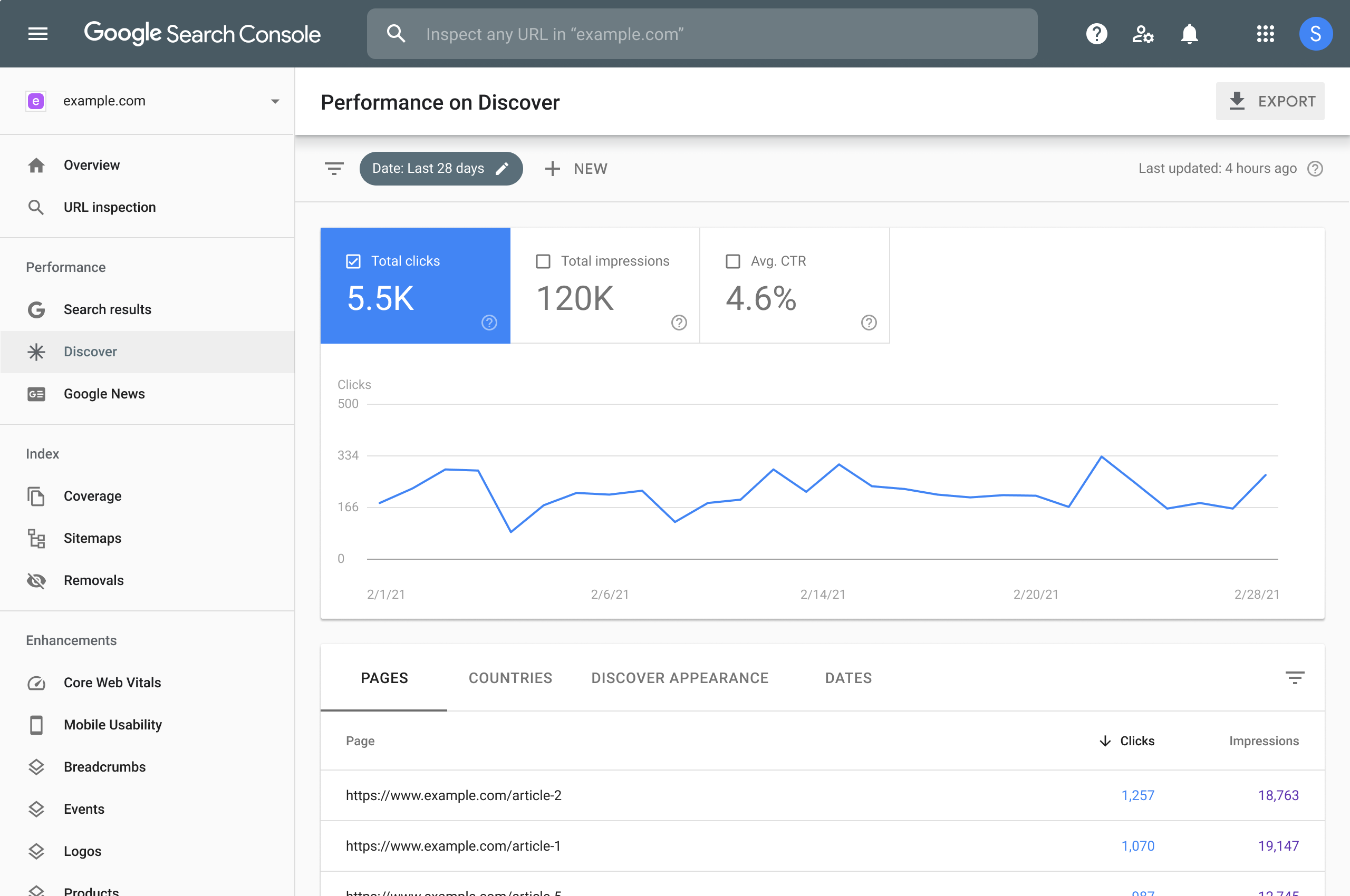
Google Search Console is the one place that still reports the queries people typed before landing on your site. It shows clicks, impressions, click-through rate and average position per query and per page. It does not know what happened after the click: no orders, no revenue, no conversion rate.
There are limits you should know before you trust any single number.
- Anonymized queries are left out. Google's Search Central team explains that queries issued by only a few users over two to three months are omitted from tables to protect privacy, though they still count in chart totals. Filter by query and your rows will add up to less than the unfiltered total.
- The interface caps exports. The same post notes the interface exports at most 1,000 rows, while the Search Analytics API and the Looker Studio connector allow up to 50,000 rows per day per site per search type.
- History is short. Query data is only kept for 16 months, so year-over-year comparisons need you to save exports as you go.
That is why long-tail queries, the ones that often convert best for small shops, tend to be the ones you cannot see.
Linking Search Console to GA4
Google's own fix inside GA4 is the Search Console integration. According to the GA4 documentation, linking a web data stream to a verified Search Console property adds two reports:
- Google Organic Search Traffic, which lists landing pages with both Search Console and Analytics metrics, with drilldowns by country and device.
- Google Organic Search Queries, which lists queries with Search Console metrics, with drilldowns by Search Console dimensions rather than Analytics dimensions.
Data appears from the later of the data stream creation or the site verification date, is limited to 16 months, and arrives about 48 hours after collection.
The key detail is in the second report. Queries come with clicks, impressions, click-through rate and average position, but not with your sessions, purchases or revenue. The landing page report is where Search Console and Analytics meet. So the common workaround is to treat the landing page as the bridge: see which queries send traffic to a page, then see what that page earns.
This works well for a site with a clear page-to-topic mapping. It gets muddy when one page ranks for dozens of queries, which is typical for a category page or a guide.
How to link them
- In GA4, open Admin and find Product links, then Search Console links.
- Choose the verified Search Console property that matches your site. You need the right permissions on both sides.
- Select the web data stream and confirm the link.
- Add the two Search Console reports to your GA4 reports collection, then wait for data to populate.
Do this now, even if you will not use the reports daily. The reports can show data from the later of web data stream creation or site verification, and Google only keeps 16 months of history.
Separating branded and non-branded keywords
Once you can see queries, the most useful split is branded versus non-branded, because the two groups answer different questions.
Branded queries include your brand name, variations and misspellings, or products closely tied to the brand. Someone searching your store name already knows you. Non-branded queries are everything else: the generic searches where you compete for attention.
Google made this easier. In November 2025 it announced a branded queries filter in Search Console. It classifies queries with an internal AI-assisted system that covers brand names in all languages, typos and unique products or services, and it works across web, image, video and news search. A new Insights card shows the branded share of total clicks. The filter is only available for top-level properties with enough query and impression volume, so very small or new sites may not see it yet.
If the filter is not available to you, the manual route is the same logic with more effort: build a filter that excludes your brand name, domain and common misspellings for the non-branded view, and a second saved filter that includes only those terms for the branded view.
Why the split matters for revenue
Branded and non-branded traffic behave differently, and mixing them hides what is working.
The direction of the conversion gap is widely reported. One agency guide, citing industry studies, puts branded conversion at up to two to three times non-branded and recommends judging SEO work on non-branded conversions rather than brand recall. Treat the exact multiple as a rough guide, since it varies by site and industry. Your own split is the number that matters.
A practical example: a store reports 40 organic orders last month and calls SEO a success. After the split, 30 of those orders came from people searching the store's name, which is mostly the result of ads, email and word of mouth. Ten came from non-branded searches. SEO is earning a quarter of what the headline suggested, and the next content budget should be argued on that figure.
Why GA4 cannot do the split alone
GA4 has no native branded or non-branded segment, because it has no query-level data from Google. You can approximate it with a segment of organic users who land on the homepage, on the assumption that they searched your name. That is a blunt estimate: some homepage visitors searched generic terms, and many branded searchers land on product pages.
The more reliable approach is to export Search Console queries, label each as branded or non-branded, and join that with landing page data. That works, but it means a spreadsheet or a Looker Studio build that someone has to maintain, and it still ends at landing pages, not at orders.
Google also tells you plainly that the two tools do not measure the same thing:
- Search Console uses Pacific Time by default, while GA4 time zones are chosen by the user.
- GA4 offers several attribution models, while Search Console counts every click.
- Search Console reports the Google Search canonical URL, while GA4 reports any URL carrying the tracking code.
- GA4 automatically excludes known bots, while Search Console does not necessarily filter them.
Those differences explain why your clicks and sessions will never match exactly. Expect a gap and compare trends, not single days.
Measuring ROI without overstating keyword attribution
Keyword-level revenue is useful, and it is also easy to over-read. A few rules keep your reporting honest.
Attribute by landing page first, keyword second. A query sends a visitor to a page. If the visitor buys, the page and the channel are certain; the query is the most probable cause, not a guarantee, especially when anonymized queries sit in the gap.
Know your attribution model. A last-click view gives organic search credit only when it was the final touch. A data-driven model spreads credit across touchpoints, which usually raises organic search's share because it captures early discovery visits. Pick one model, write it down and use it for every report so month-to-month comparisons mean something.
Do not chase every missing query. Even a heavy API export leaves a gap of anonymized queries that cannot be recovered. The better question is whether you can tie the queries you do see to revenue.
Track a small set of numbers monthly. Total organic revenue, organic conversion rate, average order value and revenue per organic session, each split into branded and non-branded and compared with the same month last year if your business is seasonal.
Watch the other discovery channels too. Visitors increasingly arrive from AI assistants as well as search engines. If you want to see how that traffic shows up in your reports, this walkthrough on how to track LLM traffic in GA4 is a good place to start, since it shows how organic discovery connects to later branded, direct or other visits.
Where the manual approach breaks down
If you follow every step above, you end up with a GA4 property linked to Search Console, a branded filter, a saved export routine and a spreadsheet joining queries to pages. It is a legitimate setup, and it takes real hours every month. It also leaves three problems.
- Orders live elsewhere. The revenue is in Stripe or Shopify, not in the Search Console export, so you are reconciling three systems by hand.
- The 16-month window keeps moving. If you forget an export, the history is gone.
- Agencies multiply the work. Ten client sites mean ten sets of links, filters and reports.
This is the case for a tool that puts the revenue next to the search term automatically, so the question "which keywords make money?" has an answer on a dashboard instead of in a spreadsheet.
Revenue by keyword with Cromojo
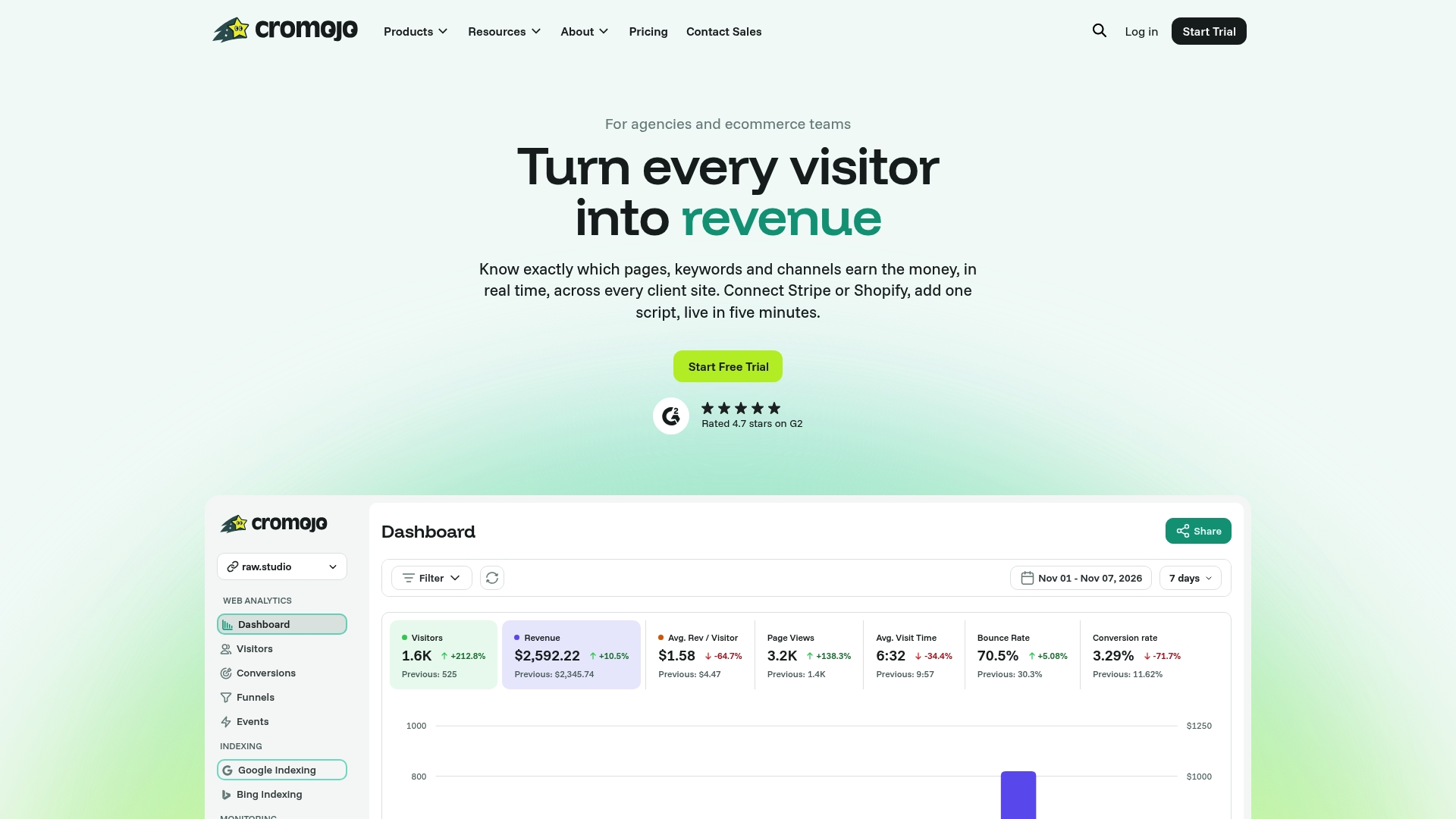
Cromojo is a revenue and web analytics platform for ecommerce sites and agencies. It connects to Stripe, Shopify and Google Search Console and attributes revenue by keyword, page and channel in real time. That is the number "(not provided)" took away from your analytics reports: not just which searches bring visitors, but which ones bring paying customers.
What that means for the workflow in this article:
- Revenue Analytics and SEO Revenue show what organic search earns, so the branded versus non-branded split is about money, not only clicks.
- Funnels and User Journeys show where those visitors drop off between landing page and checkout.
- First-party Tracking is cookieless and privacy-first, with minimal setup across any tech stack.
- Automated Indexing submits and re-submits your URLs to Google, Bing, Yandex, Baidu and AI search, so new pages can start earning impressions sooner. If a page is not showing up at all, our help article on why pages are not indexed covers the usual causes.
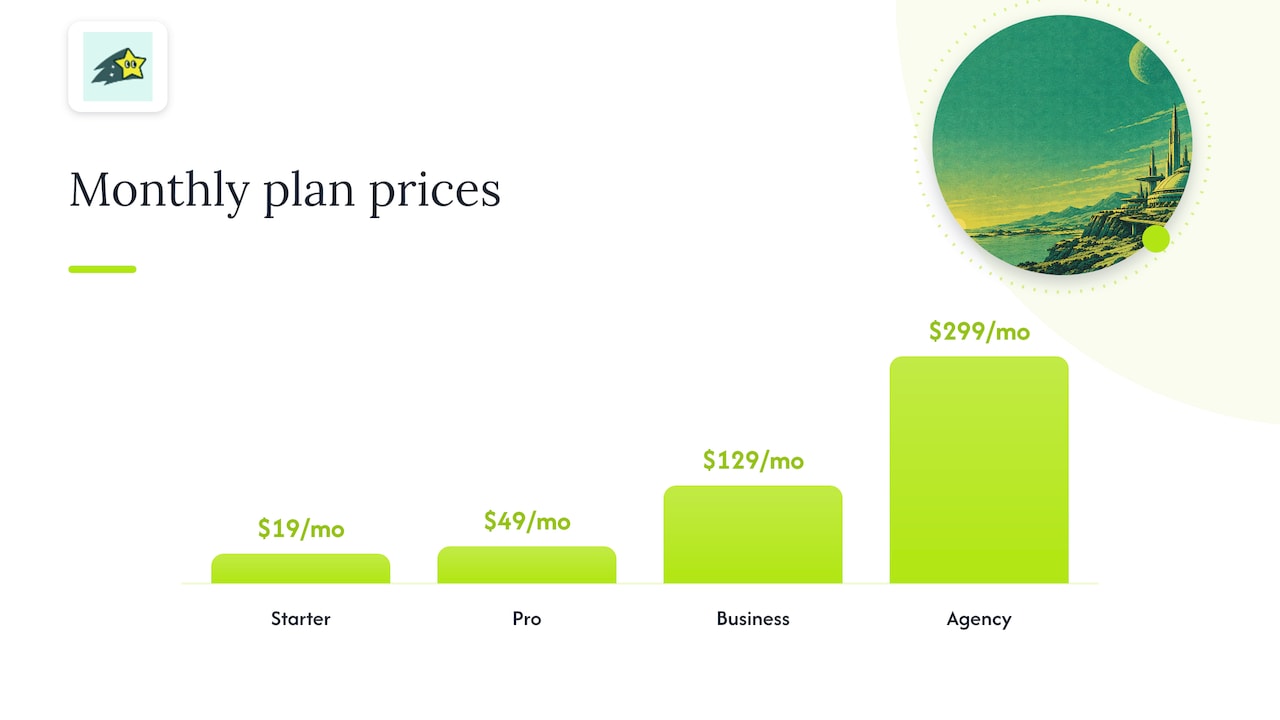
Plans are billed monthly by pageviews and tracked sites: Starter is $19 per month, Pro is $49 per month, Business is $129 per month and Agency is $299 per month, with overages billed per 1,000 additional pageviews. There is also a Free Plan. You can compare them on the Cromojo pricing page.
If you manage several client sites, the Agency plan is built for that. If your question is less about reporting and more about turning the numbers into more conversions, our Conversion Optimization Services start from $3,800 per month.
A simple monthly routine
Whether you build the reports yourself or use a platform, this routine keeps the keyword picture useful.
- Link Search Console to GA4 once, and confirm the property is top-level so the branded filter is available.
- Record the branded share of clicks from the Insights card or your manual filter. Watch the 12-month trend: a rising branded share often means your brand work is paying off, while flat non-branded impressions point at content or SEO.
- List your top non-branded queries and their landing pages. Mark the pages that bring revenue and the pages that bring traffic with no orders.
- Check revenue per landing page, not only visits. A page with modest traffic and strong revenue deserves more internal links and fresh content.
- Check indexing. A page that is not indexed cannot rank, and no keyword report will show it.
- Write down the attribution model you used so next month's comparison is fair.
Our view on "not provided"
Most small teams do not have a keyword problem. They have a gap between the search term and the sale. Search Console tells you what people typed. Your payment system tells you what they bought. For years, the two have lived in different tabs, and the person responsible for growth is the one stitching them together.
We built Cromojo around the idea that revenue should be the first thing you see, not the last thing you reconstruct. When keyword, page and channel revenue sit in one dashboard, the branded versus non-branded question stops being a monthly project and becomes a glance. You can decide where to publish, which pages to fix and which campaigns to keep.
That is also why we pair attribution with indexing and monitoring in the same platform. A keyword cannot earn anything if the page is missing from search, and a page cannot convert if it is down or slow. Fewer tools means fewer places for the data to disagree.