

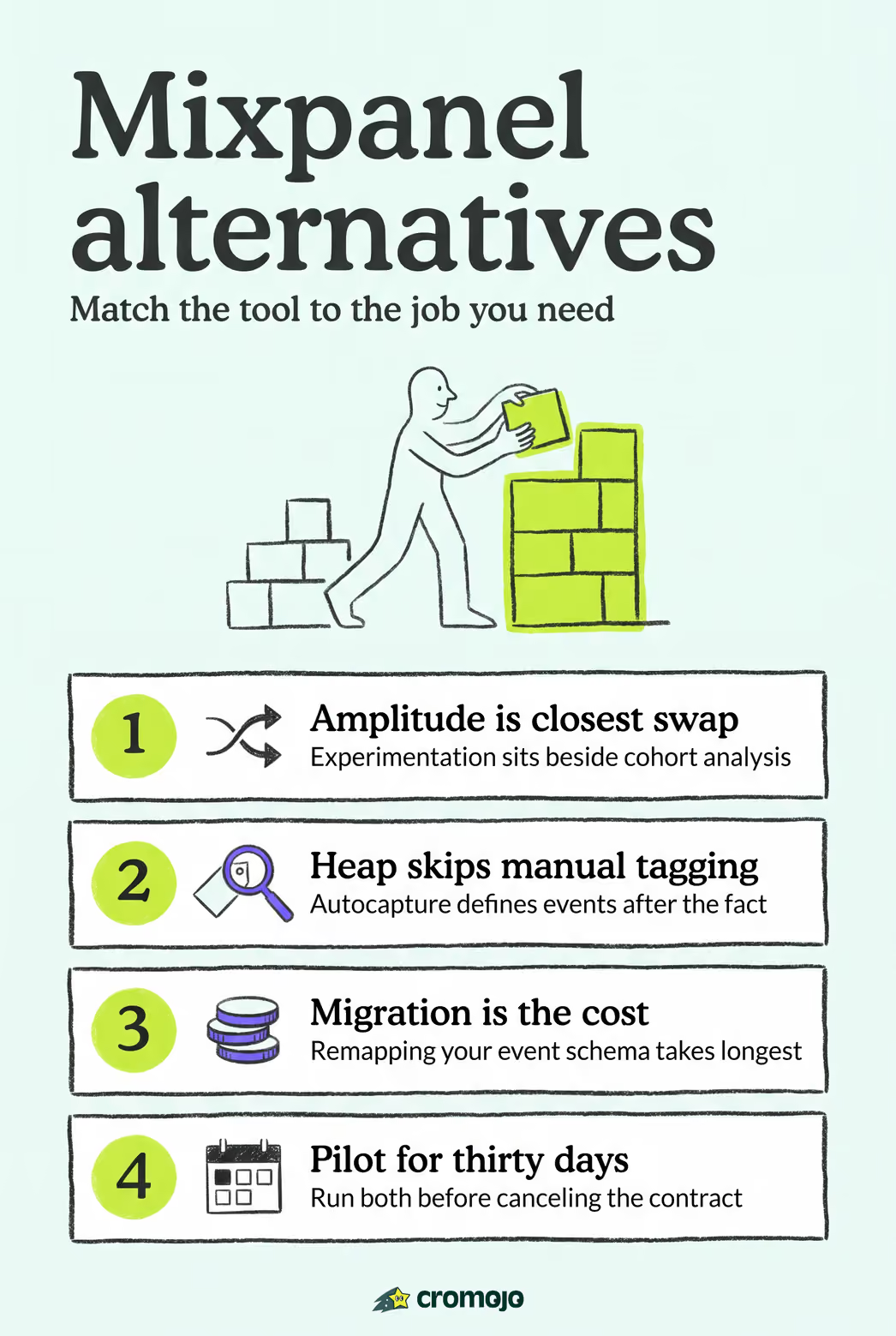
For product teams evaluating mixpanel alternatives, the right pick depends on what you're actually trying to solve. If you need experimentation baked into product analytics, Amplitude is the closest match. If you want no-code event capture, Heap's autocapture wins. For qualitative UX context, pair your analytics with FullStory or Hotjar. And if revenue attribution, not just event counting, is the goal, Cromojo is built for exactly that.
Here's the fast version:
- Best for experimentation: Amplitude
- Best for autocapture (no manual event setup): Heap
- Best for session replay: FullStory
- Best for enterprise-scale analytics: Adobe Analytics
- Best for ecommerce revenue attribution: Cromojo
Pro Tip:Don't pick a tool based on feature checklists alone. Match it to your data model first, autocapture versus manual events determines your setup timeline more than any other factor.
If you manage an online store or client sites and care about which pages and channels actually drive sales, skip ahead to the Cromojo section. If you're choosing for a broader product team, keep reading through the comparison table first.
Key Takeaways
The right Mixpanel alternative depends on your primary job-to-be-done: experimentation, autocapture, session replay, or revenue attribution each point to a different category of tool.
What Are the Best Mixpanel Alternatives for Product Teams?
The market for tools like Mixpanel splits into a few clear categories: full-featured product analytics with experimentation, no-code autocapture platforms, session replay and heatmap tools, enterprise digital analytics suites, and revenue-focused ecommerce analytics. Buyers typically choose based on need, not brand recognition, since experimentation, autocapture, session replay, and enterprise reporting rarely live well in a single tool.
Here's how the top Mixpanel competitors stack up across the dimensions that matter most to product managers and data analysts.
This list isn't exhaustive. Niche players like Statsig, Kubit, and Metaplane solve narrower problems, covered further down, and common Mixpanel shortcomings like manual event setup and limited warehouse access push many teams toward the alternatives above in the first place.
Amplitude: The Closest Full-Featured Product Analytics Alternative
Amplitude is a full-featured product analytics platform aimed at teams that want cohort analysis and experimentation under one roof, without stitching together a separate Facebook A/B testing for marketers tool.
- Funnels, retention cohorts, and behavioral graphs come standard, not bolted on
- Built-in experimentation lets you test a feature and measure its funnel impact in the same workspace
- Pricing typically scales with tracked events or monthly active users, so cost climbs as your product grows
- Best suited to teams already running experiments who want analytics and testing in one pane
Pro Tip:If your team already pays for a separate experimentation platform, check whether consolidating into Amplitude actually reduces overhead before switching. Migration friction can eat the savings.
Pros: deep experimentation, strong cohort tools, mature integrations. Cons: pricing grows quickly at scale, and the learning curve is steeper than Mixpanel's for new analysts.
Heap: Autocapture for Teams That Skip Manual Event Tagging
Heap captures every user interaction automatically, then lets you define events retroactively instead of instrumenting them ahead of time.
- No engineering sprint required to add a new tracked event; you define it after the fact from already-captured data
- Setup is genuinely low-friction compared with Mixpanel's manual event taxonomy, which is one reason teams evaluating Mixpanel alternatives land here first
- Pricing scales with sessions and data volume, which can surprise high-traffic sites
- Best for non-technical teams that need answers fast and don't want to wait on a dev backlog to add tracking
Pro Tip:Autocapture is powerful, but audit your event volume early. Retroactive analysis on a firehose of raw interaction data can get noisy without disciplined naming conventions.
The trade-off: less precision than hand-built event schemas, and data cleanliness takes real discipline.
FullStory: Session Replay That Explains the "Why" Behind the Numbers
FullStory adds behavioral context that raw event counts can't provide. When your funnel data shows a drop-off, session replay shows you the rage click or the confusing form field causing it.
- Session replay and frustration-signal detection turn abstract metrics into visible user behavior
- It complements event analytics rather than replacing it, most teams run FullStory alongside a quantitative tool, not instead of one
- Pricing is typically session-volume based, and enterprise tiers add SSO and governance controls
- Combining replay data with product analytics is a common pattern for debugging UX problems, according to recurring G2 reviewer feedback
Use it when a metric alone doesn't tell you what to fix, not as your primary source of truth for product KPIs.
Hotjar and Smartlook: Heatmaps for Fast Qualitative Reads
Hotjar and Smartlook both give you heatmaps and session recordings without the enterprise price tag or setup complexity of full replay suites.
- Heatmaps show where attention and clicks concentrate on a page, something event counts alone never reveal
- Recordings surface friction points a funnel report can only hint at
- Pricing is driven by session volume and seat count, with free tiers for small sites on both
- Best-fit teams are UX researchers and CRO specialists layering qualitative signal onto existing analytics
Neither replaces a product analytics tool. Both are add-ons that make the numbers make sense.
When Do You Need an Engagement Platform Instead of Pure Analytics?
Userpilot, CleverTap, MoEngage, and Iterable belong to a different category: product growth and customer engagement, not analytics alone. They combine segmentation and behavioral tracking with in-app messaging, push notifications, and lifecycle campaigns.
- Userpilot: best for onboarding flows and in-app guidance tied to feature adoption metrics, a common pick when teams move off Mixpanel for a lighter, PM-friendly interface
- CleverTap: best for mobile-first apps needing engagement analytics plus push/email orchestration; Capterra profiles it as a strong fit for mobile retention teams
- MoEngage: best for marketing teams wanting cross-channel campaigns tied directly to behavioral segments
- Iterable: best for lifecycle marketing at scale, with cross-channel orchestration as the core strength
Consolidate analytics and engagement only if your team genuinely runs campaigns off behavioral triggers. Otherwise, keeping them separate avoids vendor lock-in on either side.
How Do Enterprise Suites Like Adobe Analytics and GA4 Compare?
Adobe Analytics and Google Analytics (GA4) solve a different problem than product analytics tools: marketing attribution and acquisition tracking at scale, not in-product behavioral analysis.
- Adobe Analytics offers deep cross-channel attribution, enterprise SLAs, and integration with Adobe's broader marketing suite, built for organizations with dedicated analytics teams
- GA4 is free to start and dominates acquisition and campaign attribution, tightly wired into Google Ads, but its event model is shallower than purpose-built product analytics tools
- Pricing splits sharply: GA4 is free with a paid GA4 360 enterprise tier; Adobe Analytics runs on enterprise licensing negotiated per contract
- Most product teams run GA4 or Adobe alongside, not instead of, a dedicated product analytics tool
Pro Tip:If your team already owns GA4 for marketing, don't force product behavioral analysis into it. The event model wasn't designed for deep funnel or cohort work.
Niche Alternatives: Countly, Kissmetrics, Indicative, Metaplane, Statsig, Kubit
Some teams need something narrower than a generalist platform.
- Countly: open-source and self-hostable, appealing to teams wanting full data ownership without warehouse dependency
- Kissmetrics: older cohort-and-funnel tool still used by smaller ecommerce and SaaS teams for basic behavioral tracking
- Indicative: warehouse-connected analytics for teams that already centralize events in Snowflake or Databricks and don't want another data silo
- Metaplane: not analytics at all, it's data observability, monitoring pipeline health so your analytics numbers stay trustworthy upstream
- Statsig: built around feature flags and experimentation, a strong fit for engineering-led teams running frequent tests
- Kubit: warehouse-native product analytics aimed at teams that want Mixpanel-style dashboards without moving data out of their own warehouse
Evaluate these only after confirming a generalist tool genuinely can't handle your specific constraint, whether that's data residency, warehouse-first architecture, or feature-flag testing.
Why Cromojo Is the Recommended Pick for Ecommerce Revenue Attribution
If your product decisions live or die on which pages and channels actually generate sales, not just traffic or feature adoption, Cromojo is built around that exact question. It's a revenue-first analytics platform for ecommerce teams and agencies, tracking real revenue back to the keyword, page, and channel that produced it.
- Revenue attribution by keyword/page/channel: see which landing pages and campaigns drive dollars, not just clicks
- Native Stripe and Shopify integrations: revenue data ties directly to actual transactions, not estimated conversion proxies
- Real-time, cookieless tracking: privacy-first by design, with no consent-banner friction slowing down data collection
- Site monitoring and indexing: uptime checks and automated search-engine indexing come bundled, useful proof points beyond pure analytics
Pro Tip:If you're comparing tools purely on event-tracking depth, you'll miss what Cromojo actually optimizes for: connecting marketing spend to revenue outcomes, not feature usage.
Pricing runs as a subscription tiered by pageviews and number of tracked sites, with overages billed per 1,000 additional pageviews, straightforward for agencies managing multiple client sites. Choose Cromojo over a general product analytics vendor when your core question is "which channel made us money," not "which feature increased retention."

Decision Checklist: How to Pick the Right Mixpanel Alternative
Work through these criteria in order, and you'll narrow the field fast instead of getting stuck comparing feature lists side by side.
- Define the primary job-to-be-done. Is this about experimentation, UX debugging, revenue attribution, or acquisition tracking? Each points to a different category of tool.
- Check the data model. Autocapture (Heap) means faster setup but less precision. Manual event tracking (Amplitude, Mixpanel-style) means more control but real engineering time upfront.
- Confirm experimentation needs. If you're running frequent A/B tests, Amplitude or Statsig save you from bolting on a separate testing tool later.
- Check warehouse/ETL compatibility. If your events already live in Snowflake or a similar warehouse, Indicative or Kubit avoid duplicating that data into a vendor silo.
- Weigh privacy and governance. Cookieless tracking and self-hosting (PostHog, Countly, Cromojo) matter more if you operate in privacy-strict markets or want to skip consent-banner friction entirely.
- Assess scale and SLA needs. Enterprise contracts (Adobe Analytics) come with support guarantees smaller vendors won't match.
- Model pricing predictability. Event-based and session-based pricing can spike unpredictably at scale, ask vendors for cost projections at 2x and 5x current traffic.
- Test migration effort. Exporting historical Mixpanel data and mapping it to a new event schema is the single biggest time sink in most switches.
A realistic evaluation timeline runs two to four weeks: a PM scopes the shortlist in week one, an analyst or engineer runs integration and data-quality tests in weeks two and three, and procurement finalizes contract terms in week four. Involve engineering early, not after you've already picked a favorite, since data model mismatches surface fastest in a real integration test.
When migrating off Mixpanel, export your event schema and historical data first, most platforms accept CSV or API-based imports, but mapping old event names to a new taxonomy takes longer than people expect. The common pain points that push teams to switch in the first place, limited warehouse access and manual setup, are exactly what to test for in your new tool before committing.
Pro Tip:Run a 30-day pilot with real production data before canceling your existing Mixpanel contract. Data discrepancies between old and new event definitions are far easier to catch while both systems run in parallel.
How This Guide Evaluated and Compared Tools
This shortlist weighed features, pricing model, integration depth, enterprise readiness, privacy posture, and setup difficulty for each tool. Sources included vendor documentation, third-party review aggregation, and competitor market-mapping resources. Pricing, SLA terms, and feature sets change frequently, verify current details directly with each vendor before signing a contract.
Why Ecommerce Teams May Prefer Revenue-First Analytics
Generic product analytics tells you what users clicked. Revenue-first analytics tells you what they bought and where they came from before they did.
- A channel showing high traffic but low revenue attribution signals wasted ad spend, something a pageview count alone hides
- Keyword-level attribution reveals which landing pages convert browsers into buyers, letting you prioritize content updates by actual dollar impact, not sessions
- Native commerce integrations like Stripe and Shopify remove the guesswork of stitching order data to session data manually, improving attribution accuracy versus estimated conversion modeling
Product teams often leave revenue tracking entirely to marketing or BI, but that split creates blind spots: a feature change that boosts engagement but tanks conversion rate won't show up until finance notices the revenue dip weeks later. Surfacing revenue metrics directly into product dashboards closes that gap before it becomes a quarterly surprise.
Author Perspective and Recommended Evaluation Flow
The most common mistake teams make when picking a Mixpanel alternative is chasing feature parity instead of matching the tool to their actual data model. A platform with more dashboards than Mixpanel doesn't help if your team still can't answer "which channel made money." Run the shortlist trial first, test the integration and data export next, check for data-quality gaps against your source of truth, then pilot against a real business KPI before switching entirely.

Get Started With Cromojo's Revenue Attribution Tools
Amplitude, Heap, and FullStory each solve a piece of the product analytics puzzle, experimentation, autocapture, and behavioral context. None of them were built to answer the question ecommerce teams actually ask every week: which page, keyword, or channel turned into revenue?
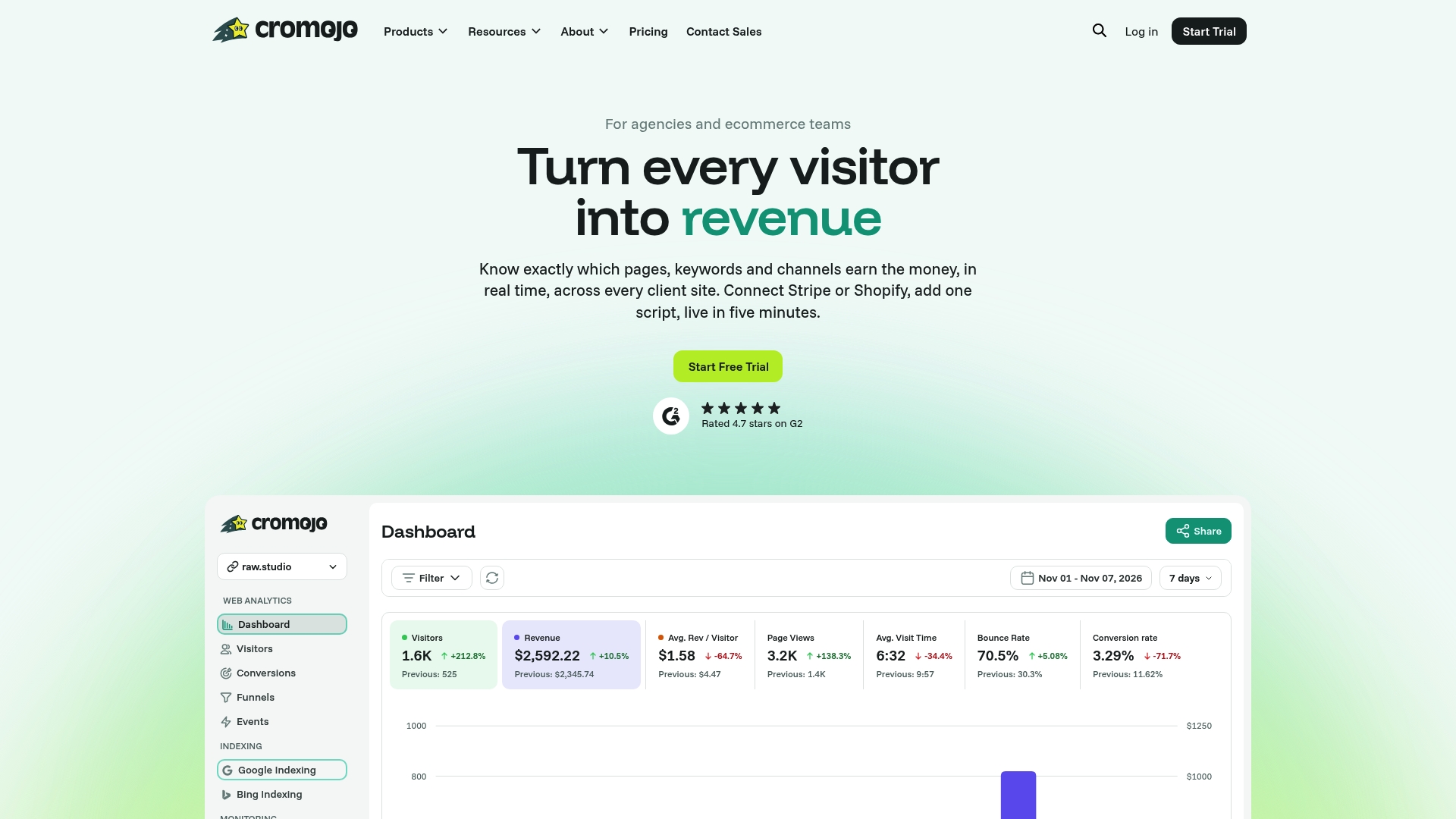
Cromojo connects directly to Stripe and Shopify, so every sale traces back to the exact marketing touchpoint that produced it, in real time, without cookie banners slowing down your data collection. Site monitoring and automated search-engine indexing come built in, so you're not juggling a separate uptime tool on top of your analytics stack. If you're running an agency managing multiple client sites, the pageview-and-site pricing tiers scale predictably as your client roster grows.
Start a trial and connect your store's revenue attribution dashboard to see which channels are actually driving sales this week, not just traffic.