Run five categories of checks on a fixed cadence and you'll catch most SEO problems before they cost you traffic: technical (crawlability, indexing, sitemaps), on-page and content, performance and Core Web Vitals, backlinks, and ongoing monitoring. Check uptime and indexing daily, triage rankings and errors weekly, review Core Web Vitals and schema monthly, and run a full technical and backlink audit quarterly. Pull your data from Google Search Console, PageSpeed Insights, real-user CrUX metrics, and a site crawl tool, and you'll have everything you need to catch issues early.
What Belongs on Your SEO Health Checklist?
A working SEO health checklist has to separate what breaks your site from what just makes it slightly less optimal. Here's the version you can actually run this week, split by category and marked for urgency.
Technical (critical):
- Check that important product and category URLs load successfully and are accessible to crawlers.
- Review unexpected noindex directives, canonical changes, and sitemap errors.
On-page and content (recommended):
- Review titles, headings, descriptions, product details, and internal links on priority pages.
- Update stale availability, pricing, and content that no longer answers the intended search.
Performance (critical):
- Review loading, responsiveness, and layout stability on key mobile templates.
- Test browsing, cart, and checkout journeys after major releases.
Links (recommended):
- Repair broken internal links to active products and categories.
- Review valuable lost backlinks and investigate unusual linking patterns.
Monitoring (critical):
- Route uptime and tracking alerts to a named owner.
- Record affected URLs, business impact, fixes, and follow-up checks.
Each of these takes minutes to check individually. The value comes from doing them on a repeat schedule instead of once a year during a panic.
How Do You Find and Fix Crawl and Index Problems?
Technical problems are the ones that cost you the most because they don't just hurt rankings, they can remove pages from search entirely. Start in Google Search Console, since it shows you exactly what Google sees rather than what you assume it sees.
- Inspect a sample of important URLs and compare their intended index status with Search Console.
- Investigate unexpected redirects, server errors, blocked crawling, and noindex settings before requesting another crawl.
- Check that sitemaps contain the canonical URLs you want discovered, then verify the fix on affected templates.
What On-Page and Content Signals Need Regular Review?
Title tags, H1s, and meta descriptions drift out of alignment faster than most site owners notice, especially after a few rounds of content updates from different writers.
- Match each page title and main heading to the product, category, or question the page actually covers.
- Check that specifications, availability, and descriptions remain accurate and useful.
- Repair broken contextual links and add navigation to important pages that are difficult to reach.
Are Your Core Web Vitals Actually Hurting Rankings?
Largest Contentful Paint, Cumulative Layout Shift, and Interaction to Next Paint measure loading, visual stability, and responsiveness. What matters is the field data, the real measurements from actual visitors collected through the Chrome User Experience Report, not the lab score from a single test run.
Field data over lab scores: a page can pass in a lab test and still fail for real users on slower connections or older phones, and field metrics like CrUX are what search engines actually weigh, along with what determines whether a shopper abandons your checkout page.
Fix revenue pages first: compress and lazy-load images, defer non-critical JavaScript, and put static assets behind a CDN with proper caching headers. Then retest with PageSpeed Insights and check CrUX again in a few weeks. Lab improvements that don't move field numbers haven't actually fixed anything for your visitors.
How Do You Audit Your Backlink Profile?
Your backlink profile needs the same recurring attention as your technical setup. Check Search Console's Links report alongside a backlink tool for sudden spikes in referring domains, spammy anchor text patterns, or a wave of lost links from sites that used to send you traffic.
- Investigate valuable lost links and check whether their destination pages were moved or removed.
- Review unusual patterns in context before assuming that every unfamiliar domain is harmful.
- Log worthwhile link-recovery opportunities and assign them alongside other quarterly maintenance tasks.
What's the Right Monitoring Schedule for SEO Health?
Ongoing SEO health depends on treating maintenance as a schedule, not a one-time project. Search Engine Journal's framework of organizing tasks by frequency, from daily through annual, works because it matches effort to how fast each type of problem can hurt you.
Algorithm updates and shifting AI search behavior mean SEO can't be treated as set-and-forget; a site that passed every check last quarter can fail several this quarter without anyone touching the code.
Pro Tip:When your list of issues is longer than your available hours, fix by penalty impact first, meaning severity times pages affected times importance to traffic. A broken canonical on your top product page outranks a missing alt tag on a blog post from 2019.
Why Should Revenue Drive Your Triage Order?
Most SEO checklists treat every fix as equal, but a 404 on a checkout page and a 404 on a retired blog post are not the same emergency. Uptime and indexing monitoring matter most for ecommerce sites precisely because an outage or a lost index status on a transaction page bleeds revenue by the hour, not the month.
I've seen the pattern often enough to trust it: a site loses indexing on a category page after a botched migration, nobody notices for two weeks because the homepage still loads fine, and the traffic loss only shows up when someone finally checks conversion reports. Faster detection means faster recovery, and that's the entire argument for monitoring uptime and indexing continuously rather than checking in monthly.
Does Mobile Usability Still Determine Your Rankings?
Google indexes and ranks primarily using the mobile version of your site, so a desktop-only fix doesn't count until it works on a phone. Tap targets that overlap, text that requires zooming, and interstitial pop-ups that cover the content are still common failures, even on sites that otherwise look modern.
Test your top pages in Google's mobile-friendly checks inside Search Console and physically load your checkout flow on an actual phone, not just a resized browser window. Accessibility overlaps here more than most site owners realize: proper heading structure, sufficient color contrast, and alt text on images serve screen reader users and also give search engines cleaner signals about page content.
A few checks worth running monthly:
- Compare essential product information and navigation on mobile and desktop.
- Check that mobile resources and primary content are accessible without requiring a user interaction.
- Test menus, forms, product options, and checkout on a real phone.
None of this is exotic. It's the kind of maintenance that gets skipped because nothing visibly breaks, right until a Core Web Vitals report or a support ticket reveals how many mobile visitors bounced before finishing a purchase.
Is Your Structured Data Actually Valid?
Schema markup that validates today can break silently after a theme update, a plugin change, or a manual edit to a template. Validating JSON-LD and fixing schema errors keeps you eligible for rich results and, increasingly, for citations in AI-generated answers that pull structured facts directly from your markup.
Run Google's Rich Results Test on your key page templates, not just individual URLs, since one broken template often means every product or article page built from it shares the same error. Check for these on a quarterly cycle at minimum:
- Validate representative product and breadcrumb markup with the Rich Results Test.
- Compare structured prices and availability with the information shown to shoppers.
- Recheck affected templates after theme changes and track unresolved enhancement errors.
Schema errors rarely tank your rankings outright, but they quietly cost you the visual real estate, star ratings, price snippets, breadcrumbs, that make your listing stand out against competitors in the same results page.
How Often Should You Update Old Content?
Content freshness isn't about slapping a new date on a page and calling it done. Search engines and readers both respond to substantive updates: new data, corrected information, expanded sections that answer questions the original version missed.
Build a rolling review calendar instead of an annual scramble. Pages tied to pricing, product availability, or anything with a "best of" or "top tools" framing need review every three to six months, since these fall out of date fastest and drive the most reader distrust when they're wrong. Evergreen how-to content can go longer between updates, but should still get checked yearly for broken links, outdated screenshots, and shifted search intent.
Track which pages you've updated and when. A simple spreadsheet with URL, last update date, and reason for the update gives you a record you can point to when justifying which pages get attention next month, and it stops the same three popular pages from getting refreshed repeatedly while the rest of the site goes untouched for years.
How Do You Compare Your SEO Health Against Competitors?
You don't need a competitor's login credentials to gauge how healthy their SEO setup is relative to yours. Compare public signals: how fast their key pages load, whether their schema validates, how often their blog or resource section publishes, and which keywords they're ranking for that you aren't.
A simple quarterly comparison includes:
- Compare mobile performance for equivalent product and category templates.
- Review the depth and usefulness of competing content for shared search queries.
- Record gaps in navigation, product information, and structured data that your team can investigate.
The point isn't to copy their exact moves. It's to spot where your site is structurally behind, slower load times, thinner content, or weaker schema, so you know which category of fix actually matters for the keywords you're both competing for.
Do Security Issues Really Affect Search Rankings?
HTTPS has been a baseline expectation for years, not a competitive advantage, but letting a certificate lapse or serving mixed content (HTTP resources on an HTTPS page) still triggers browser warnings that spike bounce rates and can trigger Search Console security alerts.
Malware and hacked-content issues are more severe. A compromised site can get flagged in search results with a warning label, and recovery from that flag takes far longer than the original fix, since Google has to re-crawl and manually verify the site is clean before removing the warning.
Run these checks monthly:
- Check certificate expiry, HTTPS redirects, and insecure resource warnings.
- Review administrator access and apply supported platform and plugin updates.
- Review security alerts and confirm that backups and incident contacts are current.
For ecommerce sites specifically, a security lapse doesn't just cost rankings. It costs customer trust in the exact moment they're entering a card number, which makes this one of the few checklist items where the SEO impact and the revenue impact are the same problem.
How Do Bounce Rate and Dwell Time Signal SEO Health?
Bounce rate and dwell time aren't direct Google ranking factors in the way backlinks are, but they correlate strongly with the underlying problems that do hurt rankings: slow load times, mismatched search intent, and confusing navigation.
A high bounce rate on a page that should convert usually points to one of three things: the content doesn't match what the searcher expected, the page loads too slowly for them to wait, or the design buries the actual answer below unnecessary clutter. Check your analytics platform for pages where bounce rate is high and time-on-page is low, then compare that against your ranking for the target keyword. If the page ranks well but converts poorly, that's an intent mismatch worth fixing before you touch anything technical.
Revenue-focused analytics tools that connect visitor behavior directly to sales, rather than treating pageviews and bounces as the end goal, make this diagnosis faster because you can see which pages generate revenue despite imperfect engagement metrics and which ones need real attention.
What Should You Check for International SEO?
If you serve more than one country or language, hreflang tags need a place on your recurring checklist, not just your initial site build. Misconfigured hreflang, pages pointing to the wrong language variant or missing a reciprocal tag, is one of the most common causes of the wrong country version showing up in search results.
Check quarterly:
- Verify that language and country annotations point to the intended live URLs.
- Check that alternate versions link back to one another and have consistent canonical signals.
- Test language selectors and localized product information on desktop and mobile.
Even without full internationalization, plan for indexing across secondary search engines. Indexing and re-indexing tools that push updates beyond just Google, covering engines like Bing, Yandex, and Baidu, matter more for sites with any international audience than most checklists acknowledge.
How Should You Track SEO Errors Over Time?
A checklist only works if you can prove whether last month's fixes actually held. Set up a lightweight error log: date found, issue type, page affected, traffic or revenue impact, date fixed, and confirmation method.
This doesn't need to be complicated. A shared spreadsheet works, but automated site monitoring tools that flag downtime, indexing drops, and crawl errors as they happen catch problems days or weeks faster than a manual monthly review ever will. The best SEO monitoring setups combine automated alerts for urgent issues with a scheduled human review for the slower-moving stuff, like content freshness and backlink quality, that doesn't need a 2 AM notification.
Whatever system you use, the goal is the same: never rediscover the same bug twice because nobody wrote down that it happened the first time.
Why Revenue Should Reorder Your Entire Checklist
Most SEO checklists are built around technical purity: fix every error the same day it appears, treat a 404 on an abandoned blog post with the same urgency as a broken product page. That's backward for any site that makes money from search traffic.
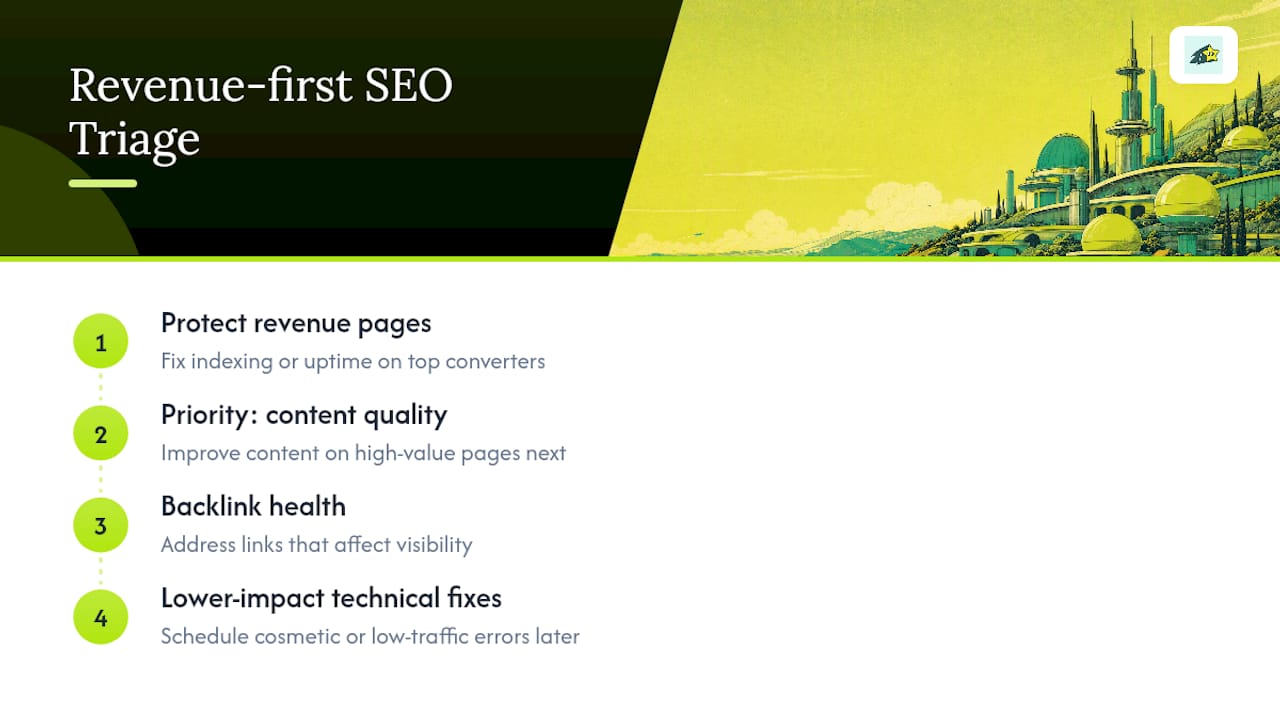
The conventional advice undersells how unevenly SEO problems distribute their damage. A schema error on a low-traffic page costs you a rich snippet nobody was going to click anyway. A canonical tag pointing the wrong way on your best-selling category page can quietly cut its visibility in half. Treating those as equal-priority tickets is how teams burn a week on cosmetic fixes while a revenue page bleeds traffic in the background.
What the evidence in this checklist actually supports is triage by consequence, not by category. Fix what threatens indexing or uptime on your highest-converting pages first, then work outward toward content quality and backlink health. That ordering isn't about ignoring technical rigor, it's about admitting that not every fix earns the same urgency, and pretending otherwise wastes the exact attention you need for the fixes that matter.
Automate the Parts of This Checklist That Never Sleep
Running this checklist by hand every week works until your site scales past what one person can manually check every morning. Some analytics platforms handle parts of this list that need constant attention rather than a monthly glance: automated uptime and indexing monitoring, instant alerts when a page drops out of Google's index, and revenue attribution that shows you which pages actually drive sales, so your triage order reflects real dollars, not just traffic volume.
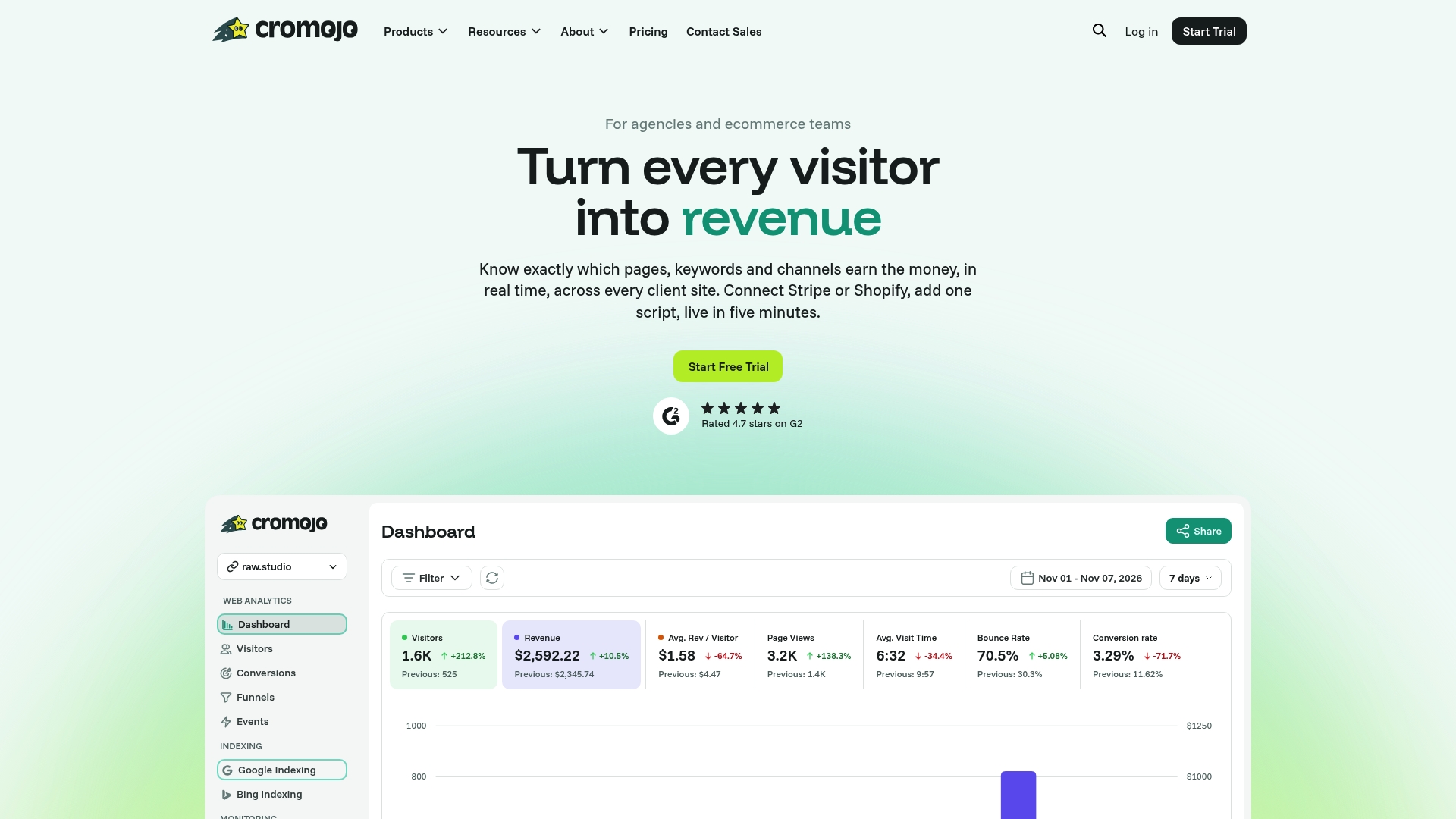
It's not a replacement for the manual checks in this article, it's the layer that catches problems between your scheduled reviews. If a checkout page goes down at 2 AM or an indexing error strips traffic from your best category page, you find out that morning instead of at the end of the month when the revenue report finally makes it obvious. Explore Cromojo's revenue attribution analytics and see which of your pages are actually earning their keep before your next audit.