

Faceted navigation lets shoppers narrow a category by size, colour, brand or price. When selections create separate URLs, search engines can discover far more pages than you intend. Choose a small set of useful landing pages, decide which other URLs need crawl control or index removal, and verify the results without breaking the shopping experience.
This guide covers how faceted navigation works, the SEO problems it creates, how to audit it, which controls to use, and what to do on Shopify.
What faceted navigation is and how it works
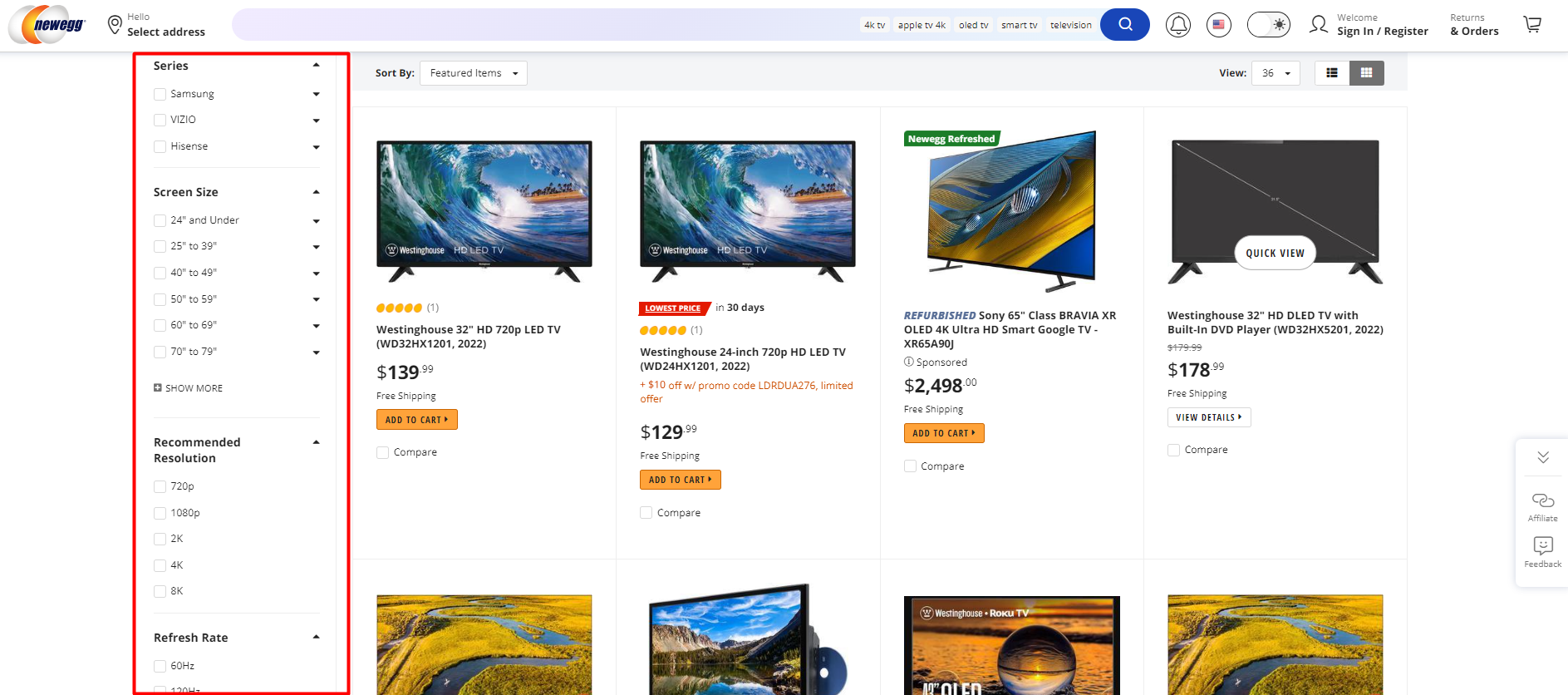
Faceted navigation, also called faceted search, is a filtering system on category or search result pages. Shoppers pick several attributes at once, such as size, color, price range, brand and material. Each attribute is a facet, and the results update to show only products that match all active criteria.
Google describes it as a common feature that lets visitors change how items (products, articles, events) are displayed, often through URL parameters. That last detail is where SEO trouble starts. A filter click that changes the page for a human often also changes the URL for a crawler.
A simple example: a category page at /dresses becomes /dresses?color=red, then /dresses?color=red&size=m, then /dresses?color=red&size=m&sort=price. Each is a distinct address, and each can be found, crawled and potentially indexed.
Facets versus filters
People use the two terms interchangeably, and for SEO purposes the useful distinction is a practical one. Some selections produce pages with a clear search audience, such as "red running shoes". Others only reorder or slice results in ways nobody searches for, such as a sort order or a price slider position. The first kind may deserve to be indexed. The second almost never does.
Why shoppers and store owners want it
Filters let shoppers narrow a broad catalogue to products that match their needs. A shopper looking for running shoes, for example, can choose a size, surface and price range without paging through the entire collection.
Measure whether filters make products easier to find and help shoppers complete purchases. A useful shopping filter does not need its own search landing page. Keep the shopper experience and search visibility decisions separate.

The SEO problems faceted navigation creates
Crawl waste
Google states that crawling faceted URLs tends to cost sites large amounts of computing resources because of URL volume and rendering. Its documentation says the result can be overcrawling and slower discovery of new, useful URLs. If Googlebot spends its visits on thousands of color-and-size permutations, your new product pages wait longer to be found.
The same pattern appears in crawl budget work generally. If you want a structured way to approach it, this crawl budget audit steps guide explains how filter and sort URLs turn into crawl traps and slow the discovery of important content.
Duplicate and diluted content
Overlapping product grids can produce many near-duplicate URLs. Google may choose a different canonical from the one you expect. Keep links, sitemap entries and canonical declarations aligned with the preferred URL where content is genuinely equivalent.
Indexation of pages nobody wants
Filter URLs that slip into the index can outrank or compete with the clean category page. They also clutter reporting. If you see odd parameter URLs in Search Console, the filter system is usually the cause.
Empty result pages
A combination with no products is a classic trap. If it returns a friendly "nothing found" message with a 200 status, it can be treated as a soft 404. Google recommends returning a 404 for combinations with no results, and it also advises creating links only when the selection is valid, for example by greying out options that lead to zero results.
How to audit your faceted navigation
Start by comparing the URLs the storefront generates with the URLs search engines actually crawl and index. Group them by filter, sort and pagination pattern, then sample the intended landing pages, duplicates, invalid combinations and product discovery paths.
Here is a workable order:
- List your parameters. Export URLs from a crawl and group them by parameter name. Note which ones appear most often.
- Check indexability per pattern. For each parameter pattern, ask whether the page is indexable, where its canonical points and whether Googlebot is requesting it. Sampling per pattern is faster than crawling every combination.
- Spot-check search results. A
site:query can surface examples, but it is not a complete index count. Use Search Console URL Inspection and Page Indexing reports for sampled URLs and trends. - Compare crawl and traffic. Use verified crawler requests in server or edge logs where available. Low traffic alone does not justify blocking: first check whether the pattern supports product discovery, pagination or a chosen landing page.
- Review signals for consistency. Canonical tags, noindex, robots.txt and internal links should all agree. A page that is canonicalized to one URL but linked prominently from the menu sends mixed messages.
- Check empty states. Open a few impossible combinations and confirm the status code is 404.
If pages you care about are missing from the index while junk URLs are present, our help article on why pages aren't indexed walks through the common causes.
How to manage faceted URLs: your options
Google's faceted navigation guidance distinguishes URLs you want crawled from combinations you want to keep out of the crawl space. For URLs already indexed, decide whether you need to remove them from search first. Crawl restrictions do not guarantee removal.
Decide which facets earn an indexable page
A useful test is search demand plus a distinct product set. "Women's black leather boots" probably qualifies. "Boots sorted by price, high to low" does not. Keep the indexable list short and deliberate, and give each of those pages a clean URL, a unique title and a self-referencing canonical.
Keep URLs predictable
Use an ampersand between query parameters and emit one preferred URL for equivalent selections. Keep path-based facets in a consistent order. Preserve meaningful multi-select behaviour and pagination; normalisation should not change what shoppers selected.
Control discovery through links
Only link to valid selections and keep ordinary crawlable links to important categories, approved facet pages and products. Link-level nofollow is a hint and does not prevent discovery through other routes. Use it only as a secondary measure.
Choose the right tool for each job
Match the control to the outcome. A robots.txt rule reduces crawling, but a blocked URL can still appear in search if Google discovers it elsewhere. For an already indexed page that should stay available to shoppers, keep it crawlable while Google processes noindex. Do not layer a crawl block over a directive you need Google to read. Use a canonical for a genuine duplicate, not as a removal instruction.
Faceted navigation on Shopify
Shopify storefront filtering can add parameters such as filter.v.option.color=red to collection URLs. Apps may emit different URLs, fragments or client-side state. Inspect the rendered links, response status, canonical and robots rules for your actual theme and app before changing anything.
Theme and app settings govern which filters shoppers see. They do not automatically determine what Google crawls or indexes. If a facet deserves a search landing page, consider a dedicated Shopify collection with a stable URL and useful inventory, then verify the live template and sitemap.
Do not assume a theme can return a true HTTP 404 for every empty parameter combination. Test the response; if your storefront cannot serve the correct status, avoid exposing crawlable links to impossible selections and choose a feasible control for that URL pattern.
- Identify which filter and sort parameters your theme or app adds to collection URLs.
- Decide which handful of filtered pages deserve indexing, and make sure they have a stable, clean URL.
- Check canonicals for equivalent variants and keep a self-canonical on selected landing pages.
- Review your robots.txt for parameters that should not be crawled.
- Recrawl and check Search Console after each change.
Verify every change
The riskiest moment is the day after a fix. Developers deploy a robots.txt rule, everyone assumes it works, and three weeks later the index still holds 40,000 filter URLs. A good verification routine checks the source HTML, the rendered navigation, status codes, server logs, Search Console and the live sitemap. Your sitemap should list only the preferred URLs, never parameter variants.
Track crawling and indexing separately. Inspect sample URLs, compare crawler activity by pattern, and watch the preferred category and product pages for regressions. Google may take time to revisit a changed URL. Check the sitemap for preferred indexable URLs and verify important products still have crawlable links.
Measure which facets actually pay
Look at search demand, available inventory and attributed sales together. A filtered page with modest traffic and useful sales may be worth testing as a dedicated collection. A lack of attributed revenue is not proof a page is unnecessary, especially when measurement coverage or sample size is limited.
This is the gap analytics often leaves open. Standard reports show traffic, while the question you need answered is which pages, channels and keywords produce orders. Looking at faceted pages through that lens turns a technical cleanup into a revenue decision.
Perspective
Most faceted navigation advice stops at the crawl. Block the parameters, add the canonicals, move on. In our experience, that leaves out the question store owners care about most: which of these pages make money?
We built Cromojo to bring purchase data into website analytics. Attributed revenue by landing page can help prioritise which facets to investigate. Compare those figures with catalogue depth, search demand and data coverage before deciding which pages should be indexable.
Monitor what changes when you switch themes or filtering apps. A new parameter pattern may multiply crawlable URLs or alter canonicals. Check a sample of live responses and compare crawl trends after each rollout.
Faceted navigation is not a problem to eliminate. It is a catalog of potential landing pages, and the job is choosing the right ones and measuring what they return.
See which filtered pages earn revenue
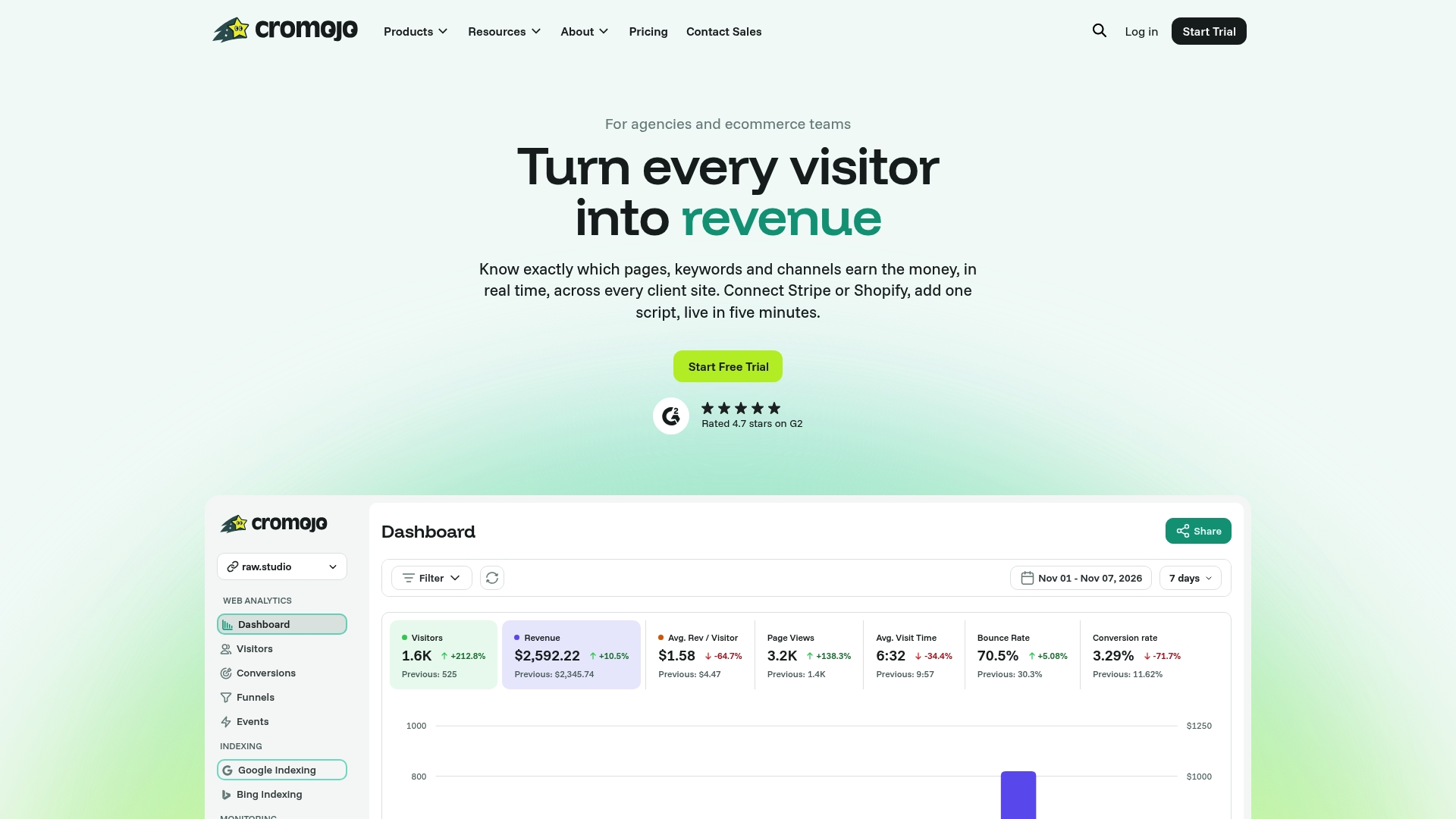
Cromojo revenue analytics can match eligible Stripe or Shopify purchases to recorded activity when checkout tracking is configured. Compare attributed revenue by landing page and channel. Organic keyword revenue is an estimate based on Search Console click share, not a direct query-to-order match.
Cromojo indexing tools show available status and support eligible submissions through configured integrations. Submission does not guarantee indexing. For ordinary ecommerce collections, prioritise crawlable links, valid responses and a clean sitemap.
See Cromojo pricing for current plans and limits.
A practical rollout plan
When the audit is done, this order keeps risk low:
- Test invalid combinations. For crawlable combinations with no results, serve HTTP 404 at the requested URL where supported and avoid linking to impossible states.
- Standardize URL format. One parameter order,
&as separator, no duplicate filters. - Mark the indexable set. Choose the filtered pages with real demand, give them clean URLs and self-canonicals, and link to them from category pages and menus.
- Apply controls by outcome. Keep removal candidates crawlable for noindex, consolidate equivalent variants with canonicals, and limit crawling for unwanted patterns where index removal is not the job.
- Clean the sitemap. Only preferred URLs belong there.
- Monitor. Watch crawl stats, indexed counts and revenue per page over the following weeks, and set up monitoring so a new parameter does not go unnoticed. Our website monitoring covers SEO health and errors.
For teams that want visibility into what happens as it happens, real-time analytics shows how visitors reach and move through these pages.