

UTM revenue attribution links recorded campaign labels to purchase data and assigns sales credit under a chosen model. It is not necessarily first-click attribution, and it does not prove which campaign caused a sale. The tags label traffic; reporting needs consistent naming, permitted collection and a reliable connection to orders.
This guide explains how that works, where it breaks and how to set it up without a data team.
What UTM parameters do, and what they cannot do
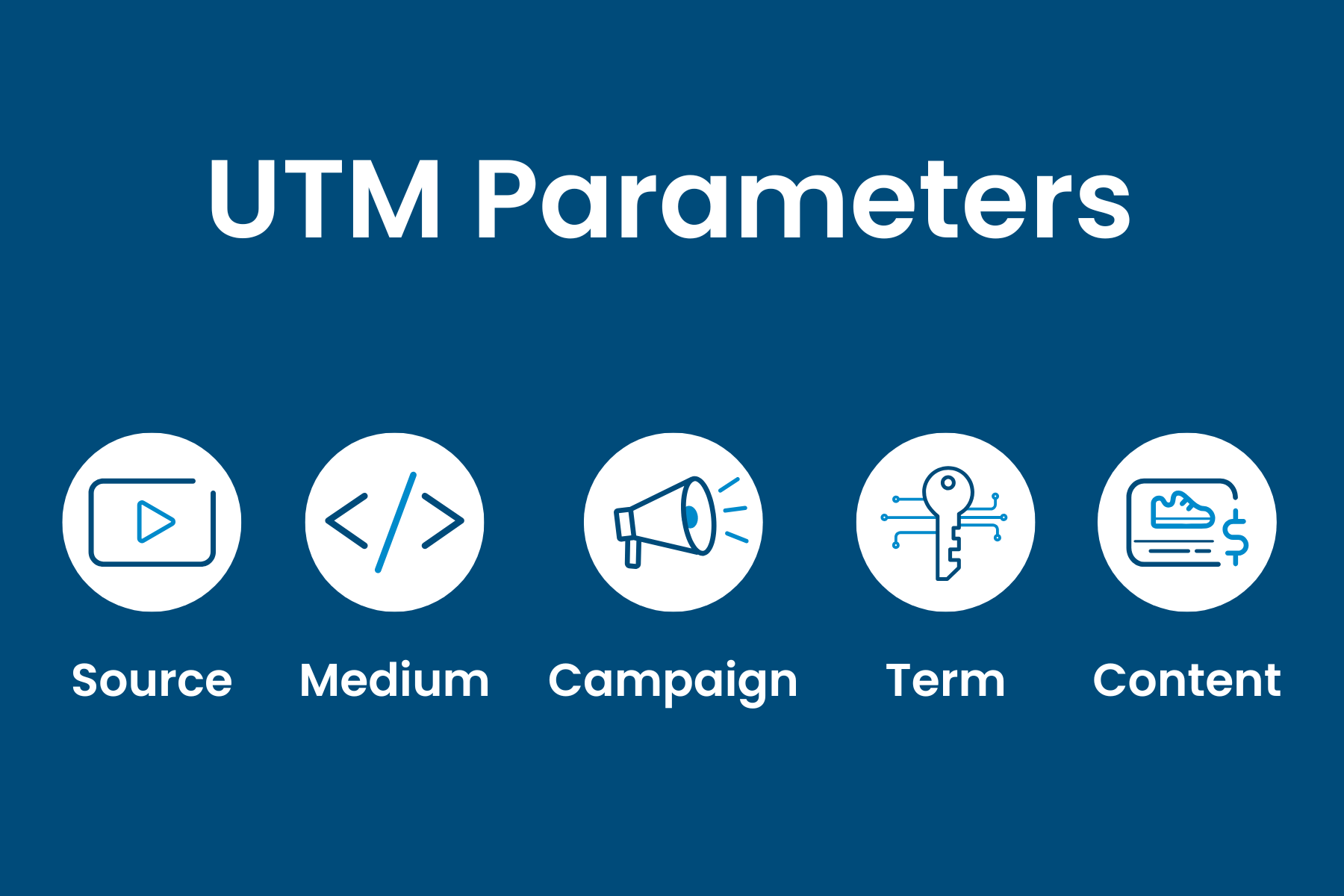
UTM stands for Urchin Tracking Module. Common parameters are utm_source, utm_medium, utm_campaign, utm_term and utm_content. Google also documents utm_id and utm_source_platform. Use a consistent source, medium and campaign convention, and check the current URL builder guidance for supported parameters and reporting limitations.
A tagged link looks like this:
https://yourstore.com/spring-sale?utm_source=newsletter&utm_medium=email&utm_campaign=spring_sale
When someone clicks it, your analytics tool reads the tags and files that visit under the newsletter source, the email medium and the spring sale campaign.
That is all a UTM does. It records a label on a visit. It does not know whether the visitor later bought anything, how much they spent or whether another channel closed the sale. Revenue attribution is what happens when you attach those facts to the label.
Why a UTM report is not a revenue report
A campaign report can include revenue when purchase events and reporting dimensions are configured. UTMs alone do not create that measurement. Three distinctions matter:
- Scope and persistence. First-user, session and event-scoped dimensions answer different questions. A later direct visit does not automatically erase earlier campaign credit; model, lookback window, identifiers and collection coverage matter.
- Cost and value. Campaign revenue is not profit. Reconcile spend using stable campaign identifiers, reporting dates, currency and comparable attribution windows. ROAS is attributed revenue divided by ad spend, not a profit calculation.
- Reporting dimensions. Use the appropriate campaign dimensions rather than assuming landing-page path contains the UTM values. Confirm the scope of the revenue and acquisition report before comparing totals.
Attribution models: who gets credit for the sale?
An attribution model is a rule for splitting credit when a customer touches several channels before buying. Google defines attribution as assigning credit for key actions to the ads, clicks and other factors along the path to that action. It also points out that, historically, all the credit often went to the last click.
The common options:
Google Analytics 4 uses data-driven attribution by default, which relies on machine learning to evaluate each interaction's contribution, according to Google's attribution overview. The same documentation says that first-click, linear, time-decay and position-based models were deprecated in GA4 in November 2023, with paid and organic last-click models remaining as alternatives. If you read older UTM guides that recommend those models inside GA4, they are out of date.
No model is the truth
Attribution assigns credit under a defined rule or algorithm; it does not measure the counterfactual sale without a campaign. Comparing models shows how the credit rule changes reporting, not the causal value of early interactions. Use an appropriately designed experiment when the decision requires incremental impact.
Shopify's reporting schema is a good example of this thinking. Its campaign_sales schema reports attributed sales amounts and order counts for each attribution model, so you can compare how the same orders are credited under first-click, last-click and linear. It can also split results by new and returning customers, which matters when a campaign's job is acquisition rather than repeat sales.
How UTM data actually reaches an order
For revenue attribution to work, the tags must survive from landing page to checkout. The chain has four links, and any one of them can snap.
- The tagged link. A visitor lands with UTM parameters in the URL.
- Capture. Read permitted parameters and associate them with a documented reference. Set retention and permissions for any browser storage or later-visit matching.
- Order matching. Match eligible purchases using a stable checkout or tracking reference, then inspect unmatched orders and retries.
- Reporting. Revenue is grouped by source, medium and campaign.
Shopify stores UTM values on the order's visit data. Its UTMParameters object exposes fields such as campaign and content, which shows that the platform treats these tags as order-level information, not just session labels. If your store is on Shopify, this is the native foundation. The limitation is that you see Shopify's view of the world, and your Stripe subscriptions, off-platform payments or lead-gen flows may sit elsewhere.
Link a trusted order or payment record to a permitted tracking reference, using the integration's documented matching method. Payment data does not automatically include browser UTM history or enough device information to reconstruct a journey. Define paid versus settled revenue, refunds, taxes, shipping, currency and reporting dates. Test duplicate events and unmatched orders rather than treating a payment connection as complete attribution.
Where UTM attribution breaks (and how to fix it)
Inconsistent tagging
Inconsistent naming fragments reports. Facebook, facebook and fb can produce separate manual source values. Keep a shared convention, validate redirects and preserve required parameters. Do not claim naming is the leading cause of failure without evidence from your own setup.
A workable convention:
- Use lowercase only.
- Use underscores, never spaces.
- Keep a fixed list of mediums:
cpc,email,social,affiliate,referral. - Name campaigns with a pattern, for example
2026-11_blackfriday_prospecting. - Keep the list in a shared sheet and treat any new value as a decision.
Tagging your own site
Do not put UTMs on internal links, such as a homepage banner pointing to a sale page. A new tag can overwrite the true original source, and a paid click suddenly looks like an internal promotion.
Auto-tagging and manual tagging colliding
Google documents how auto-tagging and manual UTMs interact. They can coexist: auto-tagged values generally populate traffic-classification dimensions while manual values can populate manual dimensions. Check linked accounts, click-ID preservation and fallback behaviour; do not disable auto-tagging solely to make every tool show the same label.
Blocked and expired tracking
Blocking, storage restrictions, consent choices, cross-device visits and checkout transitions can leave gaps. Server-side or payment matching may improve some workflows but cannot recreate an identifier or campaign history never collected. Cookie-free tracking does not automatically bypass blockers or recognise returning people.
No spend data
Revenue by campaign is useful but incomplete for spending decisions. Join cost with stable campaign IDs where possible, and align currency, dates and time zones. Label unmatched spend and purchases. Compare attributed ROAS alongside margin and uncertainty rather than treating it as profit or causal return.
Privacy and consent: attribution that holds up
Assess collection, browser storage, identifiers, purposes, retention and visitor markets. Cookie-free does not automatically mean consent-free or anonymous. The ICO guidance explains that storage and access rules can cover technologies beyond cookies. Configure applicable permissions before capture and never put personal information or secrets in UTM URLs.

For your own setup, a good rule is to collect the minimum you need to answer one question: which campaign produced this order? You rarely need personal profiles to answer that.
A practical setup in six steps
- Write the naming convention. One page, one owner.
- Tag relevant external campaigns consistently. Coordinate manual tagging with ad-platform auto-tagging and test the final redirect destination. Avoid UTMs on internal navigation.
- Connect and validate the order source. Test paid and refunded transactions, stable order IDs, currency, value and checkout matching. Keep unmatched revenue visible.
- Choose supported attribution views. Document model, scope and lookback window. Compare alternatives only where the tool offers them; first-click and linear are not current GA4 attribution-report models.
- Join ad spend. Match spend to the same campaign names weekly.
- Review monthly. Ask: which campaigns produce revenue, which only produce traffic, and which are mis-tagged as direct?
A worked example
Imagine a store with two campaigns, each with 1,000 visits. Campaign A is a branded search ad. Campaign B is a creator video. In a sessions report, both look the same. In a revenue report, A brought 40 orders and B brought 15. Looks like A wins.
In an illustrative tool that supports first-click, campaign B may receive more credit if it was the first recorded interaction for buyers who later clicked campaign A. That is a different allocation of the same orders, not proof that B created the demand or that cutting it will reduce A's sales. Consider spend, order value, margin, coverage and an appropriate experiment before changing budget. These are hypothetical counts, not customer results.
Our perspective on UTM revenue attribution
We built Cromojo because we kept seeing small teams stuck between two extremes: a UTM spreadsheet that showed clicks, and an enterprise attribution suite that needed a specialist. Most store owners just want to know which page, keyword or channel made money this week.

Cromojo connects recorded activity to supported Stripe or Shopify purchases, with matching dependent on tracking and checkout setup. Its cookie-free analytics is the default; optional returning-visitor tracking uses cookies and browser storage. Organic keyword revenue is estimated from Search Console click share, not matched directly to individual buyers. Keep missing matches and measurement limits visible.
We also think teams should resist chasing a perfect model. Pick a clear view, apply tagging discipline and compare against a second view when a big budget decision is on the table. Attribution that is understood gets used. Attribution that is a black box gets ignored.
See revenue by campaign in Cromojo
Cromojo Revenue Analytics reports attributed purchases by recorded page, source and campaign. Setup requires the supported payment integration and checkout reference. Explore real-time analytics and confirm current plans, usage limits and feature access on the pricing page.
Common mistakes to avoid
- Reading channel totals as proof of cause. Attribution is a way of assigning credit, not a controlled experiment.
- Comparing models inside a tool that no longer offers them. In GA4 the older rule-based models were removed, so the data-driven default and last-click options are what you can use.
- Ignoring new versus returning customers. A campaign that wins first orders may look weak if you only measure repeat revenue.
- Letting agencies or freelancers tag freely. Give them the convention before the first campaign launches.
- Waiting for perfect data. Start with your top three channels and clean those up first.