
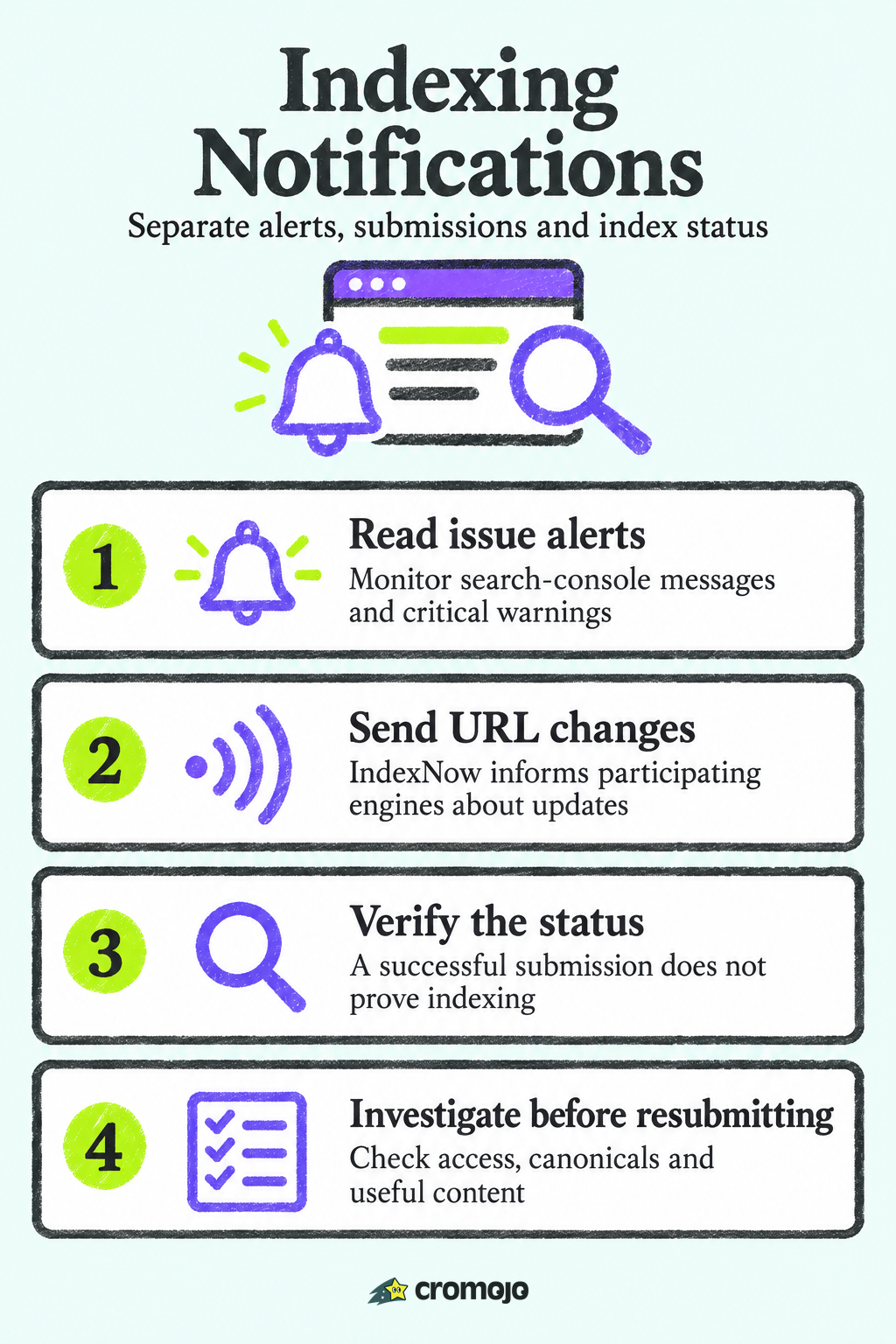
Search Console does not provide a routine success email for every URL added to Google's index. It sends issue and account messages, while URL Inspection reports page status. Bing also separates webmaster alerts from IndexNow: IndexNow is a change signal your site sends to participating engines, not an indexing confirmation sent back to you.

What people mean by indexing notifications
The phrase covers three different things, and mixing them up causes most of the confusion.
- Alerts from a search engine about your site: problems, warnings, security issues.
- Signals you send about new, updated or deleted URLs: sitemaps, recrawl requests or IndexNow. Google's old sitemap-ping endpoint is deprecated; use supported sitemap submission methods.
- Confirmations you receive that a specific URL made it into the index.
Both engines provide issue reporting, submission mechanisms and status inspection. None should be treated as a guaranteed per-page success receipt. Third-party monitoring can poll available status and alert on changes, subject to integration access, quotas and reporting delays.
A quick note on the noise in search results: if you searched this phrase and landed on pages about Messages or Gmail "indexing," that is a different process (your device building a searchable list of messages). This article is about search engines and websites.
What Google Search Console actually notifies you about
Search Console provides issue alerts and reports about crawling, indexing and search appearance. Messages can concern property issues or a specific user; describing them as site-wide only is too narrow. They are not a continuous feed confirming every successful indexed URL.
The message panel includes property-level email messages from the past year, with a 2,000-message limit. Stored history requires a verified owner, and visibility depends on your permissions. User-specific messages and email preferences are separate considerations.
What you will not receive
You will not get a note saying a specific URL has been indexed. A common mistake is to request indexing through URL Inspection and then wait for a confirmation email. None comes. The way to verify is to return to URL Inspection after a few days and read the status.
There is no guaranteed indexing deadline. Google says crawling can take a few days to a few weeks, and a request does not guarantee inclusion in search results. Crawling time and indexing time are different; do not promise a three-day indexing target.
Requests are hints, not commands
Submitting a sitemap or requesting a recrawl feels like pressing a button. Google describes it differently: recrawl requests and sitemaps are hints, and asking repeatedly does not speed anything up. If you use a hosted platform such as Blogger or WordPress, the platform often submits new content for you, so check its support pages before doing it by hand.
Google also has a restricted Indexing API for pages with JobPosting or BroadcastEvent embedded in VideoObject. It is not a general product-page submission API. Its notification-status endpoint reports submitted requests, not when a URL was indexed.
How Bing handles it, and why IndexNow matters
Bing gives you more to work with. Its Notification Center in Bing Webmaster Tools holds every alert and message from Bing, reachable from the bell icon at the top right of the header. Messages are categorized, including index issues, crawl errors and malware, which makes triage faster than reading a single flat inbox.
IndexNow lets a site notify participating engines about recent additions, updates and deletions. A successful submission response acknowledges the request, not that the URL has been crawled or indexed. Each engine makes its own decisions; check current endpoint documentation and rate-limit responses rather than assuming a universal daily allowance.
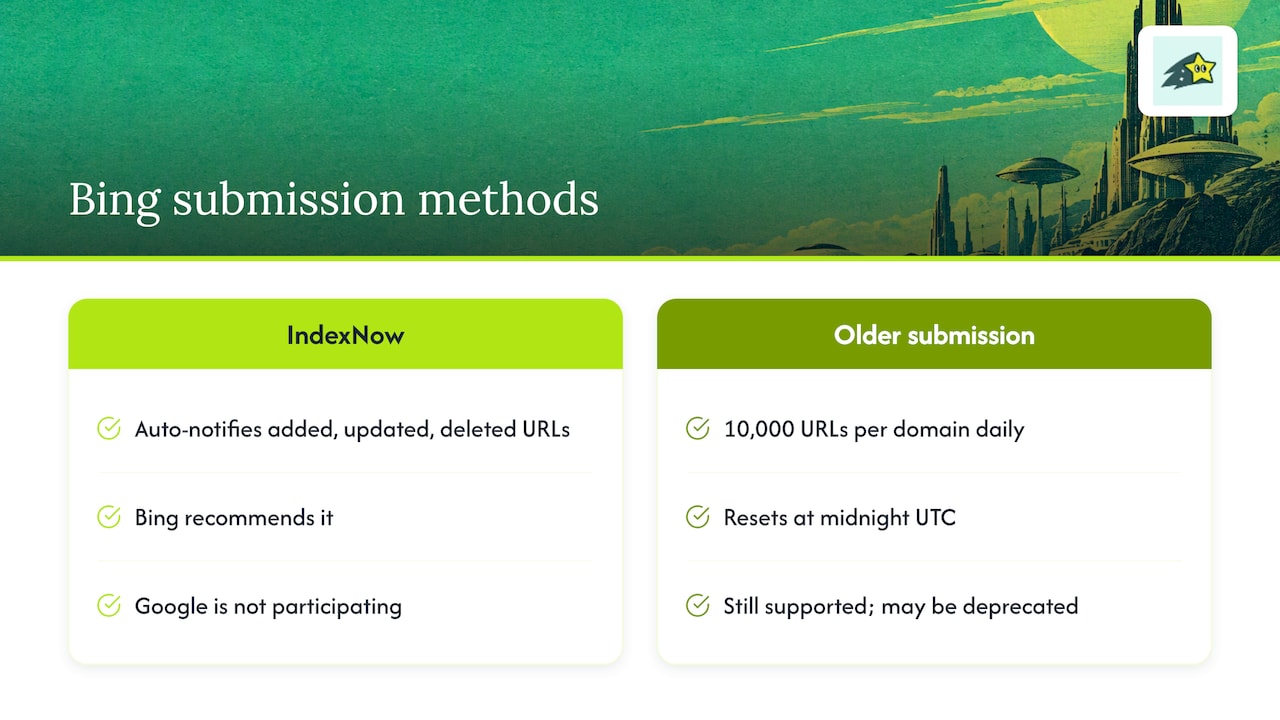
The IndexNow site lists Bing, Naver, Seznam.cz, Yandex and Yep as supporters; Google is not listed. This distinction applies regardless of your site's country. Use Google's supported sitemap and inspection workflows for Google, and recheck participants before relying on a new integration.
Google vs. Bing: a side-by-side view
The honest summary: neither engine hands you a per-page receipt. What differs is how much you can push, and how well the site-level warnings are organized.
Why a page can be crawled and still not indexed
This is the part that frustrates small business owners most. You publish a product page, request indexing, wait a week, and Inspection says the URL is not on Google.
Crawling and indexing are separate stages. An excluded URL may reflect canonical selection, duplication, access or rendering issues, content evaluation, or processing delays. Inspect the actual status and page before attributing exclusion to quality alone.
Two statuses cause the most worry:
- Discovered - currently not indexed: Google knows the URL exists but has not crawled it yet.
- Crawled - currently not indexed: Google fetched the page and decided not to add it for now.
Google's Page indexing documentation explains the statuses. They do not by themselves diagnose a quality problem. Inspect fetch access, HTTP responses, robots directives, noindex, canonical selection, rendering and internal links, then review whether the page adds useful distinct content. A fix does not guarantee indexing.
That is why repeated resubmission is a poor use of your time. If you want a plain walkthrough of the common causes, our help center has an article on why pages aren't indexed.
Build a routine that doesn't rely on a notification
Since no per-page alert exists on Google, replace waiting with a short, repeatable process.
- Turn on email alerts in Search Console and Bing Webmaster Tools, so critical site-wide messages reach a monitored inbox.
- Submit a sitemap and keep it limited to pages you actually want indexed.
- Set up IndexNow for Bing and the other participating engines, if your platform or a plugin supports it.
- Request indexing sparingly for genuinely new or important URLs, then stop asking.
- Check the status after a few days with URL Inspection, not the next morning.
- Review the indexing report weekly or monthly and look at trends. Google's own guidance points toward patterns over reacting to one URL.
- Investigate the reason. Check technical access, canonical selection and content before deciding whether a change or another request is useful.
A worked example
Imagine a store launches 30 product pages. A later review shows 22 indexed, five discovered and three crawled but not indexed. These are illustrative counts, not a benchmark. Group the URLs and inspect representative examples. Do not infer that all five need links or all three need rewritten descriptions from the status alone. Document evidence, make relevant fixes and recheck without expecting a success email.

Managing several sites without alert fatigue
Agencies face a different problem: too many messages, not too few. Bing's documentation shows alerts can be reviewed per site in the Notification Center, and Search Console messages are per property. The practical approach:
- Use appropriately authorised access for each client property, with individual accounts, least-privilege roles and a documented handover process.
- Use filters by site so a security warning on one client is not buried under routine messages.
- Prefer digests where available, and reserve instant attention for hacking, manual actions and widespread indexing errors.
- Keep a simple sheet of each client's key pages, so you know what "important" means before an alert arrives.
If the AI search side of this matters to your clients, a look at AI crawl monitoring shows how some teams track which bots reach their pages.
Our perspective: prioritise indexing by business value
For ecommerce teams, indexing is one part of acquisition, not proof of business value. An unindexed page can still receive paid, direct or referral traffic. Prioritise important pages using business context, search demand and observed performance rather than claiming an exact amount of lost sales from index status alone.
Build visibility into status, investigate the reason for important exclusions and connect the review to business priorities. Attributed revenue can help prioritise recorded activity, but it does not prove the counterfactual sales a missing search listing would have produced.
That is also why we built automated indexing, site monitoring and revenue attribution into one platform, instead of leaving you to stitch together three tools and three inboxes.
Where Cromojo fits
Cromojo Automated Indexing supports eligible URL submissions through configured Google, Bing and IndexNow integrations and shows available submission and indexing status. Verification, eligibility, quotas and reporting delays still apply. Submission is not a guarantee of indexing, rankings or AI visibility.
Pair this with Website Monitoring and Revenue Analytics. Purchase matching depends on tracking and supported checkout setup; organic keyword revenue is estimated from Search Console click share. Confirm current plans and feature access on the pricing page.
No monitoring tool can force inclusion or observe every engine decision instantly. Keep submission responses, latest status checks and alert timestamps separate so you can see what the tool actually knows.
Common mistakes to avoid
- Waiting for a confirmation email from Google. It isn't coming for single URLs.
- Resubmitting the same URL daily. Google treats requests as hints, so repetition gains nothing.
- Diagnosing from a label alone. Exclusion can have technical, canonical, content or timing causes. Inspect the page before choosing a fix.
- Ignoring Bing. Review its webmaster alerts and use IndexNow for relevant changes without treating submission as proof of indexing.
- Reading only email. The Search Console message panel keeps a year of history in one place.
- Submitting thin pages. Forcing weak content into the queue wastes effort. Long-term visibility depends on helpful, reliable content.