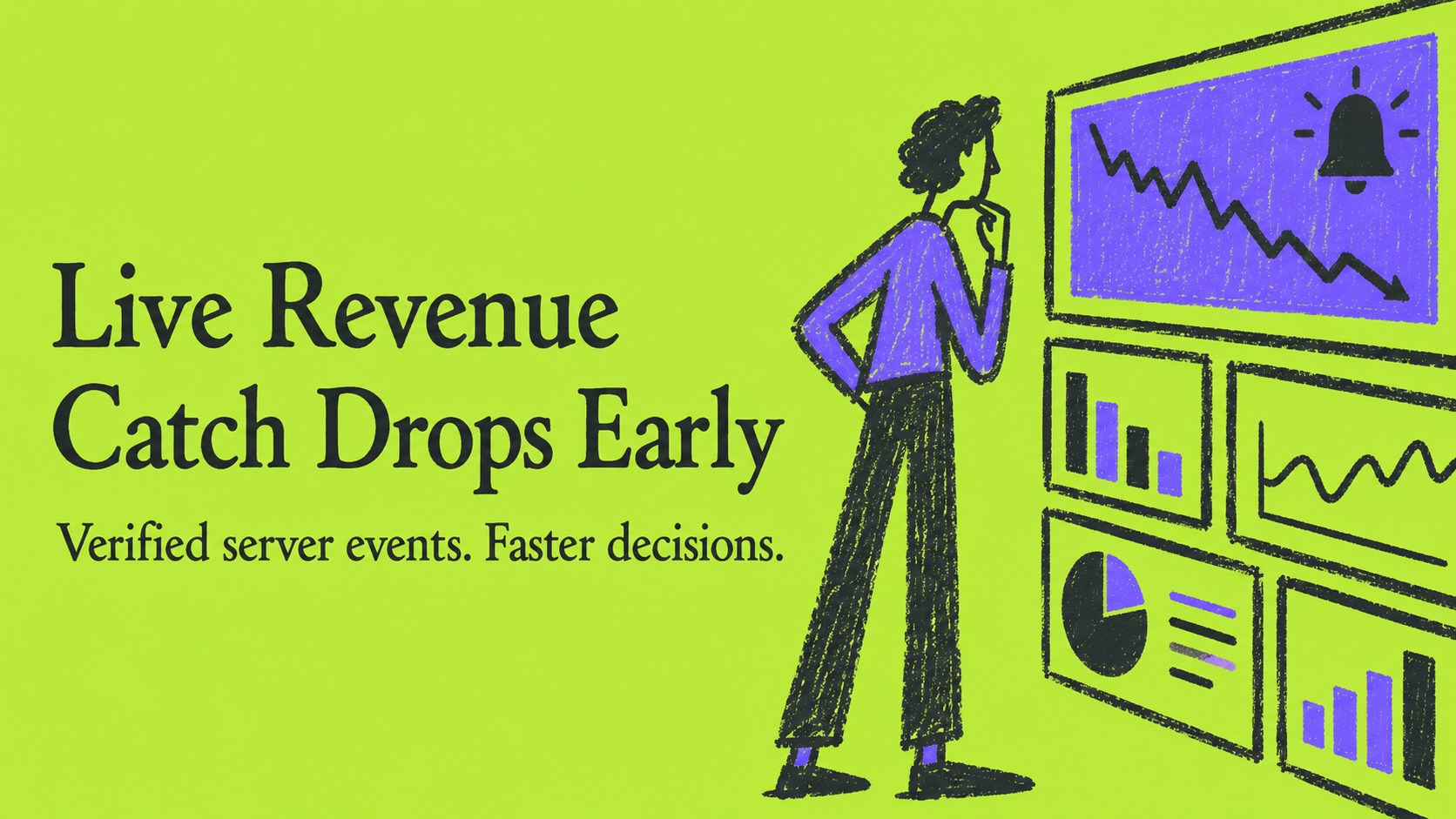


Real-time revenue tracking streams verified transaction events into live dashboards so you can measure sales and adjust spending immediately, rather than waiting for a daily or weekly report. Stripe webhooks deliver each payment event as it happens, and privacy-safe attribution methods connect that revenue back to the campaign or page that drove it. Platforms like Cromojo combine both pieces into one dashboard, giving teams faster decisions and clearer ROI.

Why Real-Time Revenue Tracking Matters for Finance and Marketing Teams
Most finance and marketing teams still work from numbers that are hours or days old. By the time a weekly report lands, the ad budget has already been spent on a campaign that stopped converting on Tuesday.
Live revenue data changes that. Consider a few common scenarios:
- A paid search campaign suddenly stops converting: a live dashboard flags the drop within minutes instead of at the end of the week, so you can pause spend before it compounds.
- Refunds spike after a product update: catching the pattern the same day lets you investigate before it affects a full month of margin.
- A checkout step starts failing for a subset of browsers: revenue per session drops sharply on a live chart, which is often the first signal before customer support tickets arrive.
This tighter feedback loop also shortens experiment cycles. When a team can see revenue by channel update in near real time, they can test a new offer, a new ad creative, or a pricing change and get a directional read the same day rather than waiting for a weekly rollup.
Better measurement correlates with stronger results. Marketing teams working with more granular, timely analytics report notably better return on ad spend, since faster feedback means budget moves toward what is actually converting instead of what looked good last month.
Pro Tip:Treat the first two weeks after launch as a calibration period: compare your live dashboard numbers against your payment processor's own reports daily until the two consistently match.
Setting up a reliable pipeline takes real engineering time, typically a few days to a few weeks depending on how many payment and marketing systems need to connect. Teams building this in-house should budget for ongoing maintenance, since payment gateways periodically add new event types and webhook payload changes that need to be handled.
How Real-Time Revenue Tracking Works: Core Technical Components
Real-time revenue tracking is not a dashboard feature. It is a pipeline, and the quality of the pipeline determines whether the numbers on the dashboard can be trusted.
The most important design decision is where the transaction event originates. Browser-only tracking, where a script on the checkout confirmation page fires a "purchase" event, breaks in predictable ways: ad blockers strip the script, a customer closes the tab before the page loads, or a slow network delays the event past any useful window. None of these failures show up as an obvious error, they just quietly undercount revenue.
Server-side event streaming avoids this. Payment gateways like Stripe deliver webhook events directly from their servers the moment something happens, independent of what the customer's browser does. A payment succeeding, a refund processing, or a payout clearing are all transaction-lifecycle events that Stripe exposes as distinct event types, including invoice.paid, payout.paid, and refund.created. Capturing these at the source is the only way to guarantee revenue numbers match what actually moved through the payment system.
A reliable pipeline follows five steps:
- Capture: the webhook endpoint receives the raw event payload from the payment gateway.
- Verify: the endpoint checks the event's signature to confirm it genuinely came from the gateway and was not tampered with in transit.
- Queue: the verified event is placed in a durable queue rather than processed inline, so a slow downstream step never blocks the next incoming event.
- Enrich: the event is matched with marketing metadata such as campaign source, SKU, or order value.
- Ingest: the enriched event lands in the analytics store that powers the live dashboard.
Deduplication matters at every one of these steps. Webhook deliveries are not guaranteed to arrive in order, and gateways will retry a delivery if they do not receive a prompt response. Stripe's own webhook guidance recommends using the unique event ID as the deduplication key and designing processing to be idempotent, meaning the same event can be safely processed twice without creating two sales records.
Pro Tip:Store the gateway's event ID as a unique key in your database before you do anything else with the event. If the insert fails because the ID already exists, you already have that event and can safely discard the duplicate.
Metrics and Dashboards to Monitor in Real Time
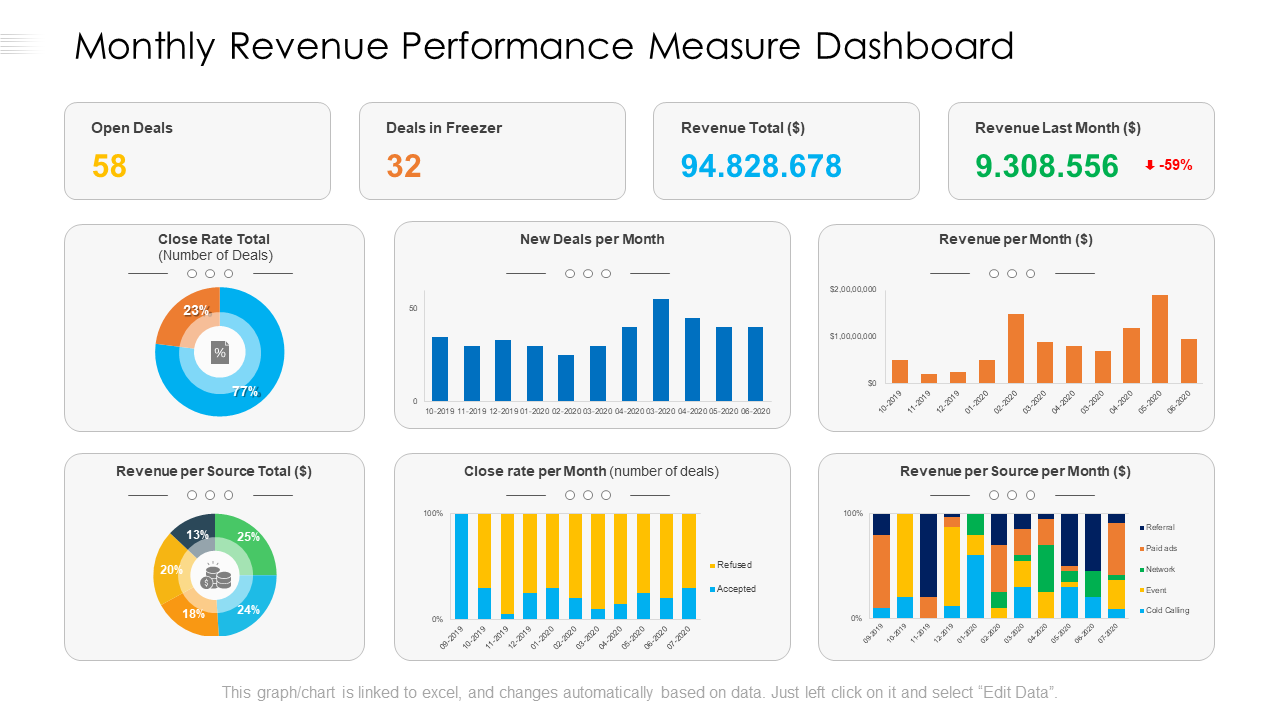
Not every metric belongs on a live dashboard. The goal is to surface numbers that change a decision today, not numbers better suited to a monthly review.
A useful live revenue dashboard tends to include:
- Live revenue total, updated as transactions settle, giving the simplest read on how the day is going.
- Revenue by channel, so a sudden change in one campaign or source is visible without digging through a report.
- Revenue per session, which combines traffic and conversion into a single efficiency signal.
- Conversion rate tied to revenue, not just to form fills or clicks, since a high click-through rate on an underperforming offer is not useful on its own.
- Refunds and failed payments, tracked as a rate rather than a raw count, so a spike stands out immediately.
- Payout timing, useful for finance teams reconciling what has cleared against what is still pending.
Teams that track revenue in near real time report measurable gains in marketing ROI, largely because budget decisions stop lagging behind actual performance.
Dashboard layout matters almost as much as the metrics themselves. A rolling average, such as revenue over the trailing hour or day, smooths out normal noise so a single slow hour does not trigger a false alarm. Alerting on deviation from that rolling average, rather than on an absolute threshold, tends to catch real problems like a broken checkout step faster than a fixed number would.
Practical Implementation Checklist: Instrumenting Events Through Dashboards
Standing up real-time revenue tracking is a sequence of concrete steps, and skipping one tends to show up later as a data quality problem that is harder to diagnose than to prevent.
- Map your revenue events. Decide what counts as a trackable event (a completed payment, a refund, a subscription renewal) and what metadata each one needs, such as SKU, order value, currency, and campaign parameters.
- Instrument server-side webhooks. Connect your payment gateway's webhook endpoint, such as Stripe's, and verify every incoming signature before trusting the payload.
- Queue events asynchronously. Push verified events into a durable queue immediately and return a success response to the gateway right away, so your own processing time never causes a timeout or retry.
- Deduplicate using event IDs. Use the gateway's unique event ID as your deduplication key so a retried delivery never creates a duplicate sale record.
- Enrich with marketing metadata. Attach campaign source, landing page, and any attribution data available at the time of purchase.
- Ingest into your analytics store. Land the enriched event where your dashboard reads from, ideally within seconds of the original transaction.
- Build dashboards and alerts. Surface the metrics your team actually acts on, and set alert thresholds based on deviation from a rolling average rather than a fixed number.
- Test in a sandbox environment. Run the full pipeline against your payment gateway's test mode before going live, including simulated failures and retries.
- Run replay tests. Confirm that reprocessing an old event does not double-count revenue, since this is the most common failure mode in production.
- Schedule reconciliation. Compare your dashboard's totals against your payment gateway's own reports on a recurring basis, daily at first and weekly once the system has proven stable.
Each step maps to a different owner. Engineering typically handles steps two through six, while finance and marketing define step one and consume the output from steps seven onward. Keeping that division clear tends to prevent the common failure where a dashboard looks finished but nobody agreed on what it should actually show.
Privacy-Preserving Attribution and Measurement Options
Server-side transaction events tell you that revenue happened. They do not always tell you, on their own, which ad or campaign deserves credit, especially as browsers restrict third-party tracking.
The Attribution Reporting API from Privacy Sandbox addresses this gap without relying on cross-site cookies. It generates encrypted, aggregated summary reports that include conversion counts and conversion values, processed through an aggregation service that adds noise for privacy before returning a usable summary to the ad platform. These reports can include detail like purchase value and SKU while preventing any single user from being individually identified.
The practical approach combines both signals:
- Use aggregated ad-side reports to understand which campaigns are likely driving conversions at a directional level.
- Use server-side transaction records as the authoritative source for actual revenue, since payment events are never subject to the same aggregation delay or noise.
- Reconcile the two periodically rather than expecting them to match exactly in real time.
One practical wrinkle: aggregated summary reports arrive with a delay built in by design, since that delay is part of how the privacy protection works. A workflow that expects instant campaign-level attribution alongside instant revenue will need to treat the two data sources on separate timelines, with the server-side revenue number driving same-day decisions and the aggregated attribution data refining campaign credit over the following days.
Operational Best Practices and Common Pitfalls
Most revenue tracking problems are not analytics problems, they are operational ones. A few habits prevent the majority of issues:
- Return a 2xx response immediately when a webhook arrives, and do any heavy processing afterward in a background worker. Stripe's documentation is explicit that a slow response triggers unnecessary retries.
- Use the event ID as your idempotency key everywhere, not just at ingestion, since a duplicate can slip in at enrichment or dashboard aggregation too.
- Build with durable queues, so a traffic spike or a downstream outage does not drop events, and make sure the pipeline supports replaying missed events once the issue is resolved.
- Reconcile against your payment gateway and accounting system on a fixed schedule, since small discrepancies caught weekly are far easier to fix than ones discovered at month end.
Pro Tip:Log every webhook payload to cheap storage before processing it, even if you never need to read the log. The one time a processing bug corrupts a week of data, that raw log is what lets you replay and recover without contacting the payment gateway for a reexport.
How Cromojo Helps Implement Privacy-First, Real-Time Revenue Tracking
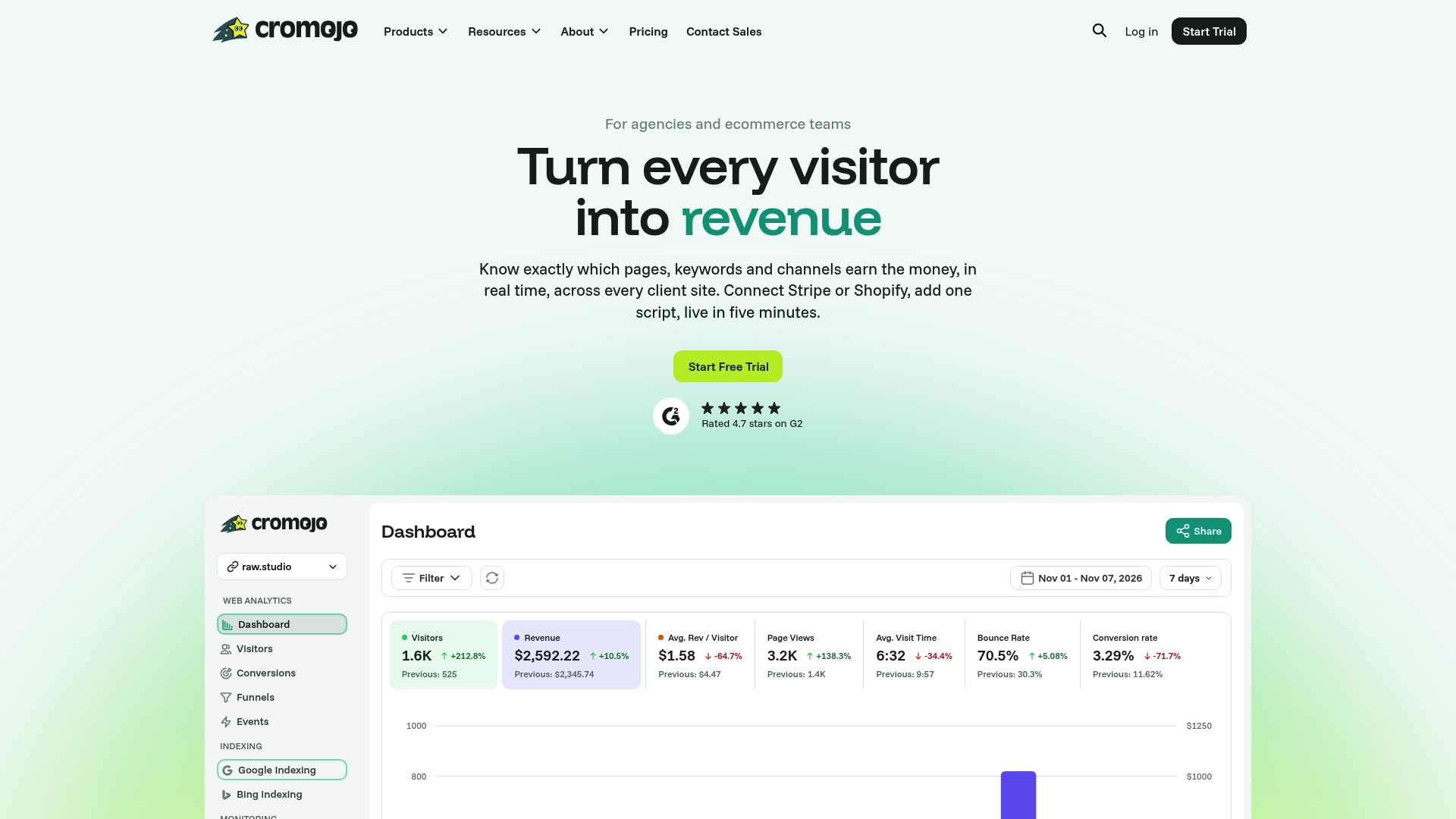
We built Cromojo around the same checklist outlined above, with most of the engineering work already handled. Our platform connects directly to Stripe and Shopify, so transaction events flow in through verified webhooks rather than browser scripts that ad blockers can strip out.
Once connected, we attribute revenue to the actual page, keyword, or channel that drove it, using cookieless, privacy-friendly tracking instead of third-party cookies. Conversion funnels and visitor journey analysis sit on top of that same revenue data, so a drop in revenue per session and the step where customers abandoned checkout show up in the same view.
Setup runs through a lightweight script rather than a custom integration project, which is what shortens the time-to-value compared to building a pipeline from scratch. We also include automated website indexing and site monitoring, so a technical issue that would quietly depress both search visibility and revenue gets flagged before it costs a full reporting cycle.
Setting Up Real-Time Revenue Tracking on Shopify and Other Platforms
Stripe webhooks are not the only entry point for real-time revenue data. Shopify stores generate order and payment events through their own webhook system, and the setup pattern is similar even though the event names differ.
For a Shopify store, the sequence typically looks like this: register webhook subscriptions for events like order creation, order payment, and refund creation, verify each incoming webhook's HMAC signature to confirm it came from Shopify, and route verified events into the same queue and deduplication pipeline used for other payment sources. Shopify's checkout and payment events carry order value, line items, and discount codes, which matter for enriching revenue data with product-level detail.
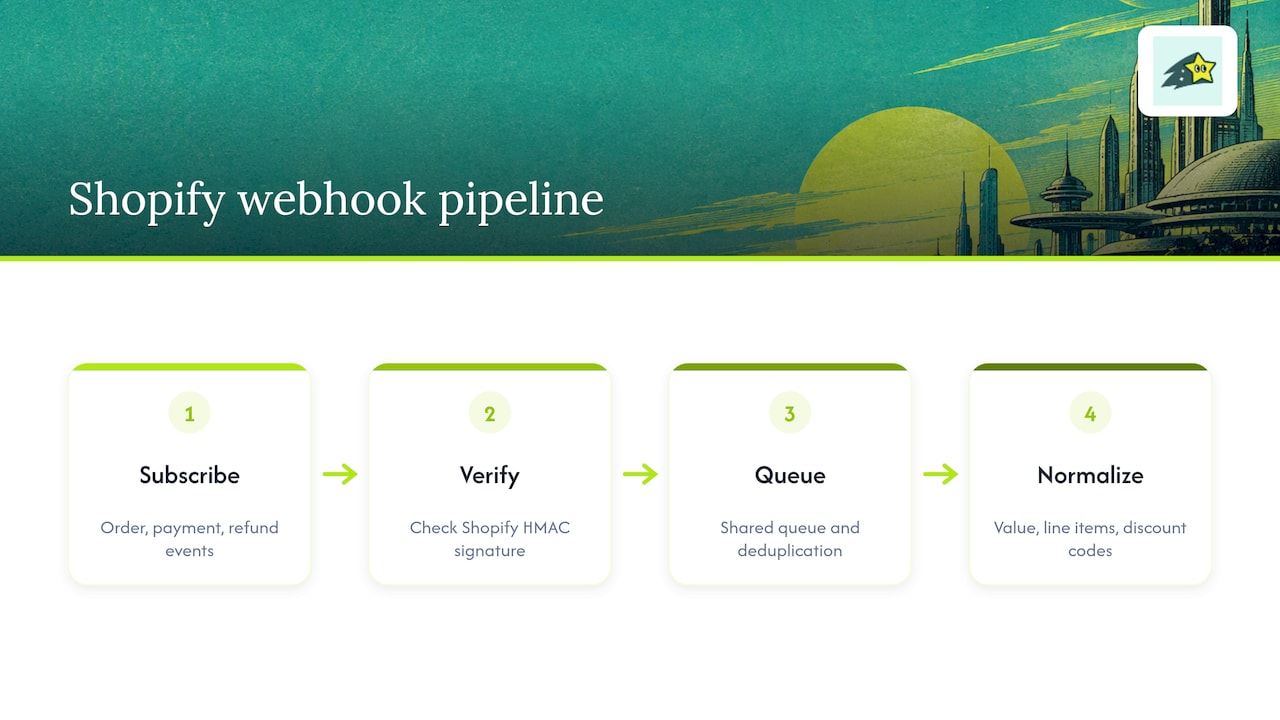
The practical challenge is normalizing events from multiple sources into one revenue model. A Stripe payment event and a Shopify order event describe the same business outcome, a completed sale, but arrive in different shapes. Mapping both into one consistent schema before they reach your dashboard is what keeps revenue by channel accurate when a business sells through more than one platform.
This is also where a pre-built integration saves meaningful setup time. Connecting Stripe and Shopify through a platform that already normalizes event shapes removes a step that otherwise takes real engineering effort to get right, particularly around matching refunds back to their original orders across two different systems.
Comparing Real-Time Revenue Tracking Platforms
Teams evaluating real-time revenue tracking tools generally fall into two camps: those building a custom pipeline on top of a data warehouse, and those adopting a packaged analytics platform that already handles the event plumbing.
Custom pipelines offer the most flexibility but require ongoing engineering time to maintain webhook endpoints, handle new event types as payment gateways add them, and build dashboards from scratch. This path tends to suit larger teams with dedicated data engineering resources.
Packaged platforms trade some flexibility for speed. Cromojo's pricing runs from a Starter plan at $19 per month through Pro at $49 per month, Business at $129 per month, and Agency at $299 per month, with a Free Plan also available. For teams that want managed implementation rather than a subscription they configure themselves, our Conversion Optimization Services start from $3,800 per month.
The right choice depends on how much engineering time a team has available and how quickly it needs the pipeline live. A packaged platform with prebuilt Stripe and Shopify integrations typically reaches a working dashboard in days rather than the weeks a custom build usually takes.
How to Choose a Real-Time Revenue Tracking Solution
A few criteria separate a solution that will hold up under real usage from one that looks good in a demo.
First, confirm the platform captures revenue through server-side events rather than relying only on browser scripts, since browser-only tracking undercounts revenue whenever a script fails to load. Second, ask how the platform handles deduplication: a vendor that cannot explain its idempotency approach in concrete terms is likely to produce inflated revenue numbers during traffic spikes or retries.
Third, check which payment and ecommerce platforms connect natively. A tool that only supports one payment gateway will require custom work the moment a business adds a second sales channel. Fourth, ask about privacy posture directly: does the platform rely on third-party cookies, and what happens to attribution accuracy as browsers continue restricting them.
Finally, ask about time-to-value. A platform that requires weeks of custom engineering before the first dashboard loads defeats much of the purpose of choosing a packaged tool over a custom build. Our own setup through a lightweight script and prebuilt Stripe and Shopify integrations is designed to get a working dashboard live quickly, without a dedicated engineering project.
Use Cases: How Live Revenue Data Changes Marketing Decisions
A marketing team running several paid campaigns at once benefits most directly from live revenue data, since it turns a weekly budget review into a daily one. Catching a campaign that has stopped converting on day two instead of day seven preserves a meaningful share of that week's ad budget for channels still performing.
Ecommerce teams running flash sales or limited-time promotions rely on live revenue per session to judge, in the first hour, whether the offer is landing with the audience or needs an adjustment before the promotion ends. Waiting for a next-day report means the promotion is already over by the time the data arrives.
Agencies managing multiple client accounts use channel-level revenue breakdowns to justify budget shifts to clients with current numbers rather than last month's report, which tends to correlate with stronger measured ROI since budget decisions track actual performance more closely.
Finance teams use the same underlying data differently: refund rate spikes and payout timing visibility help flag product or fulfillment issues before they show up as a surprise in month-end reconciliation. The common thread across all of these cases is the same: faster visibility into verified revenue, not just traffic or clicks, is what lets teams redirect effort toward what is actually working.
Data Security and Compliance in Real-Time Revenue Tracking
Revenue data is financial data, and a real-time pipeline that handles it needs the same care applied to any sensitive system. Webhook endpoints should sit behind HTTPS exclusively, and every incoming payload should have its signature verified before any processing happens, which is the baseline protection against spoofed events.
Storing raw payment payloads requires attention to what fields actually need to persist. Full card numbers and other sensitive payment details should never pass through your own systems in the first place when using a gateway like Stripe, since the gateway handles that data directly and only sends event metadata to your webhook.
Access to revenue dashboards should be scoped by role, since not every team member needs visibility into exact transaction-level detail. Logging who accessed what, and when, matters for any team operating under data protection obligations tied to their region or industry.
Cookieless, privacy-first tracking approaches reduce one category of compliance risk by design, since they avoid the consent and disclosure requirements that come with third-party cookie tracking. Combining that with server-side event verification keeps the revenue pipeline both accurate and lower-risk from a compliance standpoint, which matters as privacy regulation continues to tighten globally.
A Perspective on Getting Real-Time Revenue Tracking Right
The mistake most teams make is treating real-time revenue tracking as a dashboard problem when it is really a data integrity problem wearing a dashboard's clothes. A gorgeous chart built on duplicated or browser-dropped events is worse than no chart at all, because it looks authoritative while being wrong.
Server-side, privacy-first tracking is not the more cautious choice here. It is the more accurate one. Any team serious about using revenue data to make faster decisions should start from verified payment events, not browser pixels, and should expect to iterate on their dashboards and alerts for a few weeks before trusting them fully.
Try Cromojo for Faster Time-to-Value
Our platform maps directly to the checklist above: Stripe and Shopify events flow in through verified webhooks, cookieless tracking handles attribution, and dashboards are live within days instead of weeks.
Compare plans and pricing or explore our revenue analytics features to see how quickly a live dashboard can be running on your own store.