
Keyword revenue tracking means measuring the actual dollar amount each keyword generates, not just its clicks or conversions, so you can shift budget toward what pays. The immediate action is simple: pull revenue by keyword through your order data, whether that's Stripe or Shopify, sort by dollar contribution instead of conversion count, and let that ranking drive your next budget decision. Platforms like Cromojo automate that connection so you're not stitching spreadsheets together every Monday.
Why Standard Keyword Reports Mislead Revenue Decisions
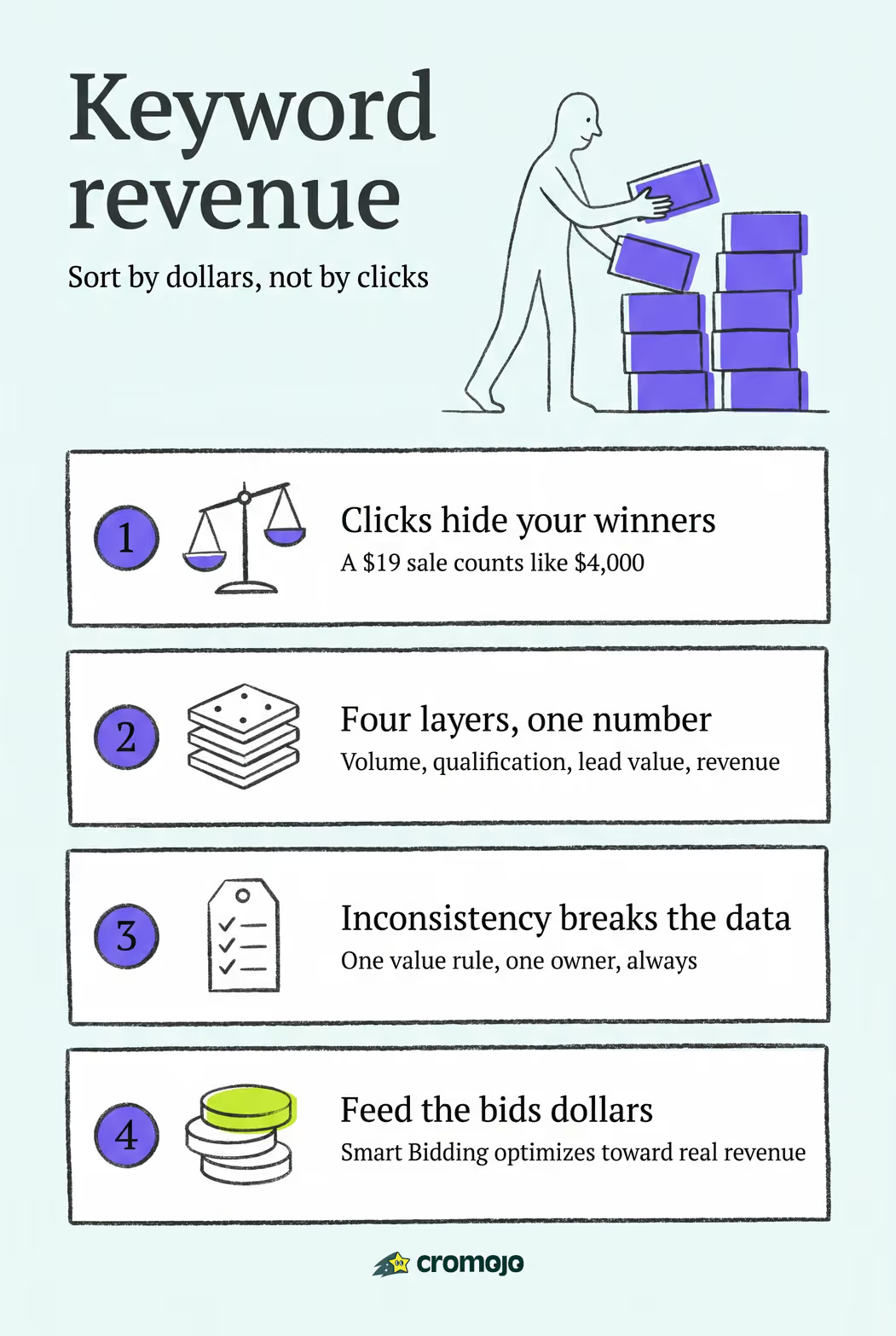
Most keyword dashboards optimize for the wrong number. A report built on clicks and conversions treats a $19 impulse purchase the same as a $4,000 enterprise contract, as long as both count as one "conversion." That's the trap.
Picture two keywords in the same campaign. Keyword A brings in many clicks a month and converts at a low rate, giving you several conversions. Keyword B brings in fewer clicks and converts at a higher rate, giving you fewer conversions. On a standard report, Keyword A wins by a mile. But if Keyword B's buyers close at a much higher average order value than Keyword A's buyers, Keyword B can outproduce Keyword A in revenue by a multiple. That flip is common once you layer clicks and conversions with actual dollar value, and it's the entire argument for revenue-anchored reporting.
The gaps that cause this distortion tend to repeat across accounts:
- No lead qualification step, so junk inquiries count the same as real buyers.
- No link back to closed-sale value, so every conversion looks equal.
- Ad platforms self-reporting ROAS without accounting for refunds, cancellations, or post-click disqualification, which inflates performance for keywords that later fall apart.
- No visibility into which keyword drove a phone call or chat that eventually closed offline.
Left unaddressed, these gaps push budget toward volume and away from margin. Content teams chase search terms with big impression counts instead of the handful that actually fund payroll.
The Four Data Layers Behind a Revenue-Anchored Keyword Report
A report that actually tells you where to spend needs four layers stacked on top of each other, not just one. Each layer answers a different question, and skipping any of them leaves you sorting by the wrong column.
Volume answers "how much traffic is this keyword sending?" Qualification answers "how many of those visitors were real prospects, not tire kickers?" Lead value answers "what's each qualified lead worth on average, based on quote size or product price?" Revenue contribution answers the only question that actually matters for budgeting: "how many real dollars did this keyword produce?"

Here's how those layers change the sort order in practice:
Sort that table by clicks and "shoe size guide" looks like your top performer. Sort it by revenue contribution and "custom orthotic insoles," with a fraction of the traffic, is your actual winner by more than double. That single column swap is usually the moment a marketing team realizes their content calendar has been backward for months.
Building this report requires a few concrete fields per keyword: raw click or impression count, a qualification flag (yes/no or a score), an assigned dollar value per qualified lead, and a rolled-up revenue total tied to closed transactions where possible. When transaction-level linking isn't available yet, a keyword value calculator using CTR and conversion-rate assumptions can approximate the same ranking until you get there.
How Do You Build a Keyword Revenue Tracking Workflow?
Turning this from a spreadsheet exercise into a repeatable system comes down to four operational stages: capture, qualify, value, and roll up. Here's the order that actually works.
Capture attribution at every entry point. Tag phone calls with dynamic call tracking numbers tied to the landing keyword, tag form submissions with hidden UTM fields that pass keyword data into your CRM, log chat conversations with the referring query, and link e-commerce orders directly to the session's keyword through your analytics platform.
Qualify every lead before it counts. Not every form fill deserves a dollar sign attached to it. Build a simple qualification workflow, sales confirms fit, support flags a real inquiry, or an automated rule checks for a business email domain, and record that flag in your CRM or analytics tool alongside the keyword that produced the lead.
Assign a consistent value. Pick one rule and stick to it: use the quoted amount at the proposal stage, the actual closed-sale amount once the deal is done, or your average order value for e-commerce traffic. Mixing rules mid-quarter is the fastest way to make your revenue numbers meaningless.
Roll up by keyword and run a QA pass. Aggregate all qualified, valued leads by their originating keyword on a weekly or monthly cadence, then spot-check a sample against your CRM or Stripe/Shopify order records to catch tracking gaps before they skew a whole quarter's decisions.
Pro Tip: Run your first QA pass manually, even if you're using an automated platform. Pull ten closed deals and trace each one back to its keyword by hand. If more than one or two don't match what your dashboard says, you have an attribution leak worth finding before you trust the bigger numbers.
The biggest failure point in this workflow isn't the technology. It's inconsistency: one rep records lead value as quoted price, another records it as closed price, and three months later nobody can explain why the numbers don't reconcile. Write the value rule down, put one person in charge of enforcing it, and revisit it quarterly.
What Tools and Integrations Feed a Revenue Report
The report only works if the right systems are actually talking to each other. Five data sources typically feed a keyword revenue pipeline: your analytics platform (GA4 or Google Search Console for the keyword and session data), your CRM (for lead qualification and deal stage), your storefront's order data (Stripe or Shopify for actual transaction amounts), call and chat logs (for offline-converting keywords), and, where cookie-based tracking is restricted, a cookieless or server-side attribution method.
Getting the data to flow between these systems generally happens through one of three patterns:
- API or webhook connections that push new orders or leads into your reporting tool the moment they happen, keeping the keyword link intact.
- Server-side purchase linking, where the transaction event fires from your server rather than the browser, preserving attribution even when browser-based cookies are blocked or expired.
- CRM import and match, where closed deals get periodically matched back to their originating keyword using a stored lead ID or UTM parameter captured at first touch.
Each pattern trades completeness for complexity. API and webhook setups give you close to real-time accuracy but need engineering time to configure correctly. CRM import is simpler to set up but usually runs on a delay, so your report is always looking slightly backward. Server-side linking protects data quality as cookie restrictions tighten across browsers, which matters more every year as search behavior and privacy expectations keep shifting.
How to Turn Revenue Data Into Bidding and Content Decisions
A revenue report that never changes a budget or a bid is just a more elaborate spreadsheet. The point is to let dollar contribution, not click volume, decide what gets more money and what gets cut.
Start with a simple reallocation rule: keywords in your top quartile by revenue contribution and healthy margin get budget increases first; keywords with high spend but low or negative margin get paused or restructured, regardless of how many conversions they're logging. Volume alone should never win a budget argument once you have qualified revenue data sitting next to it.
Feeding that data into automated bidding tightens the loop further. Most Smart Bidding systems accept a value parameter per conversion, so once you're passing actual lead value or closed-sale amount instead of a flat "conversion = 1" signal, the algorithm starts optimizing toward keywords that produce real revenue rather than just more form fills. This depends entirely on value-mapping consistency; a bidding system fed sloppy or inflated values will happily overspend on keywords that look great and perform terribly.
Pro Tip: Before connecting revenue values to automated bidding, run a two-week shadow period where you calculate what the algorithm would have done with the new values without actually changing spend. It catches mapping errors before they cost you a budget.
For content and landing pages, apply the same lens:
- Give your highest-revenue keywords dedicated landing pages instead of routing them to generic category pages.
- Refresh or expand content on keywords sitting in the "high qualification, low value assigned" zone, since that often signals a pricing or positioning mismatch rather than a traffic problem.
- Deprioritize content investment on high-click, low-revenue keywords even if they're driving your traffic charts up and to the right.
A Worked Example of Revenue-Sorted Keyword Priorities
Go back to the orthotic insoles example. A team running a standard conversion report would keep pouring budget into "running shoes near me" because it logs the most conversions. Once revenue contribution enters the picture, "custom orthotic insoles" jumps to the top of the priority list despite generating a fraction of the clicks, and the budget conversation flips entirely.
That's the exact mechanic Cromojo is built around. It connects directly to Stripe and Shopify order data, so a completed purchase gets tied back to the keyword and session that produced it without a manual export. Its cookieless tracking approach means that link holds up even as browser-level tracking keeps getting restricted, and the revenue values sync back into your dashboard automatically rather than living in a quarterly spreadsheet somebody has to rebuild by hand.
"Marketing teams that attach dollar values to leads consistently find that keywords producing fewer conversions can still be the most valuable sources of revenue." That single realization, once a team sees it in their own numbers, tends to rewrite the entire content and bidding roadmap.
Teams evaluating attribution tools consistently point to this kind of keyword-to-revenue visibility as the feature that changes how they prioritize, not just how they report.
When Is Keyword Revenue Tracking Actually Worth the Investment?
Not every site needs this level of rigor on day one. If you're running under a few thousand dollars a month in ad spend with a single product line, a simpler conversion report might genuinely be enough. The investment pays off once you have multiple product lines, variable order values, or a sales cycle that involves calls and quotes instead of instant checkout, because that's exactly where conversion counts stop telling the truth.
The most common blocker isn't technical. It's organizational: nobody owns the value rule, naming conventions drift between campaigns, and three people define "qualified lead" three different ways. Fix that before you fix the dashboard. Assign one owner for the value-mapping rule, standardize UTM naming across every campaign launch, and run a data audit monthly for the first quarter, then quarterly once the numbers stabilize.
Get those governance basics right, and the reporting layer becomes almost mechanical.
Put Keyword Revenue Tracking on Autopilot With Cromojo
Building this pipeline by hand, call tracking, CRM tagging, manual QA against Stripe or Shopify exports, works, but it eats a day a week you probably don't have. Cromojo closes that loop automatically: it connects directly to Stripe and Shopify order data, applies cookieless tracking so attribution survives browser restrictions, and rolls transactions up by keyword, page, and channel into a dashboard that updates without a manual pull.
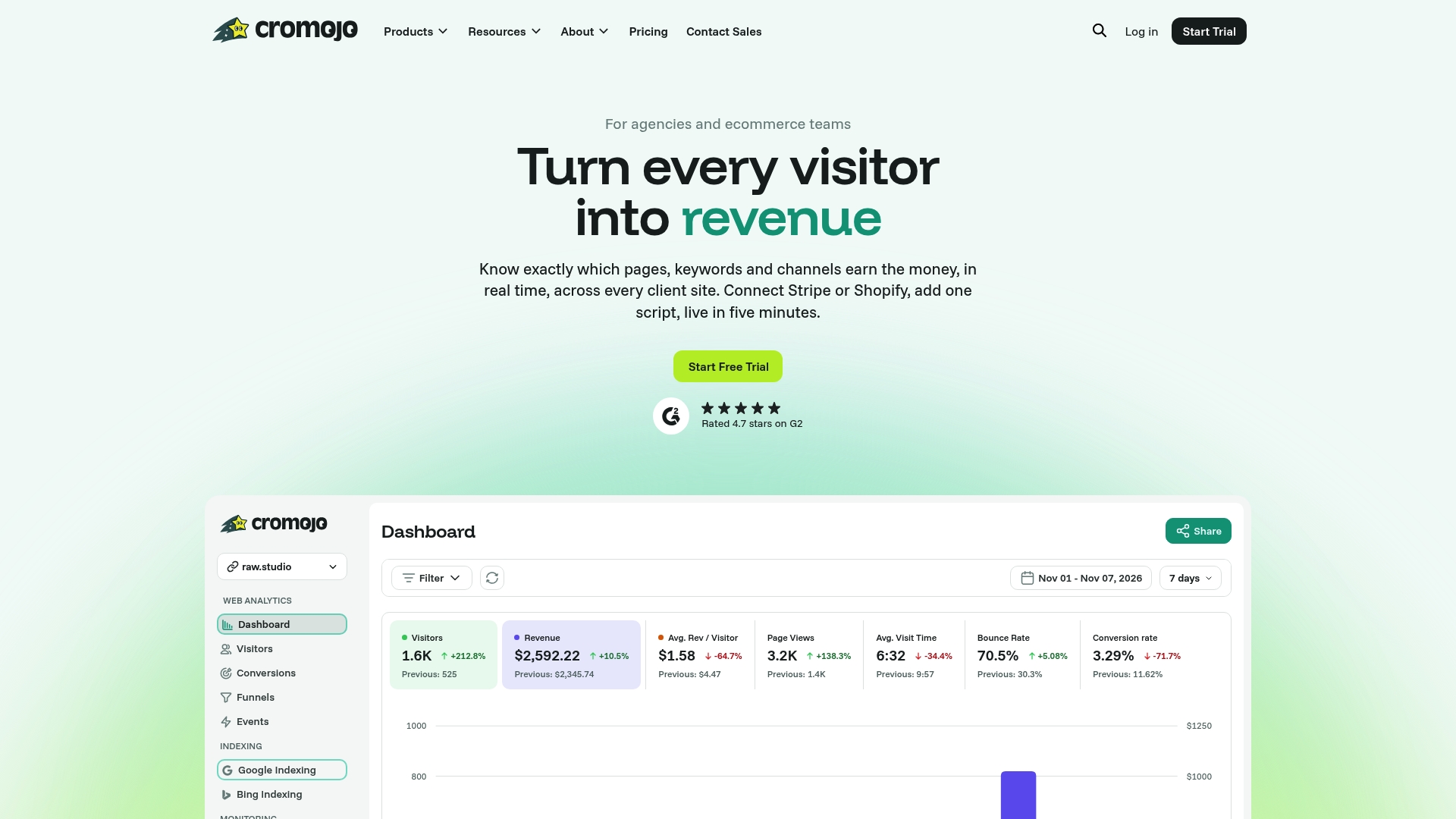
Instead of waiting on a quarterly export to find out which keywords actually paid the bills, you get revenue attribution that updates as orders come in, alongside automated site health checks so a broken checkout page doesn't quietly erase a month of qualified revenue before anyone notices. If keyword performance and site reliability currently live in separate tools, or in no tool at all, start a trial and connect your Stripe or Shopify store to see your own revenue-by-keyword breakdown inside a dashboard built for exactly this.