

Ecommerce goal tracking means two things, and you need both. First, you set a target for your store, such as revenue, orders or conversion rate for a given period. Second, you measure the events that lead to it: product views, add-to-carts, checkout starts and purchases. A goal with no measurement behind it is a wish. Measurement with no goal is a pile of charts.
This guide explains which goals to set, which events to validate, and how to review progress. Built-in integrations may reduce setup work, but custom events and checkout matching can require technical help. Keep attribution rules and measurement gaps visible.

What ecommerce goal tracking actually covers
The phrase gets used loosely, so it helps to split it into three layers.
- Business targets. Numbers you want to hit by a date: $20,000 in net sales this quarter, 450 orders in November, a 2.5% conversion rate by spring.
- Behavior goals. The actions that move a shopper toward a purchase: viewing a product, adding to cart, starting checkout, completing the order.
- Attribution. Which traffic source, page or keyword gets credit for each completed goal.
Most stores do the first layer in a spreadsheet, the second in a analytics tool they barely open, and skip the third. That is where money leaks. If you know you are 18% behind your monthly target but not why, you are guessing about the fix.
Which goals are worth setting
The pages that rank for this topic lean heavily on SMART goals: specific, measurable, achievable, relevant and time-bound. That framework is fine, as far as it goes. What matters for a store is choosing measures that connect to cash.
Start with four core goals
The numbers above are illustrations of how to phrase a goal, not benchmarks. Use your own last 90 days as the baseline and ask for a realistic step up, not a leap.
Add one goal per problem you have
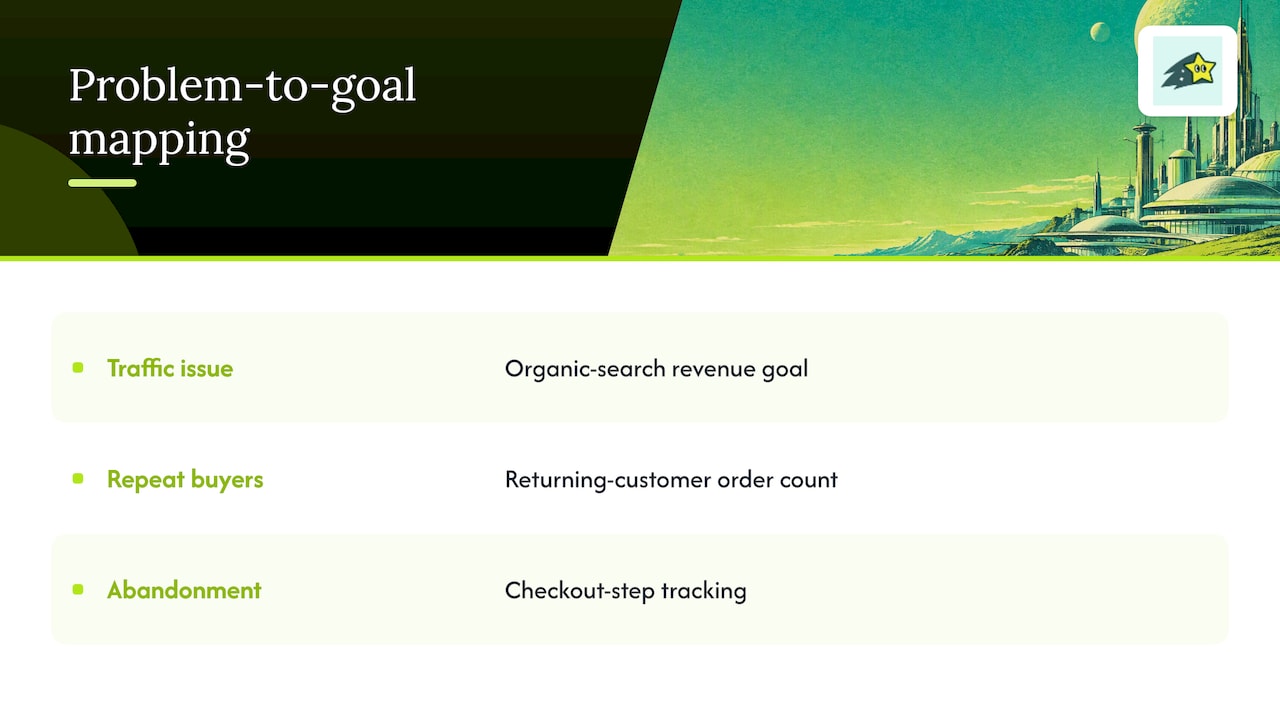
If your issue is traffic, add a goal for revenue from organic search. If your issue is repeat buyers, add a returning-customer order count. If your issue is abandonment, track checkout steps. One extra goal tied to one clear problem is more useful than a dashboard full of metrics that nobody owns.
Watch out for vanity metrics
Usability researchers at the Baymard Institute caution that teams often fixate on broad figures like total traffic or total revenue while missing the granular data that explains conversion problems. Their checkout research suggests tying your tracking to specific friction points in the journey, such as individual checkout steps. A traffic goal is fine as context. It should not be the goal.
The events you need to measure
A goal is only as good as the event behind it. In Google Analytics 4, ecommerce tracking works by recording events such as view_item, add_to_cart and purchase, each of which fires when a shopper does something on your site. If you use another analytics tool, the names may differ but the logic is the same.
For a typical store, this is the minimum set:
- Product view. Someone looked at an item.
- Add to cart. Intent is real.
- Begin checkout. The shopper committed to paying.
- Purchase. The goal you care about most, with order value attached.
- Refund. Often forgotten, and it matters for honest revenue.
Check metric scope before reconciling reports: event counts, item quantities, sessions and orders are different measures. Record refunds separately and document whether revenue is gross or net, which date and time zone apply, and how tax, shipping and currency conversion are handled.
Get the purchase event right first
If you can only fix one thing this week, fix the purchase event. Google's own tutorial lists what you need before you start: an Analytics account, a web data stream, the Google tag on your site and access to your site's source code, as described in the purchase event guide. Then test it with a real order or a test order and confirm the order value and currency arrive correctly.
Three checks save a lot of grief:
- Duplicates. Use a stable, unique transaction identifier and verify that retries or thank-you-page reloads do not create extra purchases.
- Value. Follow the event specification. For GA4 purchase value, sum item price times quantity; send tax and shipping separately, and provide currency. Reconcile like-for-like values with your order system.
- Currency. If you sell in more than one currency, confirm each order is labeled correctly.
Track the funnel, not just the finish line
Review where shoppers stop, using a consistent funnel population and ordered steps. A checkout start is an intent signal, not a commitment to pay. Drop-off can reflect usability, costs, comparison shopping or measurement gaps; investigate before choosing a fix.
Use checkout research to generate hypotheses, then verify them on your own store. Surprise costs, account requirements and form friction are potential causes, not diagnoses from the funnel chart alone.
A simple funnel review looks like this:
- Count sessions that viewed a product.
- Count those that added to cart.
- Count those that began checkout.
- Count sessions from the same eligible cohort that reached purchase in the defined sequence and time window; do not mix session counts with raw order events.
- Find the largest percentage drop between two adjacent steps.
- Form a hypothesis and choose an evaluation design, meaningful effect and observation period appropriate to your traffic. A before-and-after change alone does not establish causation.
Typical culprits at the checkout step include surprise shipping costs, forced account creation and long forms. Treat those as hypotheses to test, not conclusions. Your data will tell you which applies.
Check your pace, not just your total
A monthly revenue number on the 30th is a report card. You want a speedometer on the 10th.
Pace-based tracking converts a monthly or quarterly target into a daily one and shows whether you are ahead or behind right now. Some tools do this by forecasting from your history. For example, By the Numbers forecasts the rest of your month from your store's own sales history and draws your target on the same chart. Shopify has also added native targets: in Shopify Analytics you can set a target on metrics such as gross sales, orders or conversion rate, filter it by sales channel or product, and watch a gauge show progress and days remaining.
Whichever tool you use, apply a few habits:
- Set targets by period. Weekly for fast-moving promotions, monthly for the core number, quarterly for strategy.
- Account for seasonality. A November target and a February target should not be the same. Base each on the same period last year if you have the data.
- Review on a schedule. Ten minutes every Monday beats an hour once a quarter.
- Decide the trigger in advance. If you are more than 10% behind pace at mid-month, what will you do? Email the list, adjust ad spend, fix a page? Decide now.
Attribution: who gets credit for the sale
Hitting a revenue target measures an outcome. Attribution assigns credit under a model; it does not prove which activity caused a sale or that increasing that activity will produce the same return.
Google Analytics explains that attribution models are rules or data-driven algorithms that assign credit to touchpoints on a customer's path to a key action. Its key event attribution paths report shows the routes people take before converting. One practical side effect: with data-driven attribution, credit is spread across touchpoints, so you may see decimal values in conversion or revenue counts. That is not a bug. It is partial credit.
For a small store, a few questions are enough:
- Which channel brought the buyers who spent the most, not just the most visitors?
- Which landing pages sit at the start of paths that end in a purchase?
- Which search keywords lead to sales, as opposed to browsing?
- Which campaigns look cheap on clicks but never close?
The All channels performance report in Google Analytics is a good place to see which channels and campaigns received credit. If you need revenue tied to individual pages and keywords, you may want a tool built around revenue rather than traffic. More on that below.
A worked example: one store, one quarter
Imagine a small shop selling ceramic mugs. Over the last 90 days it made $15,000 in net sales. The owner wants $18,000 next quarter, a 20% increase. Here is how goal tracking turns that into action. The figures are invented to show the method, not real results.
- Break the target down. $18,000 over 13 weeks is about $1,385 per week. The owner puts that on a weekly check.
- Find the levers. Revenue is sessions times conversion rate times average order value. The owner reviews all three.
- Read the funnel. Many shoppers start checkout but do not finish. That is the largest drop, so it becomes the funnel goal.
- Read the sources. Email brings fewer visitors than social media but a higher share of orders. The owner decides to grow the email list before adding social spend.
- Run a planned test. Show shipping costs earlier and evaluate checkout completion using a defined sample and suitable comparison. Three weeks is illustrative, not a universal test duration.
- Review the pace every Monday. Behind by week four? Run a bundle promotion to the email list.
No single step is complicated. The value comes from doing them in order and writing the numbers down.
Our perspective on ecommerce goal tracking
We build analytics for ecommerce teams and agencies, so we see the same pattern often: the store has traffic reports and a separate sales report, and nobody can connect them. The owner knows a page gets 4,000 visits but not whether those visits ever paid.

Review purchases alongside recorded traffic, and work backward to investigate the pages and campaigns associated with them. Revenue attribution depends on tracking coverage and checkout matching; some sales may remain unmatched.
Keep collection transparent and proportionate. Cookie-free analytics does not automatically remove consent or other privacy obligations. Check identifiers, optional browser storage, retention and applicable rules for your actual setup.
Where Cromojo fits
Cromojo revenue analytics connects recorded activity with supported Stripe or Shopify purchases. Goals and funnels help investigate recorded behaviour. Organic keyword revenue is estimated from Search Console click share, rather than matched directly to individual buyers.
Check current feature access, usage limits and supported integrations on the pricing page. For help turning findings into experiments, review Conversion Optimization Services and confirm current scope and fees.
Search visibility is one acquisition input; an unindexed page can still receive direct, referral or paid visits. Review indexing workflows and site health alongside goal data. URL submission does not guarantee indexing or rankings.
Common mistakes to avoid
- Too many goals. If everything is a goal, nothing is. Keep a short list.
- Goals without a date. "Grow revenue" is a hope. "$18,000 by December 31" is a goal.
- Counting the wrong thing. Mixing transactions with purchases, or including refunds in revenue, leads to false confidence.
- Changing five things at once. You will not know what worked.
- Ignoring mobile. Compare conversion by device. A healthy desktop rate can hide a broken mobile checkout.
- Never revisiting targets. If you hit a goal in week three, raise it. If you miss by half, check whether the goal or the tracking is wrong.
A simple setup checklist
- Write down three to five goals with numbers and dates.
- Confirm view, add-to-cart, checkout and purchase events fire correctly.
- Test a real order and compare the value in your analytics to your payment processor.
- Build a funnel that shows each step and the drop between them.
- Add revenue by channel, page and keyword to your weekly view.
- Pick a recurring time to review pace and decide on one change.
- Revisit the goals at the end of each quarter.