


The best ecommerce segmentation tool is the one that matches the question you need answered and the engineering time you actually have. For most small and mid-sized stores, that means one of three types: your platform's built-in segments (Shopify), an email and SMS platform with behavioral segments (Klaviyo, Maestra), or a revenue analytics tool that shows which visitor groups produce sales (Cromojo). Enterprise stacks add customer data platforms on top.
This guide sorts the main options by job, shows where each one is strong, and gives you a checklist to choose without regretting it in a year.
What ecommerce segmentation tools actually do
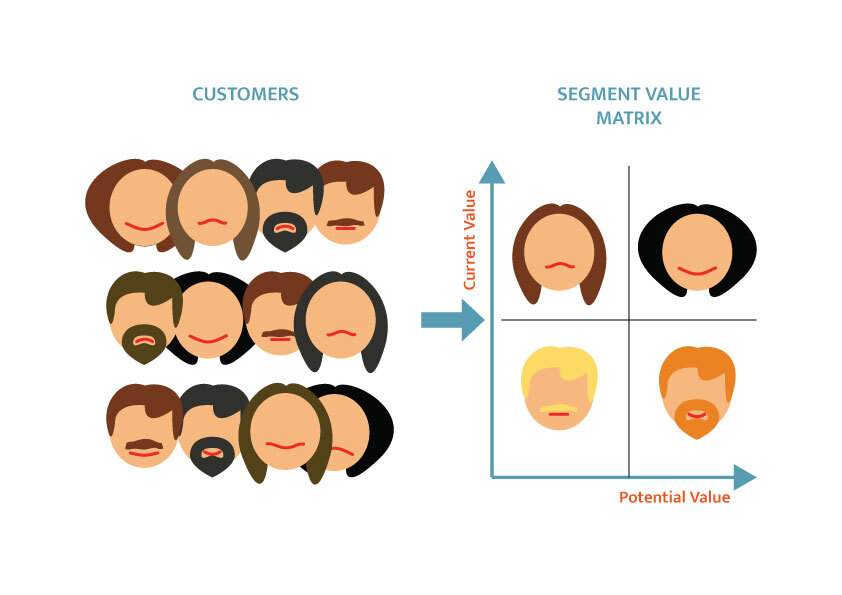
Segmentation means splitting shoppers or visitors into groups that behave alike, so you can treat them differently. The groups can be built from purchase history (repeat buyers, high spenders), behavior (viewed a product three times, abandoned a cart) or acquisition (organic search, paid social, a specific campaign).
The confusion starts because "segmentation tool" covers three separate product categories:
- Customer segmentation for messaging. You build a list and send something: an email, an SMS, an onsite offer. Klaviyo, Maestra and Insider sit here.
- Visitor and revenue segmentation for analysis. You slice traffic and sales to learn which groups are worth acquiring. Analytics tools, including Cromojo, Mixpanel and Amplitude, sit here.
- Data infrastructure. Customer data platforms such as Segment collect and route data to other tools. They matter most when you have a data team.
These categories overlap. Some messaging platforms include attribution and analytics, while some analytics products can sync audiences. Verify the workflow and plan rather than assuming a category cannot perform an adjacent job.
How we compared the options
We judged each tool on criteria that tend to decide whether a segmentation project survives:
- Job fit: messaging, analysis or infrastructure.
- Setup effort: whether a non-technical owner can run it.
- Data freshness: real-time or batch.
- Privacy approach: consent and cookie requirements.
- Cost shape: what grows the bill (profiles, pageviews, sends).
This is a practical shortlist by use case, not a universal ranking or a hands-on benchmark of every platform. Setup effort depends on your existing data and integrations. Validate a real workflow during a trial rather than selecting by feature count alone.
Comparison at a glance
Shopify's built-in segments: the free starting point
Before buying a tool, open your Shopify admin. It includes default customer segments and templates that you can edit, and you can build your own by combining filters, operators and values in the segment editor, which uses ShopifyQL.
Strengths: no cost beyond your plan, no integration, and it works on data Shopify already holds.
Limits: it segments customers, not anonymous visitors, and it will not tell you which keyword or landing page brought a segment in. If your question is "who bought twice?", it is enough. If it is "which channel brings buyers who buy twice?", you need more.
Klaviyo: segmentation built for email and SMS
Klaviyo combines customer profiles and behavioural segments with messaging workflows. Its current pricing page offers a free entry tier and configurable paid options. Model your actual profile count, channels, sends and add-ons rather than relying on a single starting price.
Strengths: deep event-based segments and tight messaging workflows.
Watch for: profile identification, event capture and consent configuration affect which activity is available for segmentation. Check how your integration handles identified and anonymous activity, suppression and permission to send messages.
Maestra and Insider One: heavier marketing automation
Maestra and Insider One are options for teams evaluating cross-channel marketing automation and personalisation. Confirm supported channels, integrations, refresh behaviour and implementation scope directly with each vendor. Vendor rankings are commercial comparisons rather than independent performance tests.
Use a trial or demonstration built around your own store data. A platform's ranking in a roundup does not establish that it is the strongest fit for your team.
Strengths: wide channel coverage, personalization across email, SMS, web and app.
Watch for: implementation time and cost. Enterprise-grade platforms such as Bloomreach require significant development investment that can overwhelm smaller teams. Match the tool to your engineering capacity today, not your hoped-for size in three years.

Segment, Amplitude and Mixpanel: for teams with analysts
These tools are powerful for event-level analysis and routing data, and they make sense when someone owns tracking plans and queries. For a five-person store, the setup and the learning curve can outweigh the benefit. They are worth considering once your questions outgrow a dashboard, not before.
Cromojo: segments tied to revenue
Cromojo connects recorded activity to supported Stripe and Shopify purchases. Explore attributed revenue by page, source and campaign; organic keyword revenue is estimated from Search Console click share. Coverage depends on tracking and checkout matching. See how revenue attribution works.
What that means for segmentation:
- Revenue Analytics: compare attributed sales with traffic and distinguish organic keyword estimates from directly recorded campaign data.
- Check the supported filters, funnels and journeys against your use case and current plan.
- Test end-to-end freshness: traffic reporting, purchase ingestion, segment membership and downstream messaging can update on different schedules.
- Cookie-free analytics is the default; optional returning-visitor recognition uses cookies and browser storage. Assess the actual configuration and applicable privacy rules.
- Goal tracking and email reports deliver insights without needing a technical background.
Cromojo is not an email or SMS sender. It tells you where to put your effort and budget, and you then act through whichever channel you prefer. Many teams pair an analytics tool with a messaging tool: one decides who is worth pursuing, the other reaches them.
What it costs
Compare current tiers and usage limits on the Cromojo pricing page. Model tracked sites, pageviews, feature access and any additional usage before choosing a plan.
Our perspective: segment by revenue before you segment by persona
Most segmentation advice starts with personas and demographics. In our experience building revenue analytics, that order is backwards for small and mid-sized stores. A segment is only useful if you know what it is worth.
Here is what we see repeatedly. A store has a dozen segments, each named and neatly defined, and no idea which of them pays the bills. Traffic reports say social is the biggest source. Revenue attribution says a handful of search keywords and two product pages account for most sales. The effort goes to the wrong place because the segments were built on visits, not on money.

Start with a revenue question, select a small number of actionable groups, then trial the analysis or messaging workflow you need. Keep attributed sales separate from causal proof and verify that consent and retention settings match how you collect and use data.
We also think teams should be cautious with big feature lists. A segmentation setup you can read in a dashboard each Monday beats an elaborate one nobody opens.
Pitfalls that sink segmentation projects
Batch processing delays
Many lower-tier tools update segments in batches. If a tool takes hours to refresh, you can message customers who have already bought. Ask any vendor how fast a purchase changes a segment, and whether performance holds as your list grows.
Messy definitions
Segments fall apart when channels define "active" or "lapsed" differently. Twilio's guidance stresses that first-party data collection needs a consistent plan across your site. Write down your definitions (for example, "lapsed = no order in 120 days") and name events consistently before you automate anything.
Buying features, not integration
Bloomreach's Michael Lee argues the most common selection error is choosing the vendor with the largest feature list over the one that fits your existing data layer. Check the integrations you need (Shopify, Stripe, Search Console) before the AI features.
Ignoring consent
Review identifiers, browser storage, event collection, messaging permissions and data retention in the actual implementation. First-party or cookieless labels do not by themselves establish that consent is unnecessary. Use current regulator guidance and appropriate privacy advice for the markets you serve.
Segmentation and search visibility
Review search visibility alongside segment performance, without assuming organic visitors are always the most valuable group. Check your store data. Cromojo's Automated Indexing and Website Monitoring support discovery and site-health workflows; submissions do not guarantee indexing or rankings.
How to choose: a short decision guide
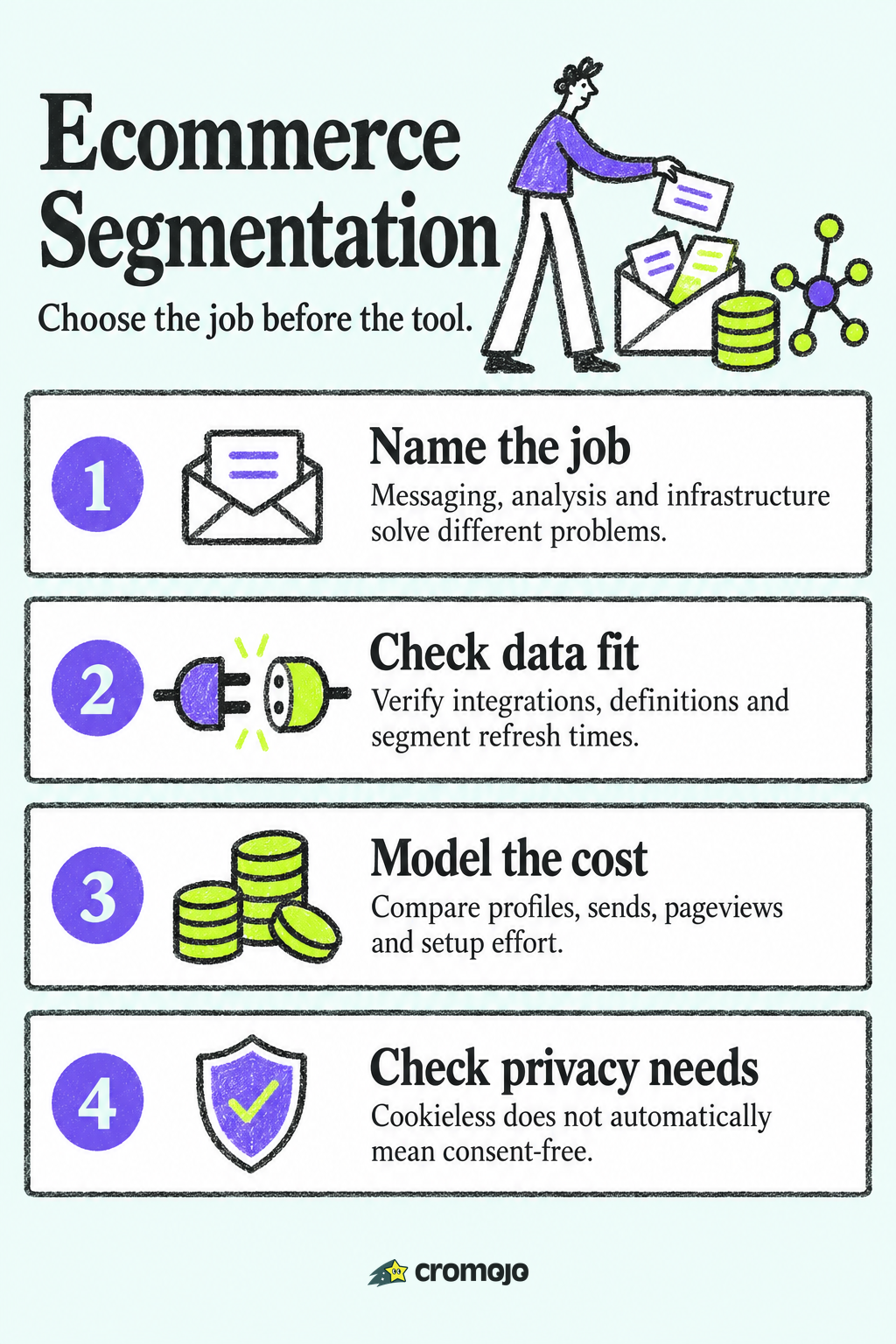
- Name the job. "Send better emails" points to Klaviyo or Maestra. "Know which channels and pages earn money" points to Cromojo. "Unify data from many systems" points to a CDP.
- Count your technical capacity. No developer means a light script and ready integrations.
- Check freshness. Ask how quickly a purchase changes a segment.
- Price the growth. Profiles, sends and pageviews scale differently. Model next year's volume.
- Audit your data. Fix naming and definitions first.
- Run a trial. Judge the tool on one real question from your own store.
Try revenue-based segments in Cromojo
Trial one revenue question with your own store before committing. Compare current plans on the pricing page, and review Conversion Optimization Services if you need help turning findings into experiments.








