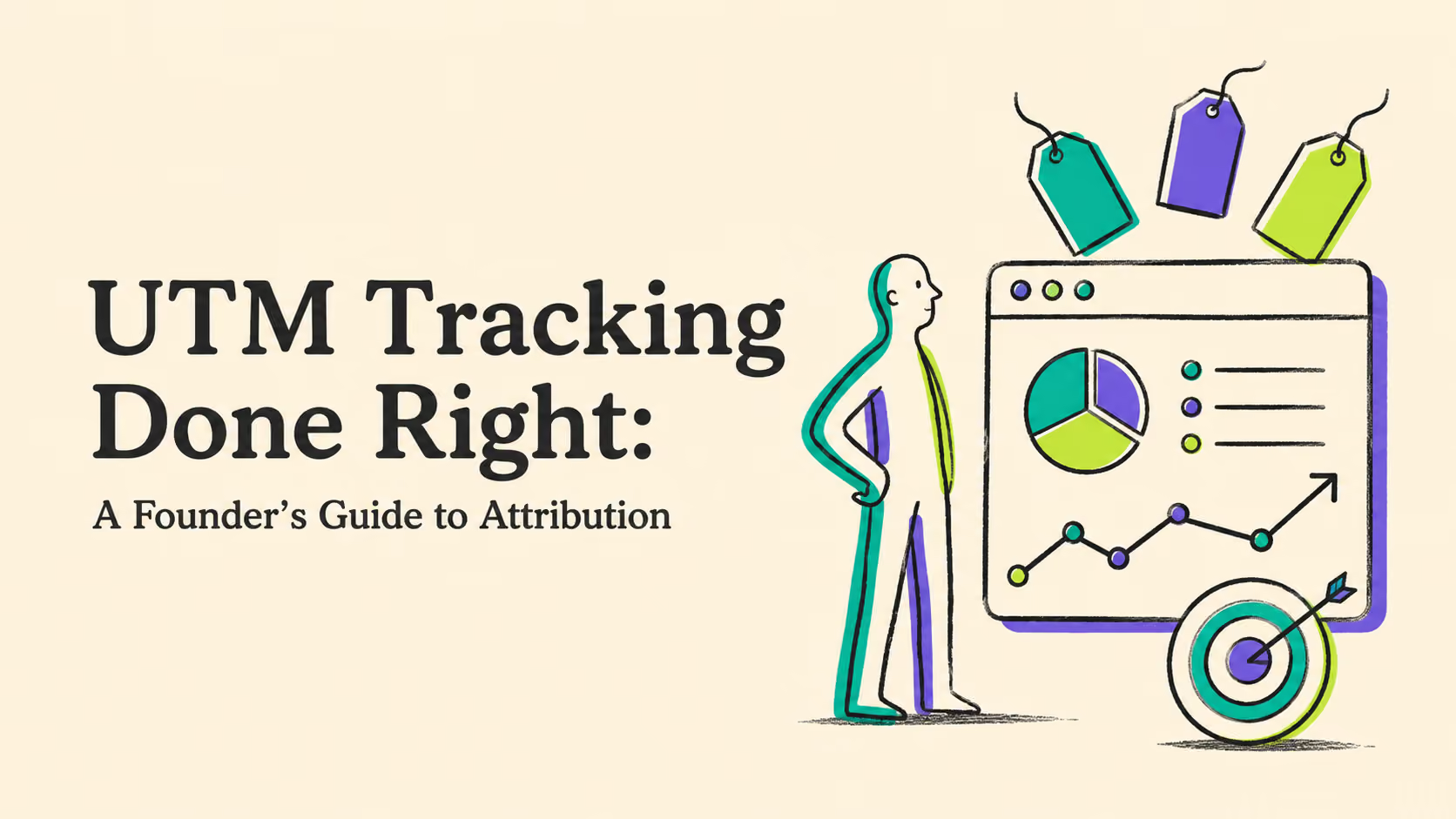

A UTM is just a small piece of information added to the end of a URL. It looks simple, and technically, it is.
The trouble starts when five people on the same team name the same campaign five different ways.
One person uses Facebook. Another uses facebook. Someone else writes fb-paid, while an agency calls it paid_social. Six months later, what should have been one clean campaign report has turned into a collection of almost identical rows.
That is why good UTM tracking is less about adding parameters to a link and more about creating a system people can actually follow.
And even perfectly organized UTMs only take you so far.
The real question is not which campaign generated a click?
It is which campaign generated revenue?
That is where attribution becomes useful to a founder.
Key Takeaways
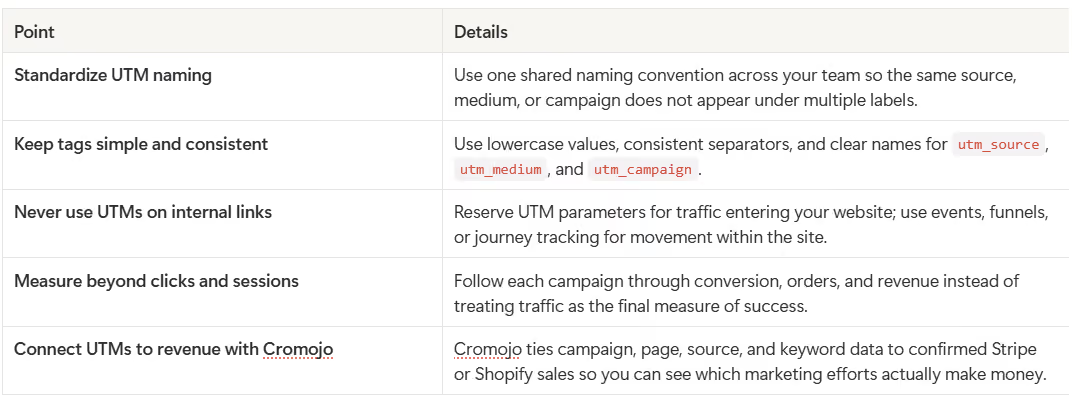
UTM tracking works best when every campaign follows one consistent naming system and the data is connected beyond clicks and sessions to actual revenue.
What Is a UTM?
UTM stands for Urchin Tracking Module, a name inherited from the analytics software Google acquired years ago.
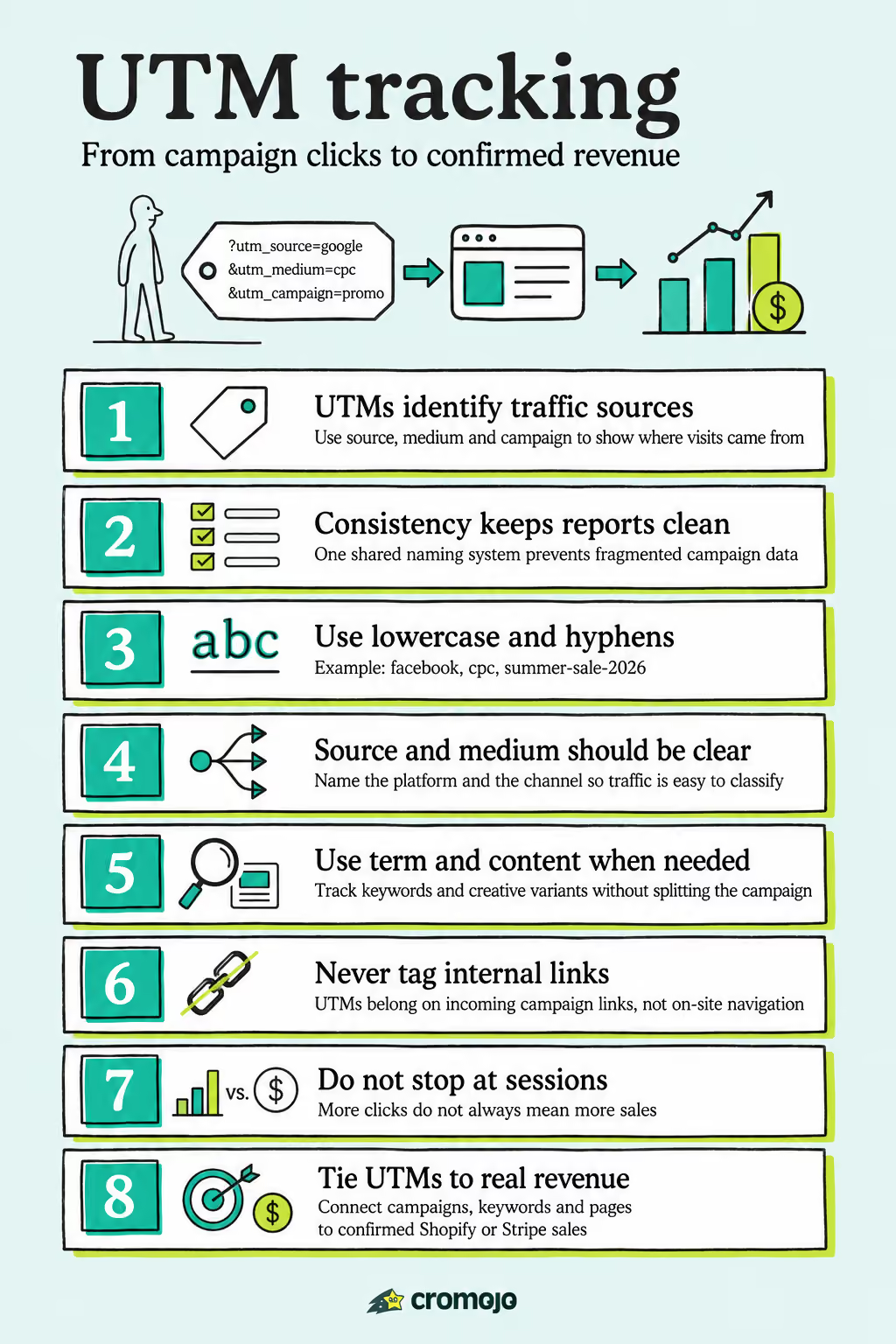
Today, a UTM is simply a set of parameters added to a URL so analytics tools can understand where a visitor came from.
The five standard parameters are:
utm_sourceutm_mediumutm_campaignutm_termutm_content
You do not need all five on every link.
For most campaigns, source, medium, and campaign are enough.
A URL might look like this:
yourstore.com/product?utm_source=google&utm_medium=cpc&utm_campaign=summer-sale-2026
Now, instead of simply knowing that someone visited the product page, your analytics system can tell that the visitor came from Google, through a paid campaign, as part of your summer sale.
That distinction matters.
Without clean campaign tagging, traffic can end up grouped under broad or misleading categories such as direct or referral traffic. Once that happens, it becomes harder to tell which marketing activity actually deserves credit.
For a deeper look at how to structure your tags across an entire team, Cromojo has a dedicated guide to UTM naming conventions.
A UTM Naming Convention That Still Makes Sense Six Months Later
The biggest UTM problem is usually not technical.
It is inconsistency.
Consider these three campaign names:
summer_sale
Summer-Sale
summer-sale-2026
A person can immediately see that they probably refer to the same campaign. Your reporting system may not treat them that way.
The safest approach is to decide on a naming convention before campaigns start going live and make everyone use it.
Here is a simple structure that works well.
Use lowercase everywhere
Stick to lowercase values:
facebook
not:
Facebook
or:
FACEBOOK
This removes one of the easiest ways to accidentally split your data.
Use hyphens consistently
Use:
summer-sale-2026
rather than:
summer sale 2026
Spaces can be encoded inside URLs, which makes links and reports harder to read.
The important thing is not that hyphens are magically better than every alternative. It is that your team chooses one standard and follows it consistently.
Make utm_source identify where the traffic came from
Examples include:
google
facebook
linkedin
partner-name
weekly-newsletter
Try to avoid broad labels that tell you very little about the actual source.
Make utm_medium describe the channel
Common examples include:
cpc
email
social
affiliate
This gives you a second layer of classification. Google might be the source, for example, while CPC is the medium.
Make utm_campaign specific enough to recognize later
Use:
summer-sale-2026
instead of:
sale
Imagine opening the report a year from now. The campaign name should still make sense without someone having to explain what it meant.
Use utm_term when you need keyword-level detail
This is especially useful for paid search campaigns where you want to distinguish traffic associated with particular keywords.
And once you start measuring performance at that level, the next question is whether those keywords actually convert. Cromojo’s guide to keyword conversion rate goes further into connecting keyword traffic with business results.
Use utm_content to distinguish creative variants
If two ads belong to the same campaign but use different headlines, images, or calls to action, utm_content can separate them.
For example:
utm_content=video-demo
and:
utm_content=product-image
Now you can compare the creative without creating a completely different campaign name.
The important part is to write these rules down.
A simple shared document or UTM builder used by the whole team is far more valuable than a sophisticated naming system nobody remembers.
The UTM Mistakes That Create Bad Data
UTMs are easy to create, which also makes them easy to misuse.
Three mistakes cause most of the problems.
1. Different people use different naming systems
Your in-house marketer uses facebook, your agency uses meta, and a freelancer uses fb.
Technically, all three links work.
From a reporting perspective, however, you now have three sources for what may be the same channel.
The solution is simple: maintain one naming reference and give everyone who creates campaign links access to it.
Cromojo’s UTM naming convention guide covers how to turn that into a repeatable governance process rather than relying on people to remember the rules.
2. UTMs are added to internal links
This is an easy mistake to make.
Suppose someone arrives through a Google Ads campaign, lands on your homepage, and then clicks an internal link to your pricing page.
If that internal link has its own UTM parameters, some analytics setups may treat those new values as a fresh campaign and overwrite the visitor's original acquisition information.
You have just replaced useful attribution data with your own internal navigation.
Use UTMs for campaign links bringing people into your website, not for tracking how they move between pages once they are already there.
Use events, funnels, or journey tracking for internal behavior instead.
3. The reporting stops at the click
This is the most important mistake.
You tag a campaign.
The campaign generates 400 sessions.
The dashboard shows traffic going up.
Everyone is happy.
But did anyone buy?
Traffic is an intermediate metric. Revenue is the outcome.
A campaign that sends 1,000 visitors and generates no sales may be less valuable than one that sends 150 visitors and produces 20 customers.
If your attribution ends when someone reaches the website, you only know who arrived. You still do not know which marketing activity actually made money.
[Image: UTM-tagged click → session → checkout → purchase, with traditional tracking stopping before confirmed revenue]
Where Does UTM Tracking Usually Break Down?
Usually at the handoff between the visit and the transaction.
The UTM successfully tells you:
This visitor came from Campaign A.
Your ecommerce or payment system successfully tells you:
Someone just purchased for $180.
The difficult part is connecting those two pieces of information reliably.
When traffic data lives in one analytics platform and transaction data lives somewhere else, teams often end up exporting reports, matching dates, comparing dashboards, and trying to work out which campaign deserves the sale.
That process becomes increasingly fragile as traffic grows.
It is also a good example of the broader problem with analytics: dashboards can contain plenty of data while still leaving the most important business question unanswered.
The goal should be a continuous path:
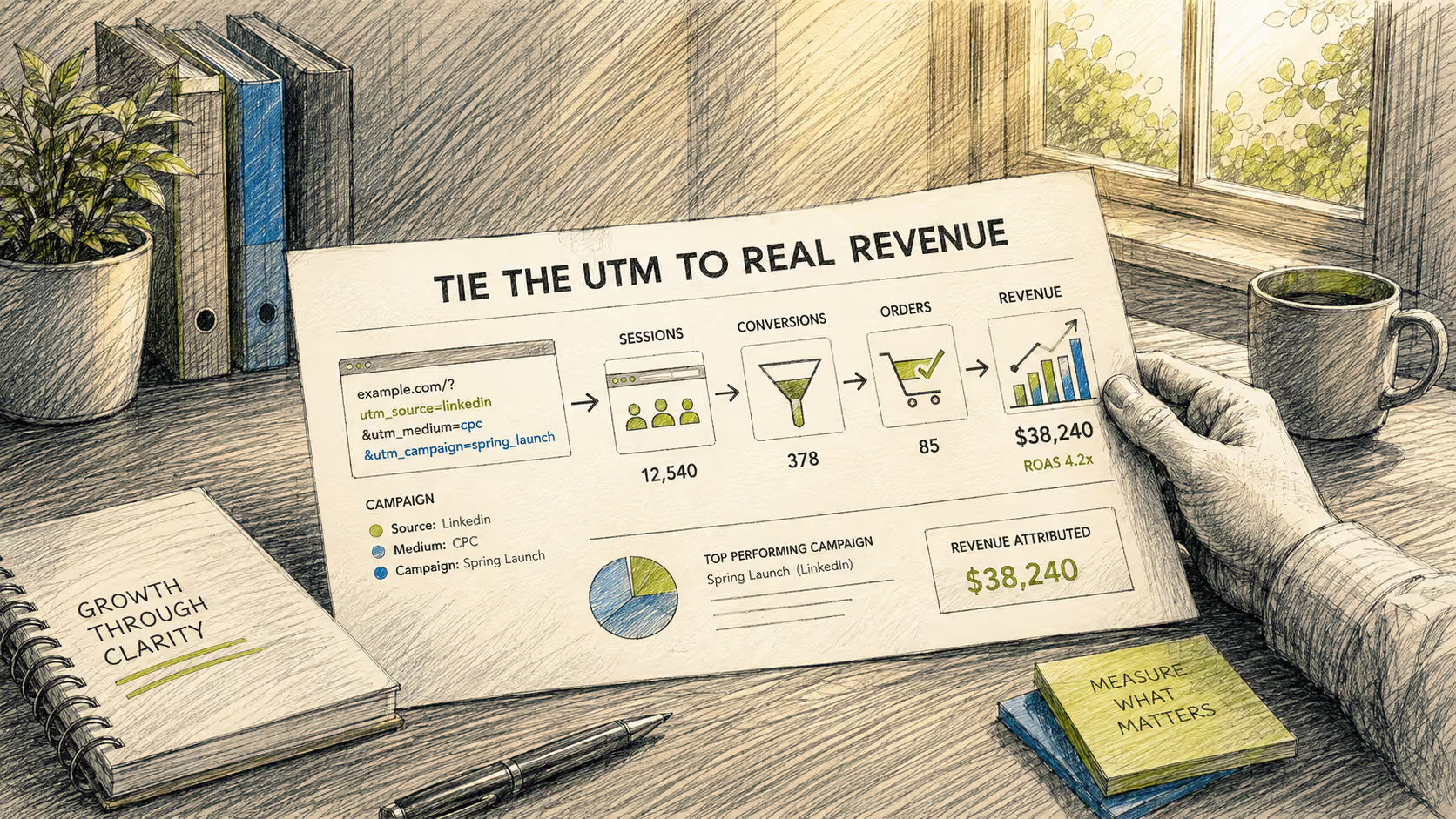
Campaign → visit → behavior → conversion → confirmed revenue
That is also why first-party measurement has become more important. Cromojo’s guide to first-party analytics explains how first-party and cookieless approaches can create a cleaner foundation for attribution while reducing dependence on traditional browser cookies.
The Step That Matters: Tie the UTM to Real Revenue
This is where UTM tracking becomes much more useful.
Cromojo connects traffic and campaign data with confirmed transactions from Stripe or Shopify.
Instead of a report ending with:
Campaign A generated 400 sessions.
you can move toward the question a founder actually cares about:
Campaign A generated 400 sessions, 12 orders, and $X in confirmed revenue.
That changes how you evaluate marketing.
A high-traffic campaign is no longer automatically a good campaign.
A keyword with fewer clicks may turn out to generate more revenue.
A newsletter that looks average based on sessions may actually produce your highest-value customers.
A paid campaign that appears successful at the top of the funnel may turn out to generate very little revenue.
That is the difference between traffic attribution and revenue attribution.
For Shopify stores specifically, Cromojo’s Shopify conversion tracking guide explains why order totals and advertising-platform conversion numbers often differ and how to build a more reliable tracking setup.
What About Revenue at the Keyword Level?
Campaign attribution is useful, but founders often need to go further.
Imagine two paid-search keywords:
- Keyword A generates 2,000 clicks and 10 sales.
- Keyword B generates 500 clicks and 15 sales.
If you optimize mainly around traffic, Keyword A looks stronger.
If you optimize around revenue and conversion, the picture changes.
That is why keyword-level attribution matters. Traffic tells you what people found. Revenue tells you what actually contributed to the business.
Cromojo connects search and traffic data with Stripe or Shopify revenue so pages, sources, campaigns, and keywords can be evaluated against actual sales rather than clicks alone.
The same principle applies to organic search. Ranking first is useful, but a keyword that ranks fifth and repeatedly generates paying customers may deserve more attention than a high-volume keyword that produces thousands of visits and almost no revenue.
How Do You Choose an Attribution Model?
Once your UTMs are clean and your revenue data is connected, another question appears:
Who gets credit when a customer interacts with several campaigns before buying?
Consider this journey:
Google search → blog article → Instagram ad → email → purchase
Which channel caused the sale?
There is no single answer that works for every business.
A first-click model gives the credit to the source that introduced the customer.
A last-click model gives the credit to the final touchpoint before the purchase.
A multi-touch or time-decay model distributes credit across several interactions.
Each model answers a slightly different question.
For an early-stage business with a relatively short buying journey, a simpler model may be enough. As the customer journey becomes longer and more complex, looking at multiple touchpoints can reveal contributions that last-click reporting hides.
Cromojo’s guide to revenue-focused user journey mapping compares several attribution approaches and explains when each one becomes useful.
[Image: Bar chart comparing campaign sessions with attributed revenue, showing that the highest-traffic campaign is not necessarily the highest-revenue campaign]
A Simple UTM Workflow for Your Next Campaign
You do not need to rebuild your entire analytics setup overnight.
Start with your next campaign.
Before creating the links, decide on your naming rules.
For example:
Source: linkedin
Medium: social
Campaign: founder-guide-2026
Content: carousel-a
Then generate every link using the same structure.
Before launch, check capitalization, spelling, and campaign names. Make sure the same campaign is not appearing under several slightly different labels.
Once traffic starts coming in, do not stop at the session report.
Follow the campaign through to conversion and revenue.
That is the point where UTM tracking stops being administrative housekeeping and starts helping you make better decisions.
From “Who Clicked?” to “What Made Money?”
UTMs are not complicated.
Keeping them useful is.
A good UTM system gives your team one shared language for campaigns. It prevents fragmented reports, makes comparisons easier, and gives you a reliable starting point for attribution.
But tagging links is only the first half of the job.
The real value comes when you can connect that campaign to what happened afterward: what visitors did, whether they converted, and how much revenue they produced.
That is the number you can actually use when deciding where the next marketing dollar should go.
Want to see which campaigns, pages, and keywords are actually producing revenue? Talk to Cromojo and connect your traffic data with real Stripe or Shopify sales.