
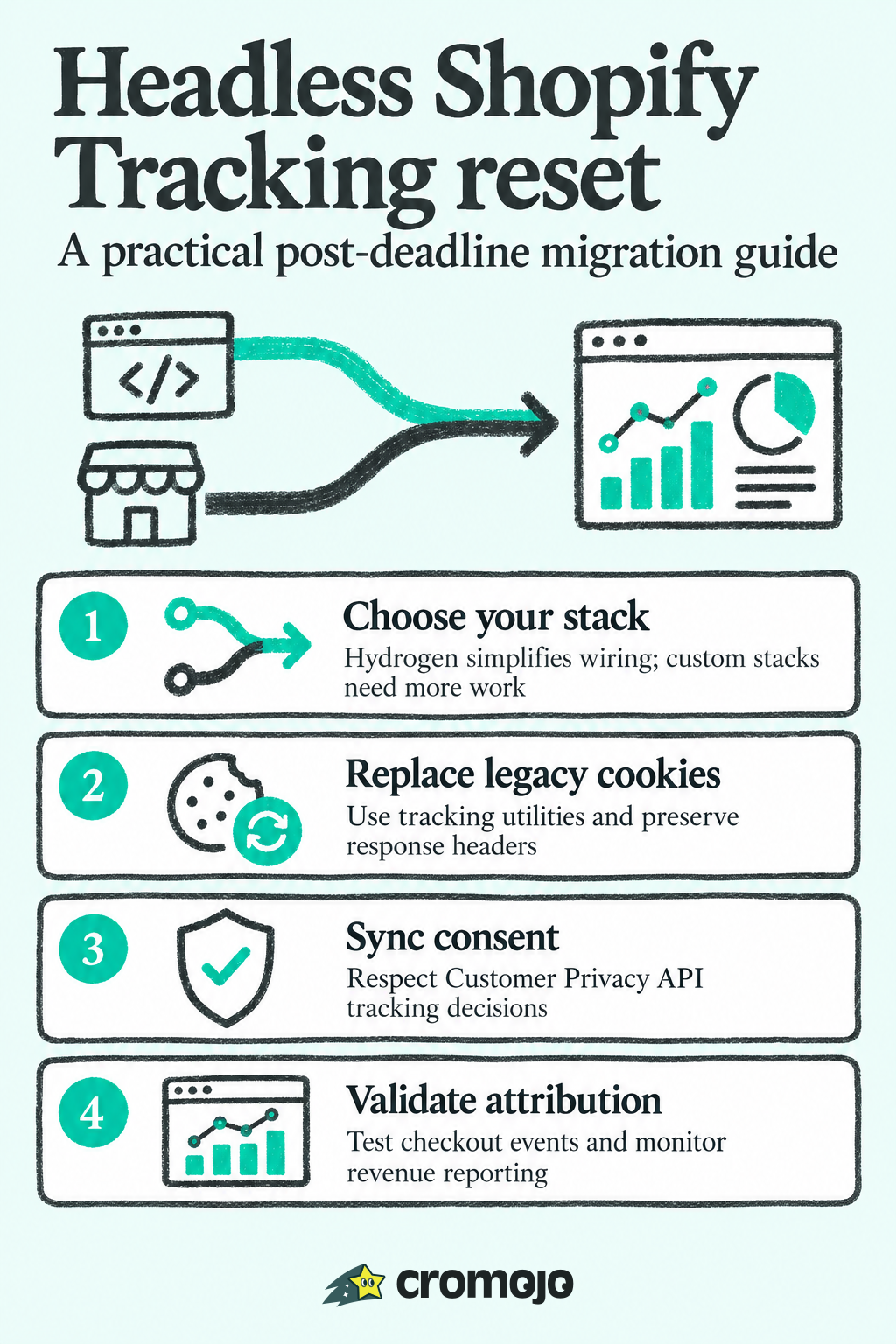
The April 30, 2026 deadline in Shopify's analytics migration guide has passed. If your headless storefront still reads _shopify_y and _shopify_s directly, prioritize the migration and validate visitor and session attribution. Use Hydrogen's Analytics utilities where possible; on a custom Next.js, Remix, or other React storefront, implement the consent, tracking-token, and event wiring your stack requires. This guide walks through both paths and the checks to run after cutover.
1. Hydrogen's built-in analytics setup
Hydrogen gives you a working analytics layer out of the box, which is why we'd default to it whenever the project allows. The pattern starts in your root loader: return shop via getShopAnalytics, including your checkoutDomain and storefrontAccessToken.

From there, wrap your app in <Analytics.Provider> and feed it cart, shop, and consent props. Shopify's own guidance frames this as the lowest-maintenance path for headless storefronts because the provider handles cookies, consent gating, and event dispatch internally.
A few details matter once the provider is wired in:
- Add
<Analytics.ProductView>and similar subcomponents on pages where you want granular event tracking beyond the default pageview. - Call
useCustomerPrivacy()when you need to read or sync consent state for third-party tools. - Call
useAnalytics()to subscribe to events your app fires, useful for mirroring data into your own systems. - Set
withPrivacyBanner: truein your consent config if you're using Shopify's native cookie banner rather than a separate consent manager. - Override
canTrackonly when you have a specific reason; the default respects the Customer Privacy API decision.
If you're deploying outside Oxygen, use createRequestHandler or adapt your request pipeline so storefrontHeaders and the Web Fetch API flow through correctly. Skipping this step is a common reason tracking tokens silently fail to persist on non-Oxygen hosts.
Pro Tip:Start every new Hydrogen project with the Analytics.Provider wired in before you build out cart or checkout logic. Retrofitting consent and tracking after the fact is more work than configuring it upfront.
2. Reproducing analytics in a custom React stack
Running your own Next.js or Remix frontend means you lose the free tracking layer the Shopify theme and Hydrogen both give you. You have to rebuild it piece by piece, and the order you do this in matters.
- Set up a same-origin Storefront API proxy, or configure
createStorefrontClientwithstorefrontHeaders, so HTTP-only cookies and server-timing headers actually reach the browser. - Call a lightweight
useShopifyCookiesequivalent once near app boot, gated behind consent, to set the cookies Shopify's tracking expects. - Use
getClientBrowserParametersandsendShopifyAnalytics(or replicate their payload structure) to emit pageview and cart events in the format Shopify's reporting expects, as described in the hydrogen-react utilities documentation. - Hook your router's
routeChangeComplete(or equivalent navigation event) to fire a pageview on every route transition, not just the initial load. - Test against a real domain or an ngrok tunnel rather than localhost, since add-to-cart attribution and cookie behavior won't resolve correctly on
localhost.
Pro Tip:Build a small internal dashboard that logs every outgoing analytics payload during development. It saves hours compared to digging through the network tab every time an event looks wrong.
3. Consent, the Customer Privacy API, and your cookie banner
None of this tracking fires without consent, and that catches a lot of teams off guard during QA. If hasUserConsent is false, Shopify's analytics documentation is explicit that no analytics events get published, so a "broken" integration is often just a consent state nobody configured.
Here's what to check:
- Enable the cookie banner in Admin under Settings, then Customer Privacy, then Cookie banner, and pass
withPrivacyBanner: truein your Analytics.Provider consent config. - If you're running a third-party consent management platform instead of Shopify's banner, sync its decisions to Shopify using
customerPrivacy.setTrackingConsent, called throughuseCustomerPrivacy()in Hydrogen, following the third-party consent integration pattern. - When using a custom Storefront API proxy, pass
sameDomainForStorefrontApi: truewhere your setup requires it, so cookies get set on the correct domain. - Build your test accounts and QA scripts around granting consent explicitly. Testing with consent denied by default will make a correctly built integration look broken.
4. Migrating off _shopify_y and _shopify_s after the deadline
Shopify's migration guide lists April 30, 2026 as the date it would stop setting _shopify_y and _shopify_s. That deadline has passed. Integrations that still read these cookies directly risk inaccurate visitor and session attribution; migrate the tracking layer and validate reporting rather than relying on the legacy values.
The replacement is getTrackingValues(), which reads uniqueToken and visitToken from server-timing headers instead of cookies, as detailed in the Hydrogen utilities reference. uniqueToken takes over the role _shopify_y played, and visitToken replaces _shopify_s.
- Run
shopify hydrogen upgradeif you're on Hydrogen, and review the generated diff for request handler changes. - On non-Oxygen hosts, confirm your request pipeline preserves server-timing headers, since
getTrackingValuesfalls back to the deprecated cookies when headers aren't available. - After migrating, check for
produce_batchevents in your network logs and inspectcustom_storefront_customer_trackingpayloads to confirm the new tokens are populating correctly. - Flag this migration to anyone who owns attribution reporting. A silent fallback to missing cookies will not throw an error, it will just quietly degrade your session data.
The deadline has passed: treat an unmigrated integration as an attribution risk. Validate new events and tokens after cutover; this migration guide does not promise that previously missing attribution can be recovered.
5. Wiring up search tracking for Shopify reporting
Search behavior does not show up in Shopify's reporting automatically in a headless setup, you have to publish it yourself.
- Extract
trackingParametersfrom the Storefront API'ssearchorpredictiveSearchresponses, and append those parameters to your result links. - Dispatch a
shopify:search:updateevent carrying the query, active filters, and sort order, resolving its promise with the results'totalCount, following the search tracking documentation. - Confirm you're on Storefront API version 2023-07 or later, since
trackingParametersisn't available on earlier versions. - Listen for the dispatched event in your analytics layer the same way you'd listen for a pageview, and let it feed the same reporting pipeline.
Done correctly, this search activity appears in Shopify Admin reporting the same way it would for a standard theme storefront.
6. Validating your setup and catching silent failures
Most headless analytics problems are network problems, not logic problems, so start there before you start rewriting code.
- Inspect requests going to
monorail-edge.shopifysvc.comand confirm you're getting 200 or 207 responses rather than silent failures, per Shopify's validation guidance. - Check that your cookie domain is consistent between your storefront and your checkout. A mismatch here is one of the most common causes of lost sessions, and a leading-dot domain often fixes cross-subdomain issues.
- Confirm your Content Security Policy allows calls to the Customer Privacy API, and that your Storefront API proxy isn't stripping server-timing headers on the way through.
- Reproduce a full add-to-cart flow with source maps enabled and confirm it emits a
produce_batchevent, then cross-check the same session in Shopify's Live View.
Pro Tip:Keep a dedicated test customer account with consent explicitly granted, and run your full validation checklist against it after every deploy that touches routing, cookies, or the Storefront API proxy.
7. Migration trade-offs and a sane rollout plan
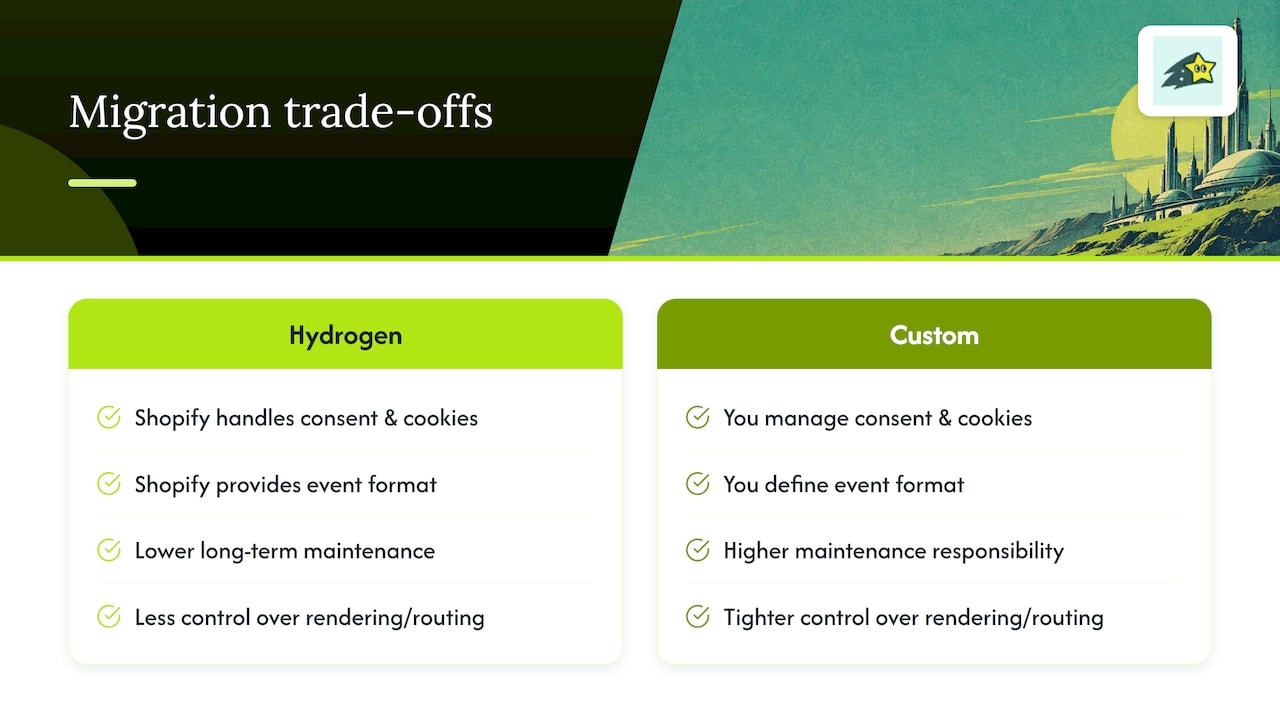
We'd lean toward Hydrogen whenever the project allows it. It carries lower long-term maintenance because Shopify owns the consent wiring, the cookie behavior, and the event format, and keeps them current as policies shift. A fully custom stack still makes sense when you need tighter control over rendering or routing, but budget real time for validation, because you're now responsible for every piece Hydrogen would have handled for you.
Whichever path you take, stage the rollout: validate in development, push to a small percentage of production traffic, watch Live View and your conversion funnels closely, then cut over fully. Test against real domains rather than localhost, record baseline metrics before you flip the switch, and watch revenue attribution closely for the first 72 hours after cutover. That window is where cookie domain mismatches and missed consent states tend to surface.
, Philippe
When it makes sense to skip the plumbing with Cromojo
Building and maintaining this tracking layer is real engineering work, consent sync, token migration, event parity, ongoing validation, and it never really stops once Shopify changes something upstream. If your priority is fast, reliable revenue visibility rather than owning every piece of that pipeline, our Revenue Analytics product gives you real-time revenue attribution by page, keyword, and channel with a direct Shopify integration.
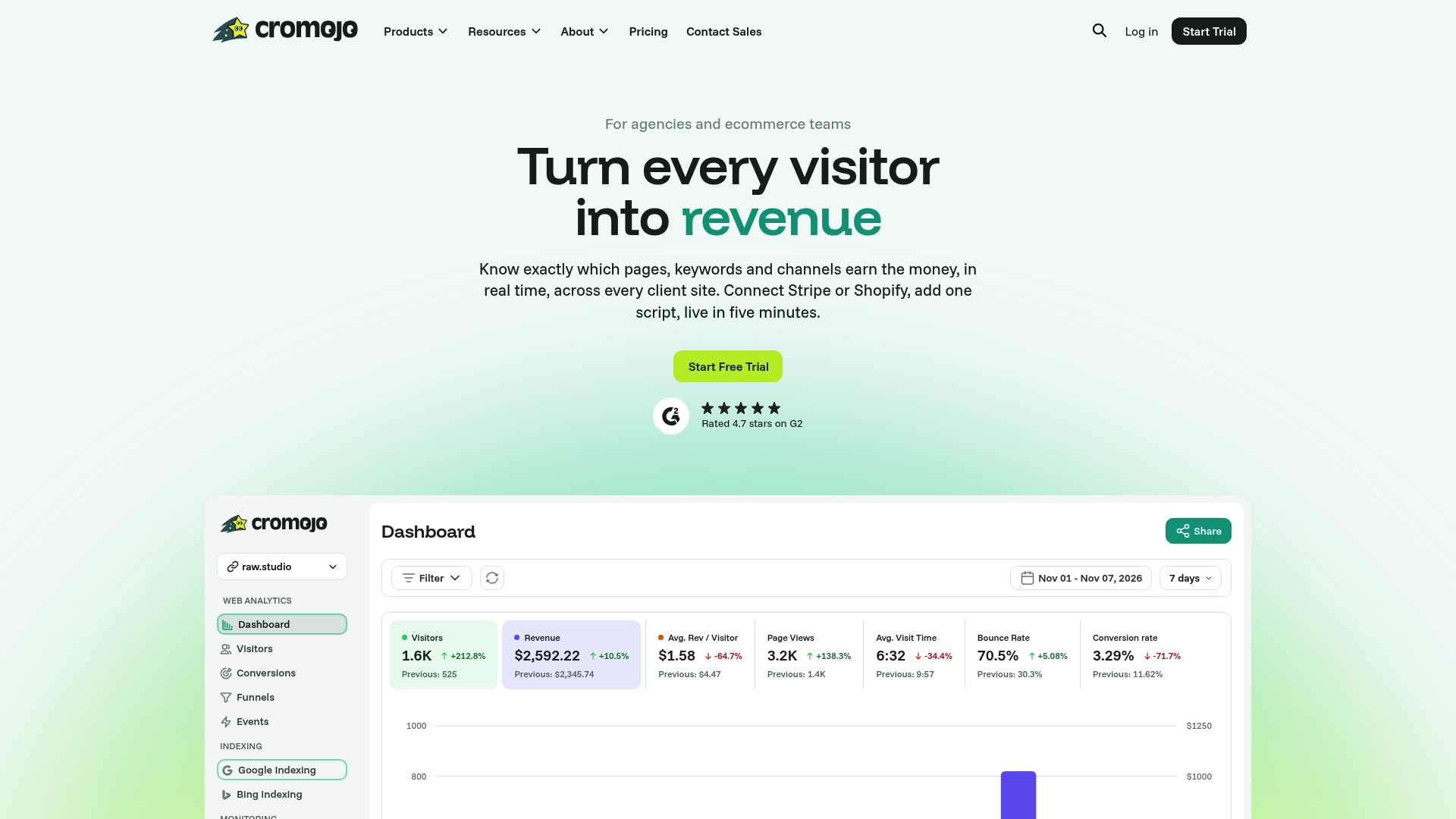
The tracking is cookieless by design, so you sidestep a chunk of the consent complexity described above, and setup takes a lightweight script rather than a custom proxy. Teams that want hands-on help turning that data into actual conversion lift can also look at our Conversion Optimization Services. Check our pricing to see which plan fits your traffic volume.
Recommended
- Shopify Analytics: See Which Products and Keywords Actually Drive Revenue
- 12 Elevar Alternatives for Shopify Merchants in 2026
- Best Shopify Reporting Apps for Revenue-First Merchants
- Shopify Conversion Tracking: Your Complete Setup Guide