
For most ecommerce stores and agencies chasing real-time revenue attribution, Cromojo is the strongest fit among the best conversion tracking tools available today. It connects directly to Stripe and Shopify, tracks without cookies, and shows which pages and channels actually generated sales rather than just traffic. Read the evaluation checklist below before you commit, since your stack and ad spend will shape which features matter most.
Why Conversion Tracking Tools Matter More in 2026
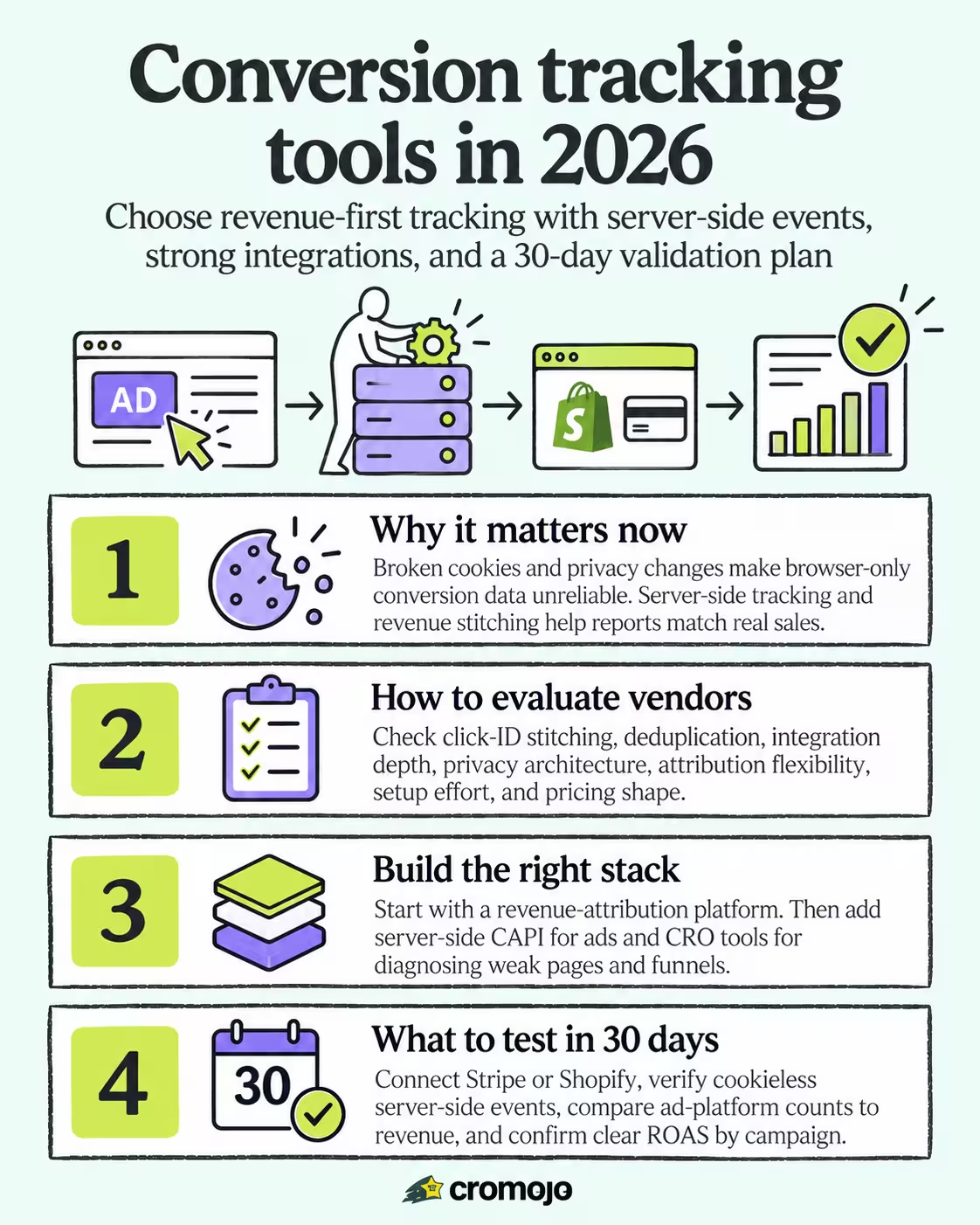
Your ad reports and your bank account have probably stopped agreeing with each other, and that's not a coincidence. Third-party cookies keep breaking, Safari and Firefox block cross-site tracking by default, and Apple's iOS privacy prompts mean a growing share of mobile users never get tracked at all. The result: your Meta and Google dashboards show conversion counts that drift further from actual revenue every quarter.
This is why server-side tracking has moved from "nice to have" to standard practice. Instead of relying on a browser to fire a pixel that might get blocked, a server-side setup sends event data directly from your backend to the ad platform, bypassing the browser entirely. Google Ads now recommends enhanced conversions and offline conversion import specifically to recover signal lost this way, pairing hashed customer data with the Google tag or Google Tag Manager to close the gap between what happened and what got reported.
The deeper fix, though, isn't just server-side plumbing. It's revenue stitching, connecting your actual payment data (Stripe, Shopify, your CRM) back to the click or campaign that started the visit. Without that link, you're stuck comparing two numbers that were never measuring the same thing:
- Ad platforms count "conversions," which can include duplicate fires, bot traffic, or test purchases.
- Your payment processor counts real dollars, refunds included, which ad platforms often ignore.
- A CRM might log a sale days after the ad click, long after any browser-based pixel could catch it.
Stitching these together, usually through webhook connections between your payment gateway and your analytics layer, is what separates tools that report "vanity conversions" from tools that report revenue you can actually reconcile against your books.
How Do You Evaluate Conversion-Tracking Vendors?
Most buyers start by comparing feature lists, which is exactly backward. Start with data quality, because a tool with a beautiful dashboard built on bad data will send you chasing the wrong campaigns for months.
- Click ID stitching and deduplication. Ask how the tool matches a click to a later purchase, especially across devices, and how it prevents the same sale from being counted twice when both a browser pixel and a server event fire.
- Integration depth, not integration count. A vendor might list fifty integrations, but you need three that work well: your payment processor, your ad platforms, and your CRM if you run one. Test those three before anything else.
- Privacy architecture. Does the tool support Conversions API connections, enhanced conversions, and consent mode out of the box, or will your developer need to build that layer? Cookieless tracking by default removes an entire category of compliance headaches.
- Attribution flexibility. Some teams need last-click simplicity; others need multi-touch views that credit every channel in the path to purchase. Confirm the tool offers the model you actually plan to use, not just the one that's easiest to build.
- Implementation effort. A single lightweight script that captures both client and server events, the same pattern described in industry breakdowns of conversion tracking platforms, tends to launch in days. A patchwork of custom GTM triggers and manual webhook wiring can stretch into months.
- Pricing shape. Understand whether the tool scales by pageviews, tracked sites, events, or seats, and where the overage charges kick in once you scale past your trial numbers.
Pro Tip:During a free trial, pull a week of ad-platform conversion counts and compare them line by line against your Stripe or Shopify revenue for that same period. The gap you find is the size of the problem you are actually solving.
Reliability matters as much as features here. Tools that maintain a centralized tracking plan with automated audits catch broken events before they quietly corrupt a month of reporting, which is a maintenance advantage that rarely shows up in a sales demo but shows up fast once you're live.
Which Tool Category Fits Your Ecommerce Stack?
Ranking individual products against each other misses the point, since the right question isn't "which tool wins" but "which category am I actually shopping in." Conversion measurement splits into five distinct jobs, and most stores end up combining two or three rather than relying on one.
Revenue-attribution platforms
These tools exist to answer one question: which pages, keywords, and campaigns generated actual sales, not just clicks or sessions. They connect directly to Stripe and Shopify webhooks, match that revenue back to the visit that produced it, and report in dollars instead of proxy metrics like "goal completions."
This is the category Cromojo was built for. Real-time revenue attribution by keyword, page, and channel means you can see, within the same session a sale happens, exactly which campaign paid for itself and which one is quietly burning budget. Cookieless tracking keeps that visibility intact even as browser privacy restrictions tighten, and the lightweight integration script means setup doesn't require a developer sprint.
- What it does: Ties revenue directly to marketing source, bypassing session-based guesswork.
- Typical integrations: Payment processors (Stripe), ecommerce platforms (Shopify), Google Search Console.
- When to pick it: You run paid ads or SEO campaigns and need to know true ROAS, not estimated conversion value.
- Cost band: Usually tiered SaaS pricing scaled by pageviews or tracked sites, with a free or low-cost entry tier.
Baseline analytics
Tools in this category, GA4 being the dominant example, cover session counts, pageviews, bounce behavior, and basic event tracking. They're free or near-free and useful for understanding traffic patterns, but they were never designed around revenue reconciliation, which is why teams that rely on GA4 alone often end up building custom reports just to approximate what a revenue-attribution platform gives out of the box.
- What it does: Tracks sessions, pageviews, and configured events across your site.
- Typical integrations: Google Ads, Google Search Console, most CMS platforms.
- When to pick it: You need broad behavioral context alongside a dedicated revenue tool, not instead of one.
- Cost band: Free at the baseline; enterprise versions of similar platforms run into five figures annually.
Server-side CAPI platforms
These focus specifically on getting event data to ad platforms via server-to-server connections rather than browser pixels. They matter most for teams whose ad accounts are visibly under-reporting conversions because of iOS restrictions or ad blockers.
- What it does: Sends purchase, lead, or signup events directly from your server to Meta, Google, or TikTok's Conversions API.
- Typical integrations: Meta Conversions API, Google Enhanced Conversions, offline conversion import.
- When to pick it: Your reported conversions have visibly diverged from actual sales, and Meta or Google campaign managers are the primary place you make budget decisions.
- Cost band: Ranges from bundled-in features on larger analytics platforms to standalone middleware pricing based on event volume.
CRO and behavior tools
Heatmaps, session recordings, and A/B testing platforms live here. Industry roundups of conversion-tracking tools frequently group platforms like this together with attribution software, but the job is different: these tools tell you why a page underperforms, not how much revenue a channel produced.
- What it does: Shows on-page behavior, tests variations, and surfaces friction points in the checkout or landing flow.
- Typical integrations: Usually standalone, sometimes fed by the same tag manager as your analytics stack.
- When to pick it: You've already identified a weak page or funnel step and need to diagnose the cause.
- Cost band: Mid-range SaaS pricing, often scaled by monthly sessions tested.
Tag managers
Google Tag Manager and similar tools don't measure anything themselves. They centralize the deployment of tracking scripts and event triggers, which is genuinely useful, but it adds a layer of configuration overhead most small ecommerce teams don't have the internal resources to maintain well. Segment documents a related pattern: a centralized events layer that collects raw events once and forwards them downstream to whichever analytics or ad tools need them, reducing the number of places a tracking script has to live.
- What it does: Deploys and manages tracking scripts and triggers without direct code edits per change.
- Typical integrations: Nearly universal, since most analytics and ad tools support tag-manager-based installation.
- When to pick it: You run many tools simultaneously and need one place to manage all their tracking scripts.
- Cost band: Free for most standard use cases; enterprise tag orchestration platforms carry usage-based pricing.
For a typical ecommerce store, the priority order is straightforward: get a revenue-attribution platform in place first, layer server-side CAPI connections on top for your paid ad accounts, and add CRO tools only once you know which pages are actually worth optimizing. Skipping straight to behavioral analysis before your revenue numbers are trustworthy is how teams end up optimizing a page that was never the real problem.
How Long Does It Take to Set Up Conversion Tracking?
Budget your timeline in phases, because trying to launch full attribution and server-side tracking on day one is how implementation projects stall out.
- Days 1 to 3: A baseline setup, usually GA4 alongside a lightweight script-based revenue tool, can go live within a couple of days for most Shopify or WooCommerce stores. No developer required if the platform uses a single install script.
- Weeks 2 to 4: Server-side tracking and Stripe or Shopify revenue stitching typically take two to four weeks, depending on how many custom checkout steps or subscription flows your store runs. This phase usually needs at least light developer involvement to confirm webhook events fire correctly.
- Weeks 4 to 8: Full QA and attribution testing, comparing ad-platform reported conversions against actual revenue across a few weeks of live traffic, generally runs another four to eight weeks before you can trust the numbers enough to shift budget based on them.
Who needs engineering help versus who doesn't comes down to complexity. A store on Shopify's standard checkout with a single payment processor can often complete setup through no-code integrations alone. A store running a custom checkout, multiple currencies, or a headless frontend will need developer time to verify events fire at the right moment and carry the right values.
Budget bands track roughly with ad spend and store complexity:
- Stores with lower monthly ad spend typically need only baseline analytics plus a lightweight revenue-attribution tool.
- Stores with moderate monthly ad spend often justify server-side CAPI connections, since reporting gaps become costly at this scale.
- Stores with higher ad spend often run dedicated attribution infrastructure alongside CRO testing tools, due to the scaling cost impact of mismeasured campaigns.
During QA, three things need explicit verification before you trust any dashboard: that client-side and server-side events aren't double-counted, that revenue figures match your payment processor to the dollar for a sample period, and that event timing lines up closely enough with the original click to support accurate attribution. Ads Measurement guidance from Google specifically flags deduplication as a common failure point in server-side setups, and it's worth treating that warning literally rather than assuming your integration is the exception.
How Cromojo Stacks Up Against the Evaluation Checklist
Running Cromojo against the same criteria outlined above shows where it earns its place in a revenue-first stack rather than just claiming to.
On data quality, Real-time revenue attribution ties sales directly to the keyword, page, and channel that produced them, rather than relying on a proxy metric like "goal completed." On integrations, it connects natively to common payment and ecommerce platforms, plus Google Search Console, covering the typical connections that matter most for ecommerce buyers without requiring a developer to wire custom webhooks. On privacy, cookieless tracking is the default architecture, not an add-on module, which matters as more browsers restrict third-party tracking by default.
A single-script install that captures both client and server-side events, then stitches that data to payment gateway webhooks, resolves the largest source of persistent mismatch between what ad platforms report and what actually landed in revenue: unmatched click IDs.
Conversion funnels and visitor journey analysis round out the reporting side, letting a team see not just that a sale happened but the path that led there. Automated website indexing and SEO health monitoring can extend platform functionality beyond pure conversion tracking into site discoverability, which matters since a tracking tool is only useful on traffic that reaches the site at all.
Some authors' blog pages cover the technical side of this directly, including a breakdown of how Meta counts conversions through the Pixel and Conversions API, and a step-by-step Shopify setup guide that walks through integration points most stores need to validate.
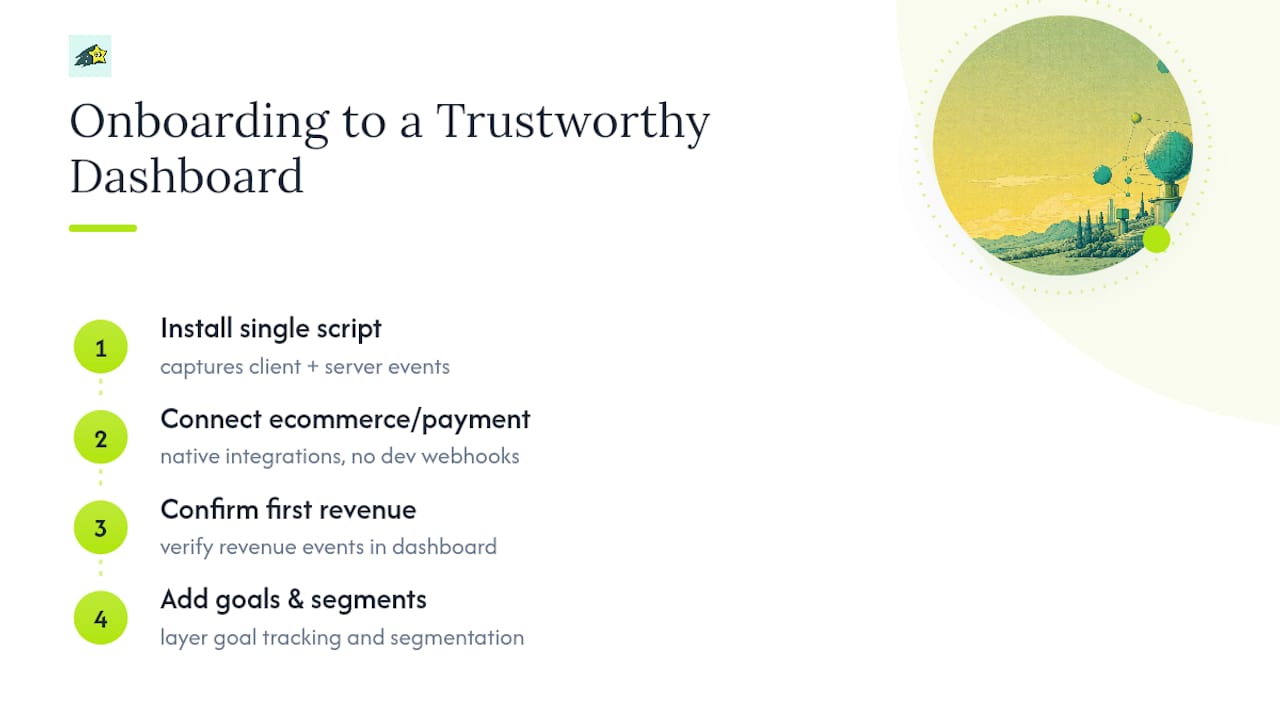
Onboarding typically involves installing a lightweight script, connecting a payment or ecommerce platform, confirming the first revenue events appear in the dashboard, then layering in goal tracking and segmentation once baseline numbers check out. Teams often reach a trustworthy revenue dashboard within a few weeks, ahead of the longer timeline often required for full custom server-side builds.
Try Cromojo: What to Test in Your First 30 Days
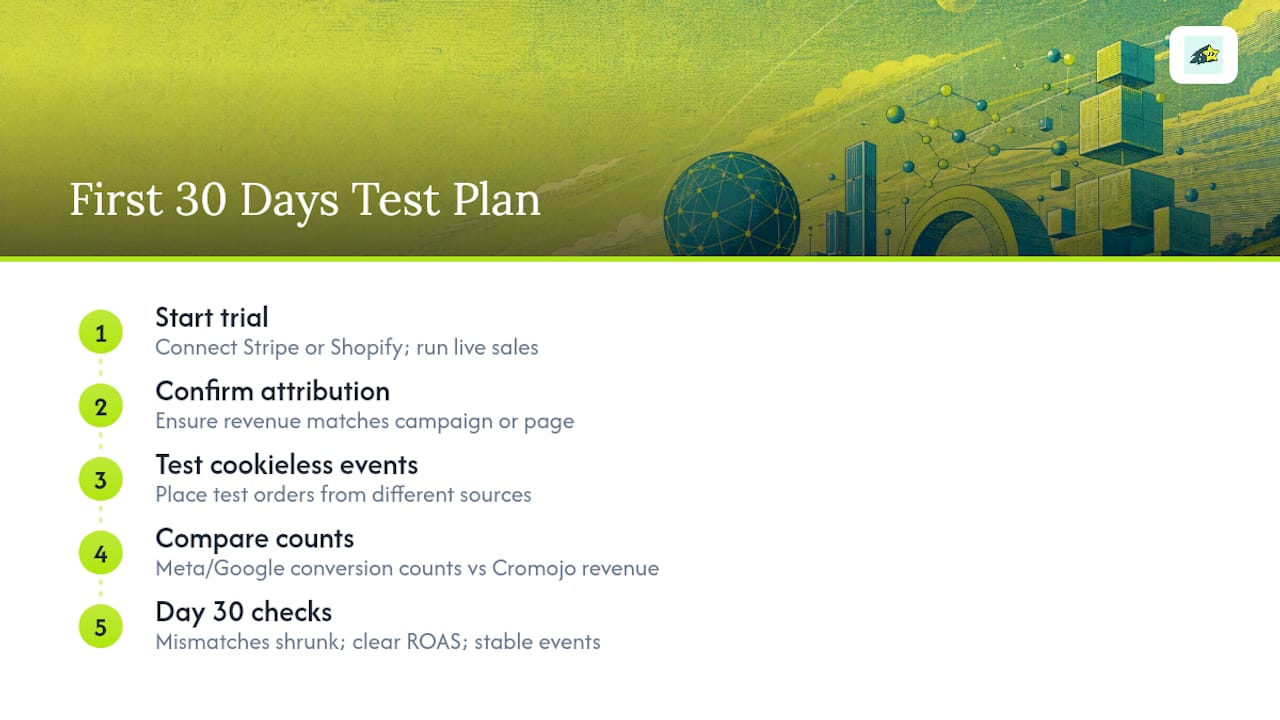
If you're evaluating whether Cromojo fits your stack, run the trial like a real audit instead of a quick glance at the dashboard. Start by connecting Stripe or Shopify and confirming that revenue shows up matched to the correct campaign or page within your first live sales. Then test the cookieless server-side events specifically: place a few test orders through different traffic sources and confirm each one attributes correctly without relying on a browser cookie.
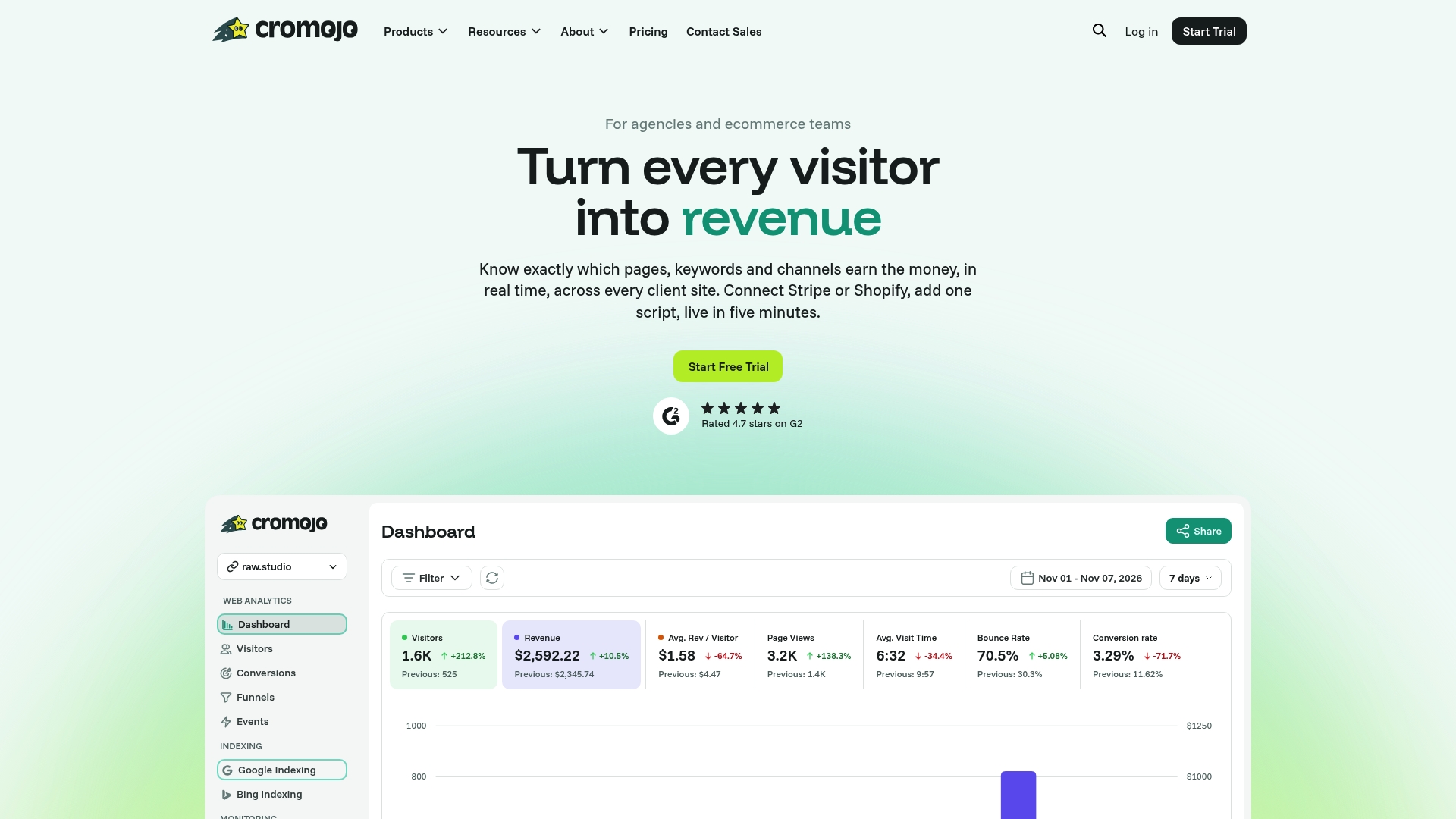
The real test comes from comparison. Pull your Meta or Google Ads reported conversion count for the same week and set it next to Cromojo's revenue-attributed sales for that period. A small gap is normal. A large one usually points to a webhook that isn't stitched correctly, and that's worth catching in week one rather than discovering it three months into a paid campaign.
By day 30, you should see three concrete signs the setup is working: attribution mismatches between ad platforms and actual revenue have shrunk noticeably, ROAS by campaign reads clearly enough to justify a budget shift, and your conversion events have held steady without unexplained gaps or spikes. Cromojo's revenue analytics feature is built around exactly this kind of validation, and the website monitoring tool adds a layer of confidence that downtime or broken pages aren't quietly suppressing the events you're trying to measure. Start a trial, connect your store, and give it those 30 days before deciding.
Primary Docs and Setup Guides Worth Bookmarking
Technical accuracy matters more than convenience here, so lean on primary sources rather than secondhand summaries when you're wiring up a new integration.
Google's own Ads Measurement and Conversion Tracking documentation covers enhanced conversions and offline conversion import in more depth than any third-party guide, and it's the definitive reference for consent mode requirements. Segment's documentation on centralized event collection is worth a read even if you don't adopt the platform, since the pattern it describes, collecting events once and forwarding them downstream, underlies how most modern tracking stacks are architected. For a broader view of how different tool categories stack up feature-for-feature, VWO's roundup of conversion-tracking tools is a solid starting reference, and Cromojo's own comparison of web analytics tools covers where baseline analytics platforms fit alongside revenue-focused tools.
Where Conversion Tracking Is Headed
Server-side and privacy-first tracking aren't a phase we're passing through. They're the permanent shape of measurement now that browser vendors have made clear third-party cookies aren't coming back in any meaningful form. Teams still trying to patch together client-side pixels in 2026 are fighting a losing battle against restrictions that only get stricter each year.
My advice, if you're starting from scratch or fixing a broken setup: fix revenue stitching before you touch attribution modeling. A perfectly tuned multi-touch model built on top of mismatched webhook data is worse than useless, since it gives you false confidence in numbers that were wrong from the start. Get Stripe or Shopify revenue matched cleanly to the click that produced it first. Everything else, funnel analysis, channel weighting, budget allocation, only makes sense once that foundation holds.
Treat the whole process as iterative rather than a one-time setup. Run the comparison between ad-platform numbers and actual revenue monthly, not just during onboarding, since attribution accuracy tends to drift as platforms change their own measurement logic behind the scenes. The teams that stay ahead of that drift are the ones who check, rather than the ones who set it up once and assume it still works a year later.
- Philippe