
Meta attributes conversions to any click, view, or engagement that falls inside the attribution window you've configured in Ads Manager. Since March 2026, Meta has tightened the click definition to link clicks only, so non-link interactions like likes, saves, and comments now fall under a separate "engage-through" bucket with a one-day window instead of counting as full click-through conversions.
The tactical move that matters most right now: implement the Meta Pixel alongside the Conversions API (CAPI), deduplicate events with a stable event_id, and set your attribution window to 7-day click plus 1-day engage/view as a starting default for ecommerce accounts. That combination captures signal lost to browser restrictions while keeping your reporting window tight enough to reflect real buying behavior.
One thing to expect going in: Meta's numbers will typically run higher than GA4 or your backend revenue because it counts view-through activity and modeled iOS conversions that other tools do not capture.
- Facebook ad tracking depends on window choice, not just pixel presence
- Engage-through and click-through are now separately reported metrics
- Reconciliation against GA4 and backend orders isn't optional anymore
Key Takeaways
Facebook ads attribution works best when clean tracking plumbing comes before window optimization, and backend revenue always settles disputes that platform numbers can't.
How Meta Attributes Conversions Today: Click, Engage, and View Explained
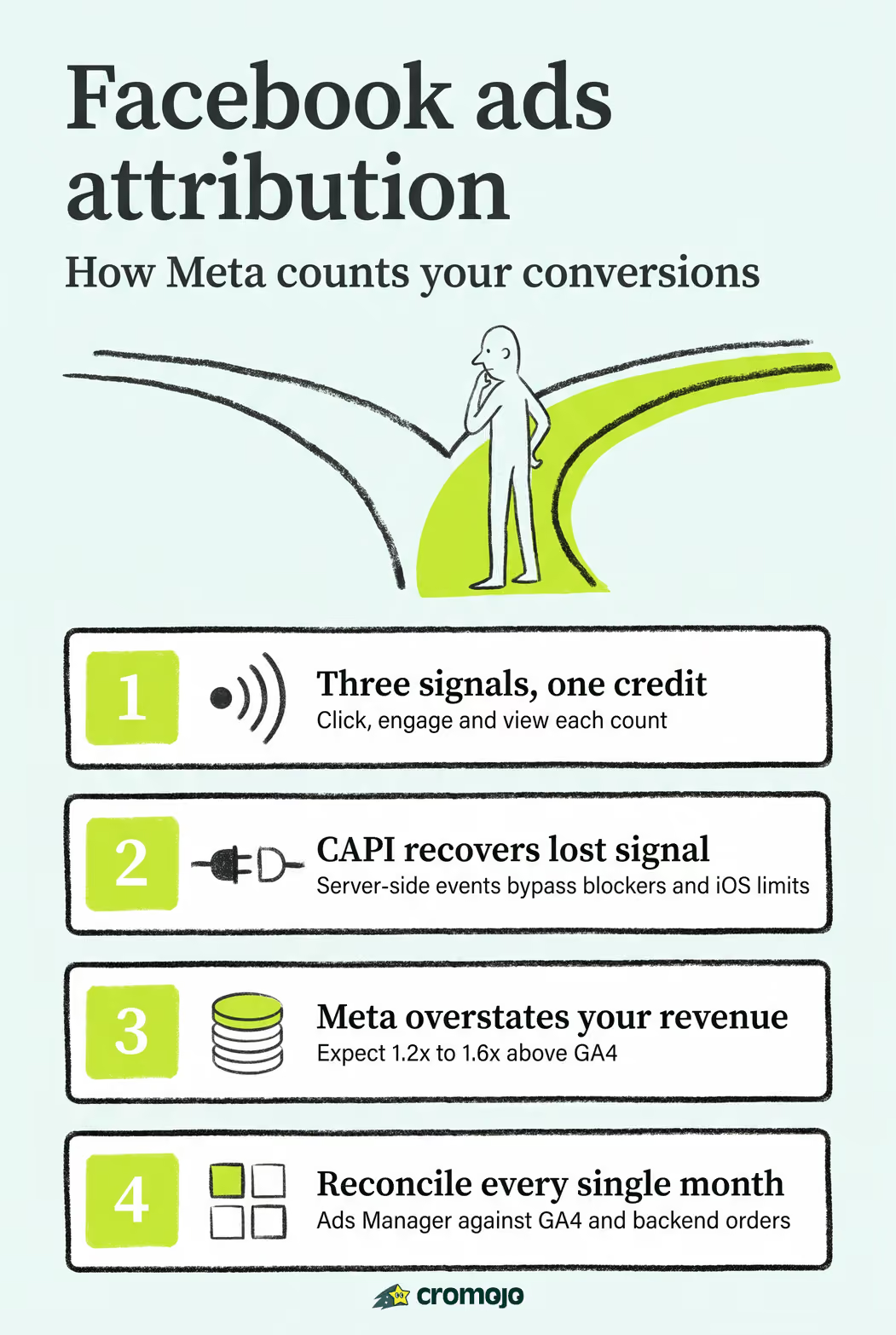
Facebook ads attribution runs on three distinct signal types, and knowing the difference changes how you read your reports. Click-through, after the March 2026 update, means a person clicked a link in your ad and converted within the window. Engage-through covers non-link interactions, such as liking a post, saving an ad, or watching a video past a threshold, and it now carries its own one-day window separate from click-through. View-through credits a conversion to someone who simply saw the ad and converted without clicking or engaging at all.
These windows can overlap in ways that surprise even experienced media buyers. If a shopper sees your ad on Monday, clicks it on Wednesday, and buys on Friday, that single purchase might get credited under both the view window and the click window depending on your settings, which is part of why cross-platform totals rarely match cleanly.
Meta's attribution system documentation describes the default setup as a 7-day click plus 1-day view/engage combination, though advertisers can narrow or widen this in Ads Manager's settings.
Layered on top of all this is Aggregated Event Measurement (AEM), Meta's framework for handling iOS traffic that Apple's App Tracking Transparency framework has limited. AEM prioritizes up to eight events per domain and reports modeled conversions when device-level data isn't available. That modeling is a statistical estimate, not a raw count, and it's a major reason your Ads Manager totals can look inflated compared to what your backend actually processed.
- Click-through now means link clicks exclusively, not any interaction
- Engage-through covers likes, saves, comments, and partial video views
- AEM modeling fills gaps left by iOS privacy restrictions, adding estimated volume
Which Attribution Window Should You Use for Facebook Ads?
Your window choice directly shapes both your reported ROAS and how Meta's bidding algorithm learns. A wider window pulls in more conversions, which can make campaigns look stronger on paper, but it also feeds the algorithm signal from purchases that may have happened regardless of the ad.
Here's how to think about it by business type:
- Impulse-buy products (low price point, quick decision cycle): use a 1-day click window. These purchases happen fast or not at all, and a longer window mostly adds noise from unrelated browsing behavior.
- Most ecommerce brands with a moderate consideration period: 7-day click plus 1-day engage/view is the practical default. It captures the "saw it, thought about it, came back" pattern common in retail without stretching credit to conversions that happened weeks later for unrelated reasons.
- Long B2B sales cycles: don't lean on Meta's windows at all. Route qualified leads into your CRM and measure against backend deal data or offline conversion imports instead. A 7-day or even 28-day window can't capture a sales cycle that runs 60 to 90 days.
The trade-off is real: shorter windows give you conservative, defensible numbers for finance conversations, but they can starve Meta's bidding algorithm of the volume it needs to optimize efficiently, especially early in a campaign's learning phase.
Pro Tip: Run a 7-day click default for your main campaigns, but pull a 1-day click report monthly as a sanity check. If the gap between the two is growing, your longer window may be crediting conversions that have little to do with the ad itself.
Pixel vs Conversions API: How to Stop Double-Counting Conversions
The Pixel and CAPI aren't competing tools, they're two halves of the same tracking system. The Pixel fires from the browser and captures behavioral signal directly from the user's device, while CAPI sends events server-side, bypassing ad blockers, cookie restrictions, and Safari's tracking limits entirely. Running both is what most current implementation guidance recommends, because each one recovers signal the other misses.

The catch: without deduplication, running both fires the same purchase event twice, inflating your conversion count and skewing every downstream report.
Fixing that comes down to three technical steps:
- Generate a stable
event_idfor every conversion and pass the identical value through both the Pixel and CAPI payloads for that event. - Match
event_nameexactly between both events (a "Purchase" event on one side and a "purchase" on the other won't deduplicate correctly). - Keep payload fields consistent, including
value,currency, andcontent_id, so Meta recognizes both signals as describing the same transaction.
Beyond deduplication, Event Match Quality (EMQ) determines how confidently Meta can tie an event to a real person. Sending hashed email addresses, phone numbers, and an external_id alongside your events raises your EMQ score, and a higher score directly improves match rates, particularly for iOS traffic where device-level signal is otherwise thin. Skipping CAPI entirely is one of the highest-priority fixes advertisers overlook post-iOS 14, since it's the single change that recovers the most lost signal for the least implementation effort.
Pro Tip: Check your deduplication rate in Events Manager before touching anything else in your setup.
How Do You Reconcile Ads Manager, GA4, and Backend Revenue?
Reconciliation isn't a one-time audit, it's a recurring workflow, and skipping it means optimizing toward a number nobody outside Ads Manager will ever see again in your bank account.
- Export Ads Manager data using the exact attribution window you have configured for that campaign, not a default report window.
- Pull GA4 revenue filtered to sessions tagged with your paid social UTM parameters, matched to the same date range.
- Pull backend orders from Stripe, Shopify, or your order management system for that identical window.
- Calculate the Meta-to-GA4 ratio by dividing Meta's reported revenue by GA4's reported revenue for the same period.
- Compare against backend revenue to see which platform's number sits closer to what actually landed in the account.
Practitioner analysis of Meta and GA4 discrepancies puts the typical Meta:GA4 ratio at roughly 1.2x to 1.6x, meaning Meta commonly reports 20% to 60% more revenue than GA4 for the same campaigns. That gap comes from view-through credit and modeled iOS conversions GA4 simply doesn't count.
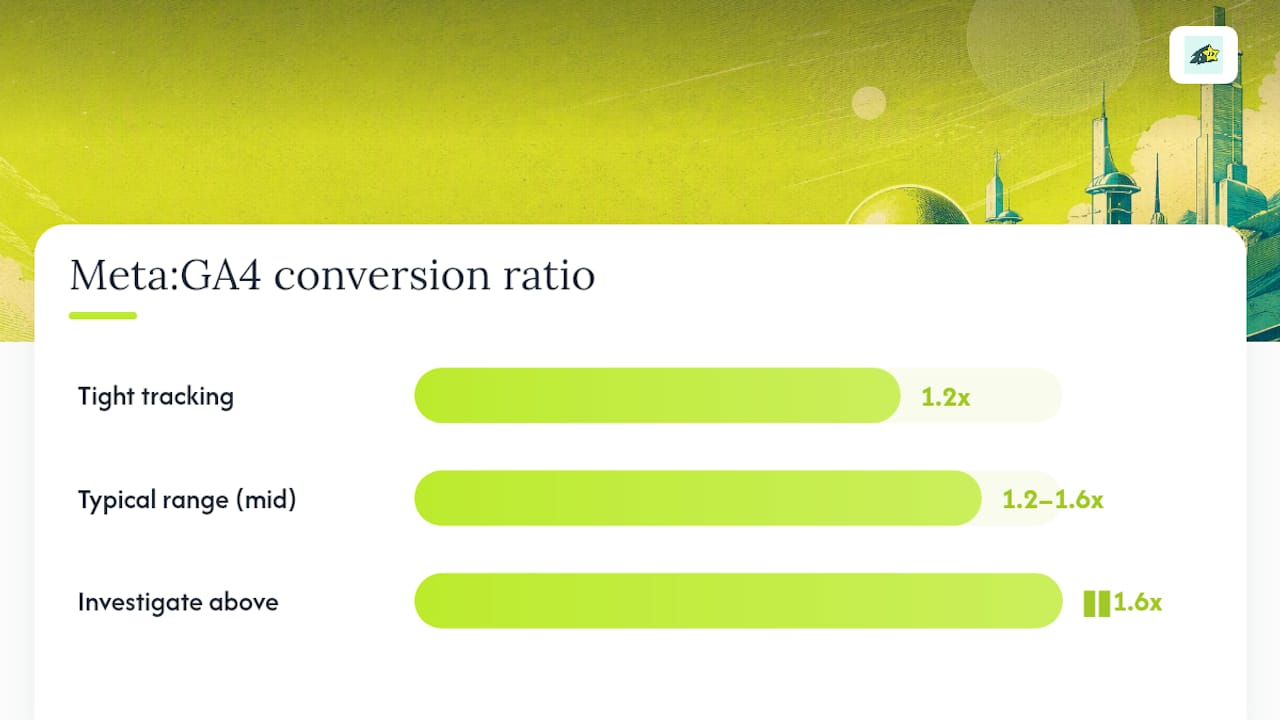
Use this ratio to decide what to trust for budget decisions. If your ratio sits inside the expected range, Meta's reported number is a reasonable optimization signal even if it overstates true revenue. If it's wildly outside that range, something in your plumbing is broken, and the fix comes before the budget conversation, not after.
What Should Your Measurement Stack Look Like?
A workable stack starts with Pixel and CAPI running together with deduplication confirmed, feeds into AEM with your top eight priority events configured correctly, and layers a consistent UTM naming convention on top so every platform agrees on where traffic came from. From there, GA4 and backend revenue serve as your accounting truth, and incrementality testing or marketing mix modeling (MMM) settles cross-channel budget arguments that platform-level data can't resolve on its own.
Before trusting any of it, run this validation checklist:
- Place one real test order and confirm the Pixel and CAPI events share the same
event_idin Events Manager. - Confirm deduplication on your Purchase event sits above 80%.
- Check that EMQ reads 6 or higher; if not, add hashed email, phone, and
external_idparameters. - Verify currency and value fields match exactly between Pixel and CAPI payloads.
- Standardize UTM parameters across every campaign so GA4 attribution doesn't fragment traffic sources.
- Set a monthly reconciliation cadence between Ads Manager, GA4, and backend revenue.
When those signals still disagree after a clean setup, the gap usually isn't a tracking bug, it's a real structural difference between platforms. That's where a revenue-first view matters: Cromojo ties tracked pageviews directly to Stripe and Shopify order data, so you can see actual revenue by channel and campaign without waiting for platform reports to agree with each other. Its cookieless approach also sidesteps some of the consent-related signal loss that widens Meta and GA4 deltas in the first place.
Pro Tip: Don't compare pre-2026 and post-2026 attribution data side by side without adjusting for the click definition change. Window removals and API updates mean a clean year-over-year comparison requires normalizing for the new engage-through category first.
Why Are My Facebook Ad Numbers Wrong? Quick Diagnostics
Most attribution problems trace back to one of four culprits, and you can usually isolate which one in under a day.
- Double-counting: check Events Manager for your Purchase event's deduplication rate; anything under 80% points to an
event_idmismatch between Pixel and CAPI. - Missing conversions: if Meta is reporting far less than GA4, check for blocked server events or a low EMQ score before assuming the campaign underperformed.
- UTM chaos: audit campaign naming across your ad sets; inconsistent capitalization or parameter order fragments GA4's channel grouping and breaks reconciliation.
- Currency or value mismatches: confirm the
valueandcurrencyfields in your Pixel and CAPI payloads match exactly, since a mismatch here silently corrupts revenue reporting. - App vs web confusion: if you're running app install campaigns, a sudden data gap is more likely a SKAdNetwork measurement issue than a Pixel or CAPI problem.
What Actually Moves the Needle in Facebook Attribution
Most teams overcomplicate this. Before touching attribution windows or comparing models, get one conversion event tracking reliably through both Pixel and CAPI with clean deduplication. Everything downstream, your ROAS numbers, your window decisions, your budget conversations, depends on that plumbing being solid first.
Treat Ads Manager as your optimization dial and GA4 or backend revenue as your accounting truth. They're never going to match exactly, and chasing a perfect reconciliation is a waste of hours better spent elsewhere. Invest in CAPI and EMQ improvements once your spend justifies the engineering time, and save incrementality testing or MMM for the strategic "which channel actually drives growth" question, not the daily reporting grind.
Get Revenue Clarity Without Waiting on Meta and GA4 to Agree
Reconciling Ads Manager against GA4 every month works, but it's slow, and by the time you've caught a deduplication problem or a currency mismatch, you've already spent a week's budget on a distorted signal. Cromojo closes that gap by tying your tracked traffic directly to actual Stripe and Shopify revenue in real time, so you're not left guessing whether a spike in Ads Manager reflects real sales or a modeling artifact.
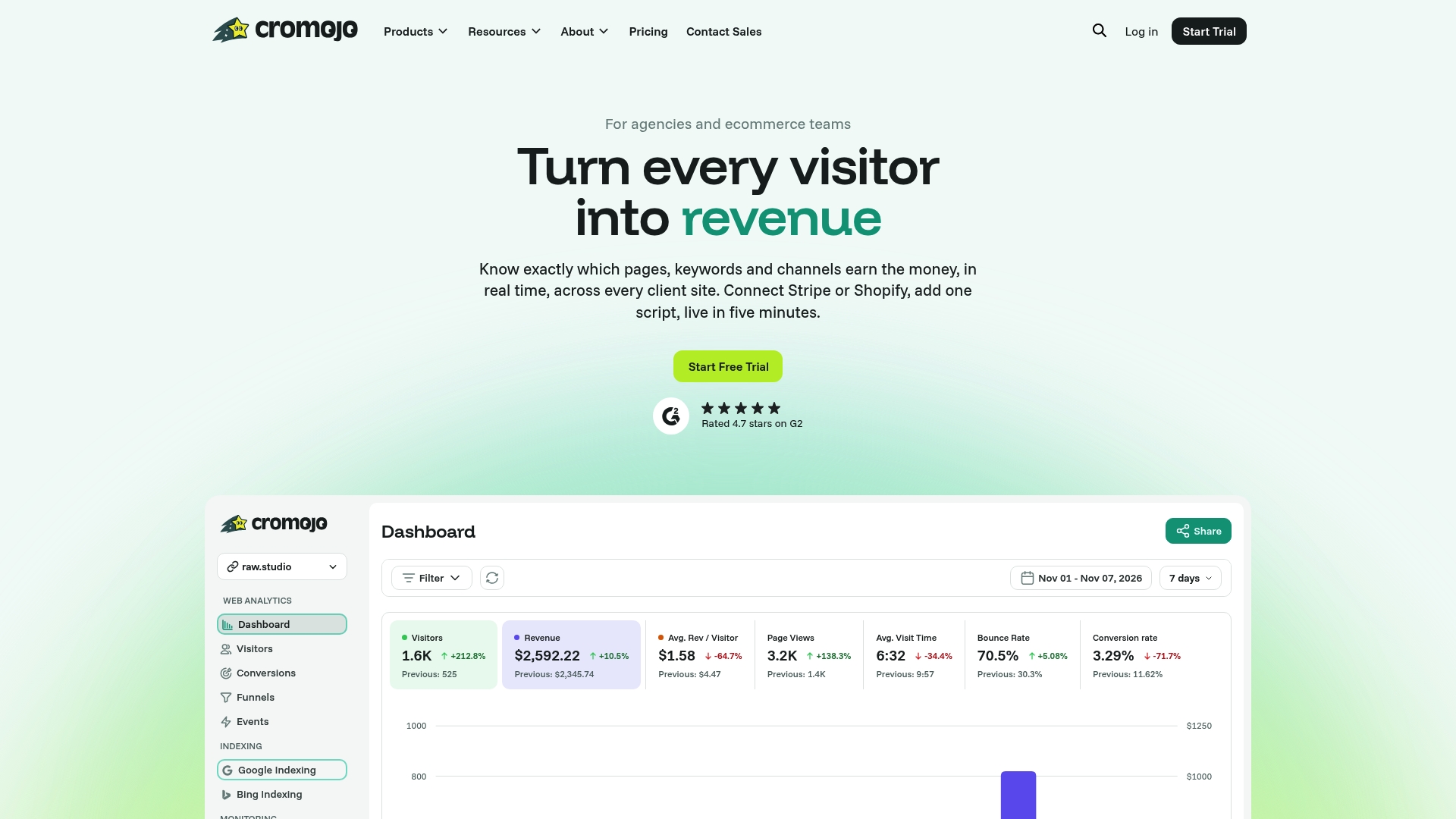
Because Cromojo runs on cookieless tracking, it also avoids some of the consent-driven signal loss that widens the gap between Meta and GA4 in the first place, and it connects revenue back to the exact page, keyword, or channel that drove it. That's a more direct answer to "what actually made money" than piecing together three separate dashboards every month. For teams comparing platforms, Cromojo's privacy-first alternative to traditional analytics can sit alongside your existing Meta and GA4 setup as the tiebreaker when the two disagree.
Check out the revenue attribution features and start a free trial to see how your last 30 days of ad spend map to real, reconciled revenue.