

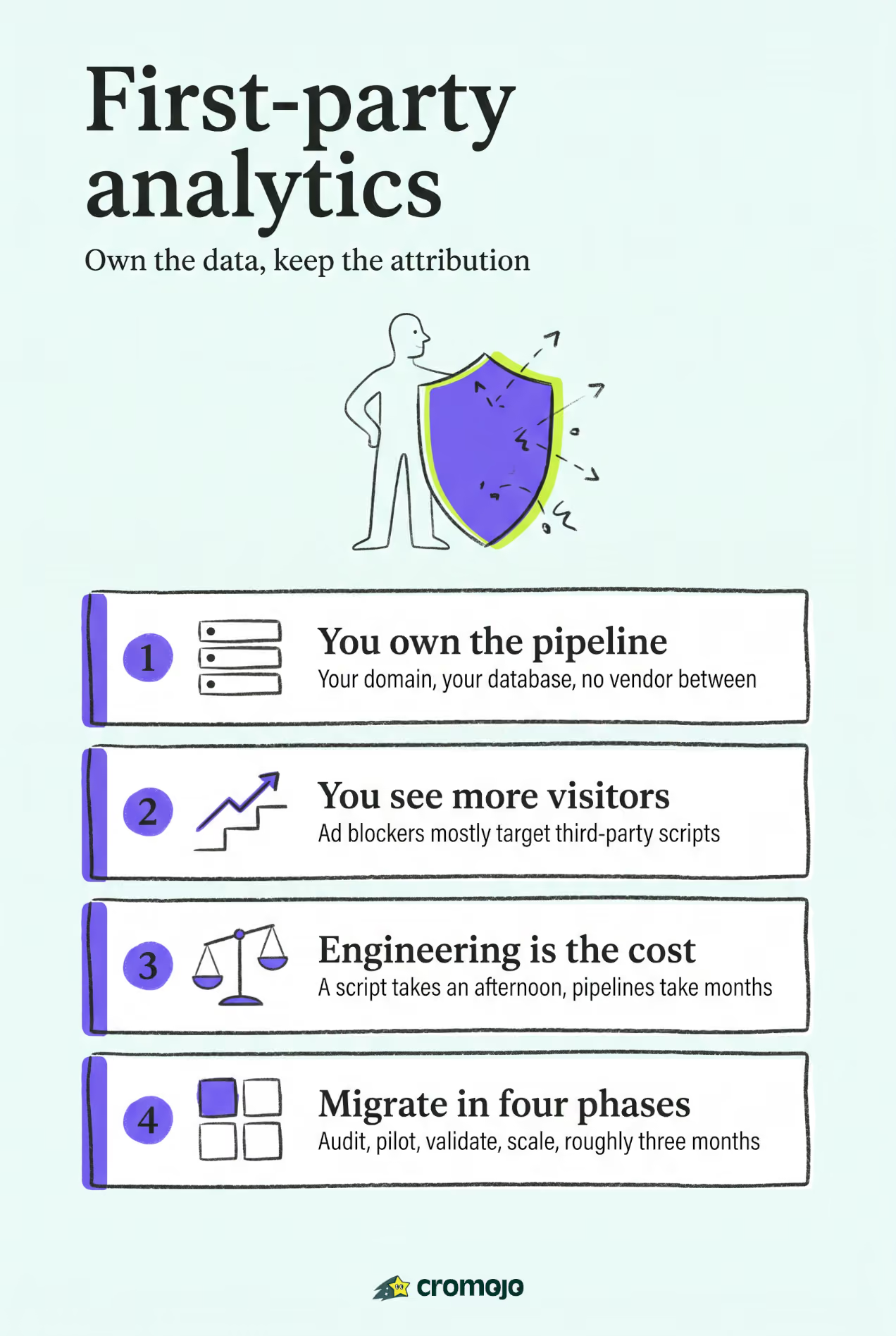
First-party analytics means collecting and storing visitor data under your own domain or server, so you own it outright rather than sharing it with a third-party vendor's infrastructure. If you run an ecommerce store, manage client websites, or track conversions where data accuracy and privacy compliance matter, switching to a first-party approach is worth doing now. The main trade-off is real: you gain control and privacy alignment under frameworks like CCPA/CPRA, but you take on more responsibility for data governance and attribution modeling.
What first-party analytics actually means in practice
First-party analytics stores visitor data on your own domain or server rather than routing it through an external vendor's systems. The analytics script runs on your domain, writes events to a database you control, and never hands raw behavioral data to a third party. That distinction matters for both privacy law and measurement accuracy.
Concrete examples of first-party collection include:
- First-party cookies set under your own domain (e.g.,
yourdomain.com), not a third-party subdomain - Server-side event collection, where your server receives and logs events before any external system sees them
- CRM-sourced behavioral signals, such as purchase history or email engagement tied to known users
- Self-hosted analytics scripts that write directly to your own database
A simple way to picture the flow: visitor → your domain script → your server/database. No external vendor sits in the middle.
One clarification worth making early: zero-party data is not the same as first-party data. Zero-party data is information a user voluntarily and explicitly provides, such as survey answers or preference settings. YouGov's behavioral research highlights how zero-party segments can be double opt-in verified, which exceeds standard CCPA/CPRA consent requirements. First-party data, by contrast, is observed behavioral data you collect passively through your own tracking infrastructure.
Pro Tip: If you are building a consent strategy, treat zero-party data as your highest-trust tier. It is explicitly given, easy to document, and the most defensible under audit.
How first-, second-, and third-party data differ
The simplest answer: first-party data is yours, second-party data is someone else's first-party data shared with you directly, and third-party data is aggregated from sources you have no direct relationship with. Ownership, storage location, and legal exposure differ significantly across all three.
Is Google Analytics first-party or third-party? The answer depends on implementation. According to Usercentrics, Google Analytics sets a first-party cookie on your domain in most standard configurations, meaning the cookie itself is first-party. However, the data is sent to and stored on Google's servers, which makes the data processing third-party. That distinction matters for CCPA/CPRA compliance and consent requirements.
Key practical differences to keep in mind:
- First-party data cannot be used for cross-site audience targeting without additional data-sharing agreements
- Third-party data is increasingly blocked by browsers (Safari's ITP, Firefox's ETP) and ad blockers
- Second-party arrangements require legal data-sharing contracts and are less common for small teams
What you gain and what you give up with first-party data
The clearest benefit of first-party analytics is data you can trust. Because the data never passes through an external vendor before you see it, capture rates tend to be higher than consent-dependent third-party solutions. Browser-level blocking and ad blockers affect third-party scripts far more than server-side or first-party cookie setups.
Core benefits:
- Full data ownership and no third-party data transfers
- Higher visitor capture rates, especially among users with ad blockers
- Reduced cross-jurisdiction data transfer risk under CCPA/CPRA
- Faster page load times when you replace heavy third-party tag bundles with a lightweight first-party script
- Better personalization when behavioral analytics feeds into CRM and VoC programs
Realistic limitations:
- Native ad-platform audience building (Google Ads, Meta) still requires their pixels or API integrations
- Cross-domain user stitching is complex and requires deliberate identity resolution
- Engineering and maintenance costs are higher than dropping in a third-party tag
- Modeled attribution gaps can appear when users switch devices or clear storage
When first-party may not be enough on its own: Multi-brand advertisers running cross-site retargeting campaigns, or teams that rely heavily on lookalike audiences built from third-party behavioral data, will likely need a hybrid approach. First-party data is the foundation, but it does not replace ad-platform signals entirely.
Pro Tip: Start by auditing which third-party tags you actually use for conversion tracking versus audience building. Many teams find they can replace a large portion of their third-party tracking with a well-configured first-party setup, keeping only the ad-platform pixels that feed paid campaigns.
How the technical architecture works
Three dominant architectures cover most first-party implementations. Choosing the right one depends on your consent requirements, engineering capacity, and how much you rely on ad-platform integrations.

Client-side first-party cookies are the most common starting point. Your analytics script sets a cookie under your own domain, which persists across sessions. This approach is straightforward to implement but is still subject to browser-level ITP restrictions on cookie lifespans (Safari caps first-party cookies set by JavaScript at seven days).
Server-side tagging routes events through your own server before forwarding them to downstream tools. This approach is more resilient to ad blockers and browser restrictions because the initial data collection happens server-to-server. The trade-off is engineering overhead: you need to maintain a server-side container or endpoint.
Cookieless identity derivation avoids persistent identifiers entirely. Mitr-Analytics documents an HMAC/SHA-256 hashing approach with rotating daily salts that creates irreversible visitor tokens. Because no cookie is stored and the token cannot be reversed to identify an individual, this approach can reduce consent friction in many configurations.
Recent browser changes make server-side and cookieless approaches increasingly practical. Safari's Intelligent Tracking Prevention and Firefox's Enhanced Tracking Protection both target JavaScript-set cookies, even first-party ones. A server-side or cookieless setup sidesteps these restrictions without requiring consent banners in many anonymous configurations.
Pro Tip: If your team is not ready for full server-side tagging, a cookieless analytics script with daily-salted hashing is a practical middle ground. You get strong privacy defaults and ad-block resilience without the infrastructure overhead of a full server-side container.
U.S. privacy and compliance considerations
Under CCPA/CPRA, first-party analytics that collects personal information, including IP addresses tied to identifiable users, requires a privacy notice and an opt-out mechanism for data sales or sharing. Anonymous, cookieless collection that never ties data to an identifiable individual generally reduces your compliance surface area, though implementation details always matter.
The practical compliance posture for most U.S. teams:
- Anonymous, cookieless setups can often operate without a consent banner, but you still need a privacy policy that discloses your data practices
- Cookie-based setups that collect personal information require CCPA-compliant disclosures and opt-out rights
- Email or CRM-linked analytics that ties behavioral data to known users triggers full CCPA/CPRA obligations
HIPAA caution: If your site handles protected health information (PHI), do not route that data through any analytics pipeline, first-party or otherwise, without a signed Business Associate Agreement and HIPAA-compliant infrastructure. This applies to healthcare providers, telehealth platforms, and any site where users enter health-related information.
Transparency and clear communication increase consent rates and user trust, as Dialog Insight's research on consumer behavior tracking confirms. A short, plain-language explanation of what you collect and why consistently outperforms buried legal disclosures.
Compliance checklist:
- Apply data minimization: collect only what you need for the stated purpose
- Set and document a data retention policy (e.g., 13 months, then purge)
- Restrict database access to named roles with documented permissions
- Maintain a process for responding to Data Subject Access Requests (DSARs) within CCPA's 45-day window
- Review vendor contracts for any sub-processor data transfers
How to implement first-party analytics step by step
A phased approach reduces risk and gives you a clean baseline before you decommission third-party tags.
Phase 1: Audit (Week 1-2)
- Inventory every tag and integration currently firing on your site using a tag auditing tool
- Classify each tag: conversion tracking, audience building, analytics, or operational
- Identify which tags can be replaced with first-party event collection
Phase 2: Pilot (Week 3-6)
- Choose your architecture (client-side cookie, server-side, or cookieless)
- Install your first-party analytics script on a staging environment
- Map your key revenue events: purchases, add-to-cart, form submissions, subscription starts
- Configure integrations with Stripe or Shopify for purchase event data
Phase 3: Validate (Week 7-8)
- Run parallel tracking: compare visitor capture rates, conversion counts, and revenue totals between old and new systems
- Check for attribution delta: how much revenue is attributed differently between the two setups?
- QA test across browsers (Chrome, Safari, Firefox) and devices
Phase 4: Scale (Month 3+)
- Decommission redundant third-party tags after validation
- Implement data governance: retention schedules, access controls, DSAR workflow
- Set up monitoring alerts for data pipeline failures
Validation KPIs to track during the pilot:
- Raw visitor capture rate (new vs. old system)
- Conversion count parity (within 5% is a reasonable target)
- Revenue attribution delta by channel and page
Pro Tip: Run your pilot for at least two full business weeks before drawing conclusions. Shorter windows miss weekly traffic patterns and can produce misleading capture-rate comparisons.
Feeding analytics data into CRM and cross-functional workflows amplifies its value. Analytics tied to CRM and service metrics can surface product timing opportunities and predict workload shifts, which is why looping in marketing, engineering, and legal teams from the start pays off.
How to choose the right first-party analytics platform
The right platform depends on six criteria: privacy and data ownership, measurement accuracy, setup complexity, cookieless and server-side support, integrations, and real-time revenue attribution. Evaluate each one against your team's actual stack before committing.
What to look for in each area:
- Privacy & data ownership: Does the vendor store data on your behalf, or do you control the database? Can you export raw event data at any time?
- Measurement accuracy: Does the platform capture events server-side or client-side? How does it handle ad-blocked sessions?
- Setup complexity: Is the install a single script tag, or does it require a server-side container and custom endpoints?
- Cookieless support: Can the platform operate without setting any cookies, and does it use hashing or fingerprinting (fingerprinting raises its own compliance questions)?
- Integrations: Native connectors to Stripe, Shopify, and Google Search Console reduce custom engineering work significantly
- Real-time revenue attribution: Can you see which pages, keywords, and channels drove actual purchases, not just sessions?
Integration checklist for your vendor trial:
- Connect Stripe or Shopify and verify that purchase events appear in the dashboard within seconds
- Link Google Search Console to map keyword-level traffic to revenue
- Test conversion funnel tracking across at least three steps
- Confirm data export is available in a portable format (CSV, JSON, or API)
When evaluating vendors, ask specifically about data retention controls, SLA uptime commitments, and whether cookieless mode is a default or an add-on. A review of web analytics tools can help you benchmark selection criteria across the market.
Cromojo meets all six criteria above. Its revenue attribution features connect keyword and page-level traffic directly to Stripe and Shopify purchase data, and its cookieless tracking mode operates without setting persistent identifiers. During a trial, test revenue attribution by page and keyword first, that is where the difference between a traffic-focused tool and a revenue-focused one becomes immediately clear.
What a first-party implementation looks like with Cromojo
Cromojo delivers privacy-first, cookieless tracking with real-time revenue attribution out of the box, which makes it a practical reference point for what a well-configured first-party setup looks like in practice.
A typical implementation workflow:
- Audit: Review existing tags and identify which conversion events need to be re-mapped to Cromojo's event schema
- Install: Add Cromojo's lightweight script to your site. No server-side container is required for the default cookieless mode
- Map revenue events: Connect Stripe or Shopify so that purchase completions, subscription starts, and refunds flow into the dashboard automatically
- Configure GSC: Link Google Search Console to attribute revenue back to the specific keywords driving organic traffic
- QA: Verify that purchase events appear in real time, check conversion funnel steps, and confirm that session counts align with your previous analytics baseline
The privacy-first tracking defaults mean you can often skip the consent banner entirely for anonymous sessions, which reduces friction for visitors and simplifies your compliance documentation. For ecommerce teams, the combination of cookieless tracking and Stripe/Shopify integration means you get clean revenue data without the engineering overhead of a custom server-side pipeline.
Pro Tip: During your Cromojo trial, check the visitor journey view for your top-converting pages. Seeing the exact path from organic keyword to purchase, without any third-party data gaps, is the clearest demonstration of what first-party revenue attribution actually delivers.
What practitioners often get wrong about first-party analytics
The conventional wisdom says first-party analytics is primarily a privacy play. That framing undersells it and, more importantly, leads teams to treat it as a compliance checkbox rather than a measurement upgrade.
The more accurate framing: first-party analytics is a data quality decision. When you own the pipeline, you control what gets collected, how it is stored, and how it is joined to revenue data. That control produces cleaner attribution, not just cleaner compliance. Teams that approach the migration as a privacy project often underinvest in the revenue mapping work, which is where the real measurement gains come from.
The engineering effort also surprises most teams. A cookieless script install takes an afternoon. Building reliable server-side event routing, joining it to CRM data, and maintaining it across platform updates takes months. Governance, cross-team alignment between marketing, engineering, and legal, and a documented retention policy are not optional extras. They are what separates a durable first-party setup from one that quietly degrades over the following year.
The field is moving toward cookieless and server-side approaches as the default, not the exception. Privacy legislation in the U.S. is expanding beyond California, and browser vendors are not reversing course on tracking restrictions. Teams that build on first-party foundations now will have a structural advantage as those constraints tighten.
Cromojo brings revenue attribution and privacy together
Real-time revenue attribution without cookies or third-party dependencies is what Cromojo was built for. For ecommerce teams and agencies that need to know which pages, keywords, and channels are actually driving sales, not just sessions, Cromojo connects the dots that standard analytics tools leave open.
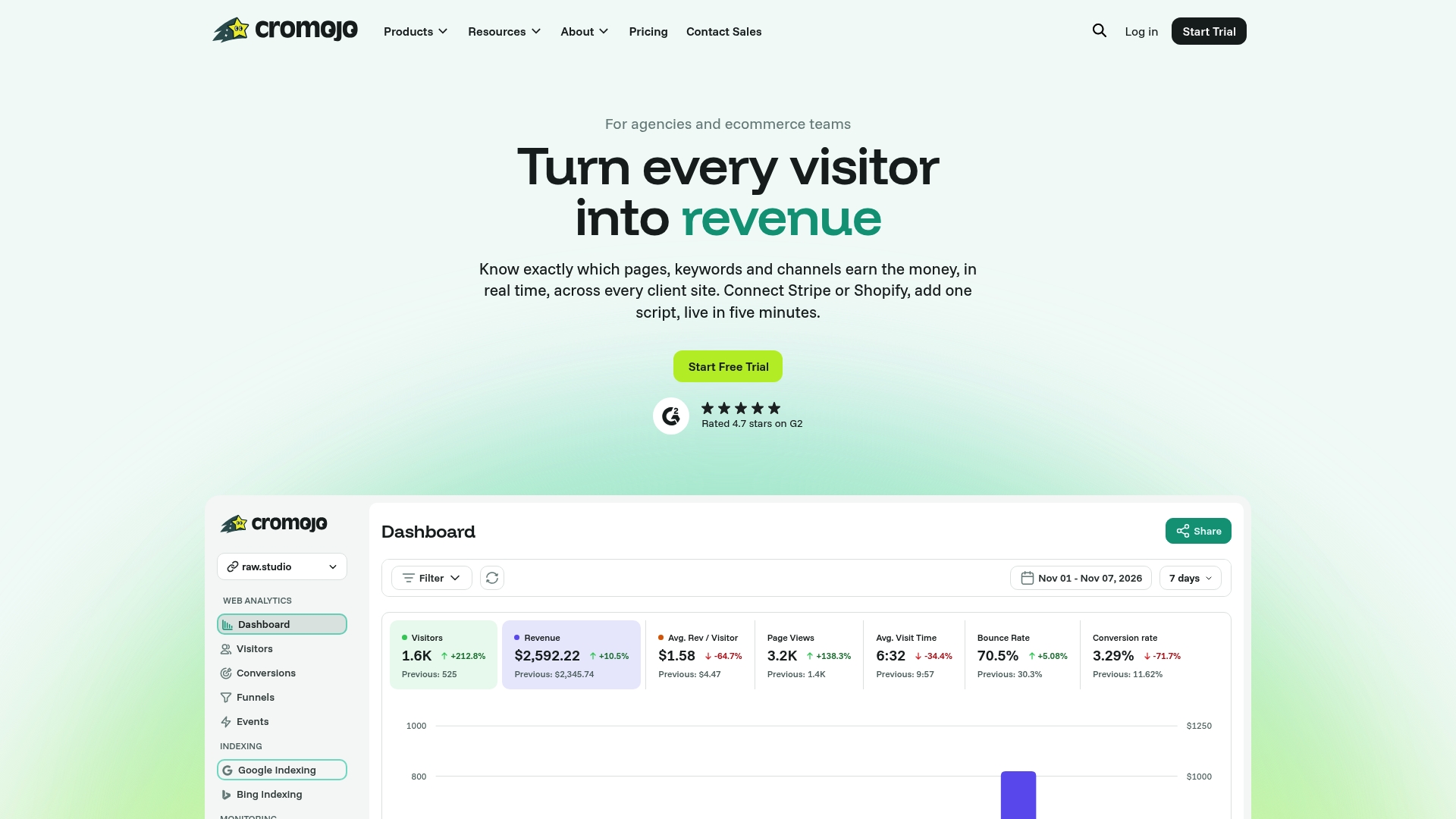
What you get with Cromojo:
- Cookieless, privacy-first tracking with no consent banner required for anonymous sessions
- Real-time revenue attribution by keyword, page, and channel
- Native Stripe and Shopify integrations for purchase event mapping
- Conversion funnels and visitor journey analysis built into the dashboard
- Automated website indexing, SEO health checks, and uptime monitoring
If you are ready to see which keywords and pages are generating actual revenue on your site, start with Cromojo's revenue attribution features or explore the full platform to begin a free trial.