.avif)

It’s one of the most deflating feelings: you spend hours writing content, polish every word, publish it… and then wonder, does anyone even see this? You type your keywords into Google, scroll through the results, and your page is nowhere to be found. Suddenly the doubt creeps in, is my site even indexed?
If you’ve ever felt invisible online, you’re not alone. The truth is, plenty of site owners hit this exact wall. The content exists, but until Google has actually indexed it, it may as well be locked in a drawer. The good news is, checking your index status isn’t complicated. Once you know how to confirm it and how to monitor it, you’ll stop guessing and finally know if your work is making it into search results.
Using the site: Operator in Google
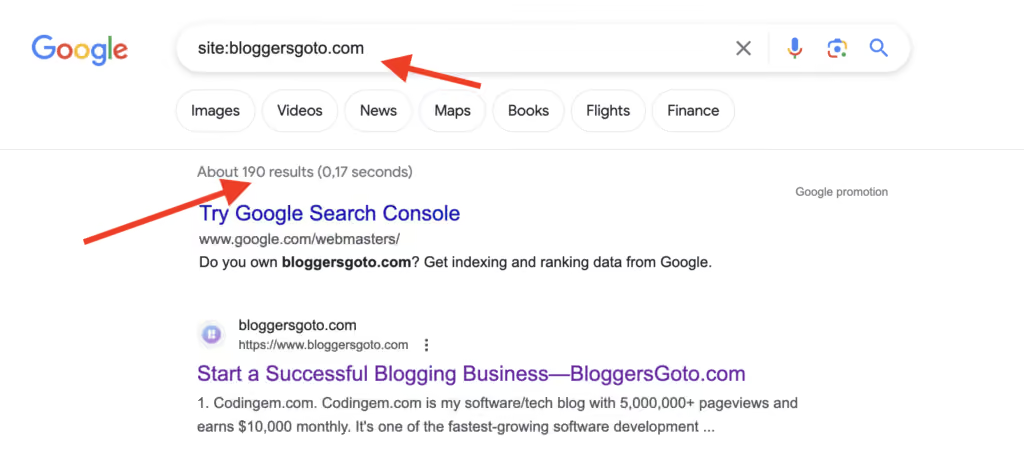
The fastest way to spot-check a single page is the site: operator. Type site:yourdomain.com into Google, or add a specific URL like site:yourdomain.com/blog/my-article.
If the page shows up, it's indexed. If it's missing, that's your first sign something is wrong.
One important caveat: the total result count Google shows at the top ("About 1,240 results") is an estimate, not an audit. It fluctuates, it's often inaccurate, and Google has been clear it was never meant as a precise index-size metric. So use site: for quick yes-or-no presence checks on individual pages, not to measure how many of your pages are indexed.
It's also manual. If you run a five-page site, you can check each one. But if you're running an online store with hundreds of products or a blog with years of posts, it becomes impossible to keep up. It's like checking whether every book you wrote is on the right shelf in a giant library, one at a time.
Checking via Google Search Console
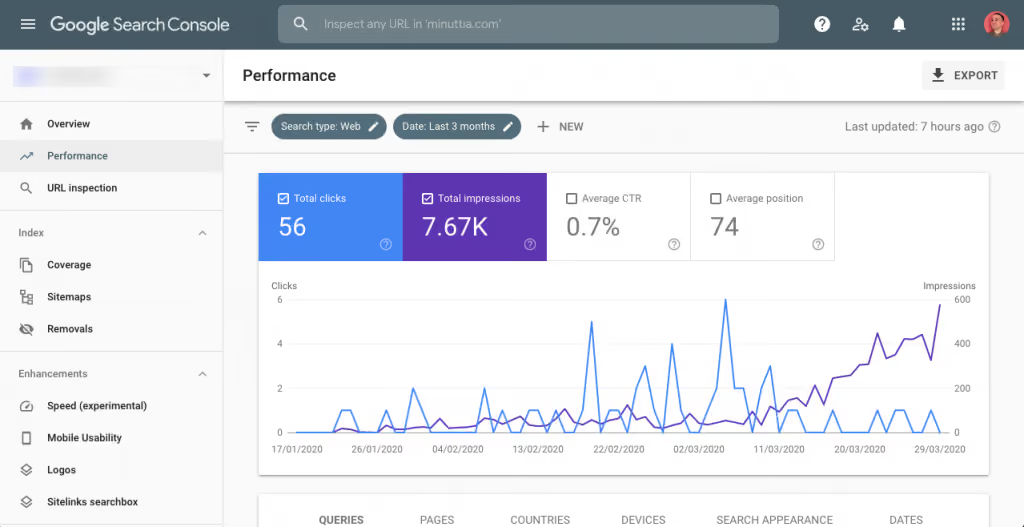
For more detail, Google Search Console is the go-to. Once you’ve set up your site, you can use the URL Inspection tool to see if a specific page is indexed. Search Console will also show whether the page was crawled, if Google ran into any issues, or if the page is excluded for some reason.
The Coverage report gives a broader overview of how many pages are indexed versus excluded, along with reasons why. You might see messages like “Crawled – Not Indexed” or “Discovered – Currently Not Indexed.”
This is where many people hit their first wave of frustration. The messages can feel vague and technical, leaving you with more questions than answers. Still, it’s the closest you’ll get to hearing directly from Google about what’s happening.
Third-Party Indexing Check Tools
There are third-party tools that check index status if you don't want to rely just on Search Console. If you're managing a large number of URLs, they frequently permit bulk checks, which saves you time.
But here’s the catch: many of these tools are limited, clunky, or require manual exports. They can help, but they often don’t give you the full picture unless you’re willing to dig through spreadsheets.
Automating Index Checks for Large Sites
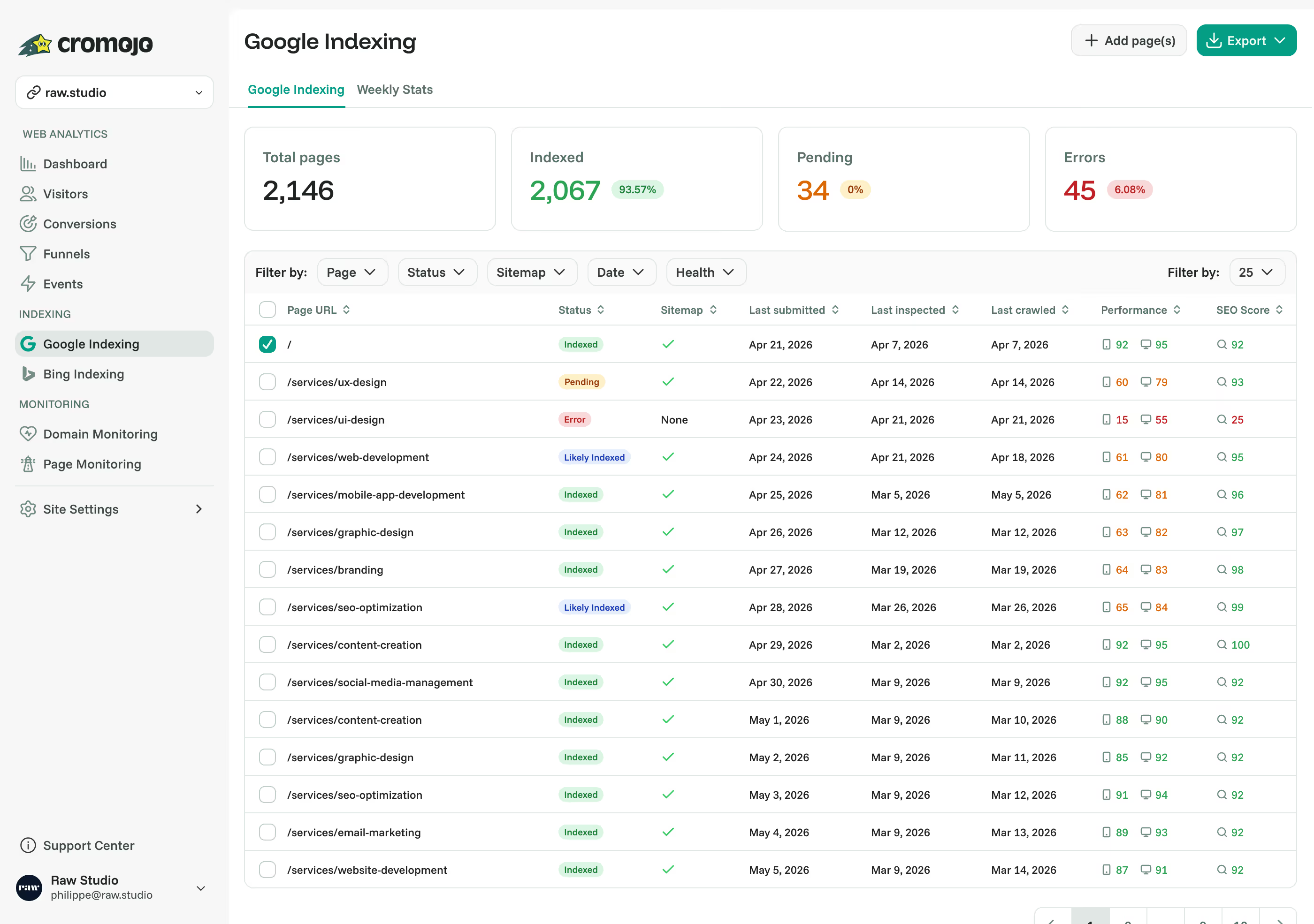
This is where automation becomes critical. For a small site, manual checks are fine. Once you're running dozens, hundreds, or thousands of pages, doing it by hand is a nightmare.
Here's the part most people miss: indexing isn't permanent. Recent large-scale research found that roughly one in five indexed pages gets deindexed over time, and many drop out within three months of first being indexed. So even the pages you confirmed last month can quietly vanish, and you'd never know from a one-time check.
Imagine an ecommerce site with 1,200 products. If even 10% of those pages silently fall out of Google's index, that's 120 invisible products. Lost visibility, lost traffic, lost sales, and you might not notice until revenue dips.
Automating index checks means you stop playing detective. Scheduled scans run in the background and flag issues before they cost you. Instead of finding out weeks later that a key landing page disappeared, you know the day it happens.
What to Do When a Page Isn't Indexed
Finding the problem is only half the job. When a page isn't indexed, run through this quick checklist:
- Request indexing directly in GSC's URL Inspection tool.
- Check for accidental blocks: a stray
noindextag or arobots.txtrule is the most common culprit. - Fix orphan pages: if nothing on your site links to a page, Google struggles to find it. Add internal links.
- Strengthen thin content: duplicate or low-value pages often get skipped. Make sure each page earns its place.
- Submit or resubmit your sitemap so Google has a clean map of what to crawl.
For a handful of pages, that's manageable. For hundreds, you need something that finds and fixes without you babysitting it. (If you want to go deeper on the causes, see our guide on why your pages aren't getting indexed and the complete guide to Google indexing.)
How Cromojo Helps
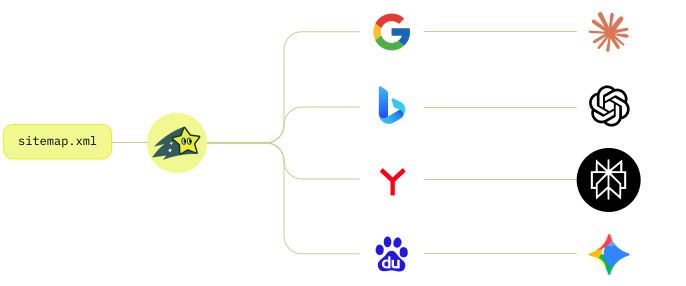
This is exactly where Cromojo comes in, and where it does something no free index checker can.
Most tools tell you a page isn't indexed. Cromojo tells you what that page is worth. Because it connects your Google Search Console data to your actual revenue from Stripe and Shopify, you don't just get a list of missing URLs, you see which of them were driving sales. That "120 invisible products" problem stops being abstract and becomes a dollar figure you can act on.
Here's what that looks like day to day:
- Index status tied to revenue: instantly see which unindexed or deindexed pages are costing you money, ranked by impact, not just an alphabetical list of URLs.
- Continuous monitoring: scheduled scans catch pages the moment they drop out, so decay never goes unnoticed.
- Automated indexing: Cromojo works to get your important pages back in front of Google, without the manual GSC grind.
- Clear reporting: share clean, revenue-aware reports with your team or clients in seconds.
Think of it as a librarian who walks the aisles for you every day, then hands you a report showing not just which books went missing, but which of the missing ones were your bestsellers. Every other tool hands you a to-do list. Cromojo hands you a priority list, sorted by what actually matters: money.
Wrapping Up
Not knowing whether your site is indexed is like driving with the headlights off. Not knowing which of those pages make you money is like driving blindfolded.
Checking is simple once you know how: a site: search for a quick presence check, GSC's Pages report for deeper insight, and automated monitoring for anything at scale. But checking is where most people stop, and it's the wrong place to stop.
The pages that fall out of Google's index aren't all equal. Some don't matter. Some were quietly paying your bills. The difference between those two is the difference between busywork and growth.
And the next frontier is already here: getting indexed is table stakes, getting cited by AI answer engines is the new game. (More on that in how to build a website that AI wants to cite.)
Stop guessing which pages are seen. Start knowing which ones make you money.